
પરિચય
Thank you for choosing the QNIGLO SW-66 Long-Range FRS Two-Way Radio. This manual provides essential information for the safe and efficient operation of your device. Please read it thoroughly before use and retain it for future reference.
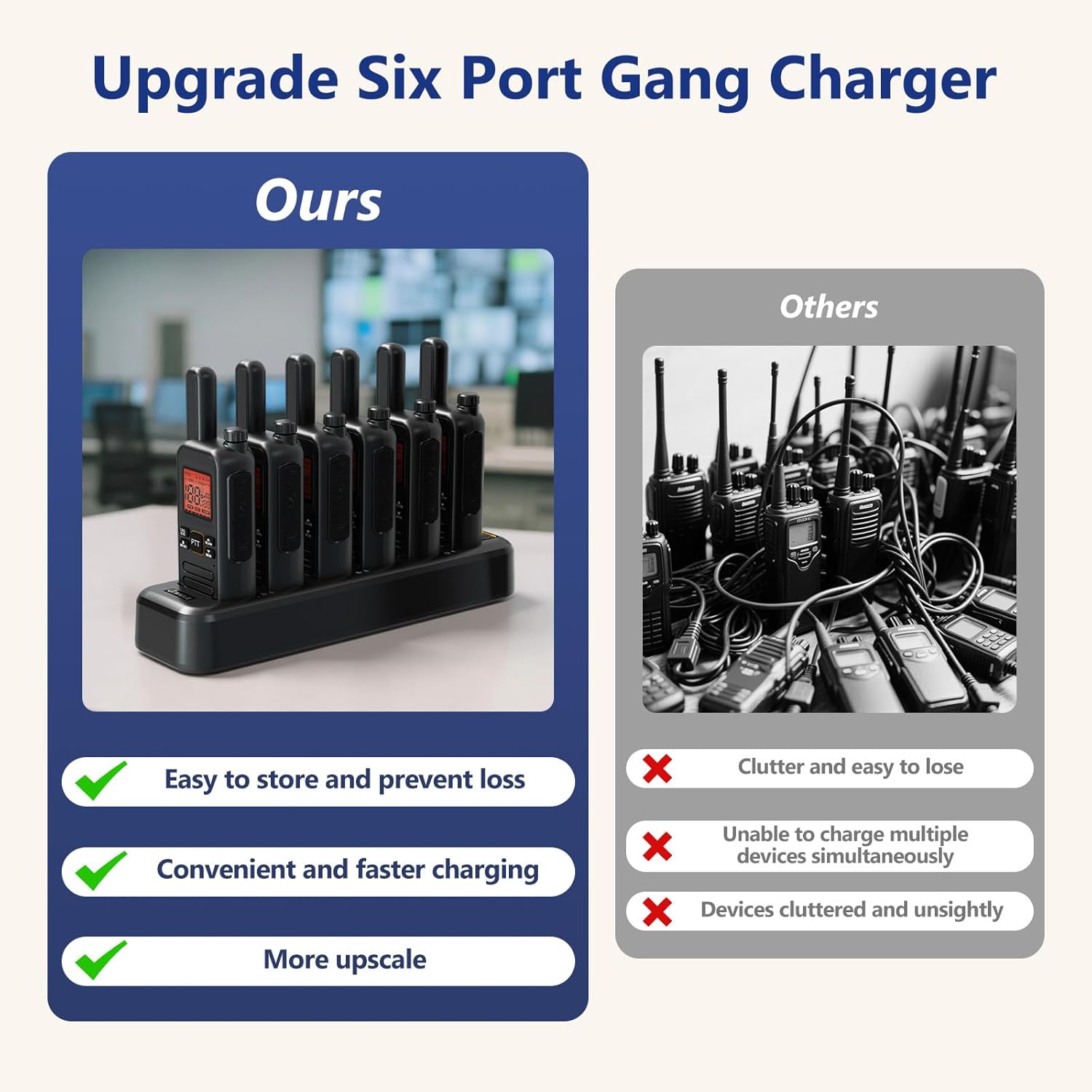
Figure 1: QNIGLO SW-66 Two-Way Radios
પેકેજ સામગ્રી
ખાતરી કરો કે બધી વસ્તુઓ તમારા પેકેજમાં હાજર છે:
- QNIGLO SW-66 Two-Way Radios (quantity as purchased)
- ચાર્જિંગ ડોક
- USB-C Cables (quantity matching radios)
- વોલ એડેપ્ટર
- Walkie-Talkie Headsets (quantity matching radios)
- Belt Clips (quantity matching radios)
- વપરાશકર્તા માર્ગદર્શિકા (આ દસ્તાવેજ)
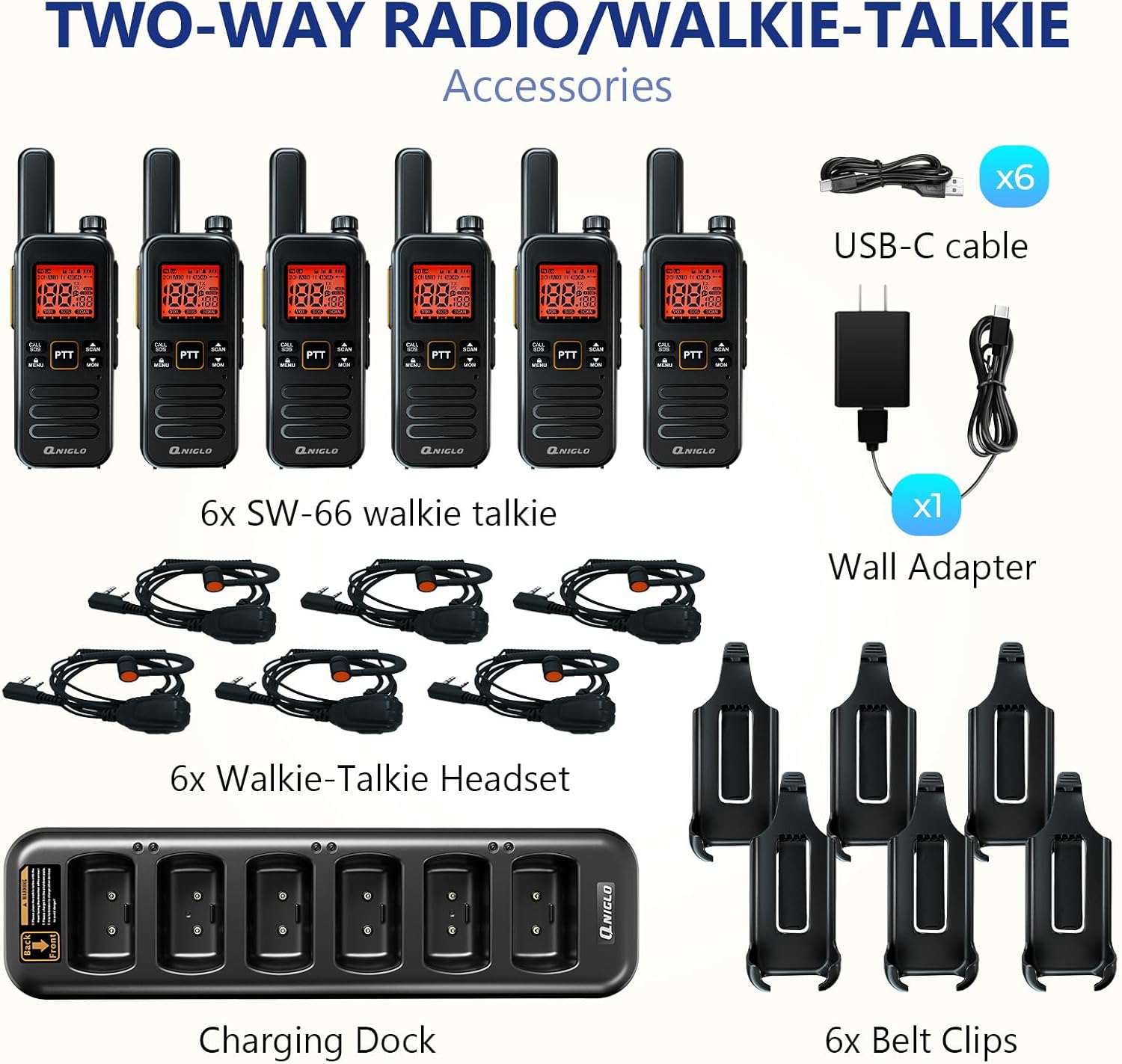
આકૃતિ 2: સમાવિષ્ટ એસેસરીઝ અને ઘટકો
ઉત્પાદન ઓવરview
રેડિયોના ઘટકો અને નિયંત્રણોથી પરિચિત થાઓ.

Figure 3: QNIGLO SW-66 Button Description
મુખ્ય ઘટકો:
- એન્ટેના: For signal transmission and reception.
- રોટરી સ્વિચ: Controls power ON/OFF and volume adjustment.
- PTT (Push-To-Talk) Buttons (PTT 1, PTT 2): Press to transmit, release to receive.
- F-type Connector: For external antenna or accessories.
- TYPE-C ચાર્જિંગ પોર્ટ: Direct charging port.
- Bell Mouth / Microphone Hole: વૉઇસ ઇનપુટ માટે.
- Base Charging Port: For charging with the charging dock.
- CALL/SOS Button: Short press to send a call, long press for SOS emergency alarm.
- મેનુ બટન: Short press for menu, long press for keypad lock.
- SCAN/UP Button: Short press for next option, long press to activate scan function.
- MON/DOWN Button: Short press for previous option, long press to activate monitor function.
સેટઅપ
1. રેડિયો ચાર્જ કરવું
Before first use, fully charge the radio's battery. The radio can be charged using the included charging dock or directly via the USB-C port.
- ચાર્જિંગ ડોકનો ઉપયોગ: Connect the charging dock to the wall adapter using the USB-C cable, then plug the adapter into a power outlet. Place the radio into a slot on the charging dock. The LED indicator on the dock will show charging status.
- ડાયરેક્ટ USB-C ચાર્જિંગ: Connect a USB-C cable directly to the TYPE-C charging port on the side of the radio and to a USB power source.

Figure 4: Charging the Radios with the Dock
A full charge typically takes approximately 4 hours and provides about 22 hours of working time.
૩. એસેસરીઝ જોડવી
- બેલ્ટ ક્લિપ: Align the belt clip with the designated grooves on the back of the radio and slide it down until it clicks into place.
- હેડસેટ: Plug the headset connector into the F-type connector port on the radio. Ensure it is securely inserted.
ઓપરેટિંગ સૂચનાઓ
૫.૧. પાવર ચાલુ/બંધ અને વોલ્યુમ ગોઠવણ
Rotate the top rotary switch clockwise to power on the radio. Continue rotating clockwise to increase volume. Rotate counter-clockwise to decrease volume. Rotate fully counter-clockwise until a click is heard to power off the radio.
2. ચેનલ પસંદગી
The QNIGLO SW-66 supports 22 FRS channels. To change channels, use the MENU button to enter channel selection mode, then use the SCAN/UP and MON/DOWN buttons to navigate through channels. Press MENU again to confirm your selection.
૫.૩. ટ્રાન્સમિટિંગ અને રિસીવિંગ (PTT)
- To transmit, press and hold either PTT 1 or PTT 2 button. Speak clearly into the microphone.
- ટ્રાન્સમિટિંગ બંધ કરવા અને રીસીવ મોડ પર પાછા ફરવા માટે PTT બટન છોડો.
- Ensure all radios are on the same channel to communicate.
૫.૪. VOX ફંક્શન (વોઇસ ઓપરેટેડ એક્સચેન્જ)
The VOX function allows hands-free transmission. When activated, the radio will automatically transmit when it detects your voice. Refer to the on-screen menu for VOX activation and sensitivity adjustment.
5. સ્કેન કાર્ય
Long press the SCAN/UP button to activate the scan function. The radio will scan through active channels. Press the SCAN/UP button again to stop scanning.
6. કીપેડ લ .ક
Long press the MENU button to lock the keypad, preventing accidental button presses. Long press MENU again to unlock.
7. Emergency Alarm (SOS)
In an emergency, long press the CALL/SOS button to activate the SOS alarm. This will transmit an alert signal to other radios on the same channel.
૪.૮. મોનિટર કાર્ય
Long press the MON/DOWN button to temporarily disable squelch and listen for weak signals on the current channel. Release the button to return to normal operation.
9. NOAA હવામાન ચેનલો
The radio supports NOAA weather channels for receiving weather alerts. Consult the on-screen menu to access and select NOAA channels.
જાળવણી
- સફાઈ: સોફ્ટનો ઉપયોગ કરો, ડીamp રેડિયોના બાહ્ય ભાગને સાફ કરવા માટે કાપડનો ઉપયોગ કરો. કઠોર રસાયણો અથવા ઘર્ષક ક્લીનર્સનો ઉપયોગ કરશો નહીં.
- બેટરી સંભાળ: To prolong battery life, avoid fully discharging the battery frequently. Charge the radio regularly, even if not in use for extended periods.
- સંગ્રહ: Store the radio in a cool, dry place away from direct sunlight and extreme temperatures. Remove the battery if storing for very long periods.
- પાણી પ્રતિકાર: Note that this device is પાણી પ્રતિરોધક નથીપાણી અથવા ઉચ્ચ ભેજના સંપર્કમાં આવવાનું ટાળો.
મુશ્કેલીનિવારણ
| સમસ્યા | સંભવિત કારણ | ઉકેલ |
|---|---|---|
| રેડિયો ચાલુ થતો નથી. | બેટરી ખાલી થઈ ગઈ છે અથવા યોગ્ય રીતે દાખલ કરેલી નથી. | Charge the battery. Ensure the battery is correctly seated. |
| ટ્રાન્સમિટ કે પ્રાપ્ત કરી શકાતું નથી. | ખોટી ચેનલ, રેન્જની બહાર, અથવા ઓછી બેટરી. | Verify radios are on the same channel. Move closer to other radios. Charge battery. |
| નબળી ઓડિયો ગુણવત્તા. | ઓછી બેટરી, દખલગીરી, અથવા રેડિયો ખૂબ દૂર છે. | Charge battery. Move away from sources of interference. Reduce distance between radios. |
| કીપેડ પ્રતિભાવ આપતું નથી. | કીપેડ લોક સક્રિય છે. | Long press the MENU button to unlock the keypad. |
વિશિષ્ટતાઓ
| બ્રાન્ડ | QNIGLO |
| મોડલ નંબર | એસડબલ્યુ-એક્સ્યુએનએક્સ |
| ચેનલોની સંખ્યા | 22 FRS ચેનલો |
| ખાસ લક્ષણો | Battery Saver Mode, Digital Display, Emergency Alarm (SOS), Keypad Lock, Lightweight, VOX, NOAA |
| પાણી પ્રતિકાર સ્તર | પાણી પ્રતિરોધક નથી |
| સમાવાયેલ ઘટકો | Radio Unit, Belt Clip, Charging Dock, User Manual, Walkie-Talkie Headset |
| ચાર્જિંગનો પ્રકાર | USB-C, Charging Dock |
| Typical Working Time | Approx. 22 hours (after 4 hours charge) |
વોરંટી અને આધાર
The QNIGLO SW-66 Two-Way Radio comes with a ૩ વર્ષની ઉત્પાદકની વોરંટી ખરીદીની તારીખથી. આ વોરંટી સામાન્ય ઉપયોગ હેઠળ સામગ્રી અને કારીગરીમાં ખામીઓને આવરી લે છે.
For technical support, warranty claims, or any questions regarding your QNIGLO product, please contact QNIGLO customer service through the retailer where the product was purchased or visit the official QNIGLO webસંપર્ક માહિતી માટે સાઇટ.