
પરિચય
Thank you for choosing the Stealth Cam QS24 Trail Camera. This manual provides essential information for setting up, operating, and maintaining your camera to ensure optimal performance. The QS24 is designed for reliable outdoor monitoring, capturing high-resolution images and video with its advanced features.
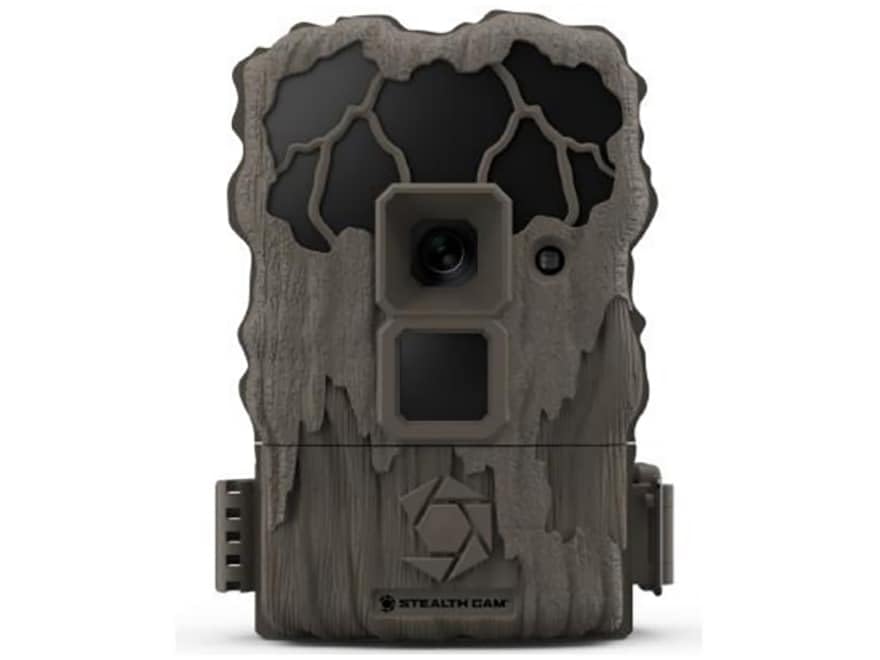
This image shows the compact design of the Stealth Cam QS24 trail camera, suitable for discreet outdoor placement.
સેટઅપ
1. બેટરી ઇન્સ્ટોલેશન
- Open the battery compartment latch, typically located on the side or bottom of the camera.
- Insert the required number of AA batteries (not included), ensuring correct polarity (+/-) as indicated inside the compartment.
- Close the battery compartment securely to maintain the camera's weather resistance.
2. એસડી કાર્ડ ઇન્સ્ટોલેશન
- Locate the SD card slot, usually near the battery compartment or on the side.
- Insert a formatted SD card (up to 32GB, not included) with the metal contacts facing the camera. Push until it clicks into place.
- કાઢવા માટે, કાર્ડ બહાર ન આવે ત્યાં સુધી તેને ફરીથી અંદર ધકેલી દો.
3. કેમેરા માઉન્ટ કરી રહ્યા છીએ
The QS24 is designed for tree mounting. Use the included strap or a compatible mounting accessory.
- Select a sturdy tree or post at the desired height, typically 3-6 feet off the ground.
- Thread the mounting strap through the designated slots on the back of the camera.
- Securely fasten the camera to the tree, ensuring it is stable and pointed towards the desired detection area.
- Adjust the camera angle as needed to optimize the field of view.
ઓપરેટિંગ સૂચનાઓ
1. પાવર ચાલુ/બંધ
- To power on, slide the power switch to the 'ON' position. The camera will perform a self-check.
- To power off, slide the power switch to the 'OFF' position.
2. Setting Up Basic Functions
Access the camera's menu via the internal display and control buttons to configure settings.
- મોડ પસંદગી: Choose between Photo (24MP), Video (720p at 30 FPS), or Photo+Video modes.
- ટ્રિગર વિલંબ: Set the delay between detections. The QS24 features an ultra-fast 0.8-second trigger speed.
- તપાસ શ્રેણી: The camera has an 80-foot LoGlo infrared detection range. Adjust sensitivity if available in settings.
- તારીખ અને સમય: Set the current date and time for accurate stamping on images and videos.
- ચંદ્ર તબક્કો: The camera automatically records moon phase data with each capture.
3. Retrieving Images and Videos
- કેમેરા બંધ કરો.
- Remove the SD card from its slot.
- Insert the SD card into a compatible card reader connected to a computer or other viewing ઉપકરણ.
- ઍક્સેસ કરો files on the SD card to view or transfer your captured media.
An official video from Stealth Cam showcasing the features and applications of their trail cameras, including the QS24 model.
જાળવણી
1. સફાઈ
- Gently wipe the camera lens and IR array with a soft, lint-free cloth to remove dirt, dust, or moisture.
- જાહેરાત વડે કેમેરા બોડી સાફ કરોamp કાપડ. કઠોર રસાયણો અથવા ઘર્ષક પદાર્થો ટાળો.
- Ensure all seals and gaskets are free of debris to maintain weather resistance.
2. બેટરી કેર
- Check battery levels regularly, especially before long deployments.
- Replace all batteries at the same time with new, high-quality batteries. Do not mix old and new batteries or different battery types.
- Remove batteries if the camera will be stored for an extended period to prevent leakage.
3. સંગ્રહ
- કેમેરાને સીધા સૂર્યપ્રકાશ અને અતિશય તાપમાનથી દૂર ઠંડી, સૂકી જગ્યાએ રાખો.
- Ensure the camera is clean and dry before storage.
મુશ્કેલીનિવારણ
- કેમેરા ચાલુ નથી:
- Check battery installation and ensure correct polarity.
- Replace with fresh batteries.
- Ensure the power switch is firmly in the 'ON' position. - કોઈ છબીઓ/વિડિઓ કેપ્ચર થયા નથી:
- Verify the SD card is properly inserted and formatted.
- Check if the SD card is full; delete or replace if necessary.
- Ensure the camera is in an active mode (Photo, Video, or Photo+Video).
- Adjust camera placement to ensure subjects pass within the detection zone. - નબળી છબી/વિડિઓ ગુણવત્તા:
- Clean the camera lens and IR array.
- Ensure there are no obstructions in front of the lens or IR sensors.
- Check battery levels; low batteries can affect performance. - False Triggers:
- Reduce the camera's sensitivity setting if available.
- Avoid placing the camera where moving branches or tall grass might trigger it.
- Ensure the camera is not facing direct sunlight or heat sources that could cause false detections.
વિશિષ્ટતાઓ
| મોડલ નંબર | STC-QS24 |
| છબી રીઝોલ્યુશન | 24 મેગાપિક્સેલ |
| વિડિઓ રિઝોલ્યુશન | 720p HD at 30 FPS |
| ટ્રિગર ગતિ | 0.8 સેકન્ડ |
| તપાસ શ્રેણી | 80 ft (LoGlo Infrared) |
| આઈઆર રેંજ | 80 ફૂટ |
| પાવર સ્ત્રોત | બેટરી સંચાલિત (AA બેટરી, શામેલ નથી) |
| કનેક્ટિવિટી | વાયરલેસ, બ્લૂટૂથ |
| ઇન્ડોર/આઉટડોર વપરાશ | આઉટડોર |
| માઉન્ટ પ્રકાર | ટ્રી માઉન્ટ |
| આઇટમ પરિમાણો | 13 x 2.6 x 6 ઇંચ |
| રંગ | ટેન |
| યુપીસી | 198954003410 |
વોરંટી અને આધાર
For detailed warranty information, please refer to the documentation included with your product or visit the official Stealth Cam webસાઇટ. વોરંટી શરતો સામાન્ય રીતે ખરીદીની તારીખથી ચોક્કસ સમયગાળા માટે ઉત્પાદન ખામીઓને આવરી લે છે.
For technical support, troubleshooting assistance, or to inquire about replacement parts, please contact Stealth Cam customer service directly. Contact information can usually be found on the manufacturer's webસાઇટ અથવા ઉત્પાદન પેકેજિંગમાં.