
1. સેટઅપ
1.1 પેકેજ સામગ્રી
Before assembly, please verify that all components are present in the package:
- KTC H24F7 24 Inch 240Hz Monitor
- મોનિટર બેઝ
- મોનિટર સ્ટેન્ડ
- પાવર એડેપ્ટર
- HDMI કેબલ
- ક્વિક સ્ટાર્ટ ગાઇડ (QSG)
1.2 એસેમ્બલી સૂચનાઓ
તમારા મોનિટરને એસેમ્બલ કરવા માટે આ પગલાં અનુસરો:
- પેકેજિંગમાંથી મોનિટર અને બધા ઘટકો કાળજીપૂર્વક દૂર કરો.
- Attach the monitor stand to the monitor base. Ensure it clicks securely into place.
- Connect the assembled stand and base to the back of the monitor. The stand is designed for easy snap-in installation.
- મોનિટરને સ્થિર, સપાટ સપાટી પર મૂકો.

૩.૩ VESA માઉન્ટ ઇન્સ્ટોલેશન
The KTC H24F7 monitor supports VESA 100mm x 100mm mounting for alternative stand or wall mount solutions. Ensure you use M4-0.7 x 10mm screws (not included) for secure installation.

1.4 ઉપકરણો સાથે જોડાઈ રહ્યું છે
Connect your computer or other devices to the monitor using the appropriate cables.
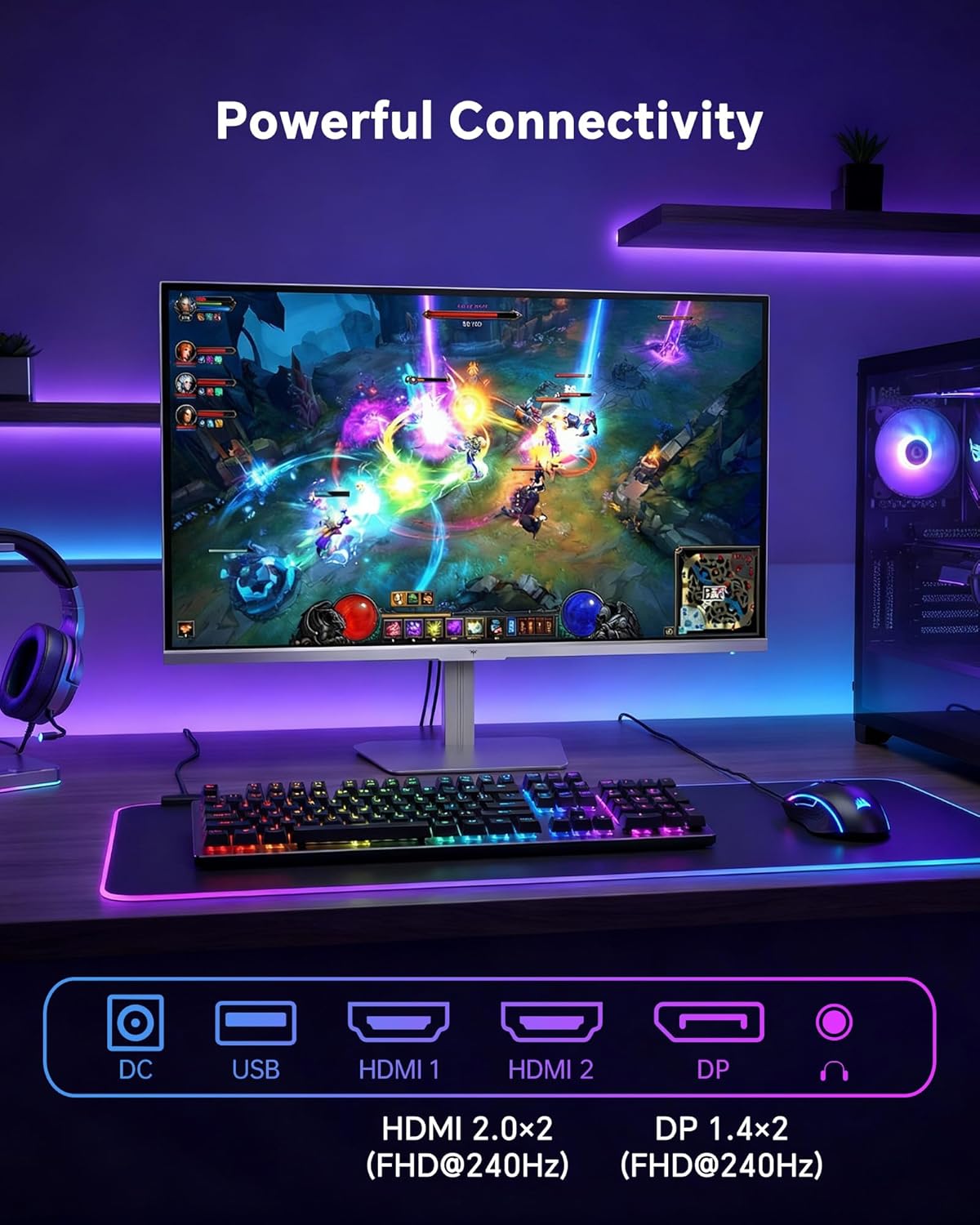
- એચડીએમઆઈ: Use an HDMI cable to connect to devices with HDMI output. The monitor has two HDMI 2.0 ports, supporting FHD at 240Hz.
- ડિસ્પ્લેપોર્ટ: Use a DisplayPort cable for devices with DisplayPort output. The monitor has one DisplayPort 1.4, supporting FHD at 240Hz.
- શક્તિ: Connect the power adaptor to the DC input on the monitor and then to a power outlet.
- યુએસબી: A USB 2.0 port is available for connecting peripherals.
- ઓડિયો આઉટ: A 3.5mm audio jack is available for connecting headphones or external speakers.
2. ઓપરેટિંગ સૂચનાઓ
2.1 પાવર ચાલુ/બંધ
મોનિટર ચાલુ કે બંધ કરવા માટે તેના પર સ્થિત પાવર બટન દબાવો. જ્યારે મોનિટર સક્રિય હશે ત્યારે પાવર સૂચક લાઇટ પ્રકાશિત થશે.
૪.૧ ઓન-સ્ક્રીન ડિસ્પ્લે (OSD) મેનુ
The OSD menu allows you to adjust various monitor settings. Use the control buttons (typically located on the back or bottom of the monitor) to navigate the menu and select options. Refer to the Quick Start Guide for specific button functions.
2.3 ડિસ્પ્લે સેટિંગ્સ
ઑપ્ટિમાઇઝ તમારા viewing experience by adjusting the following settings:
- તાજું દર: The monitor supports a 240Hz refresh rate for smooth motion. Ensure your graphics card settings are configured to utilize this rate.

- અનુકૂલનશીલ સમન્વયન: This technology synchronizes the monitor's refresh rate with your graphics card's frame rate to eliminate screen tearing and stuttering. Enable Adaptive Sync in the OSD menu and ensure it is also enabled in your graphics card control panel (FreeSync/G-Sync compatible).

- HDR 400: High Dynamic Range 400 provides enhanced contrast and color accuracy, delivering brighter highlights and deeper shadows. Activate HDR in the OSD menu and your operating system display settings for compatible content.

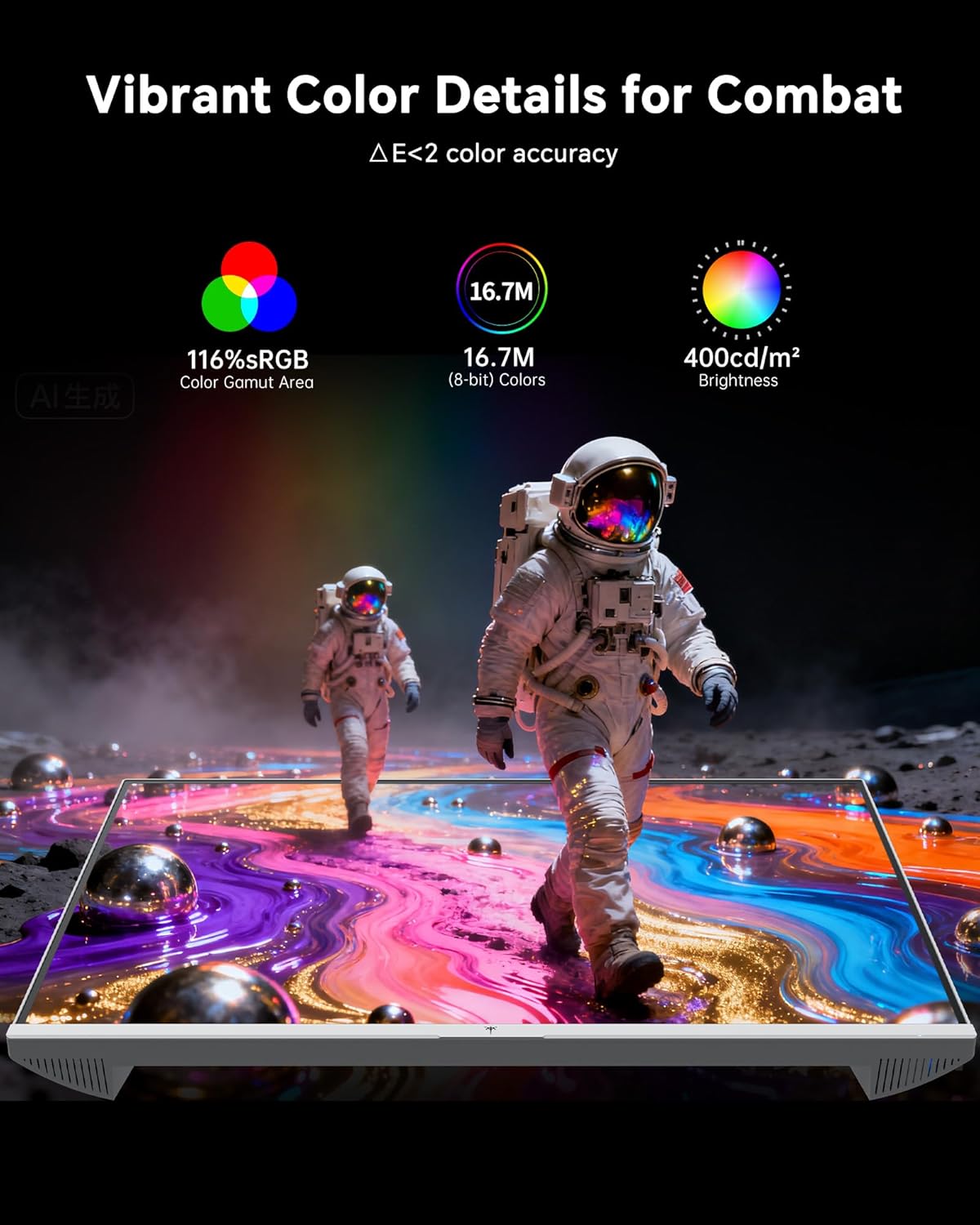
- રંગ સેટિંગ્સ: The monitor offers 116% sRGB color gamut and 16.7 million colors. Adjust brightness (up to 400 cd/m²) and color temperature through the OSD menu to suit your preference.
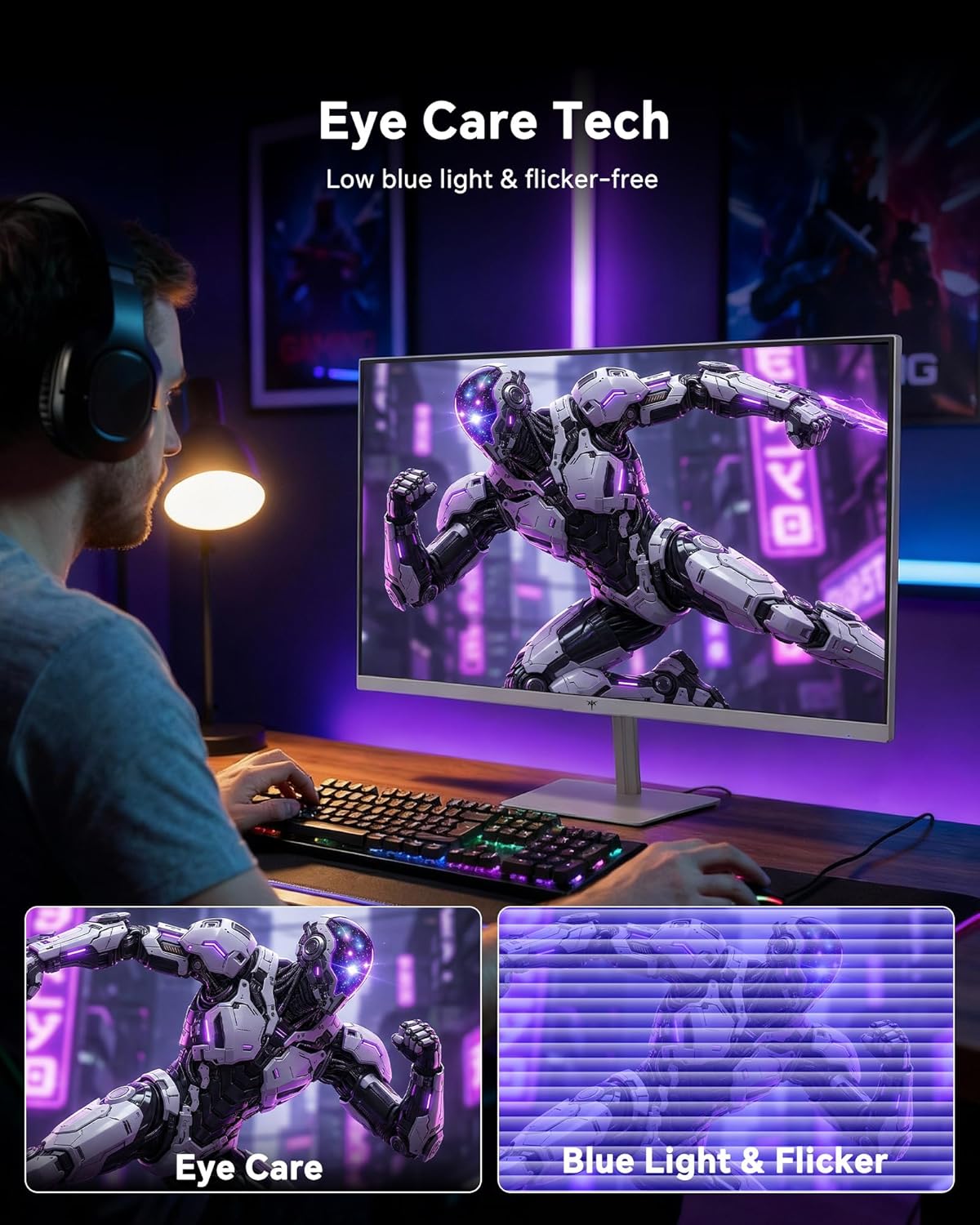
- આંખની સંભાળની ટેકનોલોજી: The monitor features low blue light and flicker-free technology to reduce eye strain during prolonged use. These settings can typically be adjusted or enabled within the OSD menu.
2.4 Monitor Tilt Adjustment
The monitor supports tilt adjustment from -5° to 15° (±3°). Gently adjust the monitor panel to your desired viewકોણ કોણ.
3. જાળવણી
3.1 મોનિટરની સફાઈ
મોનિટર સ્ક્રીન સાફ કરવા અને સીasing:
- સફાઈ કરતા પહેલા હંમેશા મોનિટર બંધ કરો અને પાવર કોર્ડને અનપ્લગ કરો.
- નરમ, લિન્ટ-ફ્રી કાપડનો ઉપયોગ કરોampપાણી અથવા હળવા, ઘર્ષણ વિનાના સ્ક્રીન ક્લીનરથી ધોઈ લો.
- Wipe the screen gently to remove dust and smudges. Avoid applying excessive pressure.
- સી માટેasing, use a dry, soft cloth. Do not use alcohol, ammonia, or abrasive cleaners, as these can damage the surface.
.3.2.૧ સામાન્ય કાળજી
- મોનિટર અથવા તેના કેબલ પર ભારે વસ્તુઓ રાખવાનું ટાળો.
- મોનિટરને સીધા સૂર્યપ્રકાશ, વધુ પડતી ગરમી અથવા અતિશય ઠંડીના સંપર્કમાં ન લાવો.
- મોનિટરને પ્રવાહી અને ઉચ્ચ ભેજથી દૂર રાખો.
- ઓવરહિટીંગને રોકવા માટે મોનિટરની આસપાસ યોગ્ય વેન્ટિલેશનની ખાતરી કરો.
4. મુશ્કેલીનિવારણ
If you encounter issues with your KTC H24F7 monitor, refer to the following common problems and solutions:
| સમસ્યા | સંભવિત કારણ | ઉકેલ |
|---|---|---|
| સ્ક્રીન પર કોઈ છબી નથી | Power cable disconnected; Video cable disconnected or loose; Incorrect input source selected; Monitor is off. | Ensure power cable is securely connected and monitor is on. Check video cable connections (HDMI/DisplayPort) at both the monitor and computer. Press the input source button on the monitor to cycle through inputs. |
| છબી ઝબકતી કે ફાટી જતી | Adaptive Sync not enabled; Graphics card driver issues; Faulty video cable. | Enable Adaptive Sync in the OSD menu and your graphics card control panel. Update graphics card drivers. Try a different video cable. If using DisplayPort 1, try DisplayPort 2 or HDMI if available, as some units may experience issues with specific ports. |
| રંગો ખોટા દેખાય છે અથવા ધોવાઇ ગયા છે | Color settings incorrect; HDR not properly configured; Faulty video cable. | Adjust color settings (brightness, contrast, color temperature) in the OSD menu. Ensure HDR is enabled in both the OSD and your operating system for HDR content. Try a different video cable. |
| Monitor not reaching 240Hz | Graphics card limitations; Incorrect display settings in OS; Cable bandwidth limitations. | Ensure your graphics card supports 240Hz at 1080p. Verify display settings in your operating system (e.g., Windows Display Settings or NVIDIA/AMD control panel) are set to 240Hz. Use the provided HDMI cable or a certified DisplayPort 1.4 cable. |
| અટવાયેલા અથવા મૃત પિક્સેલ | ઉત્પાદન ખામી. | A small number of stuck or dead pixels (typically 1-3) may be considered normal for LCD panels. If the issue is severe or persistent, contact customer support. |
5. સ્પષ્ટીકરણો
| લક્ષણ | વિગત |
|---|---|
| બ્રાન્ડ | કેટીસી |
| મોડલ નંબર | H24F7 |
| સ્ક્રીન માપ | 24 ઇંચ |
| ઠરાવ | FHD 1080p (1920 x 1080 પિક્સેલ્સ) |
| પેનલ પ્રકાર | ઝડપી IPS |
| તાજું દર | 240 હર્ટ્ઝ |
| પ્રતિભાવ સમય | 1 Millisecond (MPRT) |
| પાસા રેશિયો | 16:9 |
| તેજ | 400 કેન્ડેલા પ્રતિ ચોરસ મીટર |
| કોન્ટ્રાસ્ટ રેશિયો | 1000:1 |
| રંગ ગામટ | 116% sRGB |
| HDR સપોર્ટ | HDR 400 |
| અનુકૂલનશીલ સમન્વયન | FreeSync, G-Sync Compatible |
| કનેક્ટિવિટી | 2x HDMI 2.0, 1x DisplayPort 1.4, 1x USB 2.0, 1x Audio Out (3.5mm) |
| આંખની સંભાળની સુવિધાઓ | Low Blue Light, Flicker-Free, Anti-Glare Screen |
| ગોઠવણો | Tilt (-5° to 15°) |
| વેસા માઉન્ટ | 100mm x 100mm |
| પરિમાણો (D x W x H) | 5.39"D x 21.25"W x 15.74"H |
| વસ્તુનું વજન | 3.2 કિલોગ્રામ |
| રંગ | સફેદ |
6. વોરંટી અને સપોર્ટ
6.1 વોરંટી માહિતી
The KTC H24F7 monitor comes with a three-year manufacturer warranty. આ વોરંટી સામાન્ય ઉપયોગ હેઠળ સામગ્રી અને કારીગરીમાં ખામીઓને આવરી લે છે.
કૃપા કરીને વોરંટી દાવા માટે તમારી ખરીદીનો પુરાવો જાળવી રાખો.
6.2 ગ્રાહક સપોર્ટ
For technical assistance, warranty claims, or any questions regarding your KTC H24F7 monitor, please contact KTC customer support. KTC aims to provide responsive customer support and typically responds within 12 hours.
You can usually find contact information on the official KTC website or through the retailer where you purchased the product. When contacting support, please have your monitor model number (H24F7) and purchase details ready.