
1. પરિચય
Thank you for choosing the Generic H100 WiFi Trail Camera. This manual provides detailed instructions for setting up, operating, and maintaining your camera. Designed for wildlife observation, hunting, home security, and farm monitoring, this camera captures high-quality images and videos with advanced features like WiFi connectivity, night vision, and a robust waterproof design.
2. પેકેજ સામગ્રી
બધા ઘટકો હાજર છે તેની ખાતરી કરવા માટે કૃપા કરીને પેકેજ તપાસો:
- H100 WiFi Trail Camera
- યુએસબી કેબલ
- થ્રેડેડ ત્રપાઈ
- માઉન્ટિંગ બેલ્ટ
- Mounting Screws (and wall plugs)
- વપરાશકર્તા માર્ગદર્શિકા

Image 2.1: Contents of the H100 Trail Camera package, including the camera, USB cable, threaded tripod, user manual, mounting belt, and screws.
3. ઉત્પાદન સુવિધાઓ
- ઉચ્ચ રીઝોલ્યુશન ઇમેજિંગ: Captures 48MP photos and 1080P videos with audio.
- ઝડપી ટ્રિગર ગતિ: Ultra-fast 0.2s trigger speed with 3 PIR infrared sensors.
- વાઈડ ડિટેક્શન રેન્જ: 120° detection angle up to 65ft (20m).
- ઉન્નત નાઇટ વિઝન: Low glow infrared LEDs for clear night recordings up to 10 meters.
- WiFi & Bluetooth Connectivity: Remote control and footage viewing via mobile app within 32.8 feet (10 meters).
- ટકાઉ ડિઝાઇન: IP66 waterproof rating for reliable outdoor use in various weather conditions.
- Multiple Capture Modes: Supports photo, video, and photo+video modes.

છબી 3.1: આગળ view of the H100 WiFi Trail Camera, highlighting its WiFi and Bluetooth capabilities.
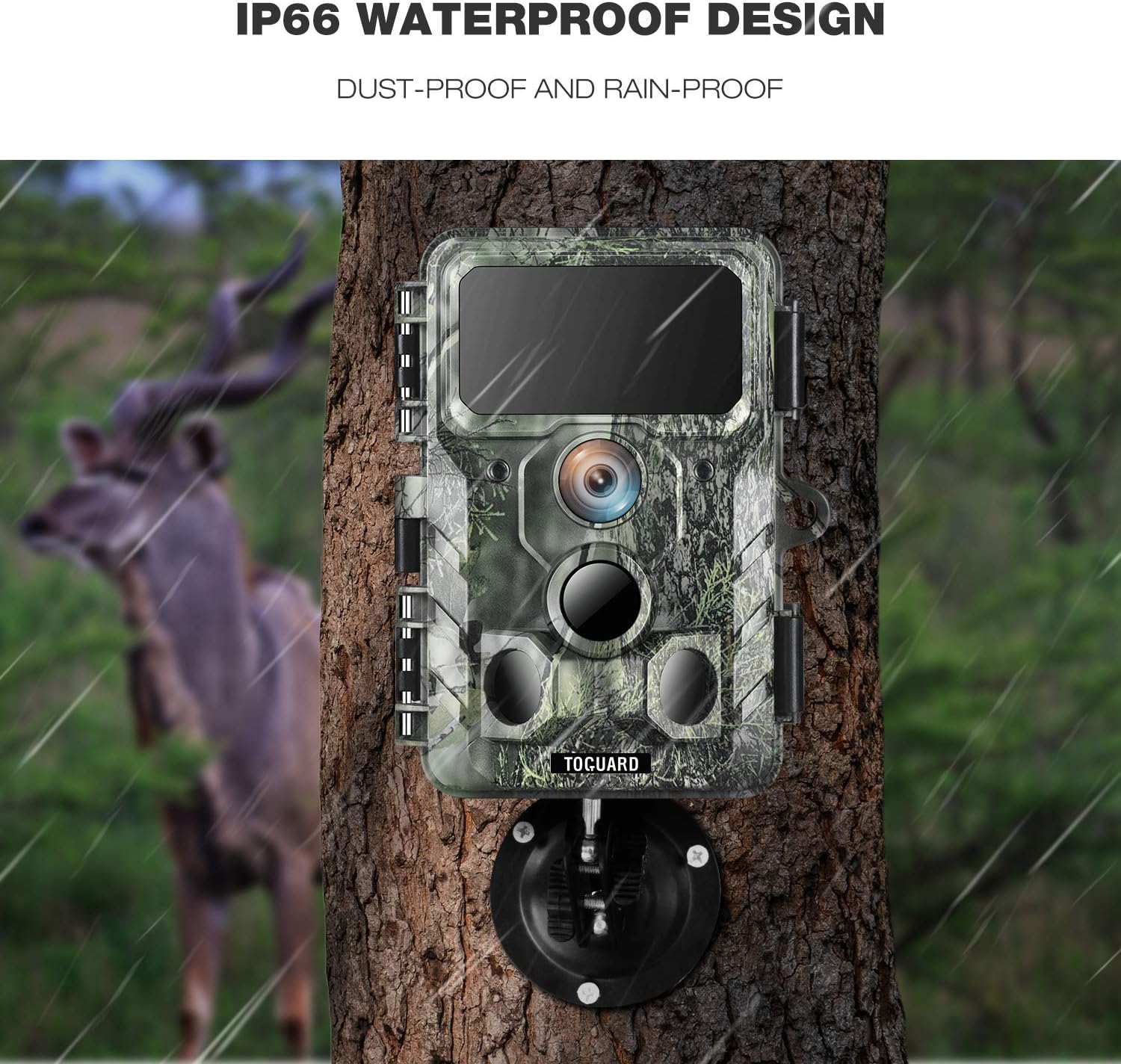
Image 3.2: The H100 Trail Camera mounted on a tree, illustrating its IP66 dust-proof and rain-proof design.

Image 3.3: A comparison showing the clarity of 30MP images captured by the camera versus lower resolution, depicting wildlife.

Image 3.4: Day and night vision examples from the H100 Trail Camera, demonstrating its 36PCS 850NM infrared LEDs for clear night recordings.
4. સેટઅપ
૧.૨ બેટરી અને SD કાર્ડ ઇન્સ્ટોલેશન
- Open the camera's latch and battery compartment.
- Insert 8 AA batteries (not included) into the battery compartment, ensuring correct polarity. The camera also supports solar power input.
- Insert a Class 10 or higher Micro SD card (up to 256GB, not included) into the SD card slot with the contacts facing up.
- Close the battery compartment and secure the latch to ensure the camera is waterproof.
4.2 કેમેરા માઉન્ટ કરી રહ્યા છીએ
The H100 Trail Camera can be mounted using the provided mounting belt, threaded tripod, or screws.
- Using the Mounting Belt: Thread the belt through the slots on the back of the camera and secure it around a tree or pole.
- Using the Threaded Tripod: Screw the camera onto the threaded tripod mount for flexible positioning on flat surfaces or ground.
- માઉન્ટિંગ સ્ક્રૂનો ઉપયોગ કરીને: Use the provided screws and wall plugs to attach the camera to a wall or other solid surface.
૩.૨ એપ ડાઉનલોડ અને કનેક્શન
- Scan the QR code in the physical user manual to download the dedicated mobile application for your H100 camera.
- Enable Bluetooth and WiFi on your smartphone.
- Open the app and follow the on-screen instructions to connect to the camera's hotspot. The camera's WiFi connection range is approximately 32.8 feet (10 meters).
- Once connected, you can remotely view images/videos and adjust camera settings.
5. ઓપરેટિંગ સૂચનાઓ
5.1 પાવરિંગ ચાલુ/બંધ
- To power on, slide the power switch to the 'ON' position. The indicator light will briefly illuminate.
- To power off, slide the power switch to the 'OFF' position.
5.2 મોડ પસંદગી
The camera supports three capture modes:
- ફોટો મોડ: ટ્રિગર થાય ત્યારે સ્થિર છબીઓ કેપ્ચર કરે છે.
- વિડિઓ મોડ: જ્યારે ટ્રિગર થાય ત્યારે વિડિઓ ક્લિપ્સ રેકોર્ડ કરે છે.
- ફોટો + વિડિઓ મોડ: Captures a photo followed by a video clip when triggered.
Select your desired mode through the mobile application settings.
5.3 Adjusting Settings via App
Once connected to the camera via the app, you can customize various settings:
- Image/Video Resolution
- ટ્રિગર અંતરાલ
- પીઆઈઆર સંવેદનશીલતા
- Time Lapse (if available)
- તારીખ અને સમય Stamp
- પાસવર્ડ પ્રોટેક્શન
- ફોર્મેટ SD કાર્ડ
5.4 Viewing Footage
Access the camera's gallery through the mobile app to view captured photos and videos. You can download fileસીધા તમારા સ્માર્ટફોન પર.
6. જાળવણી
- સફાઈ: Gently wipe the camera lens and PIR sensors with a soft, dry cloth to remove dust or dirt. Avoid abrasive materials.
- બેટરી તપાસ: Regularly check battery levels via the app or by physically inspecting the batteries. Replace all batteries simultaneously to ensure optimal performance.
- વોટરપ્રૂફ સીલ: Ensure the camera's latch is securely closed and the rubber seal is free from debris to maintain its IP66 waterproof rating.
- એસડી કાર્ડ મેનેજમેન્ટ: Periodically format the SD card through the camera settings to prevent data corruption and ensure sufficient storage space. Back up important footagફોર્મેટિંગ પહેલાં e.
7. મુશ્કેલીનિવારણ
| સમસ્યા | સંભવિત કારણ | ઉકેલ |
|---|---|---|
| કેમેરા ચાલુ નથી | ઓછી અથવા બંધ બેટરી; ખોટી બેટરી પોલેરિટી. | બેટરીઓને નવી બેટરીથી બદલો; યોગ્ય ધ્રુવીયતા સુનિશ્ચિત કરો. |
| કોઈ છબીઓ/વિડિઓ કેપ્ચર થયા નથી | SD card full or corrupted; PIR sensitivity too low; camera in wrong mode. | Format SD card; increase PIR sensitivity; check capture mode settings. |
| નબળી છબી/વિડિઓ ગુણવત્તા | Dirty lens; low light conditions; incorrect resolution settings. | Clean the lens; ensure adequate lighting or use night vision; set higher resolution. |
| વાઇફાઇ/બ્લુટુથ કનેક્શન સમસ્યાઓ | Too far from camera; app not updated; camera WiFi not activated. | Move closer to the camera (within 10m); update app; ensure camera is in connectable state. |
| નાઇટ વિઝન કામ કરતું નથી | IR LEDs blocked; insufficient power. | Clear any obstructions from IR LEDs; ensure batteries are fully charged. |
8. સ્પષ્ટીકરણો
| લક્ષણ | સ્પષ્ટીકરણ |
|---|---|
| છબી રીઝોલ્યુશન | 48 મેગાપિક્સેલ સુધી |
| વિડિઓ રિઝોલ્યુશન | 1080P with Audio |
| ટ્રિગર ગતિ | 0.2 સેકન્ડ |
| તપાસ શ્રેણી | 120° wide angle, up to 65ft (20m) |
| નાઇટ વિઝન | Low glow infrared LEDs, 10 meters range |
| વોટરપ્રૂફ રેટિંગ | IP66 |
| કનેક્ટિવિટી | WiFi, Bluetooth (App Remote Control) |
| પાવર સ્ત્રોત | 8x AA Batteries (required), Solar Powered input |
| સંગ્રહ | Micro SD Card (up to 256GB, Class 10 or higher) |
| પરિમાણો | આશરે 2 x 3 x 3 ઇંચ |
| મોડેલનું નામ | H100 |
9. વોરંટી અને સપોર્ટ
વોરંટી માહિતી અથવા તકનીકી સહાય માટે, કૃપા કરીને તમારી ખરીદી સાથે આપેલી સંપર્ક વિગતોનો સંદર્ભ લો અથવા ઉત્પાદકના અધિકારીની મુલાકાત લો webસાઇટ. ખરીદીના પુરાવા તરીકે તમારી ખરીદી રસીદ રાખો.