1. પરિચય અને ઓવરview
The Tetra WP Aquarium Water Pump is designed to provide efficient water circulation for aquariums ranging from 80 to 200 liters. This powerful, submersible pump features an adjustable flow system, ensuring optimal water movement for a healthy aquatic environment. Its compact design allows for easy placement and quiet operation, making it an ideal choice for maintaining water quality.
મુખ્ય લાક્ષણિકતાઓમાં શામેલ છે:
- Powerful Impeller System: Delivers high water flow for effective circulation.
- એડજસ્ટેબલ ફ્લો રેટ: Allows precise control over water movement to suit your aquarium's needs.
- સંપૂર્ણપણે સબમર્સિબલ: Designed for complete immersion in water.
- શાંત કામગીરી: Engineered to run silently, minimizing disturbance.
- સરળ સ્થાપન અને જાળવણી: Simple setup and straightforward cleaning procedures.
2. સલામતી સૂચનાઓ
Before operating the Tetra WP Aquarium Water Pump, please read and understand all safety instructions to prevent injury or damage to the product or your aquarium. Failure to follow these instructions may result in electric shock, fire, or other hazards.
- Always disconnect the power supply before performing any maintenance, installation, or removal of the pump.
- પાવર પ્લગને હેન્ડલ કરતી વખતે ખાતરી કરો કે તમારા હાથ શુષ્ક છે.
- The pump is designed for indoor use only and must be fully submerged in water during operation.
- જો પાવર કોર્ડ અથવા પ્લગ ક્ષતિગ્રસ્ત હોય તો પંપ ચલાવશો નહીં.
- Do not use the pump for purposes other than those specified in this manual.
- બાળકોની પહોંચથી દૂર રાખો.
- વોલ્યુમની ખાતરી કરોtage indicated on the pump matches your local power supply.
3. પેકેજ સામગ્રી
Carefully unpack the box and ensure all items are present and in good condition. The package should contain:
- 1 x Tetra WP Aquarium Water Pump (Model WP 600)
Note: Additional tubing or accessories may need to be purchased separately depending on your specific aquarium setup.
4. સેટઅપ
Follow these steps for proper installation of your Tetra WP Aquarium Water Pump:
- પંપ તૈયાર કરો: Ensure the pump is clean and free from any debris.
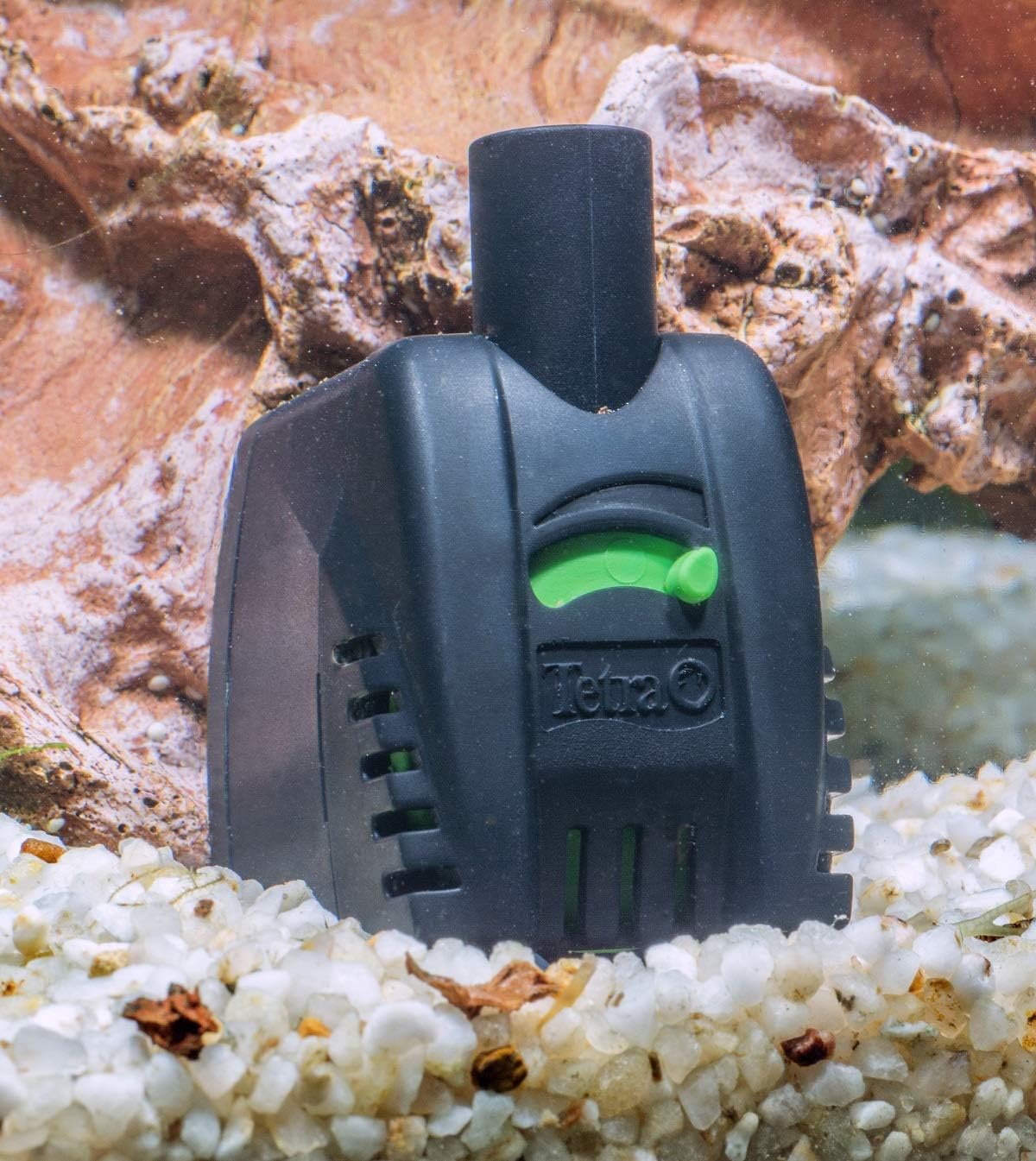
- સ્થિતિ: Place the pump fully submerged inside your aquarium. The pump is equipped with suction cups for secure attachment to the aquarium glass. Ensure it is positioned where it can effectively circulate water without being obstructed by decorations or substrate.
- Connect Tubing (Optional): If you are using the pump to drive a filter or other accessory, connect the appropriate tubing to the pump's outlet nozzle.
- પ્રવાહ દર સમાયોજિત કરો: Locate the flow adjustment slider on the pump. Set it to the desired water flow intensity. Start with a moderate setting and adjust as needed after observing your aquarium's water movement.
- પાવર કનેક્શન: એકવાર પંપ સુરક્ષિત રીતે મૂકવામાં આવે અને સંપૂર્ણપણે ડૂબી જાય, પછી પાવર પ્લગને યોગ્ય ઇલેક્ટ્રિકલ આઉટલેટ સાથે જોડો.

Ope. Opeપરેટિંગ
Once installed, operating the Tetra WP pump is straightforward:
- પાવર ચાલુ: Plug the pump into a power outlet. The pump will start immediately.
- પ્રવાહ ગોઠવણ: Use the green slider on the front of the pump to increase or decrease the water flow. Adjust it to achieve the desired current for your fish and plants.
- સતત કામગીરી: The pump is designed for continuous operation. Monitor your aquarium's water parameters and fish behavior to ensure optimal conditions.
6. જાળવણી
Regular maintenance ensures the longevity and efficient performance of your pump. Always disconnect the power before performing any maintenance.
- નિયમિત સફાઈ: Periodically remove the pump from the aquarium. Disassemble the front cover and impeller housing. Clean the impeller and its chamber thoroughly to remove any accumulated debris, algae, or mineral deposits. A small brush can be helpful.
- અવરોધો માટે તપાસો: Inspect the intake grilles and outlet nozzle for any blockages that might impede water flow.
- ઇમ્પેલર નિરીક્ષણ: Check the impeller for any signs of wear or damage. A worn impeller can lead to reduced performance or increased noise.
- ફરીથી એસેમ્બલી: Reassemble the pump carefully, ensuring all parts are correctly fitted.
For optimal aquarium health and filter performance, consider using products like Tetra FilterActive Bacteria after filter changes, filter cleaning, or water changes. This helps maintain biological activity and extends the interval between cleanings.

7. મુશ્કેલીનિવારણ
If you encounter issues with your Tetra WP pump, refer to the following common problems and solutions:
| સમસ્યા | સંભવિત કારણ | ઉકેલ |
|---|---|---|
| પંપ ચાલુ થતો નથી | No power; Impeller jammed; Airlock | Check power connection; Disconnect and clean impeller; Ensure pump is fully submerged and free of air bubbles. |
| પાણીના પ્રવાહમાં ઘટાડો | Clogged intake/outlet; Dirty impeller; Flow rate set too low | Clean intake grilles and outlet; Clean impeller; Adjust flow slider to a higher setting. |
| Pump is noisy or vibrating | Impeller dirty or damaged; Improper seating of components; Air trapped in pump | Disconnect and clean impeller; Ensure all parts are correctly assembled; Gently shake pump to release trapped air; Check for worn impeller. |
| પંપ સમયાંતરે બંધ થાય છે | Overheating; Loose connection; Impeller obstruction | Ensure pump is fully submerged; Check power connection; Clean impeller for obstructions. |
8. સ્પષ્ટીકરણો
Detailed technical specifications for the Tetra WP 600 Aquarium Water Pump:
| લક્ષણ | સ્પષ્ટીકરણ |
|---|---|
| મોડલ | WP 600 |
| Suitable Aquarium Size | ૦ - ૧૩ લિટર |
| મહત્તમ પ્રવાહ દર | 600 Liters per hour (l/h) |
| પાવર વપરાશ | 11 વોટ્સ |
| મહત્તમ ડિલિવરી ઊંચાઈ | 1.3 meters (m) |
| Maximum Immersion Height | 1 meter (m) |
| પરિમાણો (અંદાજે) | ઊંચાઈ: ૭૮૫ મીમી, ઊંડાઈ: ૬૮૦ મીમી, પહોળાઈ: ૪૧૦ મીમી |
| સામગ્રી | ધાતુ (આંતરિક ઘટકો), પ્લાસ્ટિક (આવાસ) |
| પાવર સ્ત્રોત | Electric with cable |
| GTIN (ગ્લોબલ ટ્રેડ આઇટમ નંબર) | 04004218188785 |
| ASIN | B004AWF0TA |
| મૂળ દેશ | ઇટાલી |


9. વોરંટી અને સપોર્ટ
The Tetra WP Aquarium Water Pump comes with a 2 વર્ષની વોરંટી ખરીદીની તારીખથી, ઉત્પાદન ખામીઓને આવરી લેતી. વોરંટી દાવાઓ માટે કૃપા કરીને ખરીદીનો પુરાવો રાખો.
For returns or issues with defective/damaged products, please refer to the retailer's return policy or contact their customer support directly. For specific information regarding purchases made on marketplaces, consult their respective help pages.
For technical support or further inquiries about your Tetra product, please visit the official Tetra webસાઇટ અથવા તેમના ગ્રાહક સેવા વિભાગનો સંપર્ક કરો.


