1. પરિચય
ખરીદી બદલ આભારasing the Fysic FX-6000 Big Button DECT Phone. This manual will guide you through the setup, operation, and maintenance of your new cordless telephone. Please read these instructions carefully before using the phone to ensure proper functionality and safety. Keep this manual for future reference.
2. મહત્વપૂર્ણ સલામતી માહિતી
- Use only the supplied power adapter and batteries.
- ફોનને પાણી કે વધુ પડતા ભેજના સંપર્કમાં ન લાવો.
- ફોનને ગરમીના સ્ત્રોતો અથવા સીધા સૂર્યપ્રકાશની નજીક રાખવાનું ટાળો.
- ફોન જાતે ખોલવાનો કે રિપેર કરવાનો પ્રયાસ કરશો નહીં. બધી સર્વિસિંગ લાયક કર્મચારીઓને સોંપો.
- સ્થાનિક નિયમો અનુસાર બેટરીનો જવાબદારીપૂર્વક નિકાલ કરો.
3. પેકેજ સામગ્રી
કૃપા કરીને તપાસો કે તમારા પેકેજમાં બધી વસ્તુઓ હાજર છે:
- Fysic FX-6000 Handset
- બેઝ સ્ટેશન
- બેઝ સ્ટેશન માટે પાવર એડેપ્ટર
- ટેલિફોન લાઇન કોર્ડ
- 2 x AAA NiMH રિચાર્જેબલ બેટરીઓ
- વપરાશકર્તા માર્ગદર્શિકા
4. ઉત્પાદન ઓવરview
The Fysic FX-6000 features large buttons and a clear display for ease of use.

આકૃતિ 4.1: આગળ view of the Fysic FX-6000 handset in its charging base, highlighting the large, easy-to-read buttons and the clear, backlit display.
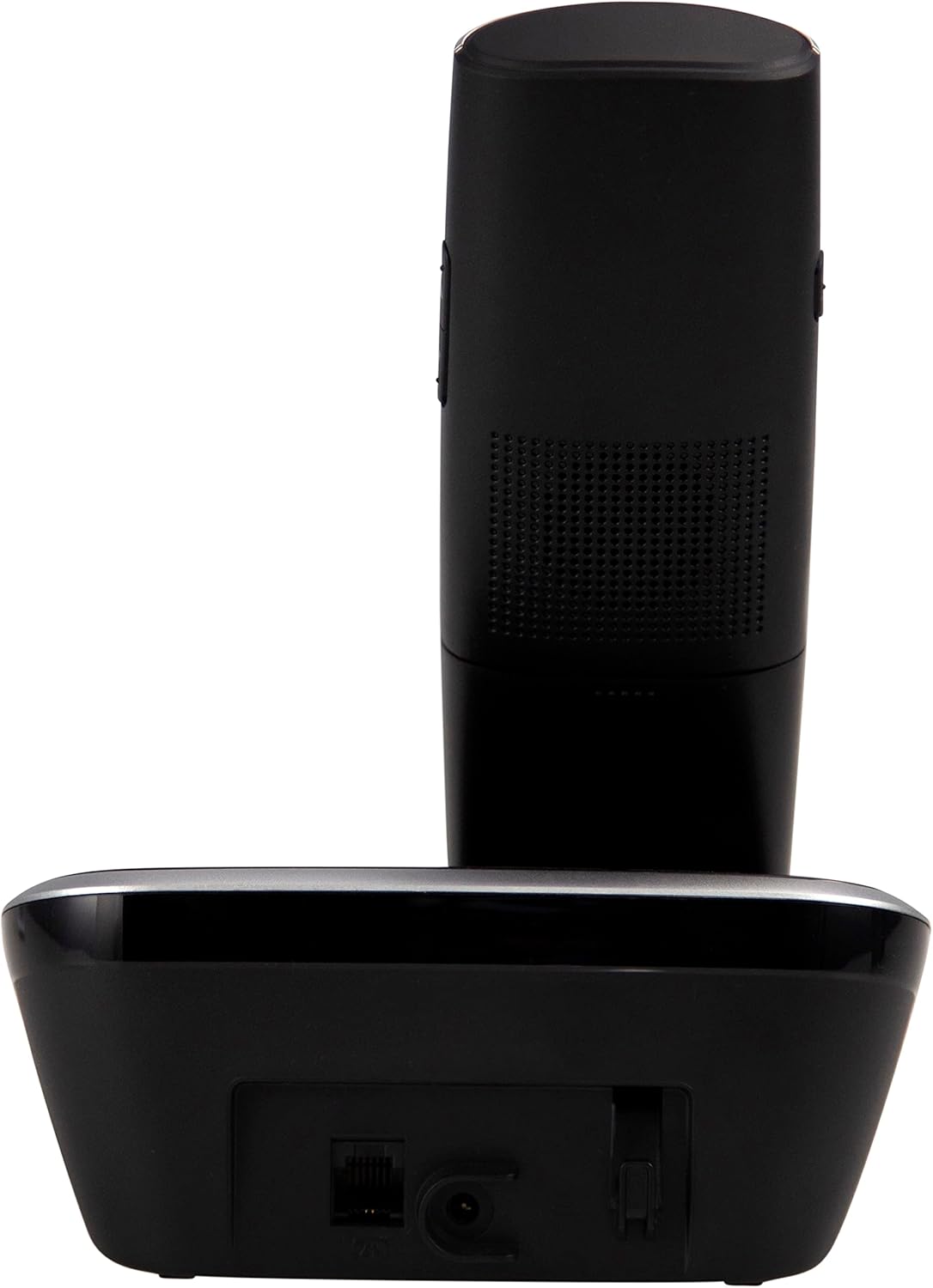
આકૃતિ 4.2: બાજુ view of the Fysic FX-6000 handset docked in its base station, showing the ergonomic design and side volume buttons.

આકૃતિ 4.3: Detailed close-up of the Fysic FX-6000 phone's keypad, emphasizing the large, clearly labeled buttons for easy dialing.

આકૃતિ 4.4: ક્લોઝ-અપ view of the Fysic FX-6000 phone's backlit display, showing clear icons for battery status, signal strength, and call information.
હેન્ડસેટ લેઆઉટ
- પ્રદર્શન: 1.8-inch backlit screen for caller ID, menu, and status.
- નેવિગેશન કીઓ: For menu navigation and volume adjustment.
- ડાયલ પેડ: Large, easy-to-read numeric keys (0-9, *, #).
- કૉલ/સમાપ્તિ બટનો: Green button to answer/make calls, Red button to end calls.
- Memory Keys (M1, M2, M3): For speed dialing frequently used numbers.
- સ્પીકરફોન બટન: To activate hands-free mode.
બેઝ સ્ટેશન લેઆઉટ
- ચાર્જિંગ પારણું: For charging the handset.
- પેજિંગ બટન: ખોવાયેલા હેન્ડસેટને શોધવા માટે.
- પાવર સોકેટ: પાવર એડેપ્ટરને કનેક્ટ કરવા માટે.
- Telephone Line Socket: For connecting to the telephone line.
5. સેટઅપ
5.1 બેટરી ઇન્સ્ટોલેશન
- હેન્ડસેટના પાછળના ભાગમાં બેટરી કમ્પાર્ટમેન્ટ કવર ખોલો.
- પૂરી પાડવામાં આવેલ બે AAA NiMH રિચાર્જેબલ બેટરી દાખલ કરો, યોગ્ય ધ્રુવીયતા (+ અને -) નું અવલોકન કરો.
- બેટરી કમ્પાર્ટમેન્ટ કવર સુરક્ષિત રીતે બંધ કરો.
૩.૨ બેઝ સ્ટેશનને જોડવું
- Connect one end of the telephone line cord to the telephone line socket on the base station.
- ટેલિફોન લાઇન કોર્ડના બીજા છેડાને તમારા ટેલિફોન વોલ સોકેટ સાથે જોડો.
- પાવર એડેપ્ટરને બેઝ સ્ટેશન પરના પાવર સોકેટ સાથે કનેક્ટ કરો.
- પાવર એડેપ્ટરને યોગ્ય ઇલેક્ટ્રિકલ આઉટલેટ (220-240V) માં પ્લગ કરો.
5.3 Initial Charging and Handset Registration
Place the handset on the base station. The handset will automatically begin charging. For optimal battery performance, allow the handset to charge for at least 16 hours before its first use. The handset is pre-registered to the base station from the factory. If for any reason the handset loses its registration, refer to the troubleshooting section for re-registration steps.
6. ઓપરેટિંગ સૂચનાઓ
6.1 કૉલ કરવો
- પ્રી-ડાયલિંગ: Enter the phone number using the dial pad, then press the ગ્રીન કોલ બટન
- ડાયરેક્ટ ડાયલિંગ: દબાવો ગ્રીન કોલ button, then enter the phone number.
- Using Memory Keys (M1, M2, M3): Press and hold the desired memory key (M1, M2, or M3) to dial the stored number.
6.2 કૉલ પ્રાપ્ત કરી રહ્યા છીએ
જ્યારે ફોન વાગે, ત્યારે દબાવો ગ્રીન કોલ button to answer. The display will show the caller's number if Caller ID service is active.
6.3 કૉલ સમાપ્ત
દબાવો રેડ એન્ડ કોલ બટન દબાવો અથવા હેન્ડસેટને બેઝ સ્ટેશન પર પાછો મૂકો.
૫.૩ વોલ્યુમ ગોઠવવું
During a call, use the volume up/down buttons on the side of the handset to adjust the earpiece volume. The ringtone volume can be adjusted via the phone's menu settings.
૫.૧ હેન્ડ્સ-ફ્રી ઓપરેશન
ક aલ દરમિયાન, દબાવો સ્પીકરફોન button to switch to hands-free mode. Press it again to return to earpiece mode.
6.6 ફોનબુક
The phonebook allows you to store frequently called numbers. Refer to the on-screen menu for options to add, edit, or delete contacts.
૭.૪ ફરીથી ડાયલ કરો
દબાવો ફરીથી ડાયલ કરો button (often integrated with the call log or a dedicated button) to view and redial the last dialed numbers.
6.8 મ્યૂટ ફંક્શન
ક aલ દરમિયાન, દબાવો મ્યૂટ કરો button to temporarily disable your microphone. The other party will not hear you. Press it again to unmute.
7. જાળવણી
7.1 સફાઈ
ફોન અને બેઝ સ્ટેશનને સોફ્ટ, ડી વડે સાફ કરો.amp કાપડ. ઘર્ષક ક્લીનર્સ અથવા સોલવન્ટ્સનો ઉપયોગ કરશો નહીં. સાફ કરતા પહેલા ખાતરી કરો કે ફોન પાવરથી ડિસ્કનેક્ટ થયેલ છે.
7.2 બેટરી કેર
- Always use the supplied rechargeable NiMH batteries.
- જો ફોન લાંબા સમય સુધી ઉપયોગમાં ન આવે, તો લીકેજ અટકાવવા માટે બેટરીઓ દૂર કરો.
- જ્યારે બેટરીનું પ્રદર્શન નોંધપાત્ર રીતે ઘટે ત્યારે તેને બદલો.
8. મુશ્કેલીનિવારણ
| સમસ્યા | સંભવિત કારણ | ઉકેલ |
|---|---|---|
| કોઈ ડાયલ ટોન નથી | Telephone line not connected; Power adapter not connected; Handset out of range or not registered. | Check all cable connections; Ensure base station is powered; Move handset closer to base; Re-register handset (see manual for specific steps). |
| હેન્ડસેટ ચાર્જ થઈ રહ્યો નથી | Handset not properly seated in cradle; Dirty charging contacts; Faulty batteries. | Ensure handset is correctly placed; Clean charging contacts on handset and base with a dry cloth; Replace batteries if necessary. |
| નબળી કૉલ ગુણવત્તા / સ્થિર | Handset too far from base; Interference from other electronic devices. | Move closer to the base station; Move base station away from other electronic devices (Wi-Fi routers, microwaves). |
| પ્રદર્શન ખાલી છે | Batteries are depleted or not inserted correctly. | Charge handset for at least 16 hours; Check battery polarity. |
9. ટેકનિકલ વિશિષ્ટતાઓ
- મોડલ: FX-6000
- બ્રાન્ડ: ફિઝિક
- રંગ: કાળો
- ફોન પ્રકાર: કોર્ડલેસ DECT ફોન
- પ્રદર્શન: 1.8-inch Backlit LCD
- બેટરી: 2 x AAA NiMH Rechargeable (1.2V, 500 mAh)
- Base Power Supply: 6 વીડીસી, 300 એમએ
- મુખ્ય શક્તિ: 220-240V
- વાત કરવાનો સમય: 10 કલાક સુધી
- સ્ટેન્ડબાય સમય: 100 કલાક સુધી
- ઇન્ડોર શ્રેણી: 50 મીટર સુધી
- આઉટડોર રેન્જ: 300 મીટર સુધી
- પરિમાણો (L x W x H): Approximately 8 x 20 x 17 cm (Handset in base)
- વજન: આશરે 534 ગ્રામ
- ખાસ લક્ષણો: Large buttons, Hearing aid compatible, Adjustable ringtone/call volume, Mute function, Hands-free operation, GAP compatible.
10. વોરંટી અને સપોર્ટ
Fysic products are designed and manufactured to the highest quality standards. For information regarding warranty terms and conditions, please refer to the warranty card included with your product or visit the official Fysic website. For technical support or service inquiries, please contact Fysic customer service through their official channels. Keep your purchase receipt as proof of purchase.


