ઉત્પાદન ઓવરview
This manual provides instructions for the Avidsen 868 MHz Additional Remote Control, designed to be compatible with Avidsen alarm systems models 100108 and 100111. This remote allows for convenient arming and disarming of your alarm system.
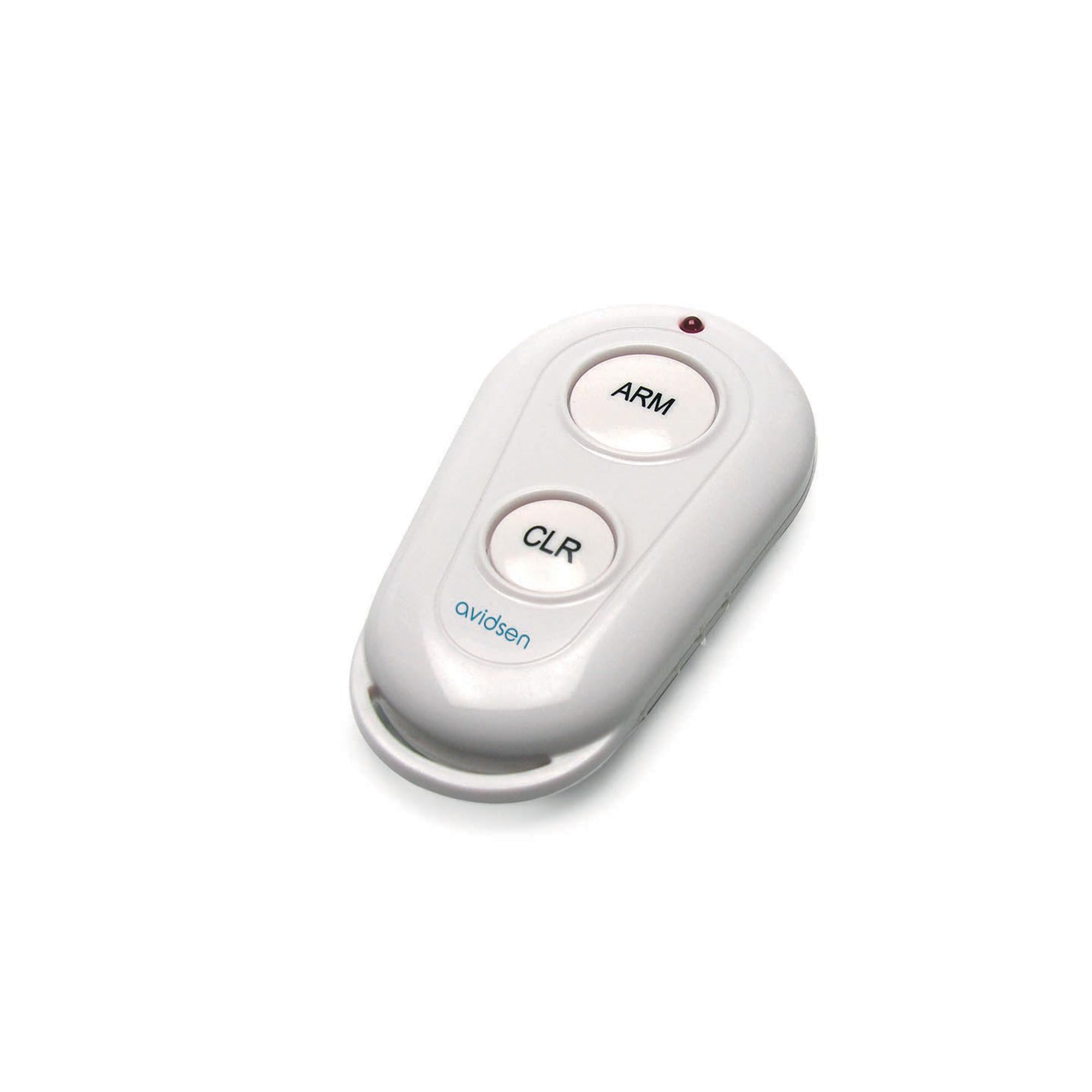
A white oval-shaped remote control with two circular buttons labeled 'ARM' and 'CLR'. A small red LED indicator is visible at the top. The 'avidsen' logo is printed in blue at the bottom.
સેટઅપ
The Avidsen Additional Remote Control requires initial programming to function with your compatible Avidsen alarm system (models 100108 and 100111). The remote comes with a Lithium battery pre-installed and ready for use.
રીમોટ કંટ્રોલનું પ્રોગ્રામિંગ
- Ensure your Avidsen alarm system is in programming mode. Refer to your alarm system's main instruction manual for specific steps on entering programming mode.
- While the alarm system is in programming mode, press and hold the desired button on the additional remote control (e.g., 'ARM' or 'CLR') until the alarm system indicates successful pairing (e.g., a beep or light flash).
- Repeat the process for any other buttons you wish to program, if applicable.
- Exit programming mode on your alarm system.
Test the remote control's functionality to ensure it properly arms and disarms your alarm system.
ઓપરેટિંગ સૂચનાઓ
The remote control features two primary buttons for operating your Avidsen alarm system:
- ARM Button: Press this button to arm your Avidsen alarm system. The system will typically provide an audible or visual confirmation when armed.
- CLR બટન: Press this button to disarm or clear your Avidsen alarm system. Confirmation will usually be provided by the alarm system.
The remote operates on a frequency of 868 MHz, ensuring reliable communication with compatible Avidsen alarm systems.
જાળવણી
બેટરી રિપ્લેસમેન્ટ
The remote control is powered by a Lithium battery. When the remote's range decreases or it becomes unresponsive, the battery may need replacement. To replace the battery:
- Locate the battery compartment on the remote control. This is typically on the back or side, secured by a small screw or clip.
- Open the compartment carefully.
- Remove the old battery and insert a new Lithium battery of the same type, observing the correct polarity (+/-).
- બેટરીના ડબ્બાને સુરક્ષિત રીતે બંધ કરો.
સફાઈ અને સંભાળ
- Clean the remote control with a soft, dry cloth. Avoid using abrasive cleaners or solvents.
- Do not expose the remote to extreme temperatures, direct sunlight, or excessive moisture.
- Avoid dropping the remote or subjecting it to strong impacts, as this can damage internal components or affect button functionality.
મુશ્કેલીનિવારણ
- રિમોટ પ્રતિસાદ આપતું નથી:
- બેટરી બદલવાની જરૂર છે કે નહીં તે તપાસો.
- Ensure the remote is within range of the alarm system.
- Re-program the remote control following the steps in the 'Setup' section.
- ઘટાડેલી ઓપરેટિંગ રેન્જ:
- બેટરી બદલો.
- Ensure there are no significant obstructions (e.g., thick walls, large metal objects) between the remote and the alarm system receiver.
- Buttons feel stiff or unresponsive:
- This can occur over time with frequent use. Ensure no debris is lodged around the buttons. If the issue persists, the remote may require replacement.
વિશિષ્ટતાઓ
| ઉત્પાદક | એવિડસેન |
| ભાગ નંબર | 100109 |
| આઇટમ મોડલ નંબર | 100109 |
| આવર્તન | 868 MHz |
| સુસંગતતા | Avidsen Alarm Systems 100108 and 100111 |
| બેટરી સમાવાયેલ | હા |
| બેટરીનો પ્રકાર | લિથિયમ |
| વસ્તુનું વજન | 70 ગ્રામ |
વોરંટી માહિતી
This Avidsen Additional Remote Control comes with a 2 વર્ષની વોરંટી from the date of purchase. Please retain your proof of purchase for any warranty claims. The warranty covers manufacturing defects and malfunctions under normal use. It does not cover damage caused by misuse, accidents, unauthorized modifications, or normal wear and tear.
આધાર
For further assistance, technical support, or inquiries regarding your Avidsen Additional Remote Control, please refer to the support contact information provided with your Avidsen alarm system or visit the official Avidsen website. When contacting support, please have your product model number (100109) and a description of the issue ready.


