પરિચય
The TFA Dostmann Timeline Max Radio-Controlled Clock (Model 60.4512.01) features a large, exceptionally clear display, making it easily readable from a distance. This makes it ideal for various settings such as entrance areas, reception desks, waiting rooms, and offices. Its clear structure simplifies time orientation, and with the displayed day of the week and full date, it serves as a valuable daily aid, particularly for seniors and individuals with cognitive impairments.
The clock automatically receives time signals via the DCF 77 signal, ensuring precise, second-accurate time and date display without manual adjustment. It also automatically switches between summer and winter time. Its simple and clear design allows it to seamlessly integrate into any environment, whether mounted on a wall or placed on a surface.
પેકેજ સામગ્રી
પેકેજ અનબોક્સ કરતી વખતે, બધી વસ્તુઓ હાજર છે તેની ખાતરી કરવા માટે કૃપા કરીને પેકેજની સામગ્રી તપાસો:
- TFA Dostmann Timeline Max Radio-Controlled Clock
- સૂચના માર્ગદર્શિકા
નોંધ: 4 x 1.5 V AA batteries are required for operation and are not included in the package.
મહત્વપૂર્ણ સલામતી માહિતી
- ઉપયોગ કરતા પહેલા બધી સૂચનાઓ કાળજીપૂર્વક વાંચો.
- ભવિષ્યના સંદર્ભ માટે આ માર્ગદર્શિકા રાખો.
- ઉપકરણને અતિશય તાપમાન, સીધો સૂર્યપ્રકાશ અથવા ઉચ્ચ ભેજના સંપર્કમાં ન લાવો.
- ઉપકરણને મજબૂત અસરમાં મૂકવા અથવા આધીન કરવાનું ટાળો.
- ઉપકરણને જાતે ડિસએસેમ્બલ કરવાનો કે રિપેર કરવાનો પ્રયાસ કરશો નહીં. બધી સર્વિસિંગ લાયક કર્મચારીઓને સોંપો.
- Dispose of batteries according to local regulations. Do not mix old and new batteries or different types of batteries.
- બેટરીને બાળકોની પહોંચથી દૂર રાખો.
સેટઅપ
1. બેટરી ઇન્સ્ટોલેશન
The clock requires 4 x 1.5 V AA batteries (not included).
- ઘડિયાળના પાછળના ભાગમાં બેટરીનો ડબ્બો શોધો.
- બેટરી કમ્પાર્ટમેન્ટ કવર ખોલો.
- Insert 4 new AA batteries, ensuring correct polarity (+ and -) as indicated inside the compartment.
- બેટરી કમ્પાર્ટમેન્ટ કવર સુરક્ષિત રીતે બંધ કરો.

આકૃતિ 1: પાછળ view of the clock with battery compartment and control buttons.
2. Initial Time Synchronization (Radio-Controlled)
After inserting the batteries, the clock will automatically begin searching for the DCF 77 radio signal. This process may take several minutes. During synchronization, the radio signal icon (often a tower or wave symbol) will typically flash on the display.
- Place the clock near a window or in an open area for better signal reception.
- તેને ઇલેક્ટ્રોનિક ઉપકરણોની નજીક રાખવાનું ટાળો જે દખલગીરીનું કારણ બની શકે છે.
- Once the signal is received, the time and date will automatically set, and the radio signal icon will become solid.

Figure 2: Front display showing synchronized time and date.
3. પ્લેસમેન્ટ વિકલ્પો
The Timeline Max clock is designed for both wall mounting and freestanding placement.
- વોલ માઉન્ટિંગ માટે: Use the integrated hanging hole on the back of the clock. Ensure the wall fixture is secure enough to support the clock's weight (approx. 520g).
- For Freestanding: Extend the integrated stand on the back of the clock to place it on a desk, shelf, or table.

આકૃતિ 3: બાજુ view demonstrating the clock's integrated stand.
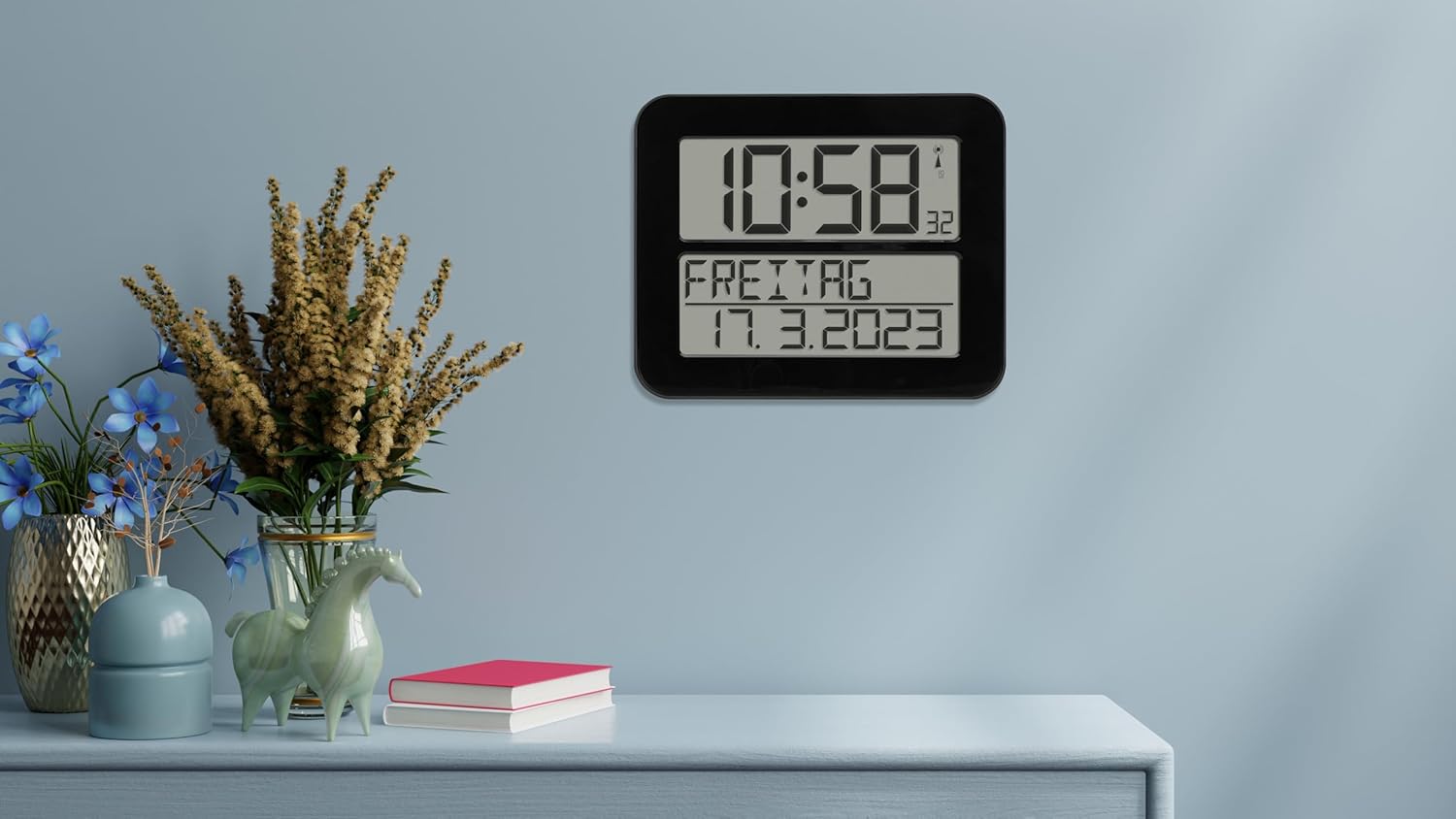
Figure 4: The clock in a typical freestanding setup.
ઓપરેટિંગ સૂચનાઓ
માહિતી દર્શાવો
The large display shows the following information:
- ટોચનું પ્રદર્શન: Current time (hours and minutes), seconds (small digits), and radio signal indicator.
- Bottom Display: Day of the week (in selected language) and full date (day, month, year).

Figure 5: Clear display of time, day, and date.
એલાર્મ કાર્ય
The clock includes an alarm function. Refer to the buttons on the back of the clock (SET, ALARM, UP, DOWN, WAVE, SNOOZE) for setting the alarm.
- દબાવો એલાર્મ એલાર્મ સેટિંગ મોડ દાખલ કરવા માટે બટન.
- નો ઉપયોગ કરો UP અને નીચે એલાર્મ સમય સમાયોજિત કરવા માટે બટનો.
- દબાવો એલાર્મ again to confirm and move to the next setting (e.g., alarm on/off).
- દબાવો સેટ એલાર્મ સેટિંગ મોડમાંથી બહાર નીકળવા માટે.
- જ્યારે એલાર્મ વાગે, દબાવો સ્નૂઝ for a temporary pause, or any other button to turn off the alarm for the day.
Manual Time Setting (If Radio Signal is Unavailable)
In areas with poor radio signal reception, you can manually set the time and date.
- દબાવો અને પકડી રાખો સેટ button for a few seconds until the display flashes.
- નો ઉપયોગ કરો UP અને નીચે buttons to adjust the flashing digit (e.g., hour, minute, year, month, day).
- દબાવો સેટ to confirm the current setting and move to the next.
- Continue until all settings are adjusted. The clock will exit manual setting mode automatically after a period of inactivity or by pressing સેટ repeatedly until the normal display returns.
Day of Week Language Setting
The day of the week can be displayed in 7 different languages.
- Consult the full instruction manual (included in the box) for specific steps on changing the language setting, as this often involves a combination of button presses.
જાળવણી
સફાઈ
To clean the clock, use a soft, dry, or slightly damp cloth. Do not use abrasive cleaners, solvents, or chemical agents, as these may damage the display or casing.
બેટરી રિપ્લેસમેન્ટ
When the display dims or the clock stops functioning correctly, it's time to replace the batteries. Follow the "Battery Installation" steps in the Setup section. Always replace all 4 batteries at once with new, high-quality AA batteries.
મુશ્કેલીનિવારણ
| સમસ્યા | સંભવિત કારણ | ઉકેલ |
|---|---|---|
| Clock does not display anything or display is dim. | બેટરીઓ મરી ગઈ છે અથવા ખોટી રીતે દાખલ કરવામાં આવી છે. | યોગ્ય ધ્રુવીયતા સુનિશ્ચિત કરીને બેટરીને નવી સાથે બદલો. |
| Clock does not synchronize with radio signal. | Poor signal reception due to location or interference. | Move the clock to a different location, preferably near a window and away from electronic devices. Allow sufficient time for synchronization (up to 24 hours). |
| Time is incorrect after synchronization. | Temporary signal disruption or incorrect time zone setting (if applicable). | Initiate a manual signal search (refer to full manual) or perform a manual time setting. Ensure the clock is in the correct time zone for your region (if this feature is available, consult the full manual). |
| એલાર્મ વાગતો નથી. | એલાર્મ સક્રિય થયેલ નથી અથવા ખોટી રીતે સેટ થયેલ નથી. | Verify that the alarm time is set correctly and the alarm function is enabled. |
વિશિષ્ટતાઓ
| મોડલ | 60.4512.01 |
| ઘડિયાળનો પ્રકાર | Radio-Controlled (DCF 77 signal) |
| સામગ્રી | પ્લાસ્ટિક |
| માઉન્ટિંગ વિકલ્પો | For hanging or standing |
| પાવર સપ્લાય | 4 x 1.5 V AA બેટરી (શામેલ નથી) |
| પરિમાણો (L x W x H) | 258 x 30 (120 with stand) x 212 mm |
| વજન | 520 ગ્રામ |
| ડિસ્પ્લે પ્રકાર | ડિજિટલ |
| ખાસ લક્ષણો | Alarm, Calendar Display, Day of week in 7 languages |
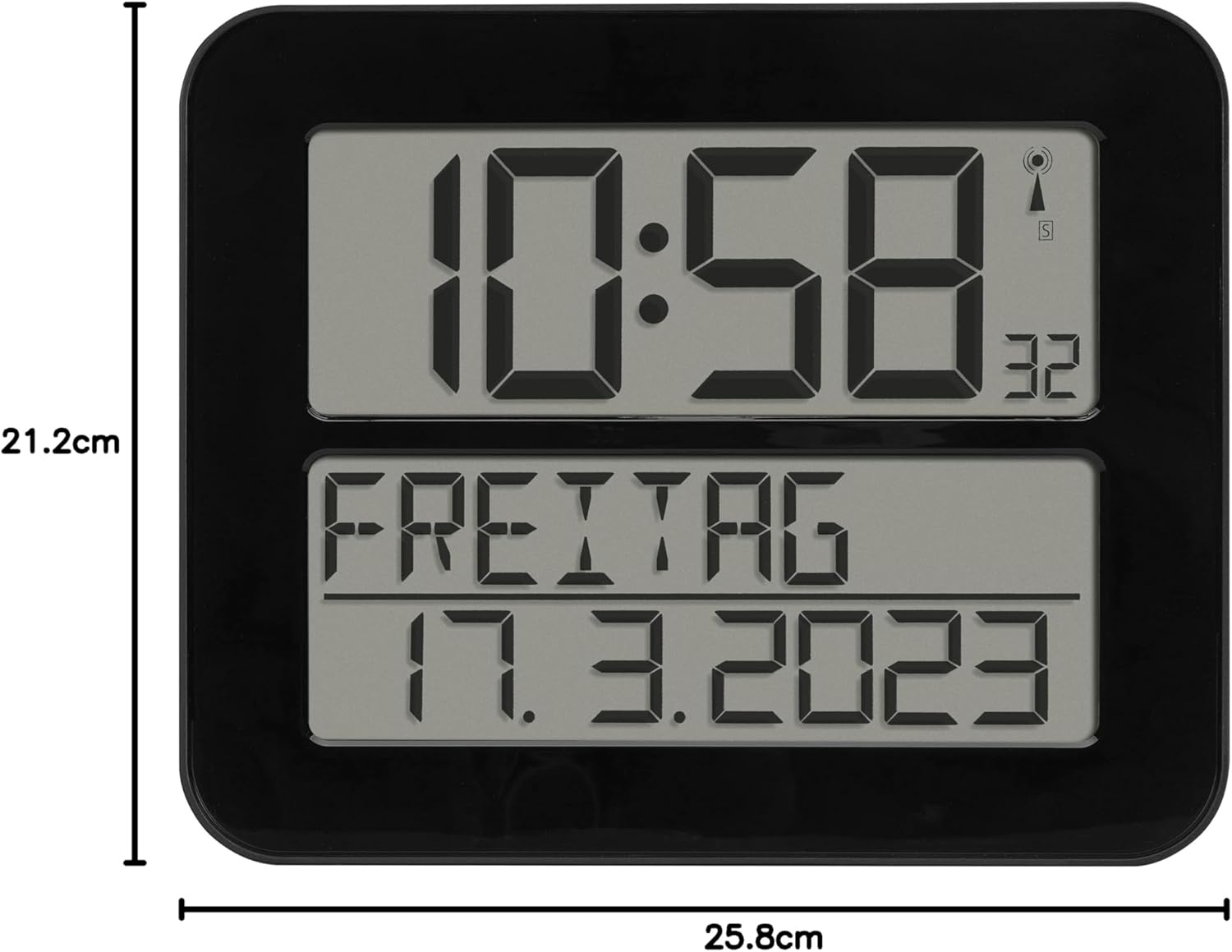
આકૃતિ 6: ઉત્પાદનના પરિમાણો.
વોરંટી અને આધાર
TFA Dostmann products are manufactured with high quality standards. For information regarding warranty coverage, please refer to the warranty card included with your product or visit the official TFA Dostmann website. For technical support or inquiries, please contact TFA Dostmann customer service.
Manufacturer: TFA Dostmann GmbH, Zum Ottersberg 12, D-97877 Wertheim am Main, Germany.
Webસાઇટ: www.tfa-dostmann.de


