1. પરિચય
Thank you for choosing the Kaiser MSS-8915 Audio System. This professional 15-inch speaker is designed to deliver powerful and clear audio for various applications, including events, parties, and professional use. This manual provides essential information for safe and efficient operation, setup, maintenance, and troubleshooting.
2. મહત્વપૂર્ણ સલામતી સૂચનાઓ
Please read and understand all safety instructions before operating this device. Keep this manual for future reference.
- પાવર સ્ત્રોત: Connect the unit only to the specified power supply voltage. Ensure the power cable is not damaged.
- વેન્ટિલેશન: વેન્ટિલેશનના છિદ્રોને અવરોધશો નહીં. યુનિટની આસપાસ પૂરતા પ્રમાણમાં હવા પ્રવાહની ખાતરી કરો.
- પાણી અને ભેજ: Do not expose the unit to rain, moisture, or excessive humidity. Do not place objects filled with liquids on the unit.
- ઉષ્મા: રેડિએટર્સ, હીટ રજિસ્ટર, સ્ટોવ અથવા ગરમી ઉત્પન્ન કરતા અન્ય ઉપકરણો જેવા ગરમીના સ્ત્રોતોથી યુનિટને દૂર રાખો.
- સફાઈ: સફાઈ કરતા પહેલા યુનિટને પાવર આઉટલેટમાંથી અનપ્લગ કરો. સફાઈ માટે સૂકા કપડાનો ઉપયોગ કરો.
- સર્વિસિંગ: આ ઉત્પાદનની જાતે સેવા કરવાનો પ્રયાસ કરશો નહીં. લાયક સેવા કર્મચારીઓને તમામ સેવાઓનો સંદર્ભ આપો.
- પ્લેસમેન્ટ: Ensure the unit is placed on a stable surface or securely mounted on a stand to prevent tipping.
- બાળકો: Keep the unit and its accessories out of reach of children.
3. પેકેજ સામગ્રી
ખાતરી કરો કે બધી વસ્તુઓ પેકેજમાં હાજર છે:
- Kaiser MSS-8915 Audio System Unit
- પાવર કેબલ
- વપરાશકર્તા માર્ગદર્શિકા (આ દસ્તાવેજ)
4. ઉત્પાદન ઓવરview
Familiarize yourself with the components and features of your Kaiser MSS-8915 Audio System.
4.1 મોરચો View
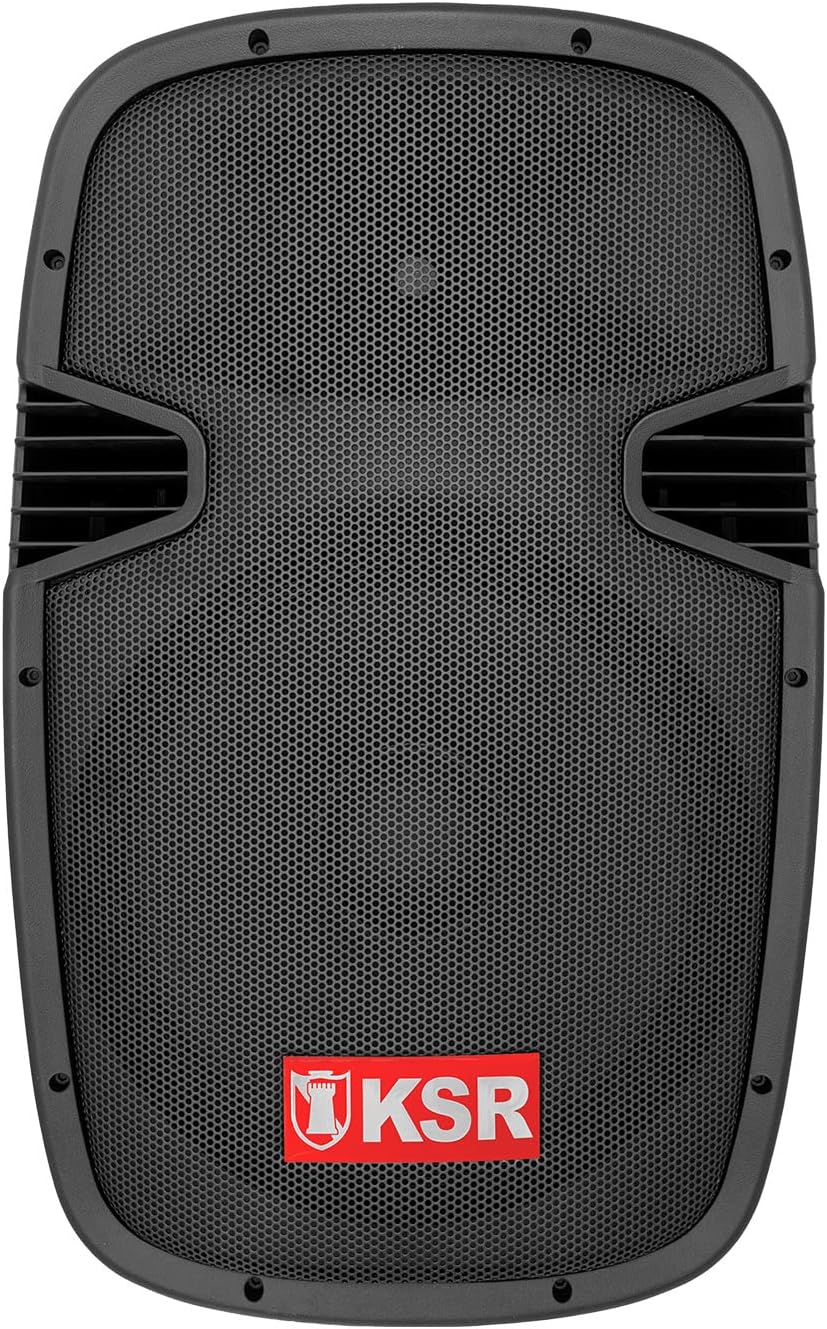
આકૃતિ 4.1: આગળ view of the Kaiser MSS-8915 speaker, showing the protective grille and the KSR logo.
૪.૨ રીઅર પેનલ અને કનેક્શન્સ

આકૃતિ 4.2: Rear panel of the Kaiser MSS-8915, featuring Speakon quick connections for audio input/output and the Kaiser branding plate.
- સ્પીકન કનેક્ટર્સ: For secure and reliable audio input and daisy-chaining to other speakers.
- પાવર ઇનપુટ: Connection for the main power cable.
- નિયંત્રણ પેનલ: (If applicable, for Bluetooth, USB, and SD features).
4.3 Transport and Mounting Features

આકૃતિ 4.3: બાજુ view illustrating the integrated side handle for easy transport.

આકૃતિ 4.4: તળિયે view of the speaker, highlighting the integrated wheels for convenient mobility.
- Side and Top Handles: Ergonomically designed for comfortable lifting and carrying.
- વ્હીલ્સ: Integrated at the bottom for effortless transportation.
- સ્ટેન્ડ માઉન્ટ: A rear knob and socket allow for secure mounting on a speaker stand.
5. સેટઅપ સૂચનાઓ
Follow these steps to set up your Kaiser MSS-8915 Audio System.
5.1 પ્લેસમેન્ટ
- Choose a stable, flat surface for the speaker.
- For optimal sound dispersion, consider placing the speaker on a compatible stand using the rear mounting socket.
- Ensure there is adequate space around the speaker for ventilation.
5.2 પાવર કનેક્શન
- Ensure the speaker's power switch (if present) is in the OFF position.
- Connect the provided power cable to the power input on the rear panel of the speaker.
- પાવર કેબલના બીજા છેડાને યોગ્ય ઇલેક્ટ્રિકલ આઉટલેટમાં પ્લગ કરો.
5.3 ઓડિયો કનેક્શન્સ
The MSS-8915 uses Speakon connectors for audio input and output.
- Connect your audio source (e.g., mixer, amplifier) to the Speakon input connector on the rear panel using a compatible Speakon cable.
- To daisy-chain multiple MSS-8915 speakers, connect a Speakon cable from the output of the first speaker to the input of the next speaker.
6. ઓપરેટિંગ સૂચનાઓ
This section details how to operate your audio system. Note: While the product description mentions a "passive speaker," the product title and specifications indicate integrated Bluetooth, USB, and SD functionality, suggesting an active component. These instructions assume the presence of such active features.
6.1 પાવરિંગ ચાલુ/બંધ
- બધા કનેક્શન થઈ ગયા પછી, પાવર બટનને ચાલુ સ્થિતિમાં સ્વિચ કરો.
- To power off, switch the power button to the OFF position and then unplug the power cable from the outlet.
૪.૩ બ્લૂટૂથ કનેક્ટિવિટી
- ખાતરી કરો કે સ્પીકર ચાલુ છે.
- તમારા મોબાઇલ ઉપકરણ (સ્માર્ટફોન, ટેબ્લેટ, વગેરે) પર બ્લૂટૂથ સક્રિય કરો.
- માટે શોધો available Bluetooth devices and select "Kaiser MSS-8915" (or similar name).
- એકવાર જોડી થઈ ગયા પછી, તમે તમારા ઉપકરણથી સ્પીકર પર વાયરલેસ રીતે ઓડિયો સ્ટ્રીમ કરી શકો છો.
૬.૨ યુએસબી અને એસડી કાર્ડ પ્લેબેક
- Insert a USB flash drive or SD card into the respective port on the speaker's control panel.
- The speaker should automatically detect the media and begin playback.
- Use the control panel buttons (Play/Pause, Next/Previous Track, Volume) to manage playback.
6.4 વોલ્યુમ નિયંત્રણ
Adjust the master volume using the dedicated volume control knob on the speaker's control panel. Start with a low volume and gradually increase it to your desired level.
7. જાળવણી
Proper maintenance ensures the longevity and optimal performance of your audio system.
7.1 સફાઈ
- Always unplug the speaker before cleaning.
- બાહ્ય સપાટીઓ સાફ કરવા માટે નરમ, સૂકા કપડાનો ઉપયોગ કરો.
- ઘર્ષક ક્લીનર્સ, મીણ અથવા સોલવન્ટનો ઉપયોગ કરશો નહીં કારણ કે તે ફિનિશને નુકસાન પહોંચાડી શકે છે.
- For the speaker grille, use a soft brush or vacuum cleaner with a brush attachment to remove dust.
7.2 સંગ્રહ
- જ્યારે લાંબા સમય સુધી ઉપયોગમાં ન હોય, ત્યારે સ્પીકરને ઠંડી, સૂકી જગ્યાએ, સીધા સૂર્યપ્રકાશ અને અતિશય તાપમાનથી દૂર રાખો.
- If possible, use the original packaging or a protective cover to prevent dust accumulation and physical damage.
8. મુશ્કેલીનિવારણ
If you encounter issues with your Kaiser MSS-8915, refer to the following common problems and solutions.
| સમસ્યા | સંભવિત કારણ | ઉકેલ |
|---|---|---|
| કોઈ શક્તિ નથી | Power cable not connected; Power outlet not working; Speaker power switch off. | Ensure power cable is securely connected. Test the outlet with another device. Turn the speaker power switch ON. |
| કોઈ ધ્વનિ આઉટપુટ નથી | Volume too low; Incorrect audio input connection; Audio source issue; Damaged cable. | Increase volume. Check Speakon cable connections. Verify audio source is playing. Try a different audio cable. |
| બ્લૂટૂથ જોડી નિષ્ફળતા | સ્પીકર પેરિંગ મોડમાં નથી; ડિવાઇસ ખૂબ દૂર છે; હસ્તક્ષેપ. | Ensure speaker is discoverable. Move device closer to speaker. Avoid other wireless devices. |
| USB/SD playback not working | અસમર્થિત file format; Corrupted media; Incorrect insertion. | ખાતરી કરો files are in a supported format (e.g., MP3). Try a different USB drive/SD card. Reinsert media correctly. |
| વિકૃત અવાજ | Volume too high; Input signal too strong; Damaged speaker component. | Reduce volume on speaker and audio source. Check input levels. If problem persists, contact support. |
9. સ્પષ્ટીકરણો
Technical specifications for the Kaiser MSS-8915 Audio System.

આકૃતિ 9.1: પાછળ view of the Kaiser MSS-8915, including key dimensions for reference.
| મોડેલનું નામ | MSS-8915 |
| સ્પીકરનો પ્રકાર | Professional Passive Speaker, 2-way, Surround Sound |
| વૂફરનું કદ | 15 ઇંચ (38.1 સે.મી.) |
| ડ્રાઈવર | Titanium Driver |
| Audio Power (PMPO) | 4000 W PMPO |
| Audio Power (RMS) | 150 W RMS |
| અવબાધ | 8 ઓહ્મ |
| કનેક્ટિવિટી ટેકનોલોજી | Bluetooth, USB, SD (for active system features) |
| વાયરલેસ કોમ્યુનિકેશન | બ્લૂટૂથ |
| નિયંત્રણ પદ્ધતિ | Tactile (for integrated audio system controls) |
| પાવર સ્ત્રોત | કોર્ડેડ ઇલેક્ટ્રિક |
| પરિમાણો (L x W x H) | 49 x 42 x 76 સેમી |
| વજન | 15 કિગ્રા |
| ઘટકો સમાવાયેલ | પાવર કેબલ |
| માઉન્ટિંગ પ્રકાર | ફ્લોર માઉન્ટ |
10. વોરંટી અને સપોર્ટ
Kaiser products are manufactured to high-quality standards. For warranty information and technical support, please refer to the warranty card included with your product or visit the official Kaiser webસાઇટ
- વોરંટી અવધિ: Please consult your purchase documentation or the manufacturer's webચોક્કસ વોરંટી શરતો માટે સાઇટ.
- ટેકનિકલ સપોર્ટ: For assistance with setup, troubleshooting, or product inquiries, contact Kaiser customer service.
- ઑનલાઇન સંસાધનો: ની મુલાકાત લો Kaiser Brand Store on Amazon વધારાની ઉત્પાદન માહિતી અને સમર્થન માટે.


