1. પરિચય
Thank you for choosing the Volkano Diamond Series USB Powered Speakers. These speakers are designed to provide a convenient and portable audio solution for your computer or other USB-compatible devices. Please read this manual carefully before using the product to ensure proper operation and to maximize its lifespan.
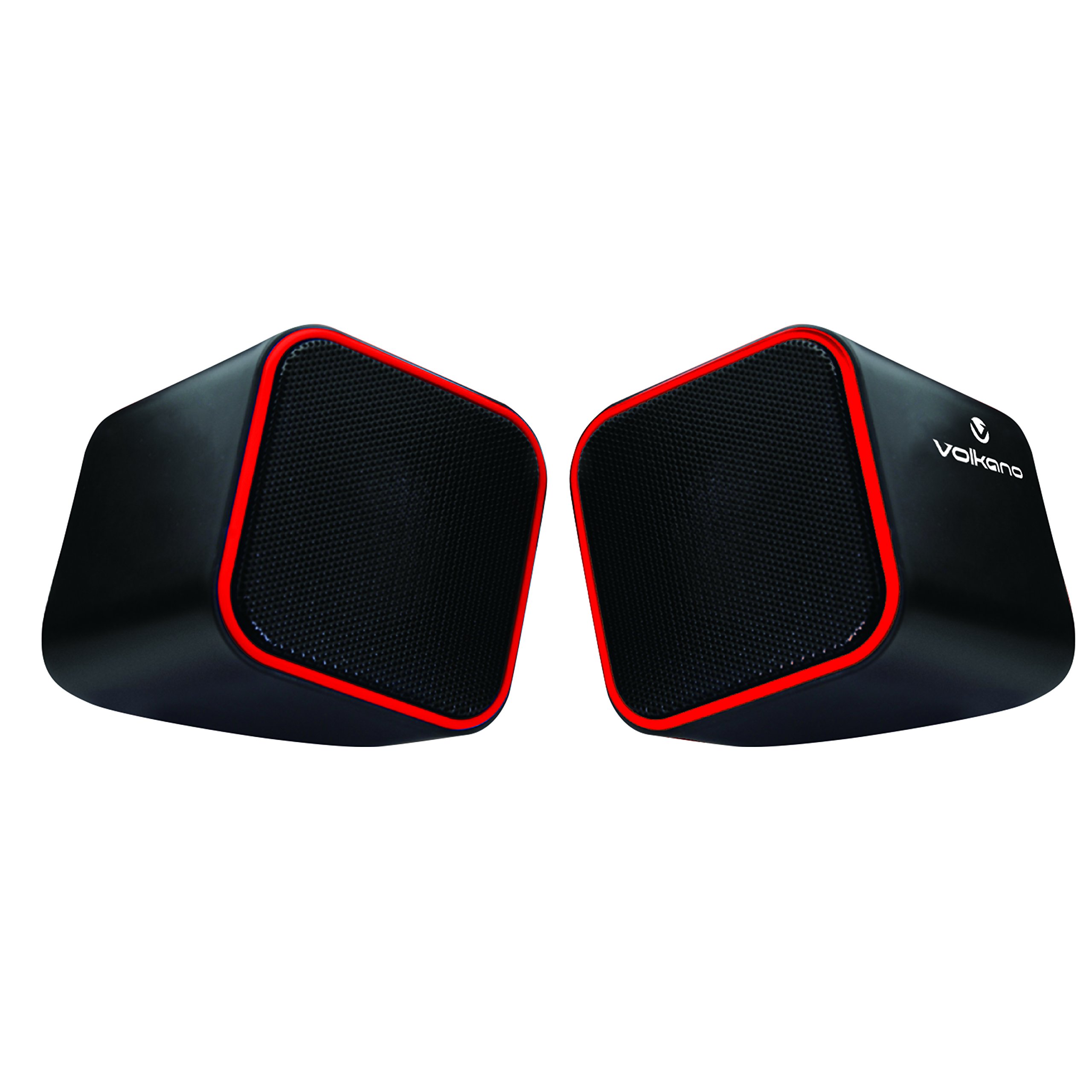
Figure 1: Volkano Diamond Series USB Powered Speakers (Red)
This image displays the Volkano Diamond Series USB Powered Speakers in their red color variant. The speakers feature a compact, cubic design with a mesh grille on the front and a red trim around the edges. The Volkano logo is visible on the side of one speaker.
2. સલામતી માહિતી
- Do not expose the speakers to water or moisture.
- અતિશય તાપમાન અથવા સીધા સૂર્યપ્રકાશ ટાળો.
- Do not attempt to disassemble or modify the speakers. This will void the warranty.
- બાળકોની પહોંચથી દૂર રાખો.
- માત્ર સૂકા, નરમ કપડાથી જ સાફ કરો.
- Ensure proper ventilation around the speakers during use.
3. પેકેજ સામગ્રી
બધી વસ્તુઓ હાજર છે તેની ખાતરી કરવા માટે કૃપા કરીને પેકેજની સામગ્રી તપાસો:
- 1 x Volkano Diamond Series USB Powered Speakers (Red)
- 1 x સૂચના માર્ગદર્શિકા
4. ઉત્પાદન ઓવરview
The Volkano Diamond Series speakers are designed for simplicity and portability. They feature a compact design and are powered directly via USB, eliminating the need for an external power adapter.

Figure 2: Speaker connections (Note: Product color is Red)
આ છબી પાછળનો ભાગ બતાવે છે view of the Volkano Diamond Series speakers, highlighting the integrated USB power cable and the 3.5mm audio jack cable. These are the primary connections for both power and audio input.

Figure 3: USB and Audio Cables with Volume Control
This image details the USB power cable, the 3.5mm audio jack, and the inline volume control unit. The volume control allows for easy adjustment of audio output.
5. સેટઅપ
Follow these steps to set up your Volkano Diamond Series speakers:
- યુએસબી કેબલને કનેક્ટ કરો: Plug the USB-A connector into an available USB port on your computer, laptop, or a compatible USB power adapter. This provides power to the speakers.
- ઓડિયો કેબલ કનેક્ટ કરો: Plug the 3.5mm audio jack into the headphone or audio output port of your computer, laptop, smartphone, or other audio source.
- પોઝિશન સ્પીકર્સ: Place the speakers on a flat, stable surface, ensuring they are positioned for optimal sound delivery.
- પાવર ચાલુ: The speakers will power on automatically once the USB cable is connected and receiving power.

Figure 4: Speakers connected to a computer (Note: Product color is Red)
This image illustrates the Volkano Diamond Series speakers positioned next to a computer monitor, demonstrating a typical setup. The cables are connected to the computer, ready for audio playback.
6. ઓપરેટિંગ સૂચનાઓ
Once connected, operating your Volkano Diamond Series speakers is straightforward:
- વોલ્યુમ નિયંત્રણ: Use the inline volume control dial on the cable to adjust the speaker's output volume. Turn the dial clockwise to increase volume and counter-clockwise to decrease it.
- ઑડિઓ સ્રોત વોલ્યુમ: You can also control the volume from your connected audio source (e.g., computer's system volume, media player volume).
- પાવર બંધ: To turn off the speakers, simply disconnect the USB power cable from its source.
7. જાળવણી
Proper maintenance ensures the longevity of your speakers:
- સફાઈ: Use a soft, dry, lint-free cloth to wipe the exterior of the speakers. Do not use liquid cleaners, aerosols, or solvents.
- સંગ્રહ: જ્યારે લાંબા સમય સુધી ઉપયોગમાં ન હોય, ત્યારે સ્પીકર્સને સીધા સૂર્યપ્રકાશ અને અતિશય તાપમાનથી દૂર ઠંડી, સૂકી જગ્યાએ સંગ્રહિત કરો.
- કેબલ કેર: આંતરિક નુકસાનને રોકવા માટે કેબલને વધુ પડતા વાળવાનું કે ક્રિમ કરવાનું ટાળો.
8. મુશ્કેલીનિવારણ
જો તમને તમારા સ્પીકર્સમાં સમસ્યાઓ આવે, તો નીચેની સામાન્ય સમસ્યાઓ અને ઉકેલોનો સંદર્ભ લો:
| સમસ્યા | સંભવિત કારણ | ઉકેલ |
|---|---|---|
| સ્પીકર્સમાંથી કોઈ અવાજ નથી. |
|
|
| ધ્વનિ વિકૃત અથવા અસ્પષ્ટ છે. |
|
|
| Speakers not recognized by computer. |
|
|
9. સ્પષ્ટીકરણો
| લક્ષણ | વિગત |
|---|---|
| મોડેલનું નામ | ડાયમંડ સિરીઝ |
| આઇટમ મોડલ નંબર | VB-702-RED |
| રંગ | લાલ |
| સ્પીકરનો પ્રકાર | મલ્ટીમીડિયા |
| કનેક્ટિવિટી ટેકનોલોજી | યુએસબી |
| પાવર સ્ત્રોત | કોર્ડેડ ઇલેક્ટ્રિક (USB સંચાલિત) |
| સ્પીકર મહત્તમ આઉટપુટ પાવર | 6 વોટ્સ |
| ઓડિયો આઉટપુટ મોડ | સ્ટીરિયો |
| સ્પીકરનું કદ | 2 ઇંચ |
| ઉત્પાદન પરિમાણો | 15D x 15W x 15H સેન્ટિમીટર |
| સામગ્રી | પ્લાસ્ટિક |
| ખાસ લક્ષણ | પોર્ટેબલ |
| ભલામણ કરેલ ઉપયોગો | મ્યુઝિક પ્લેયર્સ માટે |
10. વોરંટી માહિતી
The Volkano Diamond Series USB Powered Speakers come with a 1 વર્ષની મર્યાદિત વોરંટી ઉત્પાદક પાસેથી. આ વોરંટી સામાન્ય ઉપયોગ હેઠળ સામગ્રી અને કારીગરીમાં ખામીઓને આવરી લે છે. વોરંટી દાવાઓ માટે કૃપા કરીને ખરીદીનો પુરાવો રાખો.
For extended coverage, Volkano offers an additional 12-Month extension upon product registration, totaling 24 Months of coverage. Visit the official Volkano webનોંધણી વિગતો માટે સાઇટ.
11. ગ્રાહક આધાર
Should you have any questions, require assistance, or need to make a warranty claim, please contact Volkano customer support. Your satisfaction is important to us.
- Supportનલાઇન સપોર્ટ: Visit the official Volkano Page for assistance and to message us directly.
- વોરંટી નોંધણી: Register your product to extend your warranty coverage.
Note: Specific contact details (e.g., phone number, email) are typically found on the official brand webસાઇટ અથવા ઉત્પાદન પેકેજિંગ.


