1. પરિચય અને ઓવરview
This manual provides instructions for the safe and effective use of your AGFA Photo Realishot DC5200 Compact Camera. The DC5200 is designed for capturing high-resolution 21-megapixel photos and 720p HD videos. It features an 8x digital zoom, a 2.4-inch TFT LCD screen for easy viewing, and various smart features like face detection and digital image stabilization.

છબી 1.1: આગળ view of the AGFA Photo Realishot DC5200 camera, showcasing the lens, flash, and branding.

Image 1.2: The Realishot DC5200 camera highlighting its 21-megapixel photo capability and HD video recording.
2. સલામતી માહિતી
- બેટરી સલામતી: Use only the specified lithium battery. Do not expose to extreme temperatures, disassemble, or short-circuit. Dispose of batteries properly.
- પાણી પ્રતિકાર: આ કેમેરો છે નથી water-resistant. Avoid exposure to water or high humidity.
- સફાઈ: Use a soft, dry cloth for cleaning. Do not use liquid cleaners or solvents.
- ઓપરેટિંગ તાપમાન: Operate the camera within recommended temperature ranges to prevent damage.
- બાળકો: કેમેરા અને તેની એસેસરીઝ નાના બાળકોની પહોંચથી દૂર રાખો.
3. પેકેજ સામગ્રી
ખાતરી કરો કે બધી વસ્તુઓ પેકેજમાં હાજર છે:
- AGFA Photo Realishot DC5200 Camera
- યુએસબી કેબલ
- વપરાશકર્તા માર્ગદર્શિકા (આ દસ્તાવેજ)
- લિથિયમ બેટરી
Note: An SD card is not included and must be purchased separately. The camera supports SD cards up to 32 GB.
4. કેમેરા ઘટકો
4.1 મોરચો View
Image 4.1: Front of the camera, showing the lens, flash, and AF assist lamp.
- લેન્સ: છબીઓ અને વિડિઓઝ મેળવે છે.
- ફ્લેશ: ઓછા પ્રકાશની સ્થિતિમાં રોશની પૂરી પાડે છે.
- એએફ આસિસ્ટ એલamp: કેમેરાને અંધારાવાળા વાતાવરણમાં ફોકસ કરવામાં મદદ કરે છે.
- માઇક્રોફોન: Records audio during video capture.
4.2 રીઅર View

Image 4.2: Rear of the camera, featuring the 2.4-inch LCD screen and control buttons.
- ૧૪.૧-ઇંચ TFT LCD સ્ક્રીન: લાઇવ ડિસ્પ્લે view, મેનુઓ અને પ્લેબેક.
- Zoom Buttons (W/T): Controls digital zoom (Wide/Telephoto).
- મોડ બટન: ફોટો, વિડિયો અને પ્લેબેક મોડ્સ વચ્ચે સ્વિચ કરે છે.
- SET/OK Button: મેનુમાં પસંદગીઓની પુષ્ટિ કરે છે.
- નેવિગેશન બટનો (ઉપર/નીચે/ડાબે/જમણે): Navigates menus and controls certain functions (e.g., flash, self-timer).
૩.૩ ઉપર અને બાજુ Views

છબી ૧.૧: ટોચ view of the camera, showing the power button and USB port.
- શટર બટન: Press to capture a photo or start/stop video recording.
- પાવર બટન: કેમેરા ચાલુ અથવા બંધ કરે છે.
- યુએસબી પોર્ટ: Connects the camera to a computer for data transfer or charging.
- SD કાર્ડ સ્લોટ: Insert your SD memory card here.
- બેટરી કમ્પાર્ટમેન્ટ: Houses the rechargeable lithium battery.
- ટ્રીપોડ માઉન્ટ: For attaching the camera to a tripod.
5. સેટઅપ
5.1 બેટરી દાખલ કરવી
- કેમેરાના તળિયે બેટરી કમ્પાર્ટમેન્ટ કવર ખોલો.
- Insert the lithium battery, ensuring the correct orientation as indicated inside the compartment.
- બેટરી કમ્પાર્ટમેન્ટ કવર સુરક્ષિત રીતે બંધ કરો.
Image 5.1: The camera with an illustration of the lithium battery, indicating its power source.
5.2 Inserting an SD Card
- SD કાર્ડ સ્લોટ શોધો, સામાન્ય રીતે કેમેરાની બાજુમાં અથવા નીચે.
- Insert the SD card with the metal contacts facing the correct direction (refer to the diagram near the slot). Push until it clicks into place.
- કાર્ડ કાઢવા માટે, તેને ધીમેથી ફરીથી અંદર ધકેલી દો જ્યાં સુધી તે બહાર ન આવે.
Note: The camera supports SD cards up to 32 GB. Ensure the card is formatted in the camera before first use (see "Menu Settings").
5.3 બેટરી ચાર્જ કરી રહી છે
- Connect the camera to a computer or a USB wall adapter using the provided USB cable.
- ચાર્જિંગ સૂચક લાઇટ પ્રકાશિત થશે. ચાર્જિંગ પૂર્ણ થયા પછી તે બંધ થઈ જશે અથવા રંગ બદલાશે.
5.4 Initial Power On and Date/Time Setting
- કેમેરા ચાલુ કરવા માટે પાવર બટન દબાવો અને પકડી રાખો.
- If prompted, set the date and time using the navigation buttons and confirm with the SET/OK button. This ensures correct timestampતમારા ફોટા અને વિડિઓઝ પર.
6. કેમેરાનું સંચાલન
૩.૧ મૂળભૂત ફોટોગ્રાફી
- ચાલુ કરી રહ્યું છે: Press the Power button. The camera will start in photo mode by default.
- ફોટો લેવો: Frame your shot using the LCD screen. Press the Shutter button halfway to focus, then press fully to capture the image.
- ડિજિટલ ઝૂમનો ઉપયોગ કરવો: Use the 'T' button to zoom in and the 'W' button to zoom out. The camera features 8x digital zoom.
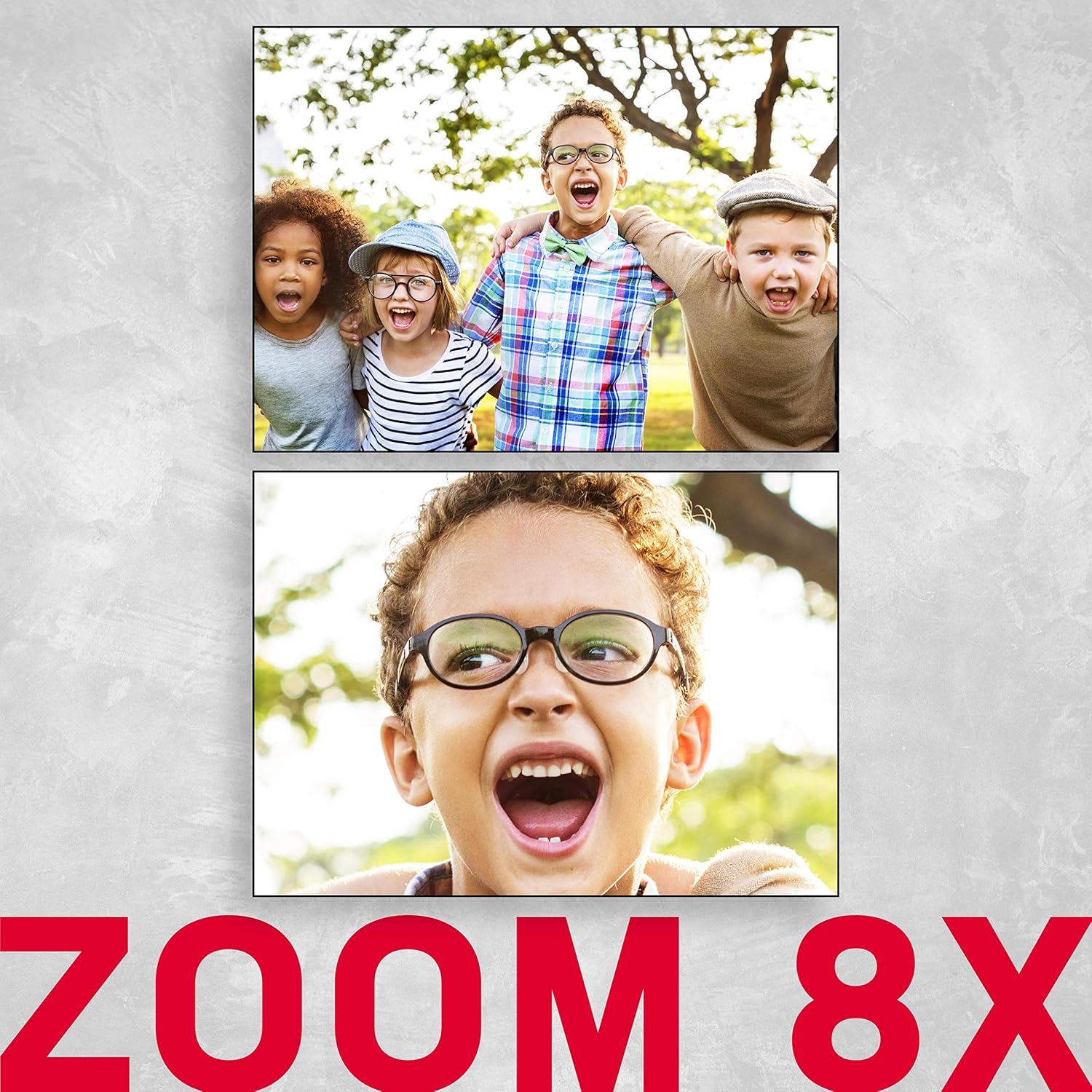
Image 6.1: An illustration demonstrating the 8x digital zoom capability of the camera, showing a zoomed-in image.
6.2 ફ્લેશ મોડ્સ
In photo mode, press the 'Right' navigation button to cycle through flash modes:
- સ્વતઃ ફ્લેશ: ફ્લેશની જરૂર છે કે નહીં તે કેમેરા આપમેળે નક્કી કરે છે.
- Force Flash: Flash fires for every shot.
- ફ્લેશ બંધ: ફ્લેશ અક્ષમ છે.
- લાલ આંખમાં ઘટાડો: રેડ-આઇ ઇફેક્ટ ઘટાડવા માટે પ્રી-ફ્લેશ ફાયર કરે છે.
6.3 સ્વ-ટાઈમર
Press the 'Down' navigation button to select self-timer options:
- બંધ
- ૧૦-સેકન્ડનો વિલંબ
- ૧૦-સેકન્ડનો વિલંબ
- ૧૦-સેકન્ડનો વિલંબ
6.4 દ્રશ્ય મોડ્સ
The camera offers various scene modes to optimize settings for different shooting conditions. Access these through the menu. Available modes include:
- કાર
- લેન્ડસ્કેપ
- પોટ્રેટ
- રાત્રિ
- નાઇટ પોટ્રેટ
- High Light Sensitivity
- બીચ
6.5 વિડિઓ રેકોર્ડિંગ
- Press the Mode button to switch to video recording mode.
- Press the Shutter button to start recording. A red indicator will typically appear on the screen.
- રેકોર્ડિંગ બંધ કરવા માટે ફરી શટર બટન દબાવો.
6.6 પ્લેબેક મોડ
- Press the Mode button to switch to playback mode.
- Use the Left/Right navigation buttons to browse through your photos and videos.
- કાઢી નાખવા માટે એ file, select it and press the SET/OK button, then choose the delete option from the menu.
6.7 મેનુ સેટિંગ્સ
Press the SET/OK button (or a dedicated Menu button if available) to access the camera's settings menu. Use the navigation buttons to scroll and the SET/OK button to confirm selections. Key settings include:
- ઠરાવ: Adjust photo and video resolution.
- સંપર્કમાં આવું છું: Compensate for bright or dark scenes.
- સફેદ સંતુલન: Adjust color temperature (Auto, Daylight, Cloudy, Fluorescent, Tungsten).
- છબી સ્થિરીકરણ: Digital image stabilization helps reduce blur from camera shake.
- ચહેરાની તપાસ: Automatically detects and focuses on faces.
- ફોર્મેટ એસડી કાર્ડ: Erases all data on the SD card.

Image 6.2: An illustration of the camera's face detection feature, highlighting detected faces in a scene.

Image 6.3: The camera with an anti-shake icon, indicating its digital image stabilization feature.
7. જાળવણી
- કેમેરા બોડી સાફ કરવી: કેમેરા બોડી સાફ કરવા માટે નરમ, લિન્ટ-ફ્રી કાપડનો ઉપયોગ કરો. હઠીલા ગંદકી માટે, સહેજ ડીampપાણી સાથે કાપડ.
- લેન્સની સફાઈ: Use a lens brush or a specialized lens cleaning cloth. Avoid touching the lens with your fingers.
- બેટરી સંભાળ: Store the battery in a cool, dry place when not in use. If storing for extended periods, charge it periodically to maintain battery health.
- સંગ્રહ: Store the camera in a dry, dust-free environment, away from direct sunlight and extreme temperatures.
8. મુશ્કેલીનિવારણ
| સમસ્યા | સંભવિત કારણ | ઉકેલ |
|---|---|---|
| કેમેરા ચાલુ થતો નથી. | બેટરી ખાલી થઈ ગઈ છે અથવા ખોટી રીતે દાખલ કરવામાં આવી છે. | બેટરી ચાર્જ કરો. ખાતરી કરો કે બેટરી યોગ્ય ધ્રુવીયતા સાથે દાખલ કરવામાં આવી છે. |
| ફોટા/વિડિયો લઈ શકાતા નથી. | SD કાર્ડ ભરેલું છે, લૉક કરેલું છે, અથવા દાખલ કરેલું નથી. | Insert an SD card. Check if the SD card is locked (slide switch on card). Delete unnecessary fileકાર્ડ બદલો અથવા બદલો. |
| છબીઓ ઝાંખી છે. | કેમેરા હચમચી જવું, વિષય ખૂબ નજીક આવવો, અથવા ખોટું ફોકસ. | Hold the camera steady. Ensure adequate lighting. Use digital image stabilization. Maintain proper distance from subject. |
| ફ્લેશ ચાલુ થતી નથી. | ફ્લેશ મોડ "બંધ" પર સેટ કરેલ છે અથવા બેટરી ઓછી છે. | Change flash mode to "Auto" or "Force Flash". Charge the battery. |
| કેમેરા થીજી જાય છે. | કામચલાઉ સોફ્ટવેર ખામી. | કેમેરા રીસેટ કરવા માટે બેટરી કાઢીને ફરીથી દાખલ કરો. |
9. સ્પષ્ટીકરણો
| લક્ષણ | વિગત |
|---|---|
| મોડેલનું નામ | ડીસી5200 |
| ફોટો સેન્સર રિઝોલ્યુશન | 21 MP |
| વિડિઓ રિઝોલ્યુશન | 1280x720 HD |
| ડિજિટલ ઝૂમ | 8x |
| સ્ક્રીન માપ | 2.4 Inches (TFT LCD) |
| છબી સ્થિરીકરણ | ડિજિટલ |
| આધારભૂત File ફોર્મેટ | JPEG (photos), AVI (videos) |
| ફ્લેશ મેમરી પ્રકાર | SD કાર્ડ (32 GB સુધી) |
| બેટરીનો પ્રકાર | લિથિયમ બેટરી (રિચાર્જેબલ) |
| કનેક્ટિવિટી | યુએસબી |
| ખાસ લક્ષણો | Face Detection, Self-Timer (2s/5s/10s), Red-eye Reduction, Scene Modes |
| વસ્તુનું વજન | 94 ગ્રામ |
| પરિમાણો (અંદાજે) | Item Height: 6.1 centimeters |
10. વોરંટી અને સપોર્ટ
For warranty information and technical support, please refer to the official AgfaPhoto webસાઇટ પર જાઓ અથવા તમારા રિટેલરનો સંપર્ક કરો. વોરંટી દાવાઓ માટે ખરીદીનો પુરાવો રાખો.
ઉત્પાદક: એજીએફએ


