1. પરિચય
ખરીદી બદલ આભારasing the Roxel Wake-Up Light Alarm Clock WUP33. This device combines an alarm clock, FM radio, and bedside lamp with advanced features like sunrise and sunset simulation, designed to enhance your sleep and waking experience. Please read this manual carefully before use to ensure proper operation and to maximize the product's lifespan.
2. સલામતી માહિતી
- Ensure the power adapter is compatible with your local power supply. The device uses a British type G - Square plug. An adapter may be required for other regions.
- ઉપકરણને પાણી અથવા વધુ પડતા ભેજના સંપર્કમાં ન લાવો.
- ઉપકરણને ગરમીના સ્ત્રોતો અને સીધા સૂર્યપ્રકાશથી દૂર રાખો.
- ઉપકરણને જાતે ડિસએસેમ્બલ કરવાનો કે રિપેર કરવાનો પ્રયાસ કરશો નહીં. સહાય માટે લાયક સેવા કર્મચારીઓનો સંપર્ક કરો.
- ફક્ત પ્રદાન કરેલ પાવર એડેપ્ટરનો ઉપયોગ કરો.
- The battery backup function is for time and alarm settings only; the light function will not operate on battery power.
3. પેકેજ સામગ્રી
કૃપા કરીને નીચેની વસ્તુઓ માટે પેકેજ તપાસો:
- Roxel Wake-Up Light Alarm Clock WUP33
- Power Adapter (British Type G Plug)
- વપરાશકર્તા માર્ગદર્શિકા
4. ઉત્પાદન ઓવરview
Familiarize yourself with the main components and controls of your Roxel Wake-Up Light Alarm Clock.

છબી: આગળ view of the Roxel Wake-Up Light Alarm Clock WUP33. The device features a circular light panel with a central digital time display and an array of touch-sensitive buttons below it. The time '12:31' is visible, and buttons for time, alarm, snooze, light intensity, volume, and FM radio are arranged around the display.
નિયંત્રણો:
- સમય બટન: વર્તમાન સમય સેટ કરો.
- એલાર્મ બટન: Set and activate alarms.
- Snooze Button (Zz): Temporarily pause the alarm.
- Light Intensity (+/-) Buttons: પ્રકાશની તેજને સમાયોજિત કરો.
- એફએમ બટન: Activate and scan FM radio.
- Color Change Button (Moon/Sun icon): Cycle through light colors or activate sunset simulation.
- વોલ્યુમ બટન: Adjust alarm and radio volume.
5. સેટઅપ
5.1 કનેક્ટિંગ પાવર
- Plug the power adapter into the DC port on the back of the alarm clock.
- Plug the power adapter into a suitable wall outlet. The display will light up.
Important: This device is supplied with a British Type G (square pin) plug. If your region uses a different plug type, a suitable adapter must be used.
5.2 Installing Backup Batteries (Optional)
To retain time and alarm settings during a power outage, install 3 AAA batteries (not included).
- Open the battery compartment cover on the bottom of the device.
- યોગ્ય ધ્રુવીયતા (+/-) અવલોકન કરીને, 3 AAA બેટરી દાખલ કરો.
- બેટરી કમ્પાર્ટમેન્ટ કવર બંધ કરો.
Note: Batteries only provide backup for time and alarm settings. The light function will not operate when powered by batteries alone.
6. ઓપરેટિંગ સૂચનાઓ
6.1 સમય નક્કી કરવો
- દબાવો અને પકડી રાખો સમય બટન (clock icon) for 3 seconds to enter time setting mode. The hour display will flash.
- નો ઉપયોગ કરો Light Intensity + or - બટનો કલાક સમાયોજિત કરવા માટે.
- દબાવો સમય બટન again to confirm the hour and move to minute setting. The minute display will flash.
- નો ઉપયોગ કરો Light Intensity + or - બટનો મિનિટ એડજસ્ટ કરવા માટે.
- દબાવો સમય બટન one more time to confirm and exit time setting mode.
6.2 એલાર્મ સેટ કરવું
The device supports one alarm setting with sunrise simulation and choice of sound.
- દબાવો અને પકડી રાખો એલાર્મ બટન (bell icon) for 3 seconds to enter alarm setting mode. The alarm hour display will flash.
- નો ઉપયોગ કરો Light Intensity + or - બટનો એલાર્મ કલાક ગોઠવવા માટે.
- દબાવો એલાર્મ બટન again to confirm the hour and move to minute setting. The alarm minute display will flash.
- નો ઉપયોગ કરો Light Intensity + or - બટનો એલાર્મ મિનિટ ગોઠવવા માટે.
- દબાવો એલાર્મ બટન again to select the alarm sound. You can choose from 6 natural sounds or FM radio. Use the Light Intensity + or - બટનો વિકલ્પોમાંથી પસાર થવા માટે.
- દબાવો એલાર્મ બટન again to set the alarm volume (1-15 levels). Use the Light Intensity + or - બટનો સંતુલિત કરવા માટે.
- દબાવો એલાર્મ બટન one more time to confirm and exit alarm setting mode. The alarm icon will appear on the display, indicating the alarm is active.
સૂર્યોદય સિમ્યુલેશન
30 minutes before your set alarm time, the light will gradually brighten from 10% to 100% intensity, simulating a natural sunrise to gently wake you up.

Image: A woman is shown waking up in bed, with the Roxel Wake-Up Light Alarm Clock on her bedside table emitting a bright, warm light. The light panel shows the time '12:31'. This illustrates the sunrise simulation feature.
કુદરતનો અવાજ
Choose from 6 different natural sounds for a pleasant wake-up experience.

Image: A mother and child are smiling and looking at the Roxel Wake-Up Light Alarm Clock, which is emitting a warm light. They are under a blanket in a bright, natural outdoor setting, symbolizing the calming effect of nature sounds.
૬.૫ એફએમ રેડિયો ઓપરેશન
- દબાવો એફએમ બટન to turn on the FM radio. The frequency will be displayed.
- દબાવો અને પકડી રાખો એફએમ બટન for 3 seconds to automatically scan and save available radio stations.
- નો ઉપયોગ કરો Light Intensity + or - બટનો to manually tune to a specific frequency or cycle through saved stations.
- દબાવો વોલ્યુમ બટન to adjust the radio volume.
- દબાવો એફએમ બટન ફરીથી રેડિયો બંધ કરવા માટે.
6.4 Bedside Lamp કાર્ય
The device can function as a bedside lamp with adjustable brightness and color options.
Warm Light Brightness
- દબાવો Light Intensity + button to turn on the warm white light.
- વારંવાર દબાવો Light Intensity + or - બટનો to cycle through 10 levels of brightness.
- દબાવો અને પકડી રાખો Light Intensity - લાઇટ બંધ કરવા માટે બટન.
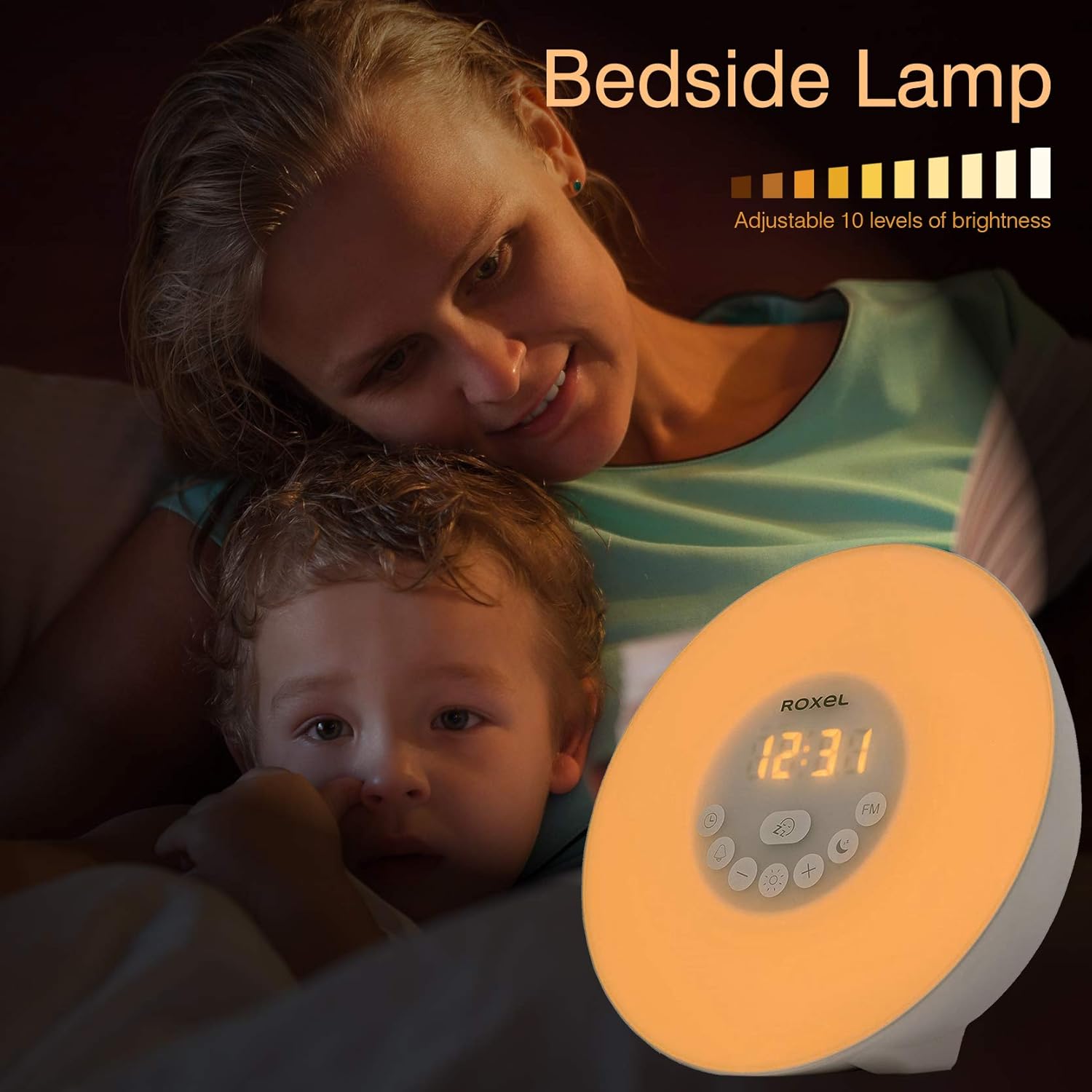
છબી: આગળ view of the Roxel Wake-Up Light Alarm Clock WUP33 emitting a warm white light. The digital display shows '12:31'. This demonstrates the bedside lamp function with warm light.
કલર ચેન્જિંગ લાઇટ
- When the warm white light is off, press the Color Change button (moon/sun icon) to activate the color-changing mode.
- Each press will cycle through 7 different colors (e.g., pink, green, orange, blue, indigo, purple, red) or a continuous color cycle mode.
- દબાવો અને પકડી રાખો Color Change button to turn off the color light.
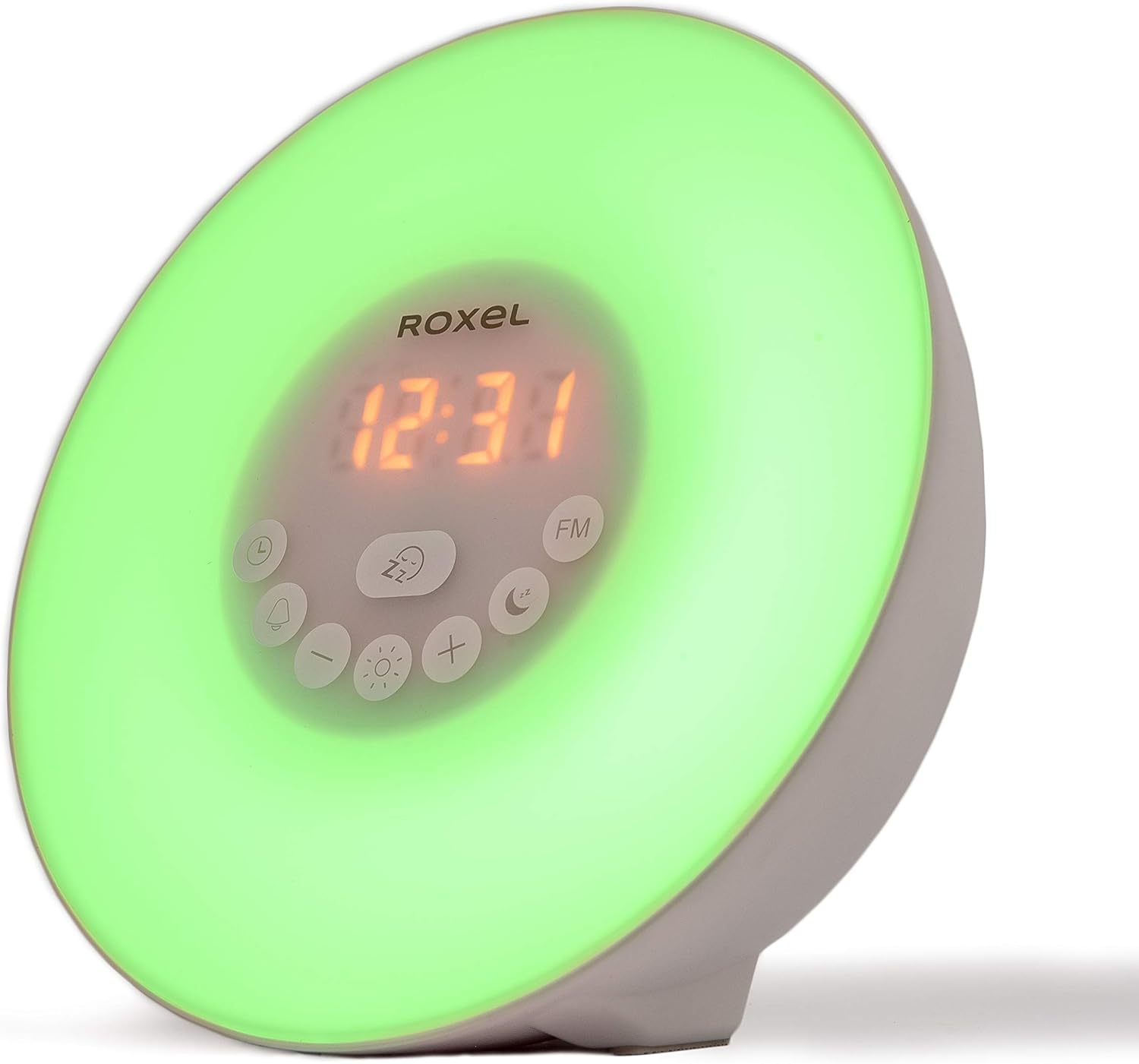
Image: The Roxel Wake-Up Light Alarm Clock WUP33 is shown emitting a vibrant pink light. The digital display shows '12:31'. This illustrates one of the available color-changing light options.
6.5 Sunset Simulation
The sunset simulation feature helps you relax and fall asleep by gradually dimming the light.
- દબાવો Color Change button (moon/sun icon) until the sunset simulation mode is activated (often indicated by a specific icon or light pattern).
- The light will automatically dim from 100% brightness to 0% over 30 minutes.
- To stop the sunset simulation, press any button.

Image: A woman is shown sleeping in bed, with the Roxel Wake-Up Light Alarm Clock on her bedside table emitting a soft, dimming blue light. The time '12:31' is displayed. This illustrates the sunset simulation feature, aiding in relaxation before sleep.
6.6 સ્નૂઝ ફંક્શન
જ્યારે એલાર્મ વાગે ત્યારે, દબાવો સ્નૂઝ બટન (Zz icon) to temporarily silence the alarm for 5 minutes. The alarm will sound again after 5 minutes. You can repeat the snooze function multiple times.
7. જાળવણી
- ઉપકરણને નરમ, સૂકા કપડાથી સાફ કરો. ઘર્ષક ક્લીનર્સ અથવા સોલવન્ટનો ઉપયોગ કરશો નહીં.
- If not in use for an extended period, unplug the device and remove the backup batteries. Store it in a cool, dry place.
8. મુશ્કેલીનિવારણ
| સમસ્યા | સંભવિત કારણ | ઉકેલ |
|---|---|---|
| ઉપકરણ પાવર ચાલુ કરતું નથી. | પાવર એડેપ્ટર કનેક્ટેડ નથી અથવા ખામીયુક્ત છે. | Ensure the power adapter is securely plugged into the device and a working wall outlet. Check the outlet with another device. |
| એલાર્મ વાગતો નથી. | Alarm not activated or volume too low. | Check if the alarm icon is displayed. Re-set the alarm and ensure the volume is set to an audible level. |
| Light function does not work on battery power. | આ સામાન્ય કામગીરી છે. | The light function requires mains power. Batteries only back up time and alarm settings. |
| એફએમ રેડિયો રિસેપ્શન નબળું છે. | નબળો સંકેત અથવા દખલ. | Adjust the position of the device. Try auto-scanning for stations again. |
| બટનો પ્રતિભાવવિહીન છે. | કામચલાઉ સોફ્ટવેર ખામી. | Unplug the device from power for a few seconds, then plug it back in to reset. |
9. સ્પષ્ટીકરણો
| લક્ષણ | વિગત |
|---|---|
| મોડલ નંબર | WUP33 |
| પરિમાણો (L x W x H) | 12 x 17 x 18 સેમી |
| વજન | 300 ગ્રામ |
| સામગ્રી | પ્લાસ્ટિક |
| પ્રકાશ સ્ત્રોત | એલઇડી |
| ભાગtage | 5 વોલ્ટ |
| તેજસ્વી પ્રવાહ | 80 એલએમ |
| ખાસ લક્ષણો | Color Change, Dimmable, Sunrise/Sunset Simulation |
| પાવર સ્ત્રોત | Mains powered with 3x AAA battery backup (batteries not included) |
| પ્લગ પ્રકાર | British Type G - Square plugs |
10. વોરંટી અને સપોર્ટ
Roxel products are designed and manufactured to the highest quality standards. For warranty information or technical support, please refer to the documentation provided with your purchase or visit the official Roxel webસાઇટ. કોઈપણ વોરંટી દાવા માટે તમારી ખરીદીનો પુરાવો રાખો.


