પરિચય
This manual provides detailed instructions for the safe and effective use of your SKYBASIC S113-5.5mm Industrial Endoscope Inspection Camera. This device is designed for visual inspection in hard-to-reach areas, featuring a 1080P HD camera, a 4.3-inch LCD screen, adjustable LED lighting, and a semi-rigid cable. Please read this manual thoroughly before operation.
પેકેજ સામગ્રી
ખાતરી કરો કે નીચે સૂચિબદ્ધ બધી વસ્તુઓ તમારા પેકેજમાં શામેલ છે:
- LCD Digital Endoscope Unit
- વપરાશકર્તા માર્ગદર્શિકા
- યુએસબી ચાર્જિંગ કેબલ
- Accessories: Hook, Magnet, Side Mirror, Protective Cap
- 32GB માઈક્રો એસડી કાર્ડ

આકૃતિ 1: સમાવિષ્ટ પેકેજ સામગ્રી
મુખ્ય લક્ષણો
- 4.3-inch HD LCD Screen: Provides a clear and detailed view નિરીક્ષણ વિસ્તારના.
- 1080P HD કેમેરા: Captures high-resolution images and videos.
- 180° Image Rotation: Allows for easy adjustment of the viewકોણ કોણ.
- 6 એડજસ્ટેબલ LED લાઇટ્સ: Ensures optimal illumination in various dark environments.
- IP67 વોટરપ્રૂફ પ્રોબ: Suitable for use in wet or submerged conditions.
- અર્ધ-કઠોર કેબલ: Offers flexibility for navigating tight spaces while maintaining shape.
- પ્લગ અને પ્લે ઓપરેશન: No external phone or Wi-Fi connection required.
- 32GB માઈક્રો એસડી કાર્ડ: Included for storing captured images and videos.

Figure 2: 4.3-inch HD LCD Screen and Camera Specifications
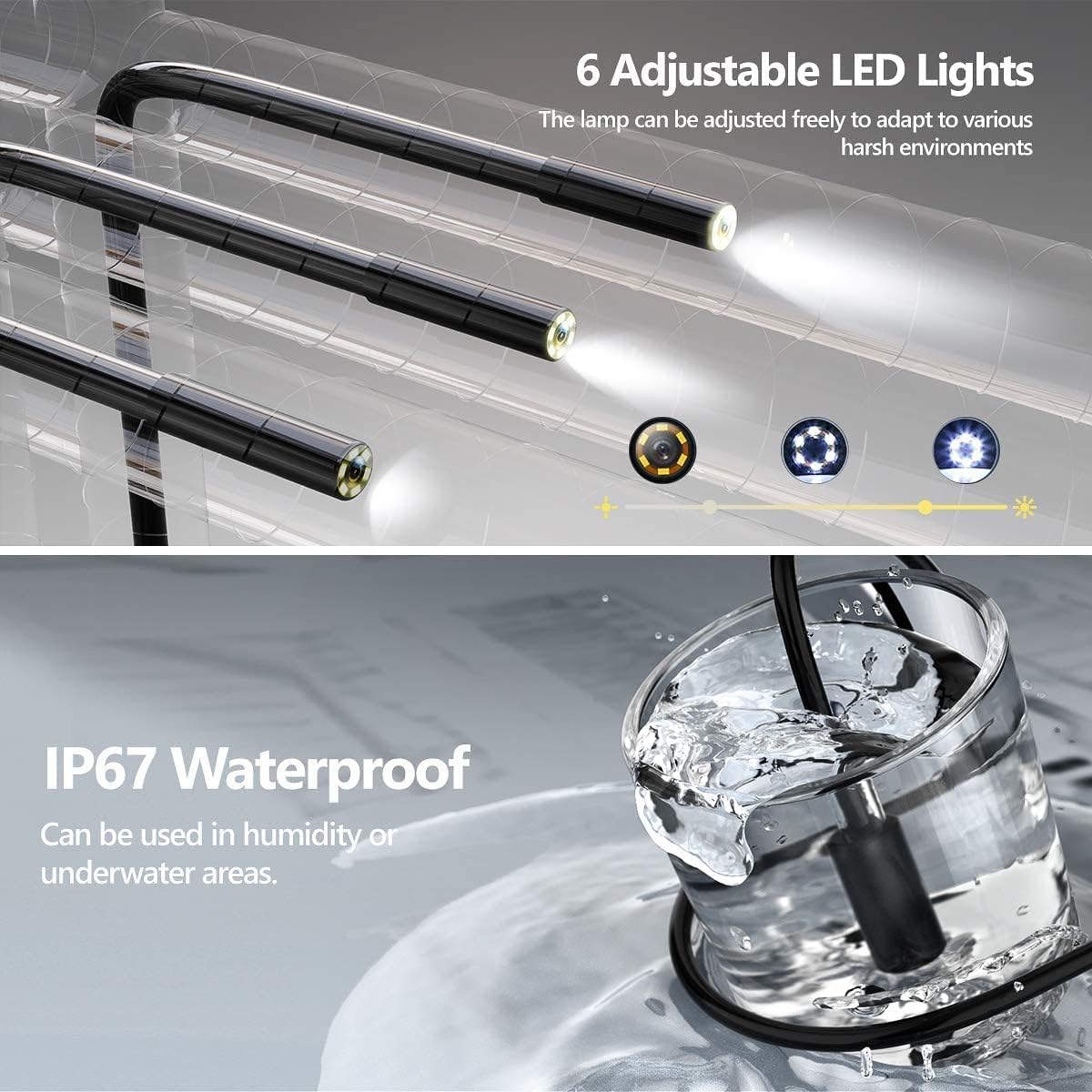
Figure 3: Adjustable LED Lights and IP67 Waterproof Probe

Figure 4: Semi-Rigid Cable Design
સેટઅપ સૂચનાઓ
- ઉપકરણ ચાર્જ કરો: Before first use, fully charge the endoscope unit using the provided USB charging cable. Connect the cable to the unit's charging port and a standard USB power adapter (not included). The charging indicator will show the charging status.
- માઇક્રો એસડી કાર્ડ દાખલ કરો: Locate the Micro SD card slot on the side of the unit. Gently insert the included 32GB Micro SD card until it clicks into place. Ensure the card is inserted correctly to enable photo and video recording.
- પાવર ચાલુ: Press and hold the power button (usually marked with a power symbol) for a few seconds until the screen illuminates. The device is designed for "plug and play" operation, meaning it's ready for use immediately after powering on.
- એસેસરીઝ જોડો (વૈકલ્પિક): If needed, attach the hook, magnet, or side mirror to the camera probe tip. These accessories are designed to assist in retrieving objects or viewજુદા જુદા ખૂણા પર

Figure 5: Plug and Play Operation
ઓપરેટિંગ સૂચનાઓ
મૂળભૂત કામગીરી
- પાવર ચાલુ/બંધ: ઉપકરણને ચાલુ અથવા બંધ કરવા માટે પાવર બટન દબાવો અને હોલ્ડ કરો.
- મેનુ નેવિગેટ કરો: Use the directional buttons (Up/Down/Left/Right) to navigate through menu options.
- પસંદગીની પુષ્ટિ કરો: Press the "OK" button to confirm a selection or enter a menu.
- પરત: Press the "M" (Menu) button to return to the previous screen or exit a menu.
કેમેરા કાર્યો
- એલઇડી લાઇટ્સ એડજસ્ટ કરો: Use the dedicated light adjustment button (often marked with a light bulb icon or up/down arrows) to increase or decrease the brightness of the 6 LED lights on the camera probe. This helps illuminate dark inspection areas.
- ફોટા લેવા: જ્યારે viewing the live feed, press the photo capture button (usually marked with a camera icon) to take a still image. The image will be saved to the inserted Micro SD card.
- રેકોર્ડ વિડિઓઝ: Press the video recording button (usually marked with a video camera icon) to start recording. Press it again to stop recording. Videos will be saved to the Micro SD card.
- 180° Image Rotation: If the image orientation is incorrect, press the image rotation button (often marked with a circular arrow) to rotate the image 180 degrees. This feature is useful when the probe is inverted.
- ધ્યાન કેન્દ્રિત અંતર: The optimal focusing distance for clear images is between 3cm and 10cm from the object. Position the camera within this range for best results.
જાળવણી અને સંભાળ
- તપાસની સફાઈ: The camera probe is IP67 waterproof. After use in dirty or wet environments, gently wipe the probe with a damp cloth. For stubborn dirt, a mild detergent can be used, followed by a clean, damp cloth. Ensure the probe is dry before storage.
- મુખ્ય એકમની સફાઈ: The main unit is નથી waterproof. Clean it with a soft, dry cloth. Avoid using liquid cleaners or abrasive materials.
- સંગ્રહ: Store the endoscope in a cool, dry place, away from direct sunlight and extreme temperatures. Coil the semi-rigid cable loosely to prevent damage.
- બેટરી સંભાળ: To prolong battery life, charge the device regularly, even if not in frequent use. Avoid completely draining the battery for extended periods.
- એસડી કાર્ડ મેનેજમેન્ટ: Periodically transfer photos and videos from the Micro SD card to a computer to free up space and back up your data. Format the SD card through the device's menu if performance degrades.
મુશ્કેલીનિવારણ
| સમસ્યા | સંભવિત કારણ | ઉકેલ |
|---|---|---|
| ઉપકરણ પાવર ચાલુ કરતું નથી. | ઓછી બેટરી. | Charge the device fully using the USB cable. |
| સ્ક્રીન પર કોઈ છબી નથી. | Cable not properly connected; device malfunction. | Ensure the camera cable is securely connected. Restart the device. If the problem persists, contact support. |
| Cannot take photos/record videos. | No Micro SD card inserted; SD card full or corrupted. | Insert a Micro SD card. Check if the SD card has sufficient space or format it (this will erase all data). |
| છબી ઝાંખી છે. | Camera lens dirty; object out of focus range. | Clean the camera lens. Adjust the distance between the camera and the object to be within 3cm-10cm. |
| એલઇડી લાઇટ કામ કરતી નથી. | Lights turned off; malfunction. | Press the light adjustment button to turn on/increase brightness. If still not working, contact support. |
વિશિષ્ટતાઓ
| લક્ષણ | વિગત |
|---|---|
| બ્રાન્ડ | SKYBASIC |
| મોડલ નંબર | S113-5.5mm |
| ડિસ્પ્લે | 4.3-ઇંચ એલસીડી |
| વિડિઓ રેકોર્ડિંગ રીઝોલ્યુશન | 720p (Note: Product title mentions 1080P HD, but specifications list 720p. User should be aware of this discrepancy.) |
| છબી પરિભ્રમણ | 360° (as per product title) / 180° (as per image feature) |
| કેમેરા વ્યાસ | 5.5mm (implied by model number) |
| એલઇડી લાઇટ્સ | 6 એડજસ્ટેબલ LEDs |
| પાણી પ્રતિકાર સ્તર | IP67 (for probe only) |
| કનેક્ટિવિટી ટેકનોલોજી | યુએસબી |
| સ્ટોરેજ મીડિયા | Micro SDXC Card (32GB included) |
| બેટરી | 1 Lithium-polymer (included) |
| વસ્તુનું વજન | 549 ગ્રામ |
| પેકેજ પરિમાણો | 19.89 x 13.31 x 7.9 સેમી |
Note: Some specifications, such as video resolution and image rotation degrees, may vary slightly between product descriptions and detailed specifications. Refer to the device's on-screen information for the most accurate details.
સલામતી માહિતી
- ઉપકરણને ડિસએસેમ્બલ કરવાનો કે સુધારવાનો પ્રયાસ કરશો નહીં. આનાથી નુકસાન થઈ શકે છે અને વોરંટી રદ થઈ શકે છે.
- Keep the main unit away from water and liquids, as it is not waterproof.
- ઉપકરણને અતિશય તાપમાન, સીધો સૂર્યપ્રકાશ અથવા ઉચ્ચ ભેજના સંપર્કમાં ન લાવો.
- ચાર્જ કરવા માટે ફક્ત પ્રદાન કરેલ USB કેબલનો ઉપયોગ કરો.
- બાળકોની પહોંચથી દૂર રાખો.
- સ્થાનિક નિયમો અનુસાર ઉપકરણ અને તેની બેટરીનો નિકાલ કરો.
લાક્ષણિક એપ્લિકેશનો
The SKYBASIC S113-5.5mm Industrial Endoscope is suitable for a variety of inspection tasks in hard-to-reach areas. Common applications include:
- ઓટોમોટિવ જાળવણી: Inspecting engine components, cylinders, and other vehicle parts.
- Drainpipe Inspection: Checking for blockages, corrosion, or damage in pipes and plumbing systems.
- HVAC Inspection: Examining air conditioning ducts and ventilation systems.
- Electrical Repair: Inspecting wiring in walls or conduits.
- Home Inspection: Looking into wall cavities, behind appliances, or other confined spaces.

Figure 6: Endoscope in various inspection scenarios


