1. પરિચય
This manual provides detailed instructions for the operation and maintenance of your Joyroom JR-T05 Wireless Earbuds. Please read this manual thoroughly before use to ensure proper functionality and to maximize your user experience.
2. પેકેજ સામગ્રી
- Joyroom JR-T05 Wireless Earbuds (Left and Right)
- ચાર્જિંગ કેસ
- યુએસબી ચાર્જિંગ કેબલ
- કાનની ટીપ્સ (વિવિધ કદ)
- વપરાશકર્તા માર્ગદર્શિકા
3. ઉત્પાદન ઓવરview
The Joyroom JR-T05 Wireless Earbuds feature an in-ear design for comfortable wear and include a portable charging case for extended use. They are equipped with Bluetooth 4.2 for stable connectivity and offer noise-cancelling capabilities.
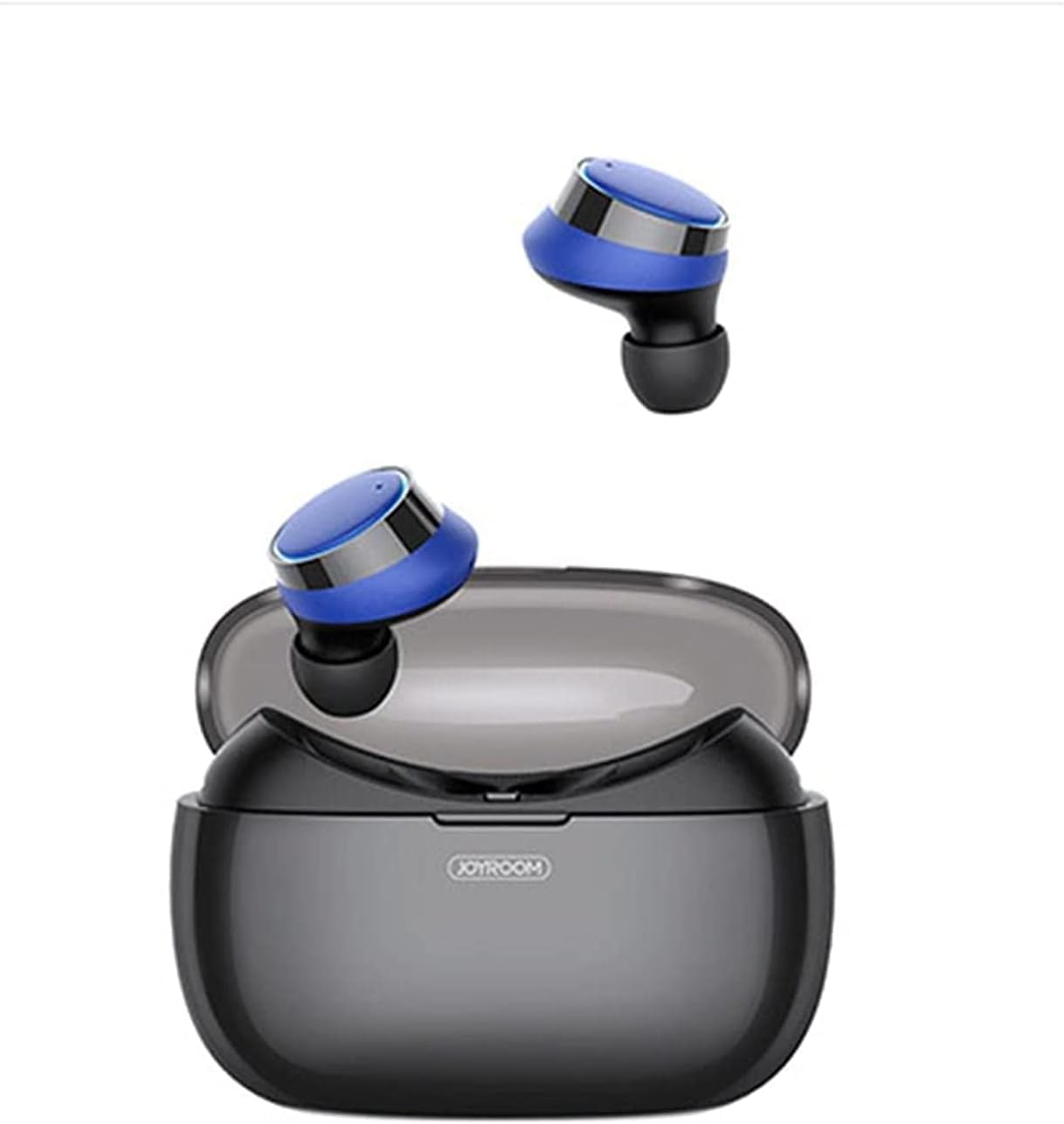
છબી 3.1: Joyroom JR-T05 Wireless Earbuds shown with their charging case open. The earbuds are black and blue, resting above the black charging case.

છબી 3.2: એક નજીક view of the Joyroom JR-T05 Wireless Earbuds, highlighting their blue and black design, positioned within the open charging case.
4. સેટઅપ
૫.૧ ઇયરબડ્સ અને કેસ ચાર્જ કરવા
- કેસ ચાર્જિંગ: Connect the provided USB charging cable to the charging port on the case and to a compatible USB power source. The indicator lights on the case will show charging status. A full charge for the 1500mAh polymer lithium battery case can provide approximately 10 full charges for the earbuds.
- ઇયરબડ્સ ચાર્જ કરવું: Place the earbuds into their respective slots in the charging case. Ensure they are correctly seated. The earbuds will automatically begin charging. Indicator lights on the earbuds or case will confirm charging.
4.2 બ્લૂટૂથ પેરિંગ
- પ્રારંભિક જોડી:
- Remove both earbuds from the charging case. They will automatically power on and enter pairing mode.
- તમારા મોબાઇલ ઉપકરણ પર, બ્લૂટૂથ સક્ષમ કરો અને ઉપલબ્ધ ઉપકરણો માટે શોધો.
- Select "JR-T05" from the list of found devices.
- એકવાર કનેક્ટ થઈ ગયા પછી, વૉઇસ પ્રોમ્પ્ટ સફળ જોડીની પુષ્ટિ કરશે.
- સિંગલ એરબડ મોડ: The double-ear separated design allows for independent use of a single earbud. Simply remove one earbud from the case; it will automatically connect to the last paired device.
5. ઓપરેટિંગ સૂચનાઓ
5.1 પાવર ચાલુ/બંધ
- પાવર ચાલુ: Remove earbuds from the charging case. They will power on automatically. Alternatively, press and hold the multi-function button on each earbud for approximately 3 seconds.
- પાવર બંધ: Place earbuds back into the charging case. They will power off automatically. Alternatively, press and hold the multi-function button on each earbud for approximately 5 seconds.
5.2 સંગીત પ્લેબેક
- ચલાવો/થોભો: Single tap the multi-function button on either earbud.
- આગળનો ટ્રેક: Double tap the multi-function button on the right earbud.
- પાછલો ટ્રેક: Double tap the multi-function button on the left earbud.
૫.૨ કોલ મેનેજમેન્ટ
- જવાબ/કૉલ સમાપ્ત કરો: Single tap the multi-function button on either earbud.
- કૉલ નકારો: બંને ઇયરબડ પરના મલ્ટી-ફંક્શન બટનને 2 સેકન્ડ માટે દબાવી રાખો.
- અવાજ સહાયક: Triple tap the multi-function button on either earbud (if supported by your device).
6. જાળવણી
- સફાઈ: Regularly clean the earbuds and charging case with a soft, dry, lint-free cloth. Do not use harsh chemicals or abrasive materials. Ensure charging contacts are free of debris.
- પાણી પ્રતિકાર: The earbuds feature an IPX5 waterproof design, protecting them from sweat and light splashes. Do not submerge the earbuds in water or expose them to heavy rain. The charging case is not waterproof.
- સંગ્રહ: જ્યારે ઉપયોગમાં ન હોય, ત્યારે ઇયરબડ્સને સુરક્ષિત રાખવા અને ચાર્જ રાખવા માટે તેમના ચાર્જિંગ કેસમાં રાખો. અતિશય તાપમાનથી દૂર ઠંડી, સૂકી જગ્યાએ સ્ટોર કરો.
7. મુશ્કેલીનિવારણ
| સમસ્યા | શક્ય ઉકેલ |
|---|---|
| ઇયરબડ્સ ડિવાઇસ સાથે જોડાઈ રહ્યા નથી. |
|
| માત્ર એક ઇયરબડ કામ કરી રહ્યું છે. |
|
| ઇયરબડ્સ ચાર્જ થતા નથી. |
|
| નબળી અવાજ ગુણવત્તા. |
|
8. સ્પષ્ટીકરણો
- મોડલ: JR-T05
- બ્રાન્ડ: જોયરૂમ
- કનેક્ટિવિટી: વાયરલેસ (બ્લુટુથ 4.2)
- ઇયર પ્લેસમેન્ટ: કાન માં
- ફોર્મ ફેક્ટર: કાન માં
- અવાજ નિયંત્રણ: સક્રિય અવાજ રદ
- માઇક્રોફોન: સમાવેશ થાય છે
- પાણી પ્રતિકાર: IPX5 (ફક્ત ઇયરબડ્સ)
- ચાર્જિંગ કેસ બેટરી: 1500mAh Polymer Lithium
- ઉત્પાદન પરિમાણો: 15 x 3 x 7 સેમી
- ઉત્પાદન વજન: 150 ગ્રામ
- આની સાથે સુસંગત: મોબાઈલ ફોન
9. સલામતી માહિતી
- ઉત્પાદનને ડિસએસેમ્બલ અથવા સંશોધિત કરશો નહીં.
- અતિશય તાપમાન, સીધો સૂર્યપ્રકાશ અને ખુલ્લી જ્વાળાઓથી દૂર રહો.
- Avoid exposing the charging case to water or moisture.
- ફક્ત માન્ય ચાર્જર અને કેબલનો ઉપયોગ કરો.
- ઊંચા અવાજે લાંબા સમય સુધી સાંભળવાથી શ્રવણશક્તિને નુકસાન થઈ શકે છે.
- બાળકો અને પાલતુ પ્રાણીઓની પહોંચથી દૂર રાખો.
10. વોરંટી અને સપોર્ટ
For warranty information or technical support, please refer to the documentation included with your purchase or visit the official Joyroom webસાઇટ. કોઈપણ વોરંટી દાવા માટે કૃપા કરીને ખરીદીનો પુરાવો રાખો.


