1. પરિચય
This instruction manual provides essential information for the proper use and care of your MoKo Smart Cover Case. This case is designed to protect your iPad 10.2-inch (7th, 8th, and 9th Generations) while offering convenient features such as adjustable viewing angles and automatic wake/sleep functionality.

Figure 1: MoKo Smart Cover Case in Space Gray, protecting an iPad and demonstrating its stand function.
2. સુસંગતતા
The MoKo Smart Cover Case is exclusively designed for the following iPad models:
- iPad 9th Generation 10.2" (2021) - Models: A2602, A2603, A2604, A2605
- iPad 8th Generation 10.2" (2020) - Models: A2270, A2428, A2429, A2430
- iPad 7th Generation 10.2" (2019) - Models: A2197, A2198, A2200
Note: This case is NOT compatible with other iPad models.

Figure 2: Detailed compatibility chart for MoKo iPad Case.
3. લક્ષણો
- પાતળી અને હલકી ડિઝાઇન: Adds minimal bulk to your device.
- Total Full Body Protection: Made of premium PU leather exterior, soft microfiber lining, and a translucent hard PC back shell to protect against fingerprints, shocks, scratches, and dust.
- Auto Wake/Sleep Function: Built-in magnetic strip automatically wakes or puts your tablet to sleep when the lid is opened and closed, preserving battery life.
- એડજસ્ટેબલ સ્ટેન્ડ: Strong magnetic connection allows for stable viewing અને ટાઇપિંગ ખૂણા.
- ચોક્કસ કટઆઉટ્સ: Ensures full access to all features and controls, including camera, ports, and speakers.
- Translucent Frosted Back Cover: Allows the iPad's original design and logo to be visible.

Figure 3: Magnetic closure for secure fit.

Figure 4: Case construction and features.
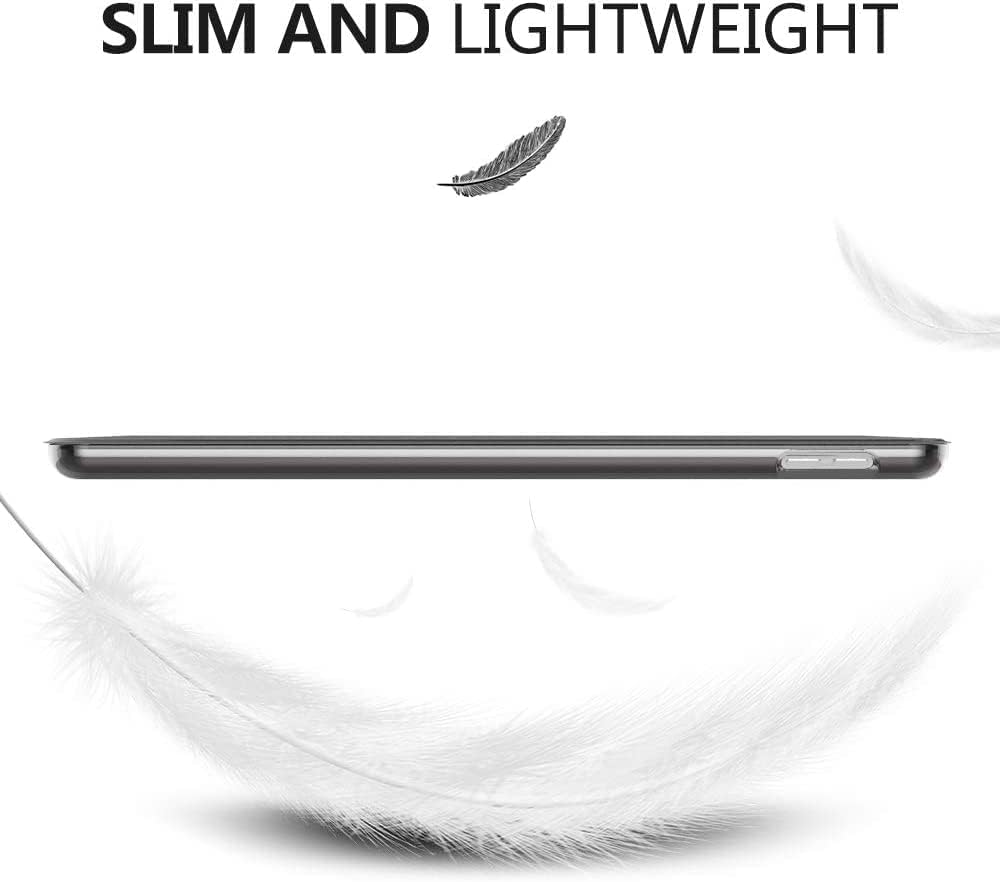
Figure 5: Slim and lightweight design.

Figure 6: Translucent back cover.
૪. સેટઅપ (ઇન્સ્ટોલેશન)
To install your iPad into the MoKo Smart Cover Case:
- Align your iPad with the hard PC back shell of the case.
- Gently press the iPad into the case, ensuring all corners and edges snap securely into place.
- Verify that all ports, buttons, and the camera are aligned with the precise cutouts.
To remove your iPad from the case, gently peel back one corner of the case and carefully lift the iPad out.
સ્થાપન વિડિઓ:
Video 1: Demonstrates how to install and remove the iPad from the MoKo PC Hard Case.
5. ઓપરેટિંગ સૂચનાઓ
5.1 Auto Wake/Sleep Function
The case features a built-in magnetic strip that interacts with your iPad's sensors:
- To Wake: Simply open the front cover, and your iPad will automatically wake up.
- સૂવા માટે: Close the front cover, and your iPad will automatically go into sleep mode, conserving battery life.
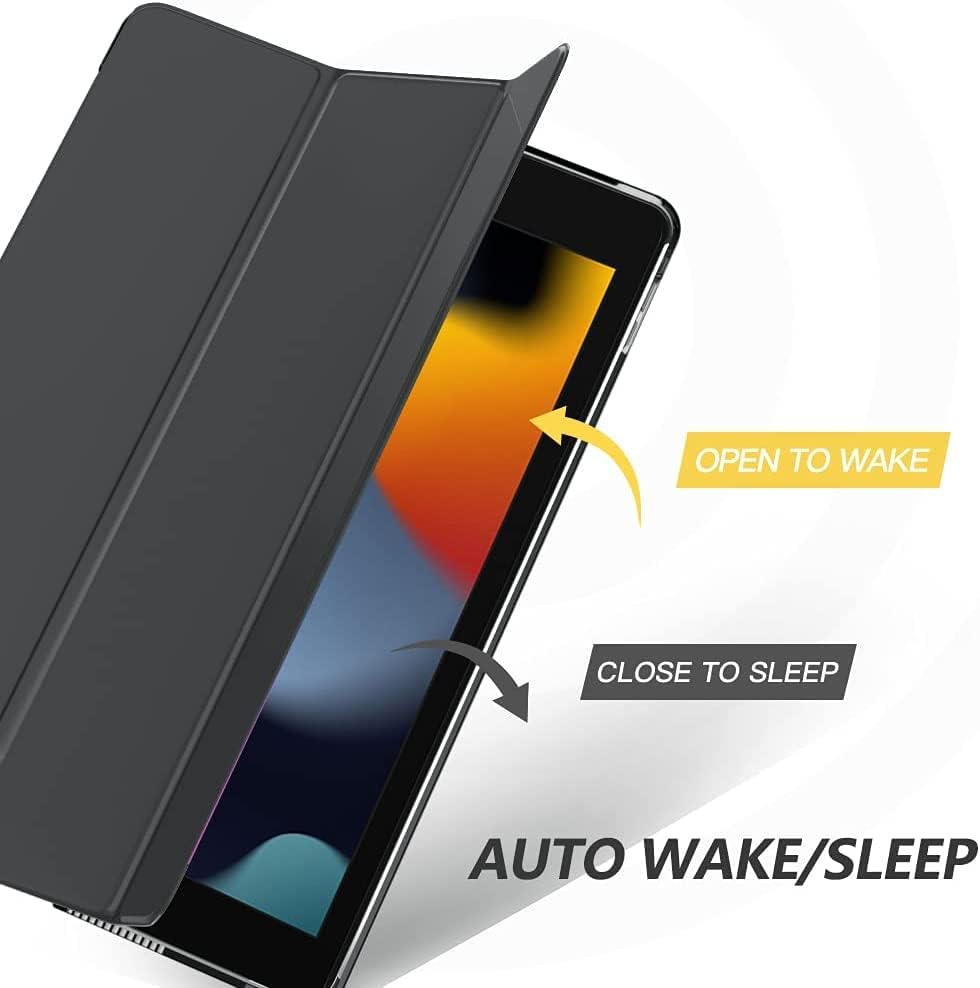
Figure 7: Auto Wake/Sleep mechanism.
5.2 Adjustable Stand Function
The tri-fold front cover can be folded to create two stable stand positions:
- Viewએન્ગલ: Fold the cover into a triangular stand to prop up your iPad for comfortable viewing of videos, photos, or video calls.
- ટાઇપિંગ એંગલ: Fold the cover into a lower, more inclined triangular stand for an ergonomic typing experience.

Figure 8: Two adjustable viewing અને ટાઇપિંગ ખૂણા.
Stand Functionality Videos:
Video 2: Demonstrates the stand function of the MoKo Case for iPad 10.2-inch.
Video 3: Shows the auto wake/sleep and stand features of the iPad case.
6. જાળવણી
To ensure the longevity and appearance of your MoKo Smart Cover Case:
- નરમ સાથે બાહ્ય સાફ કરો, ડીamp કાપડ. કઠોર રસાયણો અથવા ઘર્ષક ક્લીનર્સ ટાળો.
- For the microfiber lining, gently wipe with a dry, lint-free cloth.
- Avoid exposing the case to extreme temperatures or direct sunlight for extended periods.
7. મુશ્કેલીનિવારણ
If you encounter any issues with your MoKo Smart Cover Case, consider the following:
- Case not fitting correctly: Double-check the compatibility section (Section 2) to ensure your iPad model is supported. Ensure the iPad is fully seated in the hard back shell.
- Auto Wake/Sleep not working: Ensure the magnetic strip on the cover is clean and free from obstructions. Verify that the iPad's "Lock/Unlock" setting is enabled (Settings > Display & Brightness > Lock/Unlock).
- Stand instability: Ensure the tri-fold cover is properly folded into a stable triangular shape on a flat surface.
For further assistance, please contact MoKo customer support.
8. સ્પષ્ટીકરણો
| ઉત્પાદન પરિમાણો | 10.05 x 7.09 x 0.55 ઇંચ |
| વસ્તુનું વજન | 7.1 ઔંસ |
| મોડલ નંબર | P840034628364 |
| ઉત્પાદક | મોકો |
| સામગ્રી | PU Leather Exterior, Microfiber Lining, Hard PC Back Shell |
| રંગ | સ્પેસ ગ્રે |
| ખાસ લક્ષણો | Adjustable Stand, Anti-Fingerprint, Auto Sleep/Wake, Adjustable Angles, Slim and Light, Scratch Resistant |
બૉક્સમાં શું છે:
- 1 x MoKo Tablet Case
9. વોરંટી અને સપોર્ટ
For warranty information or customer support, please refer to the product packaging or contact MoKo directly through their official webસાઇટ અથવા રિટેલર જ્યાંથી ઉત્પાદન ખરીદવામાં આવ્યું હતું.


