પરિચય
This manual provides detailed instructions for the installation, operation, and maintenance of your MoKo Smart Plug Mini WiFi Outlet (Model B07ZLP253T). Please read this manual thoroughly before using the device to ensure proper functionality and safety.
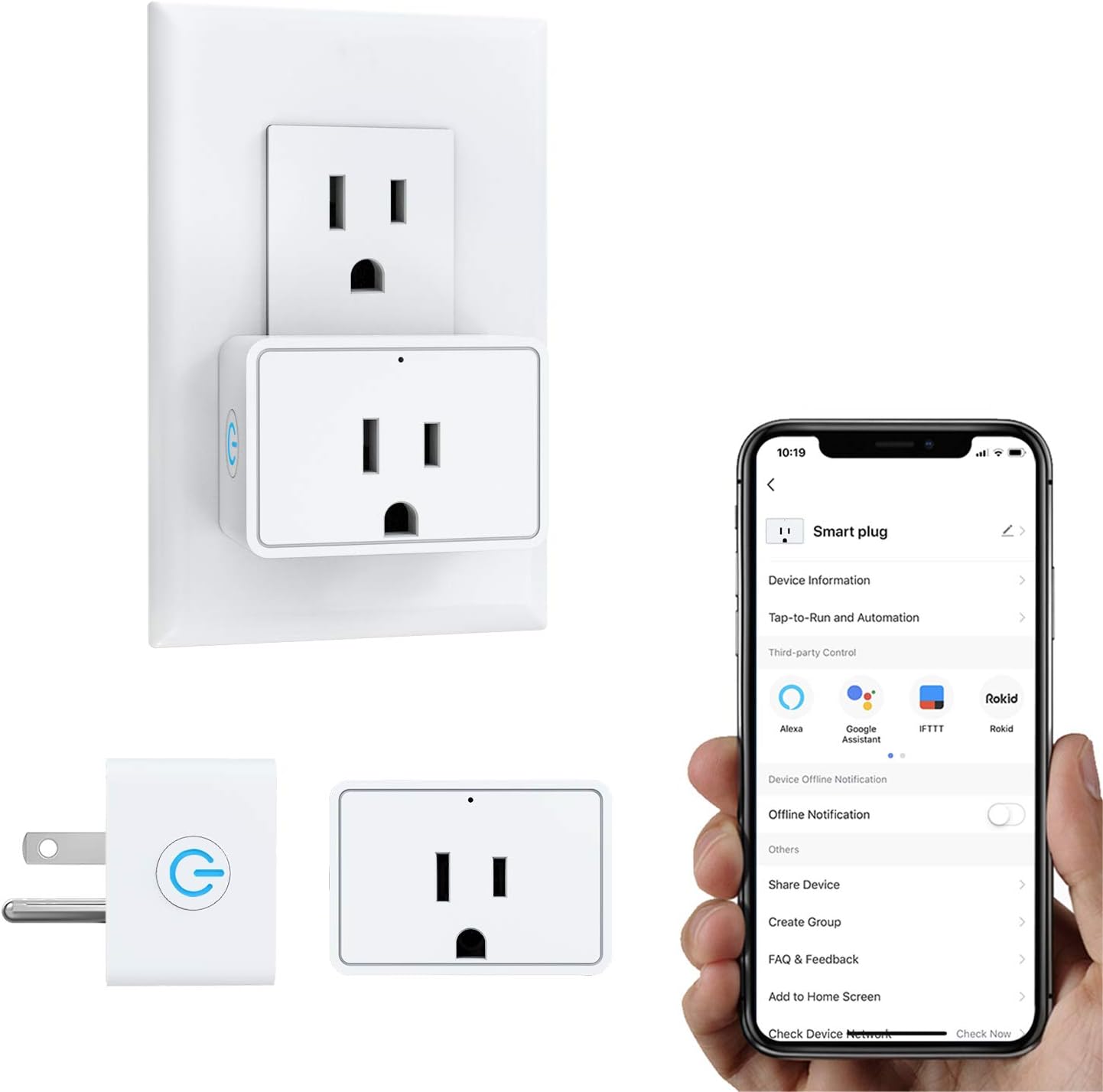
Image: MoKo Smart Plug Mini WiFi Outlet, showing its compact design and standard US plug type.
સેટઅપ માર્ગદર્શિકા
Follow these steps to set up your MoKo Smart Plug:
- Download the "Smart Life" App: માટે શોધો "Smart Life" in your mobile app store (Android 4.4+ or iOS 8+ required) and install it.
- નોંધણી/લોગિન: એપ ખોલો અને નવું એકાઉન્ટ રજીસ્ટર કરો અથવા હાલના એકાઉન્ટથી લોગ ઇન કરો.
- સ્માર્ટ પ્લગ પ્લગ ઇન કરો: Insert the MoKo Smart Plug into a standard wall outlet.
- ઉપકરણ રીસેટ કરો: Press and hold the button on the smart plug until the indicator light blinks rapidly. This indicates it's in pairing mode.
- એપ્લિકેશનમાં ઉપકરણ ઉમેરો: In the "Smart Life" app, tap the "+" icon to add a new device. Select "Electrical" then "Socket (Wi-Fi)".
- Confirm Blinking Light: Confirm that the indicator light on the smart plug is blinking rapidly in the app.
- Wi-Fi થી કનેક્ટ કરો: તમારા 2.4GHz Wi-Fi નેટવર્કનું નામ અને પાસવર્ડ દાખલ કરો. નોંધ: The smart plug only supports 2.4GHz Wi-Fi networks. 5.0GHz networks are not supported.
- જોડી બનાવવું: The app will begin connecting to the smart plug. Keep your phone, router, and the device as close as possible during this process.
- પૂર્ણતા: Once connected, the app will confirm "Device added successfully". You can then rename the device for easier control.
Video: Step-by-step guide on how to set up and pair the MoKo Smart Plug with the Smart Life application.
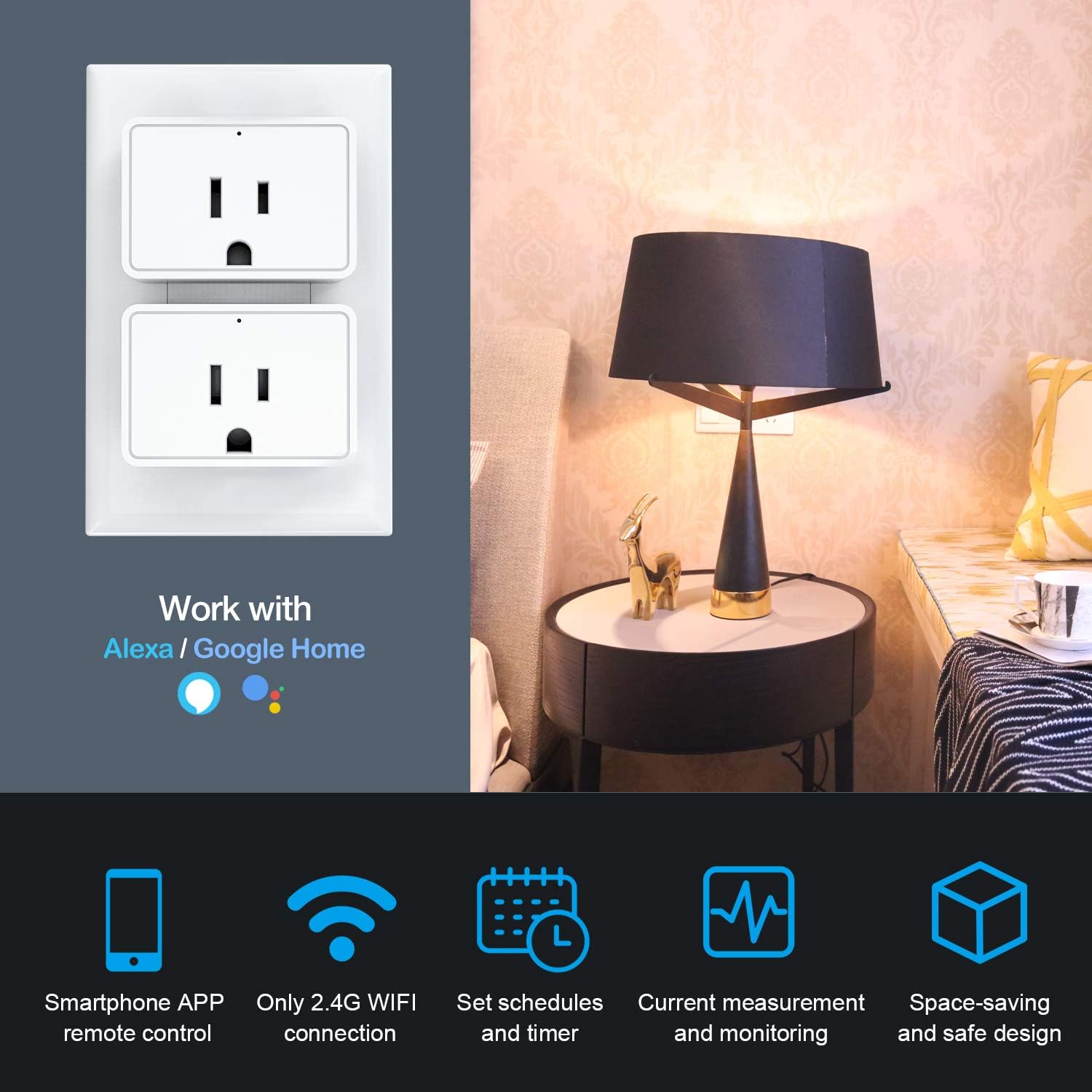
Image: Two MoKo Smart Plugs installed in a standard duplex wall outlet, demonstrating their compact size.
ઓપરેશન
1. એપ દ્વારા રિમોટ કંટ્રોલ
Once connected, you can control your appliances from anywhere using the "Smart Life" app. Simply tap the power icon to turn devices on or off.

Image: Screenshot of the Smart Life app showing the remote control interface with options for scene, timer, group, share, and monitor functions.
2. અવાજ નિયંત્રણ
The MoKo Smart Plug is compatible with Amazon Alexa and Google Assistant. Link your "Smart Life" account to your voice assistant app to enable hands-free control.
- એમેઝોન એલેક્સા માટે: Say, "Alexa, turn on [device name]."
- ગૂગલ સહાયક માટે: Say, "Hey Google, turn off [device name]."

Image: Illustration of voice control functionality with Amazon Alexa and Google Assistant, showing a smart speaker and a lamp.
3. Scheduling and Timer Functions
Set schedules for your devices to turn on or off automatically at specific times. You can also set a countdown timer for temporary control.
- શેડ્યૂલ: In the app, navigate to the device settings and select "Schedule" to create recurring on/off times.
- કાઉન્ટડાઉન ટાઈમર: Use the "Timer" function to set a duration after which the device will change its power state.

Image: Diagram illustrating various timing management scenarios for smart plugs, such as turning on bedroom lights at 8:00 AM or turning off a bedside lamp at 9:00 PM.
4. એનર્જી મોનીટરીંગ
The smart plug provides current measurement and monitoring, allowing you to track the electrical consumption of connected devices through the app.
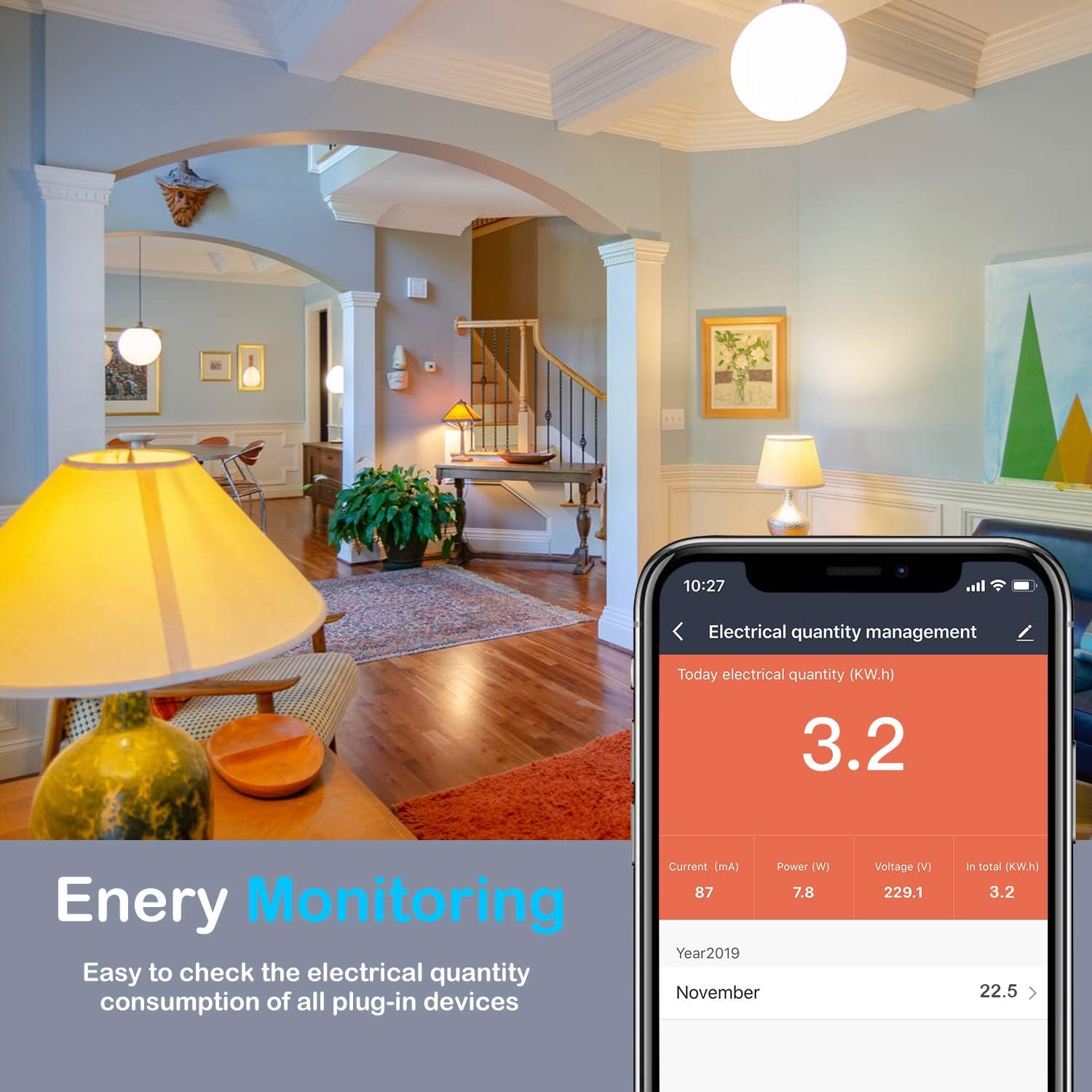
Image: Screenshot of the Smart Life app displaying energy monitoring data, including current, power, voltage, and total kWh consumption.
5. Group Control and Device Sharing
Manage multiple smart plugs simultaneously by creating groups. You can also share control of your devices with family members.
- જૂથ નિયંત્રણ: In the app, select "Create Group" to combine several smart plugs for simultaneous control.
- ઉપકરણ શેરિંગ: Use the "Share Device" option to grant access to other users.

Image: Visual representation of group control and device sharing features within the Smart Life app, showing multiple devices grouped and a family sharing screen.
જાળવણી
To ensure the longevity and safe operation of your MoKo Smart Plug, follow these maintenance guidelines:
- સફાઈ: Disconnect the smart plug from the power outlet before cleaning. Use a dry, soft cloth to wipe the exterior. Do not use liquid cleaners or abrasive materials.
- પર્યાવરણ: Avoid exposing the smart plug to excessive moisture, high temperatures, or direct sunlight. Ensure it is used in a well-ventilated area.
- લોડ ક્ષમતા: Do not exceed the maximum load current of 16A resistive. Overloading can cause damage to the device and pose a safety risk.
- ફર્મવેર અપડેટ્સ: Regularly check the "Smart Life" app for any available firmware updates for your smart plug to ensure optimal performance and security.
મુશ્કેલીનિવારણ
If you encounter issues with your MoKo Smart Plug, refer to the following common solutions:
| સમસ્યા | ઉકેલ |
|---|---|
| Device not connecting to Wi-Fi / Blinking light not fast enough. |
|
| ડિવાઇસ વારંવાર Wi-Fi થી ડિસ્કનેક્ટ થઈ જાય છે. |
|
| Device not responding to app or voice commands. |
|
| Smart plug fails when connecting high-power appliances. |
|
વિશિષ્ટતાઓ
| લક્ષણ | વિગત |
|---|---|
| બ્રાન્ડ | મોકો |
| મોડલ | B07ZLP253T |
| વર્તમાન રેટિંગ | 16 Amps (Resistive Max) |
| વાટtage | 1920W |
| કનેક્ટિવિટી પ્રોટોકોલ | વાઇ-ફાઇ (ફક્ત 2.4GHz) |
| નિયંત્રક પ્રકાર | Amazon Alexa, Android, Google Assistant, IFTTT, SmartThings, iOS |
| નિયંત્રણ પદ્ધતિ | દૂરસ્થ |
| સામગ્રી | Flame Retardant PC, Copper |
| આઇટમના પરિમાણો (L x W x H) | 2.91 x 2.64 x 2.32 ઇંચ |
| વસ્તુનું વજન | 2.29 ઔંસ |
| રંગ | સફેદ |
| પ્રમાણપત્રો | FCC/ROHS certified |
વોરંટી અને આધાર
For warranty information or technical support, please refer to the official MoKo website or contact their customer service directly. Specific warranty terms may vary by region and purchase location.
તમે મુલાકાત લઈ શકો છો MoKo Store on Amazon વધુ ઉત્પાદન માહિતી અને સહાયક સંસાધનો માટે.


