1. પરિચય
This manual provides essential information for the proper use, setup, maintenance, and care of your LAZER G1 MIPS Road Bike Helmet. The LAZER G1 MIPS helmet is designed for adult cyclists, offering high performance and protection with advanced ventilation features. It incorporates the Multi-Directional Impact Protection System (MIPS) to enhance safety by redirecting energy during certain impacts.
The G1 MIPS helmet is engineered to be lightweight and features the Superlight ARS Fit System for a comfortable and secure fit. Please read this manual thoroughly before using your helmet to ensure optimal performance and safety.
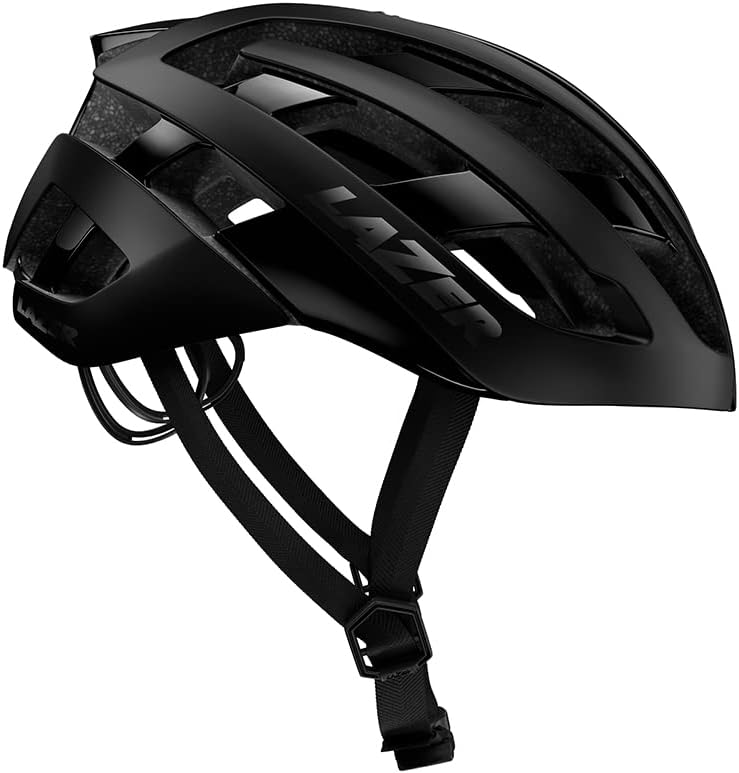
Figure 1.1: LAZER G1 MIPS Road Bike Helmet (Black, Small)
2. સલામતી માહિતી
Your safety is paramount. Always wear your helmet correctly and ensure it is properly fitted before every ride. This helmet is designed to reduce the risk of head injury in certain types of impacts, but it cannot protect against all possible impacts. No helmet can protect the wearer from all foreseeable impacts.
- યોગ્ય ફિટ: Ensure the helmet fits snugly and comfortably. It should not move freely on your head. Refer to the "Fitting Your Helmet" section for detailed instructions.
- પટ્ટા ગોઠવણ: Always secure the chin strap tightly so that the helmet cannot be pulled off your head.
- અસર સંરક્ષણ: The MIPS system is designed to reduce rotational forces that can result from certain angled impacts. However, it does not guarantee protection against all types of impacts.
- નુકસાન: Inspect your helmet for any signs of damage before each use. If the helmet has sustained an impact, even if no visible damage is present, it should be replaced immediately. The structural integrity may be compromised.
- રસાયણો: Do not expose the helmet to solvents, paints, or other chemicals, as these can damage the helmet's materials and compromise its protective capabilities.
- સંગ્રહ: હેલ્મેટને સીધા સૂર્યપ્રકાશ અને અતિશય તાપમાનથી દૂર ઠંડી, સૂકી જગ્યાએ સંગ્રહિત કરો.
3. Components and What's in the Box
Upon opening the package, please verify that all components are present and undamaged.
બોક્સ સમાવિષ્ટો:
- LAZER G1 MIPS Road Bike Helmet
- વપરાશકર્તા માર્ગદર્શિકા (આ દસ્તાવેજ)
- Optional comfort padding set (if included with your model)
હેલ્મેટ ઘટકો:
- બાહ્ય આવરણ: Provides initial impact resistance.
- EPS Foam Liner: Absorbs impact energy.
- MIPS Layer: Internal low-friction layer designed to reduce rotational motion.
- Advanced Rollsys System (ARS) Fit System: Top-mounted dial for precise fit adjustment.
- Straps and Buckle: Secure the helmet to your head.
- ગાદી: Internal pads for comfort and fit.
- Ventilation Channels: Designed for airflow and cooling.

Figure 3.1: Various angles of the LAZER G1 MIPS Helmet, showcasing its design and ventilation.
4. Setup and Fitting Your Helmet
Achieving a correct fit is crucial for the helmet's effectiveness.
4.1. કદ બદલવાનું
Measure your head circumference approximately 2.5 cm (1 inch) above your eyebrows. Compare this measurement to the sizing chart below to select the appropriate helmet size. If your measurement falls between two sizes, it is generally recommended to try the smaller size first for a snugger fit.
| બ્રાન્ડનું કદ | Head Circumference (CM) | Head Circumference (IN) |
|---|---|---|
| XS | 50 - 54 | 19.7 - 21.2 |
| S | 52 - 56 | 20 1/2 - 22 |
| M | 55 - 59 | 21 2/3 - 23 2/9 |
| L | 58 - 61 | 22 5/6 - 24 |
| XL | 61 - 64 | 24 - 25 1/5 |
| Unisize | 54 - 61 | 21 1/4 - 24 |
4.2. ફિટને સમાયોજિત કરવું
- Position the Helmet: Place the helmet squarely on your head so that the front edge is approximately 2.5 cm (1 inch) above your eyebrows. It should sit level, not tilted back or forward.
- Adjust the ARS Fit System: The LAZER G1 MIPS features the Advanced Rollsys System (ARS). Locate the dial on the top of the helmet. Turn the dial clockwise to tighten the fit system, drawing the helmet snugly around your head. Turn counter-clockwise to loosen. Adjust until the helmet feels secure without causing uncomfortable pressure points.
- Adjust the Straps: The side straps should form a "V" shape just below your ears. Adjust the strap sliders to ensure this position.
- બકલ સુરક્ષિત કરો: Fasten the chin strap buckle. Tighten the strap until it is snug under your chin. You should be able to open your mouth wide, but the strap should not be loose enough to allow the helmet to shift significantly.
- ફિટ તપાસો: Once adjusted, try to move the helmet from side to side and front to back. It should feel snug and move your scalp slightly. If it slides easily, readjust the ARS system and straps.

Figure 4.1: Visual guide for proper helmet positioning and strap adjustment.
5. Operating Your Helmet
The LAZER G1 MIPS helmet is designed for straightforward use once properly fitted.
5.1. વેન્ટિલેશન
The G1 MIPS helmet features 22 strategically placed vents and internal air channels to maximize airflow and keep your head cool during rides. No manual adjustment is required for the ventilation system; it operates passively.
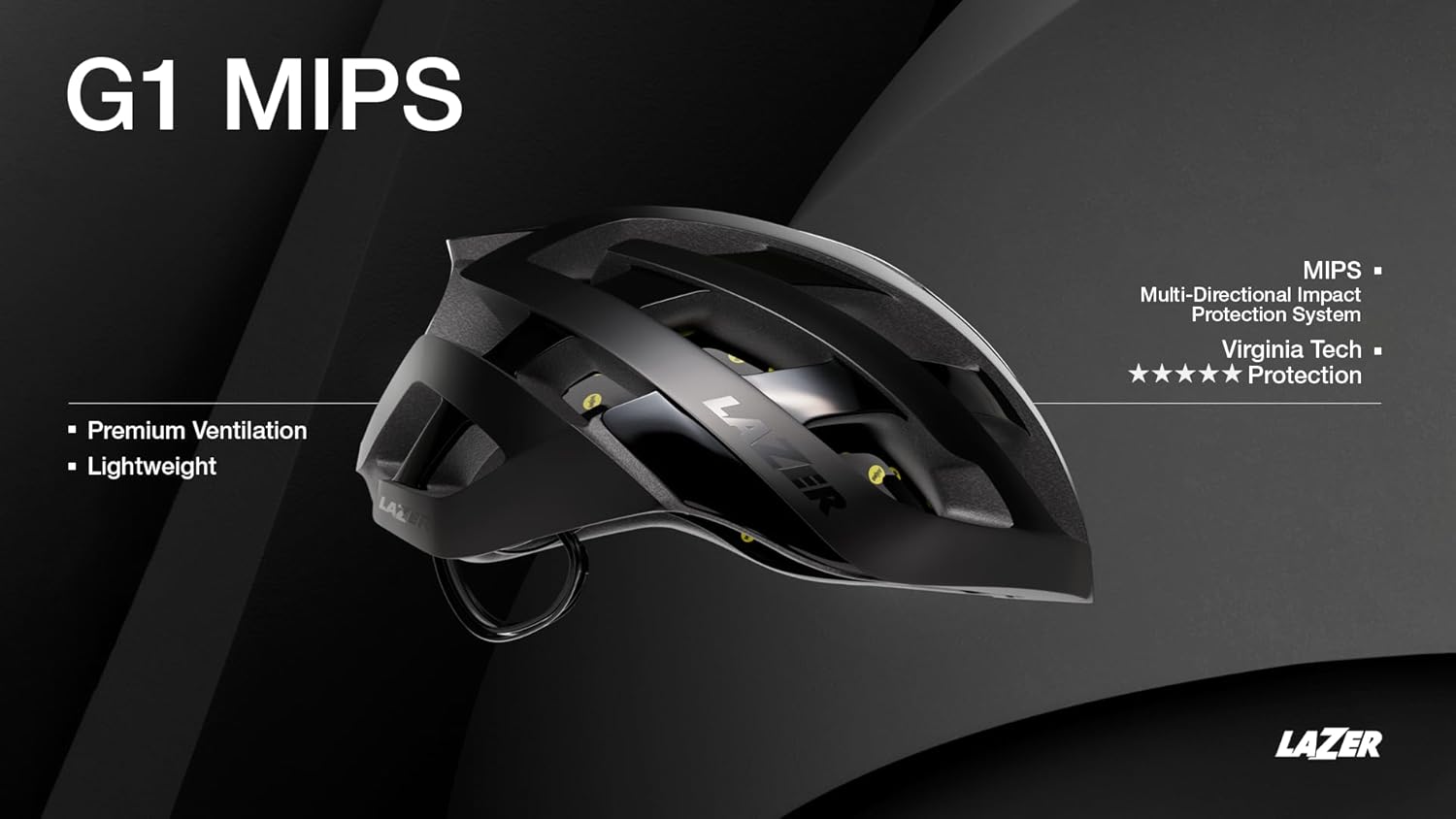
Figure 5.1: The G1 MIPS helmet's design emphasizes premium ventilation and lightweight construction.
5.2. MIPS Technology
The integrated MIPS (Multi-Directional Impact Protection System) is a low-friction layer inside the helmet designed to reduce rotational motion transferred to the brain from angled impacts. This system works automatically upon impact and requires no user interaction.
5.3. Riding with the Helmet
Always wear your helmet when cycling. Ensure the fit is secure and comfortable before beginning your ride. The lightweight design and advanced fit system are intended to provide comfort even on long rides.
Video 5.1: Short demonstration of the LAZER G1 MIPS Bike Helmet in use, highlighting its lightweight design and suitability for cycling.
6. જાળવણી અને સંભાળ
Proper care will extend the life of your helmet and maintain its protective qualities.
- હેલ્મેટ સાફ કરવું: Use only mild soap and water to clean the helmet's exterior and interior padding. Do not use harsh chemicals, abrasive cleaners, or solvents, as these can damage the helmet's materials, including the shell, EPS foam, and MIPS layer.
- સફાઈ પેડ્સ: The internal padding can be removed and hand-washed with mild soap and water. Allow pads to air dry completely before reinserting them into the helmet.
- સંગ્રહ: Store your helmet in a cool, dry place, away from direct sunlight and extreme temperatures. Avoid storing it in a car on a hot day, as excessive heat can damage the EPS foam.
- નિરીક્ષણ: Regularly inspect the helmet for any signs of wear, cracks, dents, or other damage to the shell, straps, buckle, or fit system. If any damage is found, the helmet should be replaced.
7. મુશ્કેલીનિવારણ
આ વિભાગ તમને આવી શકે તેવી સામાન્ય સમસ્યાઓનું નિરાકરણ લાવે છે.
| સમસ્યા | સંભવિત કારણ | ઉકેલ |
|---|---|---|
| Helmet feels loose or shifts on head. | Improper adjustment of ARS system or straps. | Tighten the ARS dial (top of helmet) clockwise. Ensure chin strap is snug and side straps form a "V" below ears. Refer to Section 4.2. |
| Helmet is uncomfortable or causes pressure points. | Helmet size may be incorrect or ARS system is too tight. | Loosen the ARS dial slightly. Check if the helmet size is appropriate for your head circumference (Section 4.1). Consider using alternative padding if available. |
| Straps are twisted or difficult to adjust. | Straps may have been incorrectly threaded or stored. | Unbuckle and unthread straps completely. Re-thread them ensuring they lie flat and are not twisted. Adjust sliders as needed. |
| Visible damage to helmet after an impact. | Helmet has absorbed an impact. | Immediately replace the helmet. Even minor visible damage can indicate compromised protective integrity. Do not use a damaged helmet. |
8. સ્પષ્ટીકરણો
- મોડલ નામ: LAZER G1 MIPS
- મોડલ નંબર: BLU2207887932
- બ્રાન્ડ: લેઝર
- રંગ: Black (for this specific variant)
- કદ: Small (for this specific variant)
- ઉંમર શ્રેણી: પુખ્ત
- વિશેષ લક્ષણ: હલકો
- બાહ્ય સામગ્રી: પોલીકાર્બોનેટ (PC)
- આંતરિક સામગ્રી: Foam (EPS)
- વસ્તુનું વજન: આશરે ૦.૦૧ ઔંસ (૦.૨૮ ગ્રામ)
- ભલામણ કરેલ ઉપયોગ: સાયકલિંગ
- સલામતી ધોરણ: MIPS (Multi-Directional Impact Protection System) integrated.
- વેન્ટિલેશન: 22 vents with internal air channels.
- Fit System: Advanced Rollsys System (ARS)
9. વોરંટી અને સપોર્ટ
9.1. વોરંટી માહિતી
LAZER helmets typically come with a manufacturer's warranty covering defects in materials and workmanship. The specific terms and duration of your warranty may vary by region and purchase date. Please retain your proof of purchase for warranty claims.
LAZER also offers a Crash Replacement Program, providing a discount on a new replacement helmet if your helmet is damaged in a crash. For details on this program and to initiate a claim, please visit the official LAZER webસાઇટ અથવા ગ્રાહક સપોર્ટનો સંપર્ક કરો.
9.2. ગ્રાહક આધાર
For technical assistance, warranty claims, or general inquiries, please contact LAZER customer support through their official website or the contact information provided with your product packaging. When contacting support, please have your helmet model and purchase details ready.
Official LAZER Webસાઇટ: www.lazer.com


