પરિચય
Thank you for choosing the Thomson WT040 Filter Coffee Machine. This appliance is designed to brew delicious filter coffee efficiently. With a 1.25-liter capacity, it can prepare 10 to 12 cups, making it suitable for both home and office use. This manual provides essential information for safe operation, proper setup, maintenance, and troubleshooting to ensure optimal performance and longevity of your coffee machine.
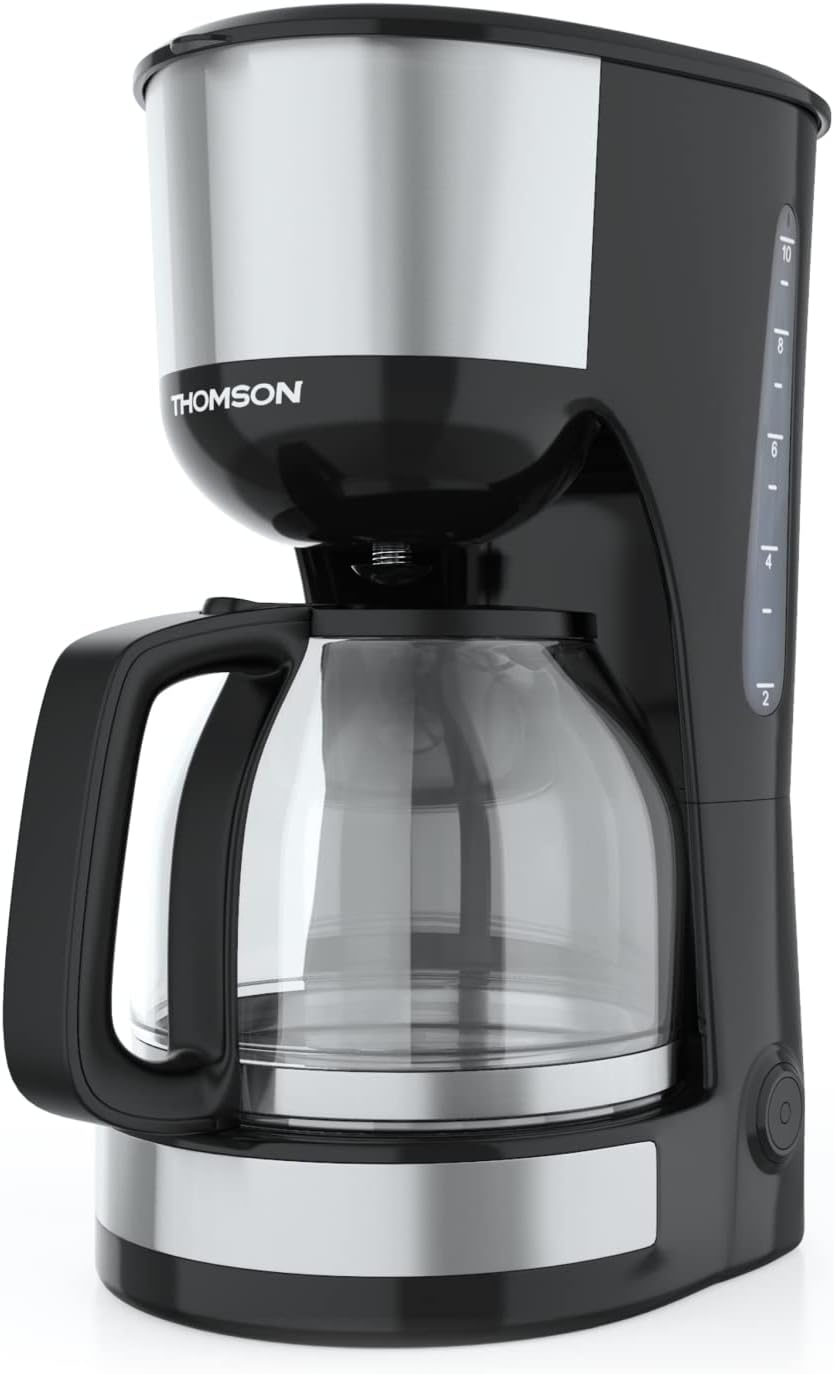
છબી: આગળ view of the Thomson WT040 Filter Coffee Machine, showcasing its black and silver design with the glass carafe.
મહત્વપૂર્ણ સલામતી સૂચનાઓ
ઉપકરણનો ઉપયોગ કરતા પહેલા કૃપા કરીને બધી સલામતી સૂચનાઓ કાળજીપૂર્વક વાંચો. આ સૂચનાઓનું પાલન કરવામાં નિષ્ફળતા ઇલેક્ટ્રિક શોક, આગ અથવા ગંભીર ઈજાનું કારણ બની શકે છે.
- વોલ્યુમની ખાતરી કરોtagઉપકરણ પર દર્શાવેલ e તમારા સ્થાનિક મુખ્ય ભાગને અનુરૂપ છેtage કનેક્ટ કરતા પહેલા.
- ઉપકરણ, પાવર કોર્ડ, અથવા પ્લગને પાણીમાં અથવા અન્ય કોઈપણ પ્રવાહીમાં બોળશો નહીં.
- Always unplug the coffee machine from the power outlet before cleaning and when not in use.
- ક્ષતિગ્રસ્ત કોર્ડ અથવા પ્લગ સાથે અથવા ઉપકરણમાં ખામી સર્જાયા પછી અથવા કોઈપણ રીતે નુકસાન થયા પછી કોઈપણ ઉપકરણને ચલાવશો નહીં.
- Keep the appliance out of reach of children. This appliance is not intended for use by persons (including children) with reduced physical, sensory or mental capabilities, or lack of experience and knowledge, unless they have been given supervision or instruction concerning use of the appliance by a person responsible for their safety.
- ઉપકરણનો ઉપયોગ ફક્ત તેના ઘરગથ્થુ હેતુ માટે જ કરો.
- ગરમ સપાટીઓનો સંપર્ક ટાળો. હેન્ડલ્સ અથવા નોબ્સનો ઉપયોગ કરો.
- ઉપકરણને ગરમ ગેસ અથવા ઇલેક્ટ્રિક બર્નર પર અથવા તેની નજીક અથવા ગરમ પકાવવાની નાની ભઠ્ઠીમાં મૂકશો નહીં.
- કોર્ડને ટેબલ અથવા કાઉન્ટરની ધાર પર લટકવા ન દો, અથવા ગરમ સપાટીને સ્પર્શશો નહીં.
- Always ensure the carafe lid is securely in place during brewing.
- Do not open the filter basket cover during the brewing cycle.
ઉત્પાદન ઘટકો
Familiarize yourself with the parts of your Thomson WT040 coffee machine:
- Water Tank with Level Indicator
- ઢાંકણ
- ફિલ્ટર બાસ્કેટ
- કાયમી ફિલ્ટર
- હેન્ડલ સાથે ગ્લાસ કેરાફે
- હીટિંગ પ્લેટ
- On/Off Switch with Indicator Light
- એન્ટિ-ડ્રિપ સિસ્ટમ

Image: Close-up of the water tank with a transparent fill scale, indicating water levels for brewing.
સેટઅપ
- અનપેકીંગ: Carefully remove the coffee machine from its packaging. Retain the packaging for future transport or storage. Remove all protective films and stickers.
- પ્રારંભિક સફાઈ: Before first use, clean all removable parts (glass carafe, permanent filter, filter basket) with warm soapy water. Rinse thoroughly and dry. Wipe the exterior of the appliance with a damp કાપડ
- પ્રથમ ઉકાળો ચક્ર (કોફી વિના): Fill the water tank to the maximum level with fresh cold water. Place the empty permanent filter in the filter basket and close the lid. Place the empty glass carafe on the heating plate. Plug the appliance into a suitable power outlet and press the On/Off switch. Allow the full cycle to complete. Discard the water. Repeat this process 2-3 times to clean the internal components.
- પ્લેસમેન્ટ: Place the coffee machine on a stable, flat, heat-resistant surface, away from the edge of the countertop and out of reach of children. Ensure there is adequate ventilation around the appliance.
ઓપરેટિંગ સૂચનાઓ
- પાણીની ટાંકી ભરો: Open the lid and fill the water tank with fresh, cold water up to the desired number of cups indicated on the water level indicator. Do not exceed the "MAX" mark.
- કોફી ગ્રાઉન્ડ્સ ઉમેરો: Place the permanent filter into the filter basket. Add the desired amount of ground coffee into the permanent filter. A general guideline is one level tablespoon of coffee per cup (150ml), but adjust to your taste.
- પોઝિશન કારાફે: Ensure the glass carafe is placed correctly on the heating plate. The anti-drip system will prevent coffee from dripping when the carafe is removed during brewing, but it is recommended to keep the carafe in place until brewing is complete.
- ઉકાળો શરૂ કરો: Close the lid securely. Plug the power cord into a wall outlet. Press the On/Off switch. The indicator light will illuminate, and brewing will begin.
- રાખો-ગરમ કાર્ય: After brewing is complete, the coffee machine will automatically switch to a keep-warm function for approximately 40 minutes. The heating plate will keep the coffee at an optimal serving temperature.
- કોફી પીરસો: Carefully remove the carafe from the heating plate to pour coffee. The anti-drip system will temporarily stop the flow of coffee.
- બંધ કરો: After serving or when the keep-warm cycle is finished, press the On/Off switch to turn off the appliance and unplug it from the power outlet.
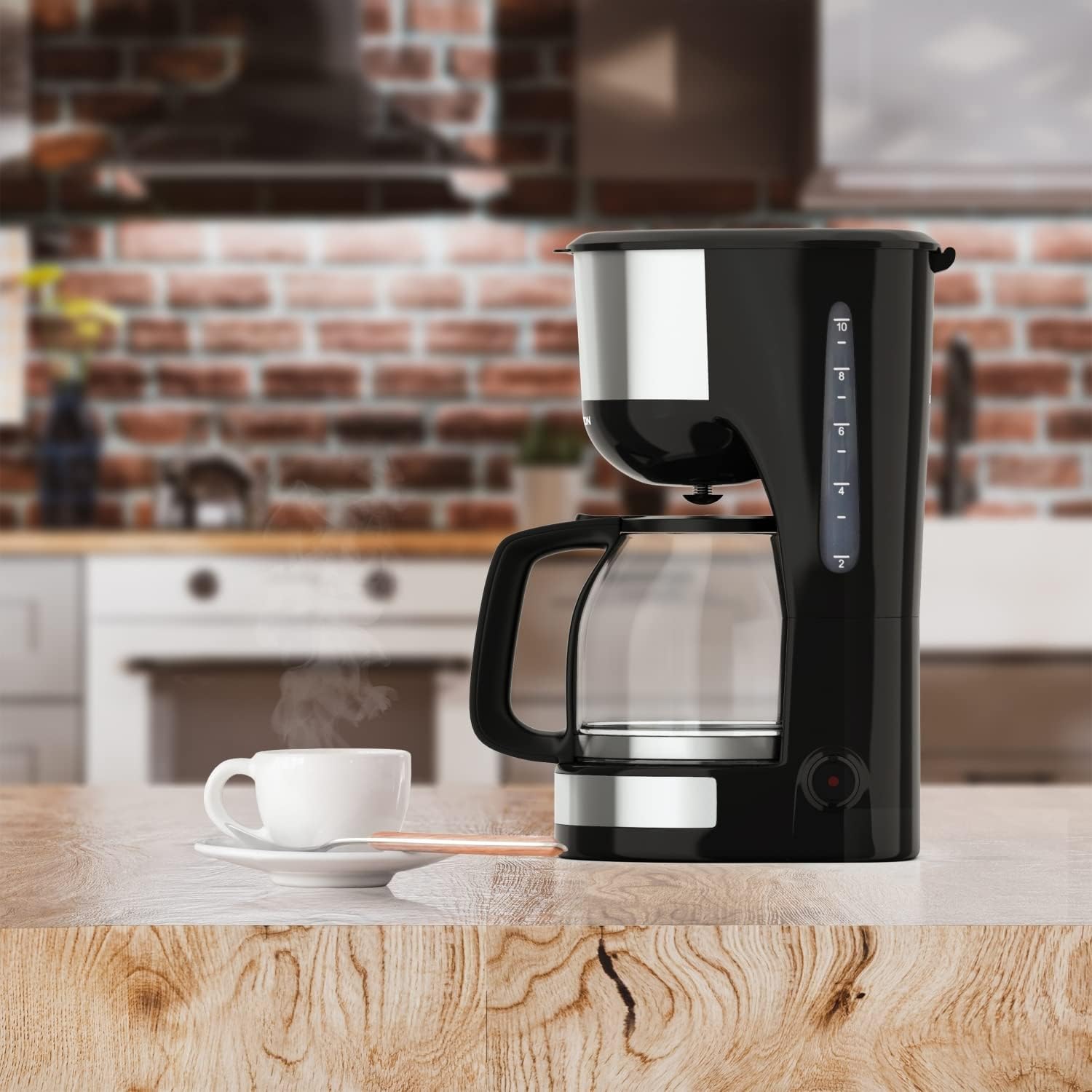
Image: The Thomson WT040 coffee machine in a kitchen, actively brewing coffee into the glass carafe.
જાળવણી અને સફાઈ
Regular cleaning ensures optimal performance and extends the lifespan of your coffee machine. Always unplug the appliance and allow it to cool completely before cleaning.
- Permanent Filter and Filter Basket: After each use, remove the permanent filter and filter basket. Discard used coffee grounds. Rinse both thoroughly under running water. They can also be washed in warm soapy water.
- ગ્લાસ કેરાફે: Wash the glass carafe and its lid with warm soapy water after each use. Rinse well. The carafe is generally dishwasher safe, but hand washing is recommended for longevity.
- બાહ્ય: Wipe the exterior surfaces of the coffee machine with a soft, damp કાપડ. ઘર્ષક ક્લીનર્સ અથવા સ્કાઉરિંગ પેડ્સનો ઉપયોગ કરશો નહીં, કારણ કે તે સપાટીને ખંજવાળ કરી શકે છે.
- હીટિંગ પ્લેટ: જાહેરાત સાથે હીટિંગ પ્લેટ સાફ કરોamp cloth. If coffee has dripped onto it, clean immediately to prevent staining and burning.
- ડિસક્લિંગ: Depending on water hardness and frequency of use, mineral deposits (limescale) can build up. Descale your coffee machine every 2-4 months.
- Fill the water tank with a descaling solution (e.g., white vinegar and water in a 1:2 ratio, or a commercial descaling agent following its instructions).
- ખાલી કેરાફેને હીટિંગ પ્લેટ પર મૂકો.
- Run a brewing cycle. After about half the solution has brewed through, turn off the machine and let it stand for 15-20 minutes to allow the solution to work.
- Turn the machine back on and let the remaining solution brew through.
- Discard the solution and rinse the carafe and filter.
- Run 2-3 cycles with fresh, clean water to flush out any residual descaling solution.

છબી: ક્લોઝ-અપ view of the permanent filter, designed to eliminate the need for paper filters.
મુશ્કેલીનિવારણ
| સમસ્યા | સંભવિત કારણ | ઉકેલ |
|---|---|---|
| કોફી ઉકાળવામાં આવતી નથી. | Appliance not plugged in; On/Off switch not pressed; No water in tank. | Ensure plug is securely in outlet; Press On/Off switch; Fill water tank. |
| કોફી ખૂબ નબળી અથવા ખૂબ મજબૂત છે. | કોફી-પાણીનો ખોટો ગુણોત્તર; કોફી ખૂબ બરછટ/બારીક પીસી ગઈ છે. | Adjust amount of coffee grounds; Use medium grind coffee. |
| ફિલ્ટર બાસ્કેટમાંથી પાણી ઓવરફ્લો થાય છે. | Too much coffee grounds; Filter clogged; Carafe not properly placed. | Reduce coffee grounds; Clean permanent filter; Ensure carafe is centered on heating plate. |
| કોફીનો સ્વાદ ખરાબ છે. | ઉપકરણને સાફ/સ્કેલિંગની જરૂર છે; વાસી કોફી; પાણીની ગુણવત્તા નબળી. | Clean and descale the machine; Use fresh coffee beans; Use filtered water. |
| Machine makes loud noises. | Normal during heating/pumping; Limescale buildup. | Some noise is normal. If excessive, descale the machine. |
વિશિષ્ટતાઓ
- બ્રાન્ડ: થોમસન
- મોડલ નંબર: WT040
- રંગ: કાળો/સિલ્વર
- પરિમાણો (L x W x H): 22 x 16 x 29.5 સેમી
- વજન: 1.3 કિલોગ્રામ
- ક્ષમતા: 1.25 Liters (approx. 10-12 cups)
- શક્તિ: 1000 વોટ્સ
- ભાગtage: 240 વોલ્ટ
- સામગ્રી: Glass (carafe), Plastic, Metal
- વિશેષ લક્ષણ: Permanent Filter, Anti-Drip System, Keep-Warm Function (40 minutes)

Image: Visual representation of the coffee machine's dimensions (18cm width, 23cm depth, 30cm height), power (1000 Watts), and keep-warm duration (40 minutes).
વોરંટી અને આધાર
Information regarding specific warranty terms and conditions for the Thomson WT040 Filter Coffee Machine is not provided in the product details. For warranty claims or technical support, please refer to the documentation included with your purchase or contact Thomson customer service directly through their official webસાઇટ અથવા અધિકૃત રિટેલર્સ.
વોરંટી સંબંધિત કોઈપણ પૂછપરછ માટે હંમેશા તમારી ખરીદીનો પુરાવો રાખો.


