પરિચય
This manual provides comprehensive instructions for the setup, operation, and maintenance of your Trust Ymo Wireless Keyboard and Mouse Set. This set is designed for comfortable and efficient use with its German QWERTZ layout, quiet keys, and splash-proof design.

Image: The Trust Ymo Wireless Keyboard and Mouse Set, featuring a full-size German QWERTZ keyboard and a compact wireless mouse.
પેકેજ સામગ્રી
કૃપા કરીને ખાતરી કરો કે બધી વસ્તુઓ પેકેજમાં હાજર છે:
- Trust Ymo Wireless Keyboard (German QWERTZ Layout)
- Trust Ymo Wireless Mouse
- યુએસબી માઇક્રો રીસીવર
- AAA બેટરી (4 શામેલ)
- વપરાશકર્તા માર્ગદર્શિકા (આ દસ્તાવેજ)

Image: The retail packaging for the Trust Ymo Wireless Keyboard and Mouse Set, indicating the contents.
સેટઅપ સૂચનાઓ
- બેટરીઓ ઇન્સ્ટોલ કરો:
Open the battery compartments on both the keyboard and the mouse. Insert the included AAA batteries, ensuring correct polarity (+/-). Close the compartments securely.
- યુએસબી રીસીવરને કનેક્ટ કરો:
Locate the USB micro receiver, typically stored within the mouse's battery compartment or a dedicated slot. Plug the USB receiver into an available USB port on your computer (PC, Laptop, Mac, or Chromebook).
- Automatic Connection (Plug & Play):
The keyboard and mouse are designed for plug-and-play functionality. Your operating system (Windows, MacOS, Chrome OS) should automatically detect and install the necessary drivers. No additional software installation is required.

Image: A user setting up the Trust Ymo Wireless Keyboard and Mouse, illustrating the "Plug & Play" feature and the shared micro USB receiver.
ઓપરેટિંગ સૂચનાઓ
કીબોર્ડ સુવિધાઓ
- German QWERTZ Layout: The keyboard features a standard German QWERTZ layout with a full numeric keypad for efficient data entry.
- શાંત ચાવીઓ: The keys are designed for a soft and quiet keystroke, minimizing disturbance in shared environments.
- Multimedia and Function Keys: Access 13 dedicated office and multimedia buttons for quick control over volume, media playback, and common applications.
- એડજસ્ટેબલ ટિલ્ટ: The keyboard includes foldable feet to adjust the typing angle for ergonomic comfort.

Image: Close-up of the Trust Ymo keyboard, highlighting its quiet keys, adjustable feet, and multimedia function keys.
માઉસ લક્ષણો
- Quiet Buttons: The mouse buttons are designed for silent clicking, reducing noise during use.
- DPI બટન: Adjust the mouse sensitivity (DPI) between 600 and 1400 DPI to suit your preference and task requirements.
- વાયરલેસ શ્રેણી: The mouse operates wirelessly with a range of up to 10 meters from the USB receiver.
- એમ્બિડેક્સટ્રસ ડિઝાઇન: The mouse features a comfortable design suitable for both left-handed and right-handed users.
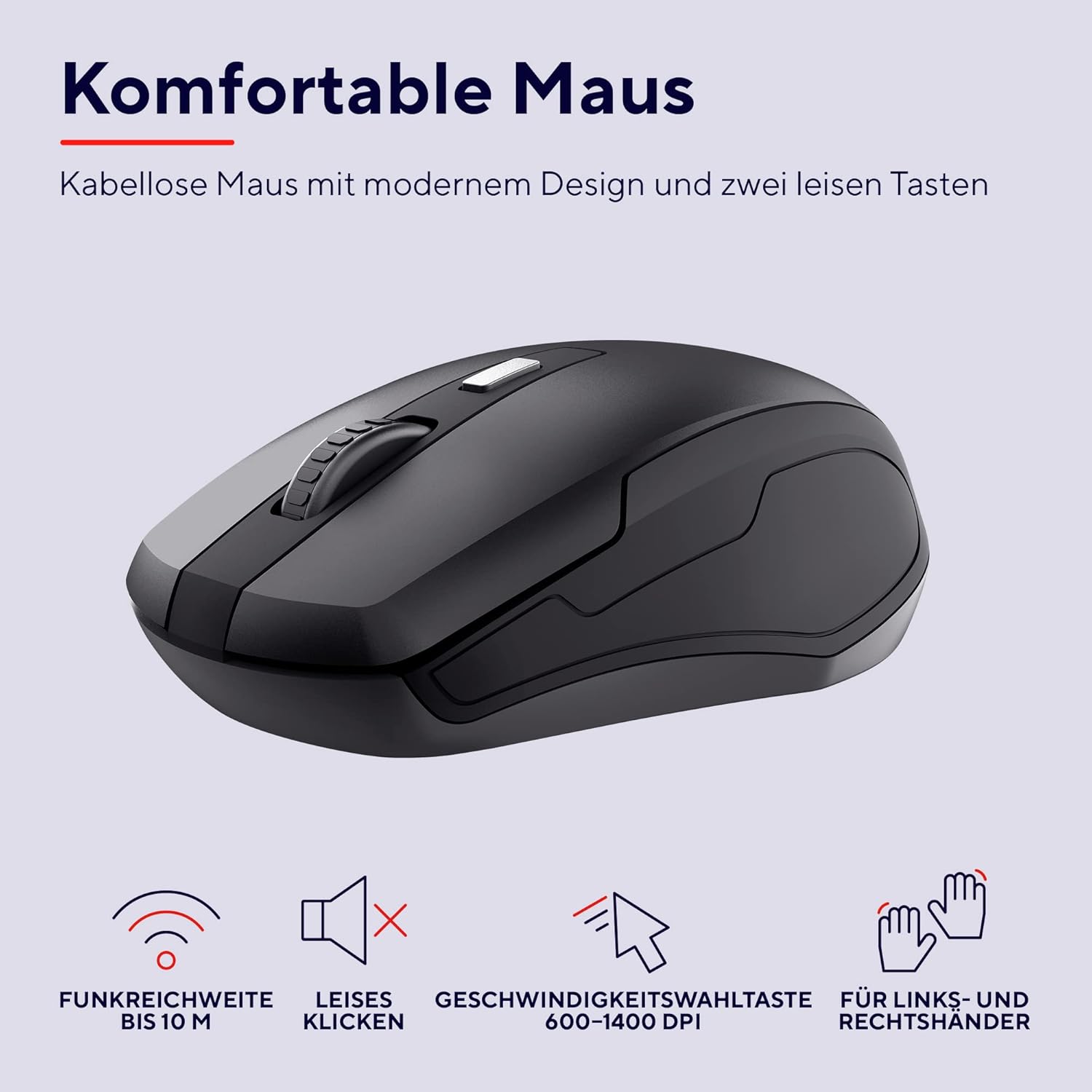
છબી: વિગતવાર view of the Trust Ymo wireless mouse, showing its ergonomic shape, quiet click functionality, and DPI adjustment button.
જાળવણી
- સફાઈ: કીબોર્ડ અને માઉસની સપાટીઓ સાફ કરવા માટે નરમ, સૂકા કપડાનો ઉપયોગ કરો. હઠીલા ગંદકી માટે, થોડો ડીamp cloth can be used, ensuring no liquid enters the device.
- Splash-Proof Feature: The keyboard is designed to be splash-proof, offering protection against accidental spills. However, it is not waterproof. Avoid submerging the keyboard in liquid. If a spill occurs, gently wipe away the liquid and allow the keyboard to dry completely before continued use.
- બેટરી રિપ્લેસમેન્ટ: Replace batteries when performance degrades or the low battery indicator illuminates.

Image: A close-up of the Trust Ymo keyboard demonstrating its splash-proof design, with water droplets on the keys.
મુશ્કેલીનિવારણ
- કોઈ કનેક્શન નથી:
- ખાતરી કરો કે USB રીસીવર કાર્યરત USB પોર્ટમાં સુરક્ષિત રીતે પ્લગ થયેલ છે.
- Check if the batteries in both the keyboard and mouse are correctly installed and have sufficient charge.
- તમારા કમ્પ્યુટર પર USB રીસીવરને બીજા USB પોર્ટમાં પ્લગ કરવાનો પ્રયાસ કરો.
- રેન્જની સમસ્યાઓને નકારી કાઢવા માટે કીબોર્ડ અને માઉસને USB રીસીવરની નજીક ખસેડો.
- Lagging or Intermittent Performance:
- Replace the batteries in both devices.
- Ensure there are no large metallic objects or other wireless devices interfering with the signal between the receiver and the devices.
- Mouse Cursor Not Moving:
- Check the mouse batteries.
- Ensure the mouse sensor on the bottom is clean and unobstructed.
- અલગ સપાટી પર માઉસનો ઉપયોગ કરવાનો પ્રયાસ કરો.
વિશિષ્ટતાઓ
| બ્રાન્ડ | વિશ્વાસ |
| મોડલ નંબર | 24080 |
| કનેક્ટિવિટી ટેકનોલોજી | રેડિયો ફ્રીક્વન્સી (વાયરલેસ) |
| કીબોર્ડ લેઆઉટ | German QWERTZ |
| માઉસ DPI | ૨૦૦-૧૨૮૦૦ DPI (એડજસ્ટેબલ) |
| વાયરલેસ રેંજ | 10 મીટર સુધી |
| પાવર સ્ત્રોત | Battery Powered (4x AAA included) |
| સુસંગતતા | Windows, Mac OS, Chrome OS |
| ખાસ લક્ષણો | Splash-proof keyboard, Quiet keys and mouse buttons |
| ઉત્પાદન પરિમાણો | 2 x 44.2 x 14.2 cm (Keyboard); 560 g (Total weight) |
વોરંટી અને આધાર
વોરંટી માહિતી અને તકનીકી સહાય માટે, કૃપા કરીને સત્તાવાર ટ્રસ્ટનો સંદર્ભ લો webસાઇટ પર જાઓ અથવા તમારા સ્થાનિક રિટેલરનો સંપર્ક કરો. વોરંટી દાવાઓ માટે ખરીદીનો પુરાવો રાખો.
પર્યાવરણીય માહિતી
The packaging for the Trust Ymo Wireless Keyboard and Mouse Set is made from recycled materials, reflecting a commitment to environmental sustainability. Please dispose of the product and its batteries responsibly according to local regulations.

Image: Illustration of the sustainable packaging used for the Trust Ymo set, made from recycled cardboard.


