પરિચય
This manual provides essential information for setting up, operating, maintaining, and troubleshooting your SYSTEMTREFF PC AMD Ryzen 7 5700G. Please read this manual thoroughly before using your new computer to ensure proper functionality and longevity.

છબી: આગળની બાજુ view of the SYSTEMTREFF PC, showcasing its transparent side panel and illuminated internal components.
સેટઅપ માર્ગદર્શિકા
Follow these steps to set up your SYSTEMTREFF PC.
૧. અનબોક્સિંગ અને પ્લેસમેન્ટ
- પીસીને તેના પેકેજિંગમાંથી કાળજીપૂર્વક દૂર કરો. ભવિષ્યના પરિવહન અથવા સેવા માટે બધી પેકેજિંગ સામગ્રી રાખો.
- Place the PC on a stable, flat surface with adequate ventilation. Ensure there is sufficient space around the computer for airflow, especially at the front, rear, and top vents.
- Avoid placing the PC near heat sources, in direct sunlight, or in areas with excessive dust or humidity.

છબી: વિવિધ views of the PC case illustrating its physical dimensions for proper placement.
2. કનેક્ટિંગ પેરિફેરલ્સ
Connect your monitor, keyboard, mouse, and other devices to the appropriate ports.
- મોનિટર: Connect your monitor to the HDMI or DVI-D port on the rear of the PC. Ensure the cable is securely fastened.
- કીબોર્ડ અને માઉસ: Connect your USB keyboard and mouse to any available USB ports (USB 2.0 or USB 3.0/3.2). PS/2 ports are also available for compatible devices.
- ઓડિયો: Connect speakers or headphones to the audio output jack (green) and a microphone to the microphone input jack (pink) on the rear or front panel.
- નેટવર્ક: For a wired connection, connect an Ethernet cable from your router to the RJ45 LAN port on the rear. For wireless connectivity, ensure the included USB Wi-Fi stick is connected.
- શક્તિ: Connect the power cable to the power supply unit (PSU) at the rear of the PC, then plug the other end into a grounded electrical outlet.

છબી: વિગતવાર view of the available front and rear ports for connecting various peripherals.
ઓપરેટિંગ સૂચનાઓ
1. First Boot and Initial Setup
- After connecting all peripherals, press the power button located on the top front of the PC.
- The system will boot into Windows 10 Pro. Follow the on-screen instructions to complete the initial Windows setup, including region, language, and user account creation.
- Drivers for all components are pre-installed, ensuring a plug-and-play experience.
2. મૂળભૂત ઉપયોગ
- પાવર ચાલુ/બંધ: Press the power button to turn on. To shut down, click the Start button in Windows, then select Power > Shut down.
- પુનઃપ્રારંભ કરો: સિસ્ટમ રીસ્ટાર્ટ કરવા માટે, સ્ટાર્ટ બટન પર ક્લિક કરો, પછી પાવર > રીસ્ટાર્ટ પસંદ કરો.
- નિદ્રા સ્થિતિ: સિસ્ટમને સ્લીપ મોડમાં મૂકવા માટે, સ્ટાર્ટ બટન પર ક્લિક કરો, પછી પાવર > સ્લીપ પસંદ કરો.
- કનેક્ટિવિટી: The PC supports Wi-Fi and Bluetooth for wireless connections. Use the Windows settings to connect to wireless networks or pair Bluetooth devices.

છબી: દા.તamples of typical usage scenarios for the PC, including productivity, entertainment, and gaming.
જાળવણી
Regular maintenance helps ensure the optimal performance and longevity of your PC.
1. સફાઈ
- બાહ્ય: સોફ્ટનો ઉપયોગ કરો, ડીamp cloth to clean the exterior of the case. Avoid abrasive cleaners.
- ધૂળ: Periodically clean dust from the vents and fans using compressed air. Ensure the PC is powered off and unplugged before cleaning. The case features a mesh front and side panel for improved airflow and dust filtration.

Image: Features of the PC case designed for efficient cooling and maintenance access.
2. સોફ્ટવેર અપડેટ્સ
- સિસ્ટમ સ્થિરતા અને સુરક્ષા સુનિશ્ચિત કરવા માટે નિયમિતપણે Windows અપડેટ્સ તપાસો અને ઇન્સ્ટોલ કરો.
- Keep your graphics drivers updated for optimal performance, especially for gaming and multimedia applications.
મુશ્કેલીનિવારણ
આ વિભાગ તમને આવી શકે તેવી સામાન્ય સમસ્યાઓનું નિરાકરણ લાવે છે.
નો પાવર
- ખાતરી કરો કે પાવર કેબલ પીસી અને ઇલેક્ટ્રિકલ આઉટલેટ બંને સાથે સુરક્ષિત રીતે જોડાયેલ છે.
- Verify that the power switch on the back of the power supply unit (PSU) is in the 'On' position.
- આઉટલેટ કાર્યરત છે કે નહીં તેની ખાતરી કરવા માટે તેને બીજા ઉપકરણ સાથે ચકાસો.
મોનિટર પર કોઈ ડિસ્પ્લે નથી
- Check that the monitor is powered on and its video cable is securely connected to the PC's HDMI or DVI-D port.
- Ensure the monitor input source is correctly selected (e.g., HDMI 1, DVI).
- If you have multiple display outputs, try connecting to a different port.
System Slowdown or Freezing
- બેકગ્રાઉન્ડમાં ચાલતી બિનજરૂરી એપ્લિકેશનો બંધ કરો.
- Check for sufficient free space on your drives, especially the C: drive (SSD).
- માલવેર તપાસવા માટે વાયરસ સ્કેન ચલાવો.
- Ensure the PC has adequate ventilation and is not overheating.
વિશિષ્ટતાઓ
Detailed technical specifications of your SYSTEMTREFF PC.
| ઘટક | સ્પષ્ટીકરણ |
|---|---|
| પ્રોસેસર | AMD Ryzen 7 5700G (8 Cores, up to 4.6 GHz Turbo) |
| ગ્રાફિક્સ | Integrated AMD Radeon RX Vega 8 (4GB, 2000 MHz, DirectX 12.1) |
| રેમ | ૧૬ જીબી ડીડીઆર૫ ૪૮૦૦ મેગાહર્ટ્ઝ |
| સંગ્રહ | 1TB M.2 NVMe SSD + 2TB HDD |
| ઓપરેટિંગ સિસ્ટમ | Windows 10 Pro (64-bit, pre-installed) |
| પાવર સપ્લાય | 500 વોટ |
| કનેક્ટિવિટી | Wi-Fi, Bluetooth, Gigabit LAN (RJ45) |
| આગળના બંદરો | 1x USB 3.0, 2x USB 2.0, Audio In/Out |
| પાછળના બંદરો | HDMI 4K HD, DVI-D, PS/2, 4x USB 3.2, 2x USB 2.0, HD 7.1 Sound, RJ45 LAN |
| પરિમાણો (HxWxD) | 45 x 20.5 x 38.5 સેમી |
| વજન | 12 કિગ્રા |

Image: Visual summary of the PC's core performance components.


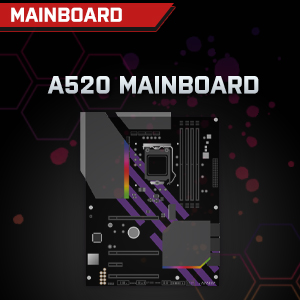

Image: Individual component representations for CPU, RAM, Graphics, Storage, Mainboard, and Power Supply.
વોરંટી અને આધાર
SYSTEMTREFF is committed to providing excellent customer service.
- ઉત્પાદકની વોરંટી: Your SYSTEMTREFF PC comes with a 36-month (3-year) manufacturer's warranty. This warranty covers defects in materials and workmanship under normal use.
- ગુણવત્તા નિયંત્રણ: All individually assembled PCs undergo a quality control check before shipment.
- વળતર: In case of issues, SYSTEMTREFF offers free returns.
- સપોર્ટનો સંપર્ક કરો: For technical assistance, warranty claims, or any other inquiries, please contact SYSTEMTREFF customer support. Contact details can typically be found on the manufacturer's official webસાઇટ અથવા તમારી ખરીદી સાથે સમાવિષ્ટ દસ્તાવેજો.

Image: Information regarding warranty, ease of setup, and customer support availability.


