1. પરિચય
This manual provides essential information for the proper use, setup, and maintenance of your Transcend StoreJet 25M3C 4TB External Hard Drive. The StoreJet 25M3C is designed for reliable data storage and transfer, featuring a robust shock-resistant design and versatile connectivity options.

Image: The Transcend StoreJet 25M3C external hard drive, highlighting its compact and rugged design.
2. ઉત્પાદન ઓવરview
The Transcend StoreJet 25M3C is a 2.5-inch portable external hard drive engineered for durability and high-speed data transfer. Key features include:
- USB 3.1 Gen 1 ઇન્ટરફેસ: Provides fast data transfer rates.
- ડ્યુઅલ કનેક્ટિવિટી: Includes both a USB Type-C to Type-C cable and a USB Type-C to Type-A cable for broad device compatibility.
- થ્રી-એસtage Shock Protection System: Meets U.S. military drop-test standards (MIL-STD-810G) for superior data protection. This system comprises a silicone rubber case, an internal shock-absorbing suspension damper, અને એક પ્રબલિત હાર્ડ casing.
- One Touch Auto-Backup Button: Allows for instant data backup with a single press (requires Transcend Elite software).
- સમાવાયેલ સ Softwareફ્ટવેર: Comes with Transcend Elite data management software and RecoveRx data recovery software.
- ક્ષમતા: 4TB storage capacity.

છબી: એક વિસ્ફોટ view of the Transcend StoreJet 25M3C, illustrating its three-stage shock protection system.
3. પેકેજ સામગ્રી
ચકાસો કે તમારા પેકેજમાં નીચેની વસ્તુઓ છે:
- Transcend StoreJet 25M3C External Hard Drive (4TB)
- USB Type-C થી Type-C કેબલ
- ટાઇપ-એ કેબલ માટે યુએસબી ટાઇપ-સી
- ઝડપી શરૂઆત માર્ગદર્શિકા (આ માર્ગદર્શિકામાં શામેલ નથી)

Image: The retail packaging of the Transcend StoreJet 25M3C, indicating the product and its accessories.
4. સેટઅપ
Follow these steps to set up your StoreJet 25M3C:
- ડ્રાઇવને કનેક્ટ કરો:
- For devices with a USB Type-C port, use the provided USB Type-C to Type-C cable.
- For devices with a standard USB Type-A port, use the provided USB Type-C to Type-A cable.
- પાવર ચાલુ: The drive is bus-powered and does not require an external power adapter. It will power on automatically once connected to your computer.
- ડ્રાઇવર ઇન્સ્ટોલેશન: Most modern operating systems (Windows, macOS, Linux) will automatically detect and install the necessary drivers. No manual driver installation is typically required.
- પ્રારંભિક ઓળખ: Allow a few moments for your computer to recognize the new hardware. The drive should appear as a removable storage device in your file એક્સપ્લોરર અથવા ડેસ્કટોપ.

Image: The StoreJet 25M3C connected to a laptop, illustrating the use of its USB Type-C cable for data transfer.
5. ઓપરેટિંગ સૂચનાઓ
5.1. ડેટા ટ્રાન્સફર
ટ્રાન્સફર કરવા માટે files, simply drag and drop them to and from the StoreJet 25M3C drive icon in your computer's file explorer. The USB 3.1 Gen 1 interface ensures rapid transfer speeds for large files અને ફોલ્ડર્સ.
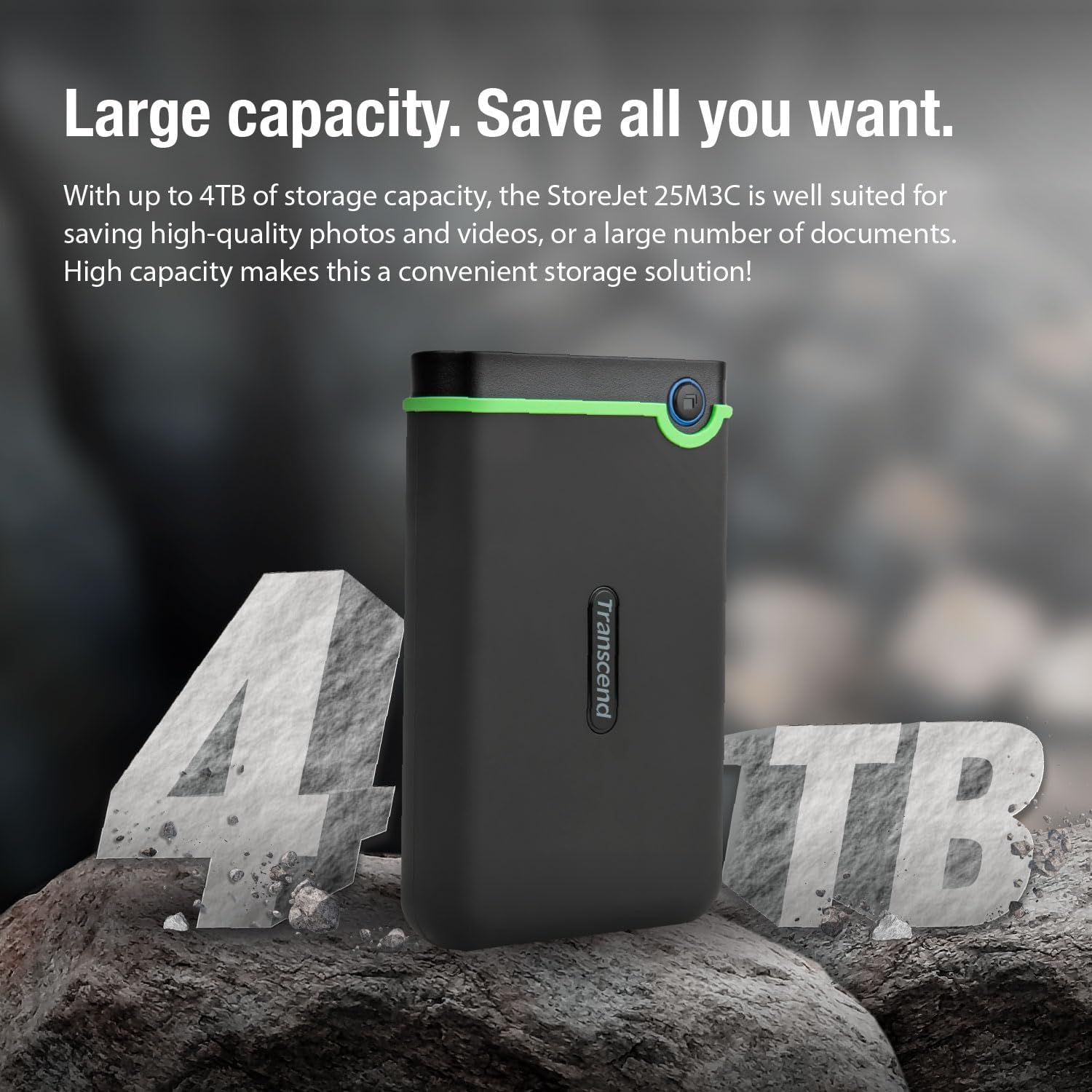
Image: The StoreJet 25M3C connected, emphasizing its USB 3.1 Gen 1 interface for fast data transfer.
5.2. One Touch Auto-Backup
The StoreJet 25M3C features a dedicated button for automatic data backup. To utilize this function:
- Install the Transcend Elite software on your computer. This software is available for download from the Transcend webસાઇટ
- Configure your backup settings within the Transcend Elite application.
- Press the One Touch Auto-Backup button on the drive to initiate a backup according to your configured settings. This button also allows you to reconnect the hard drive to your PC without needing to unplug and reinsert it.

Image: A computer screen showing the Transcend Elite software, used for data management and backup.
5.3. Safely Ejecting the Drive
Always safely eject the drive from your operating system before disconnecting it to prevent data corruption. This can typically be done by right-clicking the drive icon and selecting "Eject" or using the "Safely Remove Hardware" option.
6. જાળવણી
- શારીરિક સંભાળ: While the StoreJet 25M3C is shock-resistant, avoid unnecessary drops or impacts. Keep the drive clean and free from dust and moisture.
- સૉફ્ટવેર અપડેટ્સ: Regularly check the Transcend website for updates to Transcend Elite and RecoveRx software to ensure optimal performance and compatibility.
- ડેટા બેકઅપ: Periodically back up critical data stored on the StoreJet 25M3C to another location to ensure data redundancy.
- સંગ્રહ: જ્યારે ઉપયોગમાં ન હોય, ત્યારે ડ્રાઇવને સીધા સૂર્યપ્રકાશ અને અતિશય તાપમાનથી દૂર ઠંડી, સૂકી જગ્યાએ સંગ્રહિત કરો.
7. મુશ્કેલીનિવારણ
- Drive not detected:
- ખાતરી કરો કે USB કેબલ ડ્રાઇવ અને કમ્પ્યુટર બંને સાથે સુરક્ષિત રીતે જોડાયેલ છે.
- તમારા કમ્પ્યુટર પર એક અલગ USB પોર્ટ અજમાવી જુઓ.
- જો ઉપલબ્ધ હોય તો, એક અલગ USB કેબલ અજમાવી જુઓ.
- તમારા કમ્પ્યુટરને ફરીથી પ્રારંભ કરો.
- Check your computer's Disk Management (Windows) or Disk Utility (macOS) to see if the drive is recognized but unformatted or unassigned a drive letter.
- ધીમી ટ્રાન્સફર ગતિ:
- Ensure you are connected to a USB 3.0 or USB 3.1 Gen 1 port on your computer for optimal performance. Older USB 2.0 ports will result in slower speeds.
- ઘણા નાના ટ્રાન્સફર કરવાનું ટાળો files simultaneously; compressing them into a single archive can sometimes improve speed.
- Ensure your computer's drivers are up to date.
- One Touch Auto-Backup button not working:
- Verify that Transcend Elite software is installed and running on your computer.
- Ensure backup settings are properly configured within the Transcend Elite software.
For further assistance, refer to the Transcend support webસાઇટ અથવા ગ્રાહક સેવાનો સંપર્ક કરો.
8. સ્પષ્ટીકરણો
| લક્ષણ | વિગત |
|---|---|
| બ્રાન્ડ | પાર |
| મોડલ નંબર | TS4TSJ25M3C નો પરિચય |
| રંગ | સ્ટીલ ગ્રે |
| ડિજિટલ સ્ટોરેજ ક્ષમતા | 4 ટીબી |
| હાર્ડ ડ્રાઈવ ઈન્ટરફેસ | USB 2.0/3.0 (compatible with USB 3.1 Gen 1) |
| હાર્ડવેર ઇંટરફેસ | USB 3.1 Type A, USB Type C |
| કનેક્ટિવિટી ટેકનોલોજી | યુએસબી |
| Hard Drive Technology | Mechanical Hard Drive |
| હાર્ડ ડ્રાઈવ રોટેશનલ સ્પીડ | 5400 RPM |
| ફોર્મ ફેક્ટર | 2.5 ઇંચ |
| સુસંગત ઉપકરણો | કોમ્પ્યુટર |
| ઓપરેટિંગ સિસ્ટમ સુસંગતતા | Windows, Linux (and macOS) |
| ખાસ લક્ષણો | શોક પ્રતિરોધક |
| ઉત્પાદનના પરિમાણો (L x W x H) | 13.34 x 0.79 x 4.22 સેમી (5.25 x 0.31 x 1.66 ઇંચ) |
| ઉત્પાદન વજન | ૬૦૦ ગ્રામ (૧.૩૨ પાઉન્ડ) |
9. વોરંટી અને સપોર્ટ
Transcend products are designed for reliability. For information regarding warranty coverage, technical support, and service, please visit the official Transcend webસાઇટ. વોરંટી દાવાઓ માટે ખરીદીના પુરાવા તરીકે તમારી ખરીદી રસીદ રાખો.
Please note that information regarding spare parts availability and guaranteed software updates is not explicitly provided in the product details.
અધિકૃત Webસાઇટ: www.transcend-info.com


