1. પરિચય
This manual provides essential instructions for the safe and efficient operation, maintenance, and troubleshooting of your Nespresso Vertuo Next Deluxe Coffee and Espresso Machine. Please read this manual thoroughly before first use and keep it for future reference.

Image: The Nespresso Vertuo Next Deluxe machine, showcasing its sleek design and versatility with both hot and iced coffee options.
2. Machine Components
Familiarize yourself with the main parts of your Vertuo Next Deluxe machine:
- પાણીની ટાંકી: Removable tank for fresh water. Capacity: 37 fl oz.
- Capsule Container: Collects used Vertuo capsules.
- કપ સપોર્ટ: Adjustable to accommodate various cup sizes (maximum cup height: 7.2 inches).
- બ્રુ હેડ: Houses the capsule and brewing mechanism.
- યકૃત: Used to open and close the brew head, and lock the capsule in place.
- ઉકાળો બટન: ઉકાળવાની પ્રક્રિયા શરૂ કરે છે.
- પાવર કોર્ડ: Connects the machine to an electrical outlet.

Image: Machine dimensions and key components like the 37 fl oz water tank and adjustable cup support.
3. સેટઅપ અને પ્રથમ ઉપયોગ
- અનપેકીંગ: Remove all packaging materials and place the machine on a clean, stable, and level surface.
- પાણીની ટાંકી કોગળા કરો: Wash the water tank and lid with fresh drinking water.
- પાણીની ટાંકી ભરો: Fill the water tank with fresh drinking water and place it back on the machine.
- પ્લગ ઇન: Plug the machine into a grounded electrical outlet. The brew button will blink as the machine heats up.
- પ્રથમ કોગળા ચક્ર: Once the brew button is solid, place a container (at least 12 oz) under the coffee outlet. Press the brew button three times quickly to start a rinse cycle. This cleans the internal system. Repeat if necessary until the water runs clear.
- Machine Ready: The machine is ready for use when the brew button is solid green.
વિડિઓ: એક ઓવરview of the Nespresso Vertuo Next Coffee and Espresso Machine, demonstrating its features and ease of use.
4. ઓપરેટિંગ સૂચનાઓ
4.1. Brewing Coffee or Espresso
- પાવર ચાલુ: Ensure the machine is plugged in and the brew button is solid green.
- પાણીની ટાંકી ભરો: ખાતરી કરો કે પાણીની ટાંકી તાજા પાણીથી ભરેલી છે.
- Open Brew Head: Lift the lever and rotate it counter-clockwise to open the brew head.
- કેપ્સ્યુલ દાખલ કરો: Place a Nespresso Vertuo capsule into the machine, dome side down. The machine automatically recognizes the capsule type and adjusts brewing parameters.
- Close Brew Head: Close the brew head by rotating the lever clockwise and pushing it down until it locks.
- કપનું સ્થાન: Position your desired cup on the adjustable cup support.
- ઉકાળો શરૂ કરો: Press the brew button once. The machine will begin brewing your coffee or espresso.
- આનંદ કરો: Once brewing is complete, the machine will automatically eject the used capsule into the container.
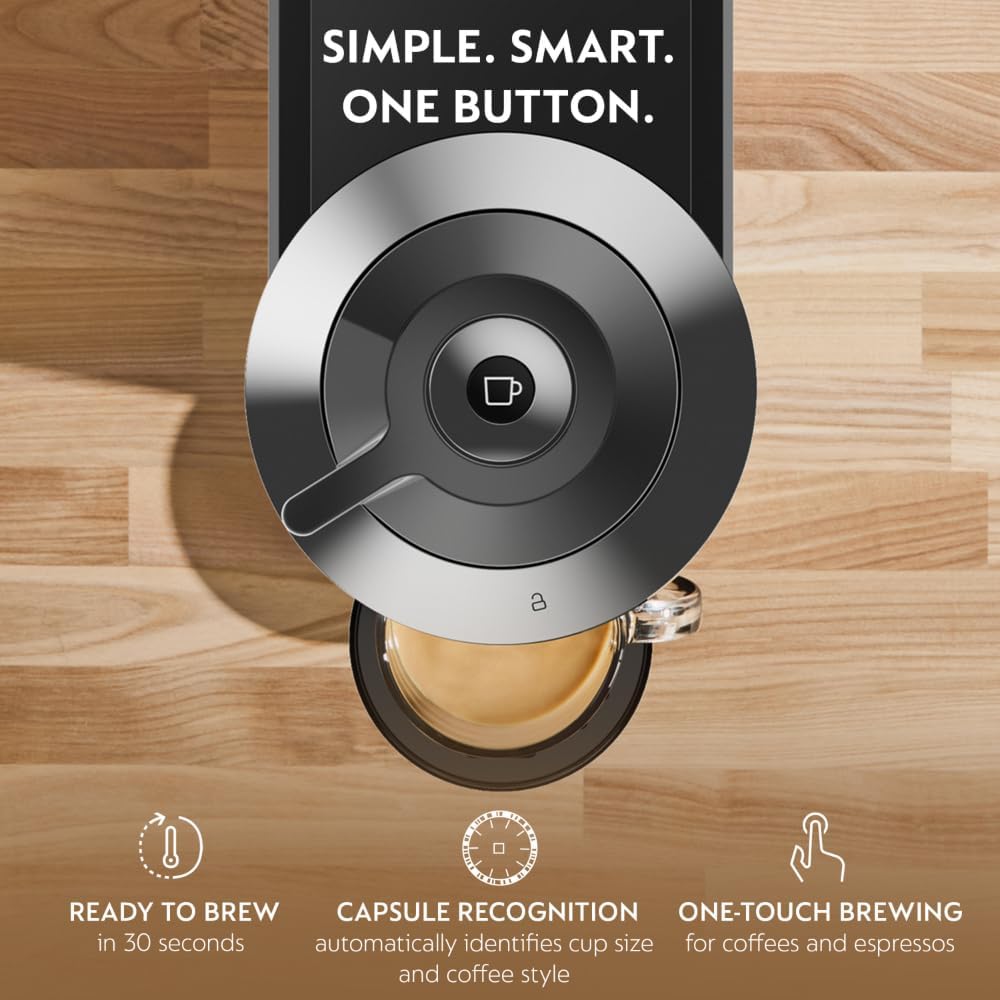
Image: Simple one-button operation and automatic capsule recognition for various coffee and espresso styles.
4.2. Brewing Over Ice
For a concentrated pour over ice, follow the standard brewing steps, but press the brew button twice quickly after inserting the capsule. This will initiate a specific brewing profile for iced beverages.
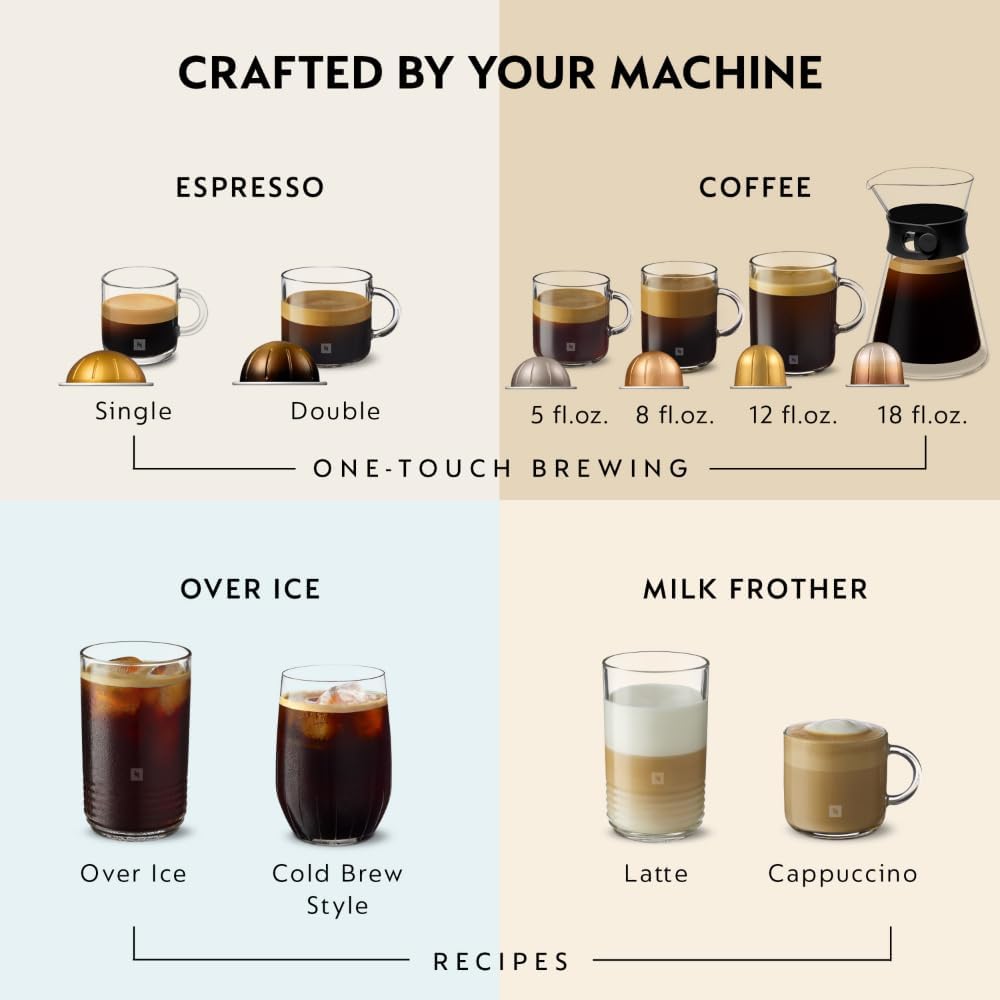
Image: Brewing coffee directly over ice for a refreshing cold beverage.
4.3. Vertuo Capsule Information
The Vertuo Next Deluxe machine uses Nespresso Vertuo capsules, which are designed with a unique barcode that the machine reads to optimize brewing parameters for each blend. These capsules are made from aluminum and are recyclable.

Image: Nespresso Vertuo capsules are aluminum, recyclable, and designed to seal in freshness.
5. જાળવણી
5.1. સફાઈ
- દૈનિક સફાઈ: Wipe the machine exterior with a damp cloth. Clean the cup support and drip tray with warm soapy water.
- પાણીની ટાંકી: Wash the water tank regularly with warm soapy water and rinse thoroughly.
- Capsule Container: Empty and rinse the used capsule container regularly.
- રિન્સ સાયકલ: Perform a rinse cycle (without a capsule) periodically to clean the internal brewing system.
5.2. ડેસ્કલિંગ
Descaling is crucial for maintaining your machine's performance and ensuring optimal coffee quality. The machine will indicate when descaling is needed (refer to the full user guide for specific indicator lights and detailed descaling instructions).
- Use only the Nespresso descaling kit.
- Follow the instructions provided with the descaling kit carefully.
5.3. Capsule Recycling
Nespresso offers a complimentary recycling program for its aluminum capsules. Collect your used capsules in a Nespresso recycling bag and return them through designated channels.

Image: Nespresso's complimentary recycling program for used capsules.
6. મુશ્કેલીનિવારણ
| સમસ્યા | સંભવિત કારણ | ઉકેલ |
|---|---|---|
| No coffee flow or slow flow | Water tank empty; machine needs descaling; brew head clogged. | Fill water tank; perform descaling; clean brew head. |
| Brew button blinking red | Machine error; water tank empty; brew head not properly closed. | Check water tank; ensure brew head is locked; unplug and replug machine. |
| કોફી પૂરતી ગરમ નથી | Machine not preheated; cup not preheated. | Allow machine to fully preheat; preheat cup with hot water. |
| Used capsule not ejected | Brew head not fully opened. | Ensure lever is fully rotated to open position. |
For more detailed troubleshooting, please refer to the comprehensive user manual available on the Nespresso website or contact Nespresso customer support.
7. સ્પષ્ટીકરણો
- બ્રાન્ડ: નેસ્પ્રેસો
- મોડલ નામ: Vertuo નેક્સ્ટ ડીલક્સ કોફી
- આઇટમ મોડલ નંબર: ENV120C
- રંગ: ક્રોમ
- ઉત્પાદન પરિમાણો: 5.5"D x 16.8"W x 12.4"H
- વસ્તુનું વજન: 8.8 પાઉન્ડ
- ભાગtage: 120 વોલ્ટ
- કોફી મેકરનો પ્રકાર: એસ્પ્રેસો મશીન
- ઓપરેશન મોડ: સંપૂર્ણપણે સ્વચાલિત
- ખાસ લક્ષણો: Auto Capsule Ejection and Recycling Ready, Centrifusion Technology, Energy-saving Auto Shutoff Function, One-touch Brewing, Two Capsule Sizes
- કોફી ઇનપુટ પ્રકાર: Disposable Pods (Nespresso Vertuo capsules)
- યુપીસી: 044387012034
8. વોરંટી અને સપોર્ટ
Your Nespresso Vertuo Next Deluxe machine is covered by a manufacturer's warranty. Please refer to the warranty card included with your product for specific terms and conditions. For technical assistance, spare parts, or to register your machine, please visit the official Nespresso website or contact Nespresso customer service.
Supportનલાઇન સપોર્ટ: www.nespresso.com


