1. પરિચય
Thank you for choosing the Volkano Chat Junior Series Kid-Friendly Headset. This manual provides essential information for the proper setup, operation, and maintenance of your new headset. Please read it thoroughly to ensure optimal performance and longevity of the product.
This headset is designed with children in mind, featuring volume-limiting speakers to protect young ears, a comfortable fit, and an adjustable microphone for clear communication during e-learning, home school, or entertainment.
2. પેકેજ સામગ્રી
- Volkano Chat Junior Series Headset (Blue)
- Animal Character Cable Protector (Shark)
- સૂચના માર્ગદર્શિકા

Image: The product packaging, illustrating the headset and the included shark cable protector.
3. ઉત્પાદન ઓવરview
The Volkano Chat Junior Series Headset combines comfort and functionality for young users.
- Volume-Limiting Speakers: Designed to protect sensitive hearing by limiting audio output to 85 dB.
- Adjustable Microphone Arm: The microphone can be positioned for optimal voice capture and folded away when not in use.
- Soft-Padded Earcups: Ensures comfort during extended use.
- એડજસ્ટેબલ હેડબેન્ડ: Provides a secure and comfortable fit for various head sizes.
- 3.5mm Aux Connectivity: Compatible with most smartphones, computers, and tablets.
- Animal Character Cable Protector: Adds durability and a fun element to the cable connection.

Image: The Volkano Chat Junior Series Headset in blue, featuring the adjustable microphone and the included shark cable protector.

છબી: ક્લોઝ-અપ view of the earcup, emphasizing the volume-limiting speakers designed for hearing protection.

Image: The adjustable microphone arm, illustrating its flexibility for optimal positioning.

Image: A child wearing the headset, showcasing the soft-padded earcups designed for comfort during use.
4. સેટઅપ સૂચનાઓ
- હેડસેટ ખોલો: Carefully remove the headset and cable protector from the packaging.
- Attach Cable Protector (Optional): Slide the animal character cable protector onto the 3.5mm audio jack. This helps reinforce the cable connection.
- ઉપકરણ સાથે કનેક્ટ કરો: Insert the 3.5mm audio jack into the compatible audio port of your smartphone, tablet, laptop, or computer. Ensure the jack is fully inserted for proper audio and microphone function.
- હેડબેન્ડ સમાયોજિત કરો: Extend or retract the headband to achieve a comfortable and secure fit on the user's head.
- માઇક્રોફોનની સ્થિતિ: Adjust the flexible microphone arm to bring the microphone close to the user's mouth for clear voice input. When not in use, the microphone can be folded upwards.
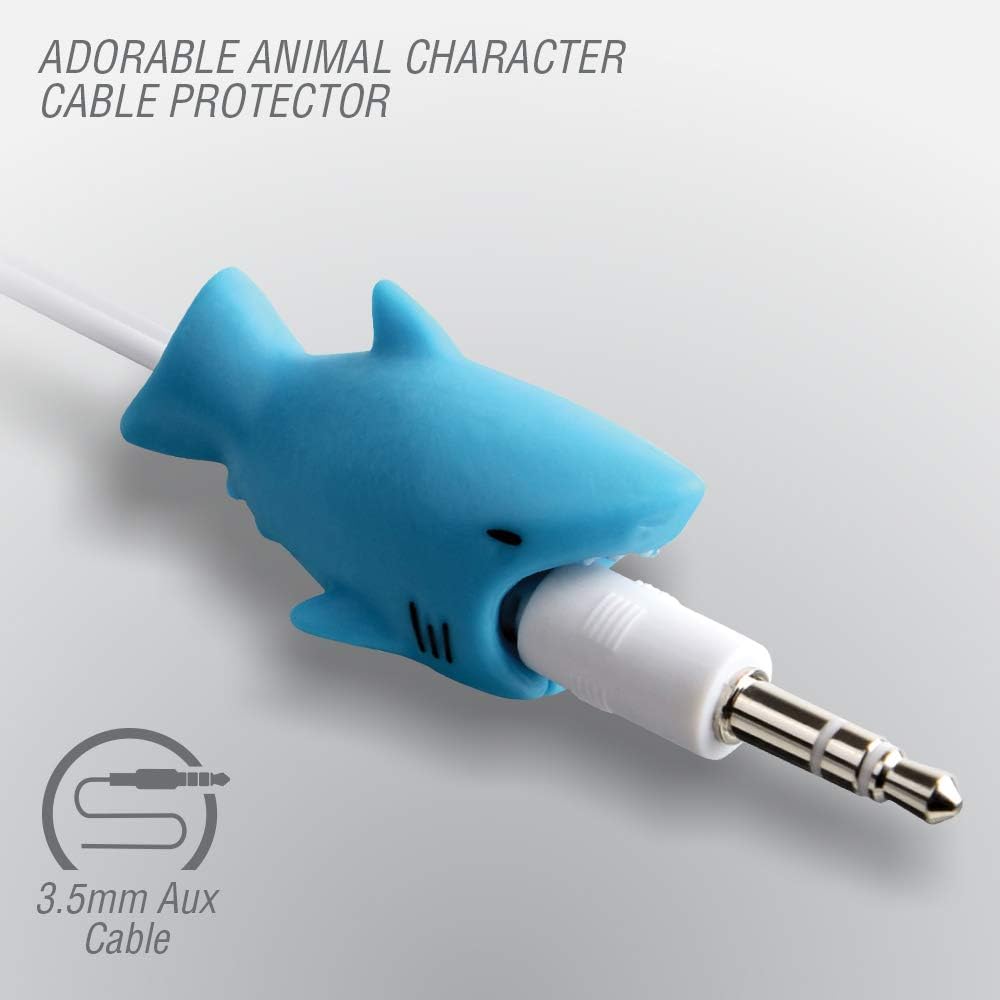
Image: The shark cable protector attached to the 3.5mm aux cable, ready to be plugged into a device.

Image: A child using the headset with a smartphone, illustrating its compatibility with various devices.
વિડિઓ: એક ઓવરview of the Volkano Chat Junior Series Headset, demonstrating its features and use.
5. ઓપરેટિંગ સૂચનાઓ
- ઓડિયો પ્લેબેક: Once connected, audio from your device will play through the headset's speakers. The volume is limited to 85 dB for hearing protection.
- માઇક્રોફોનનો ઉપયોગ: For voice communication (e.g., online classes, video calls), ensure the microphone arm is positioned correctly. The microphone is automatically active when connected to a compatible device.
- વોલ્યુમ નિયંત્રણ: Use the volume controls on your connected device (smartphone, tablet, computer) to adjust the audio level within the headset's safe listening limit.

Image: A child engaged in e-learning or entertainment while wearing the headset and using a tablet.
6. જાળવણી અને સંભાળ
- સફાઈ: Wipe the headset with a soft, dry cloth. Do not use harsh chemicals or abrasive cleaners.
- સંગ્રહ: Store the headset in a clean, dry place away from direct sunlight and extreme temperatures. Avoid tangling the cable.
- હેન્ડલિંગ: Handle the headset gently. Avoid pulling on the cable or microphone arm forcefully.
7. મુશ્કેલીનિવારણ
- કોઈ અવાજ નથી:
- ખાતરી કરો કે 3.5mm જેક ઉપકરણના ઓડિયો પોર્ટમાં સંપૂર્ણપણે દાખલ થયેલ છે.
- તમારા કનેક્ટેડ ડિવાઇસ પર વોલ્યુમ સેટિંગ્સ તપાસો.
- ઉપકરણ-વિશિષ્ટ સમસ્યાને નકારી કાઢવા માટે હેડસેટને બીજા ઉપકરણ સાથે પરીક્ષણ કરો.
- માઇક્રોફોન કામ કરતું નથી:
- Ensure the microphone arm is positioned correctly and not folded away.
- Check the microphone input settings on your connected device (e.g., in system settings or communication app settings).
- Test the headset with another device.
8. સ્પષ્ટીકરણો
| લક્ષણ | વિગત |
|---|---|
| મોડેલનું નામ | Chat Junior Series |
| આઇટમ મોડલ નંબર | VK-6512-BL |
| કનેક્ટિવિટી ટેકનોલોજી | Wired (3.5mm Aux) |
| હેડફોન જેક | 3.5 મીમી જેક |
| આવર્તન પ્રતિભાવ | 20 હર્ટ્ઝ |
| અવબાધ | 32 ઓહ્મ |
| નિયંત્રણ પ્રકાર | Volume Control (via device) |
| ખાસ લક્ષણો | Adjustable microphone arm, 85 dB volume limiting, Cable Character included |
| સુસંગત ઉપકરણો | Smartphones, Samsung Galaxy, Google Pixel, Tablet, Computer, Laptop |
| સામગ્રી | પ્લાસ્ટિક |
| પાણી પ્રતિકાર સ્તર | પાણી પ્રતિરોધક નથી |
| વસ્તુનું વજન | 6.6 ઔંસ |
9. સલામતી માહિતી
- વોલ્યુમ મર્યાદા: This headset features an 85 dB volume limit to protect children's hearing. Do not attempt to bypass or modify this feature.
- ગૂંગળામણનું જોખમ: The cable protector and small parts may pose a choking hazard for very young children. Adult supervision is recommended.
- પાણીનો સંપર્ક: The headset is not water-resistant. Avoid exposure to liquids to prevent damage.
- પર્યાવરણીય પરિસ્થિતિઓ: Do not expose the headset to extreme temperatures, humidity, or direct sunlight.
10. વોરંટી અને સપોર્ટ
Volkano offers a 1-year limited warranty for the Chat Junior Series Headset. For any questions, technical support, or warranty claims, please contact Volkano customer service. Keep your proof of purchase for warranty validation.
For further assistance, please visit the official Volkano webસાઇટ અથવા તમારા રિટેલરનો સંપર્ક કરો.


