વાયરલેસ માઉસ યુઝર મેન્યુઅલ પર વિશ્વાસ કરો
મોડલ: 24115
બ્રાન્ડ: ટ્રસ્ટ
1. પરિચય
ખરીદી બદલ આભારasing the Trust Wireless Mouse. This manual provides detailed instructions for setting up, operating, maintaining, and troubleshooting your new wireless mouse. Please read this manual thoroughly before using the product to ensure optimal performance and longevity.

છબી ૧.૧: ટોચ view of the Trust Wireless Mouse, showcasinતેની એર્ગોનોમિક ડિઝાઇન અને બટન લેઆઉટ.
2. સલામતી માહિતી
ઉપકરણને નુકસાન ન થાય અથવા તમારી જાતને ઇજા ન થાય તે માટે કૃપા કરીને નીચેના સલામતી માર્ગદર્શિકાઓનું પાલન કરો:
- Do not expose the mouse to water or excessive moisture.
- માઉસને પડતું મૂકવાનું કે જોરદાર ફટકો મારવાનું ટાળો.
- Do not attempt to disassemble or repair the mouse yourself. Refer to qualified service personnel.
- સ્થાનિક નિયમો અનુસાર બેટરીનો નિકાલ કરો.
3. પેકેજ સામગ્રી
ખાતરી કરો કે બધી વસ્તુઓ પેકેજમાં હાજર છે:
- 1x Trust Wireless Comfort Mouse
- 1x યુએસબી માઇક્રો રીસીવર
- 1x એએ બેટરી
- ૧x વપરાશકર્તા માર્ગદર્શિકા (આ દસ્તાવેજ)

Image 3.1: The retail packaging of the Trust Wireless Mouse, showing the mouse and included accessories.
4. સેટઅપ
4.1. બેટરી ઇન્સ્ટોલ કરી રહ્યું છે
- માઉસની નીચેની બાજુએ બેટરીનો ડબ્બો શોધો.
- બૅટરી કમ્પાર્ટમેન્ટ કવર ખોલીને સ્લાઇડ કરો.
- આપેલી AA બેટરી દાખલ કરો, ખાતરી કરો કે ધન (+) અને ઋણ (-) ટર્મિનલ્સ કમ્પાર્ટમેન્ટની અંદરના નિશાનો સાથે યોગ્ય રીતે ગોઠવાયેલા છે.
- બેટરી કમ્પાર્ટમેન્ટ કવર સુરક્ષિત રીતે બંધ કરો.

Image 4.1: Underside of the mouse with the battery compartment open, showing the insertion of an AA battery.

છબી ૩.૧: નીચે view of the Trust Wireless Mouse, illustrating the battery compartment and the storage slot for the USB micro receiver.
4.2. Connecting the USB Micro Receiver
- Locate the USB micro receiver, which is typically stored inside the mouse's battery compartment for transport.
- Remove the USB micro receiver from its storage slot.
- Plug the USB micro receiver into an available USB port on your computer (laptop or PC).
- The mouse should automatically connect to your computer. No additional drivers are typically required for Windows 10, 8, 7, or Mac OS X 10.15 (Catalina) or higher.
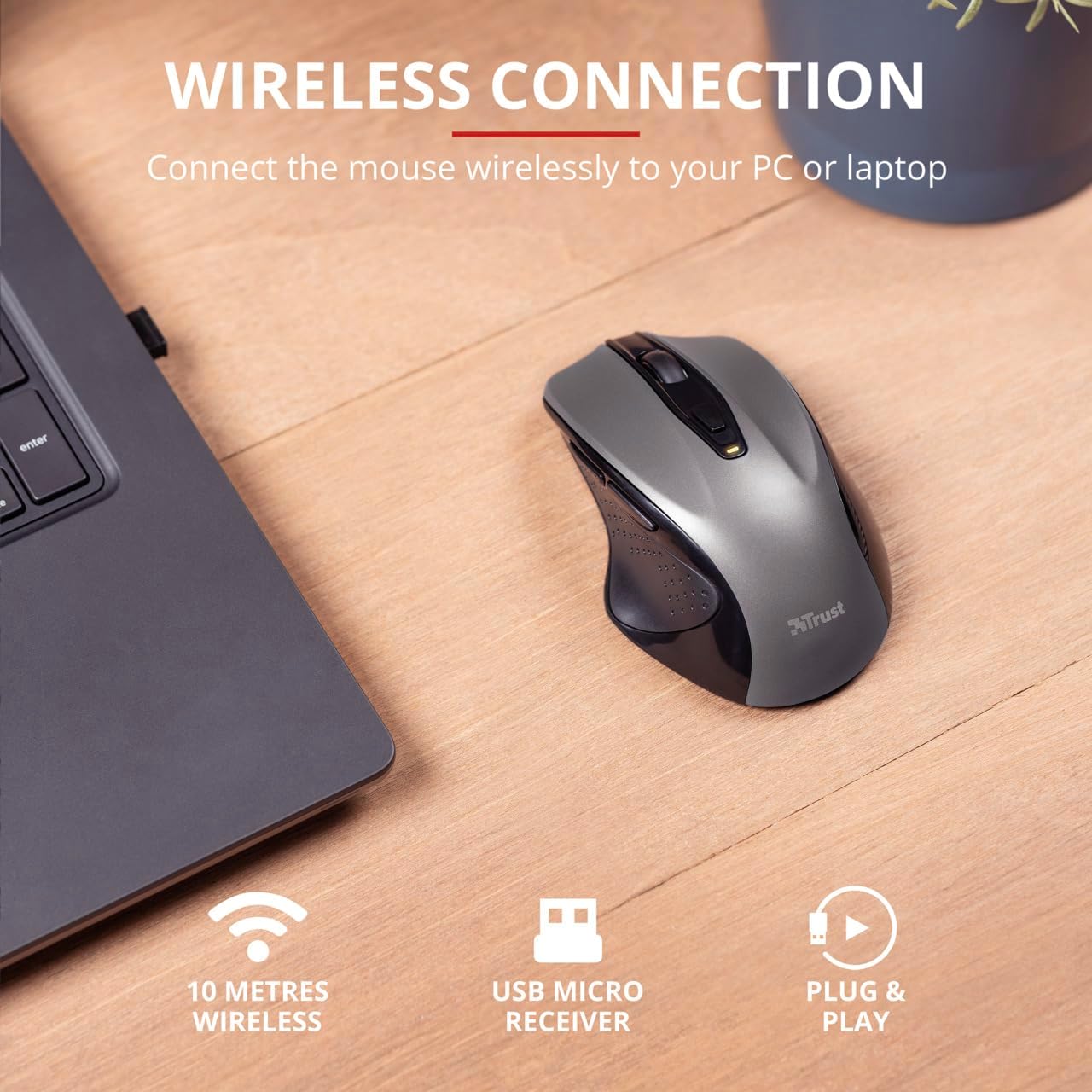
Image 4.3: The Trust Wireless Mouse positioned next to a laptop, demonstrating the wireless connection via the USB micro receiver plugged into the laptop's USB port.
૪. માઉસ ચલાવવું
5.1. મૂળભૂત કાર્યો
- ડાબું ક્લિક કરો: Primary button for selecting items and interacting with software.
- જમણું બટન દબાવો: સંદર્ભ મેનુ અને વધારાના વિકલ્પો માટે ગૌણ બટન.
- સ્ક્રોલ વ્હીલ: દસ્તાવેજો સ્ક્રોલ કરવા માટે ઉપર અથવા નીચે ફેરવો અને web pages. Press the scroll wheel for middle-click functionality.
૪.૪. DPI ગોઠવણ
The Trust Wireless Mouse features an adjustable DPI (Dots Per Inch) setting, allowing you to control the cursor speed. There are 5 different speeds available: 800, 1200, 1600, 1800, and 2200 DPI.
- Locate the DPI button, usually positioned behind the scroll wheel.
- ઉપલબ્ધ DPI સેટિંગ્સ મારફતે સાયકલ કરવા માટે DPI બટન દબાવો.
- An LED indicator on the mouse will briefly show the current DPI setting.

છબી ૪.૧: બાજુ view of the Trust Wireless Mouse highlighting its comfortable shape, thumb rest with extra grip, and the adjustable speed (DPI) feature.
5.3. Thumb Buttons
The mouse is equipped with two conveniently placed thumb buttons (forward and backward) on the left side. These buttons facilitate easy navigation, such as browsing through files અથવા web પૃષ્ઠો
- દબાવો આગળ button to move to the next page or item.
- દબાવો પછાત button to return to the previous page or item.
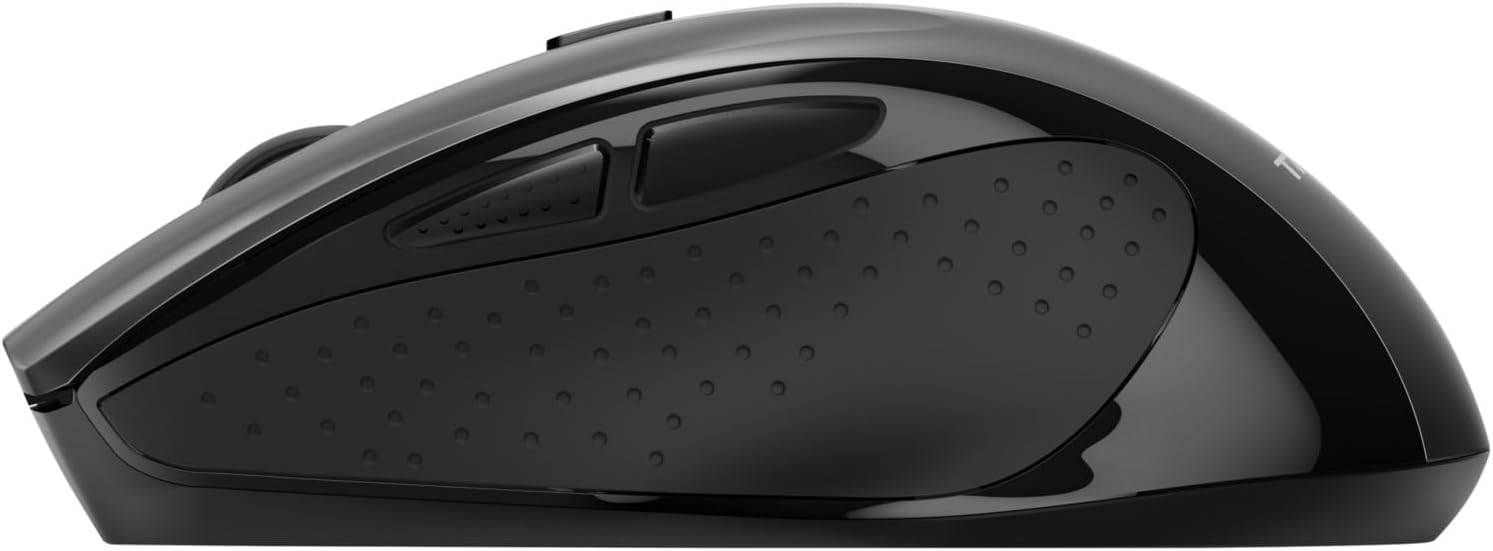
છબી ૪.૧: બાજુ view of the Trust Wireless Mouse, clearly showing the placement of the two thumb buttons for forward and backward navigation.
Note: Functionality of side buttons may vary between operating systems.
5.4. Power Saving Features
To conserve battery life, the mouse includes a power-saving mode and an on/off switch.
- ચાલુ/બંધ સ્વિચ: Located on the underside of the mouse. Turn the mouse off when not in use for extended periods to maximize battery life.
- બેટરી એલઇડી સૂચક: An LED indicator will light up when the battery level is low, signaling that it's time to replace the AA battery.
6. જાળવણી
6.1. સફાઈ
To maintain optimal performance, clean your mouse regularly:
- માઉસની સપાટી સાફ કરવા માટે નરમ, સૂકા કપડાનો ઉપયોગ કરો.
- હઠીલા ગંદકી માટે, સહેજ ડીampપાણી અથવા હળવા સફાઈ દ્રાવણથી કપડાને સાફ કરો. કઠોર રસાયણો ટાળો.
- ઉંદરના આંતરિક ભાગોમાં પ્રવાહી પ્રવેશવા દેશો નહીં.
6.2. બેટરી રિપ્લેસમેન્ટ
When the battery indicator lights up, replace the AA battery promptly to ensure uninterrupted use. Refer to section 4.1 for battery installation instructions.
7. મુશ્કેલીનિવારણ
| સમસ્યા |
સંભવિત કારણ |
ઉકેલ |
| ઉંદર જવાબ નથી આપી રહ્યો. |
બેટરી ઓછી અથવા બંધ થઈ ગઈ છે. |
AA બેટરી બદલો. |
| ઉંદર જવાબ નથી આપી રહ્યો. |
USB receiver not properly connected. |
Ensure the USB receiver is firmly plugged into a working USB port. Try a different USB port. |
| ઉંદર જવાબ નથી આપી રહ્યો. |
માઉસ બંધ છે. |
Turn on the mouse using the on/off switch on the underside. |
| કર્સરની ગતિ અનિયમિત અથવા ધીમી છે. |
Low DPI setting. |
Press the DPI button to increase cursor speed. |
| કર્સરની ગતિ અનિયમિત અથવા ધીમી છે. |
Dirty sensor or unsuitable surface. |
Clean the optical sensor on the underside of the mouse. Use the mouse on a clean, non-reflective surface. |
| વાયરલેસ કનેક્શન સમસ્યાઓ. |
Interference or distance from receiver. |
Ensure the mouse is within 10 meters of the receiver. Remove any large metal objects between the mouse and receiver. |
8. સ્પષ્ટીકરણો
| લક્ષણ |
વિગત |
| મોડલ નંબર |
24115 |
| કનેક્ટિવિટી |
Wireless (RF 2.4GHz) |
| વાયરલેસ રેંજ |
10 મીટર |
| ડીપીઆઇ સેટિંગ્સ |
800, 1200, 1600, 1800, 2200 DPI (adjustable) |
| બટનોની સંખ્યા |
6 (Left, Right, Mid, Forward, Backward, DPI loop) |
| સેન્સર પ્રકાર |
ઓપ્ટિકલ |
| અર્ગનોમિક્સ |
Ergonomic design with thumb rest and rubber inlay |
| પાવર સ્ત્રોત |
૧ x AA બેટરી (શામેલ) |
| પરિમાણો (L x W x H) |
113 mm x 74 mm x 41 mm (4.45 x 2.91 x 0.04 ઇંચ) |
| વજન |
100 ગ્રામ (2.65 ઔંસ) |
| સુસંગત ઓપરેટિંગ સિસ્ટમ્સ |
Windows 10, 8, 7; Mac OS X 10.15 (Catalina) or higher |
9. વોરંટી અને સપોર્ટ
The Trust Wireless Mouse comes with a 1 વર્ષની વોરંટી ખરીદીની તારીખથી. આ વોરંટી સામાન્ય ઉપયોગ હેઠળ સામગ્રી અને કારીગરીમાં ખામીઓને આવરી લે છે.
વોરંટી આવરી લેતી નથી:
- અકસ્માત, દુરુપયોગ, દુરુપયોગ, પૂર, આગ, ધરતીકંપ અથવા અન્ય બાહ્ય કારણોથી થતા નુકસાન.
- Damage caused by operating the product outside the permitted or intended uses described by Trust.
- Damage caused by service (including upgrades and expansions) performed by anyone who is not a representative of Trust or a Trust Authorized Service Provider.
For technical support or warranty claims, please visit the official Trust website or contact their customer service department. Refer to the product packaging or Trust's official webસૌથી અદ્યતન સંપર્ક માહિતી માટે સાઇટ.
ઑનલાઇન સંસાધનો: www.trust.com


