1. પરિચય
The Thomson WEAR7701 Bluetooth HiFi Earbuds provide a wireless audio experience with high-fidelity sound. Designed for comfort and convenience, these lightweight in-ear headphones feature touch controls, voice assistant compatibility, and IPX4 splash protection, making them suitable for various activities, including sports.
This manual provides detailed instructions for setting up, operating, and maintaining your WEAR7701 earbuds to ensure optimal performance and longevity.

2. પેકેજ સામગ્રી
કૃપા કરીને તપાસો કે બધી વસ્તુઓ પેકેજમાં હાજર છે:
- 1x Thomson WEAR7701 Bluetooth Earbuds
- 1x ચાર્જિંગ કેસ
- 3x Pairs of Silicone Ear Tips (Sizes S, M, L)
- 1x માઇક્રો યુએસબી ચાર્જિંગ કેબલ
- 1x વપરાશકર્તા માર્ગદર્શિકા
3. સેટઅપ
3.1 પ્રારંભિક ચાર્જિંગ
પ્રથમ ઉપયોગ કરતા પહેલા, ઇયરબડ્સ અને ચાર્જિંગ કેસને સંપૂર્ણપણે ચાર્જ કરો.
- Connect the supplied Micro USB cable to the charging port on the charging case and to a suitable USB power source.
- Place the earbuds into the charging case. Ensure they are correctly seated; indicator lights on the earbuds or case will confirm charging status.
- A full charge for the case takes approximately 3 hours. The earbuds charge within the case.
The charging case provides up to 3 additional full charges for the earbuds, extending their usage time.
૩.૨ બ્લૂટૂથ ડિવાઇસ સાથે જોડી બનાવવી
For the first connection, it is crucial to remove both earbuds from the charging case simultaneously to ensure proper stereo pairing with your smartphone.
- Ensure your smartphone's Bluetooth function is enabled.
- Remove both earbuds from the charging case. They will automatically power on and enter pairing mode.
- તમારા સ્માર્ટફોન પર, ઉપલબ્ધ બ્લૂટૂથ ઉપકરણો શોધો.
- Select "Thomson WEAR7701" (or similar name) from the list of found devices.
- Once connected, your device will indicate successful pairing.
મહત્વપૂર્ણ નોંધ: If only one earbud connects, place both earbuds back into the charging case, close the lid, wait a few seconds, then remove both simultaneously and repeat the pairing process.

4. ઓપરેટિંગ સૂચનાઓ
4.1 પાવર ચાલુ/બંધ
- પાવર ચાલુ: ચાર્જિંગ કેસમાંથી દૂર કર્યા પછી ઇયરબડ્સ આપમેળે ચાલુ થઈ જાય છે.
- પાવર બંધ: ચાર્જિંગ કેસમાં પાછા મૂક્યા પછી અને ઢાંકણ બંધ થવા પર ઇયરબડ્સ આપમેળે બંધ થઈ જાય છે.
4.2 ટચ કંટ્રોલ્સ
The earbuds feature intuitive touch controls for managing music playback and calls.
- સંગીત ચલાવો/થોભો: બંને ઇયરબડ પર એક વાર ટેપ કરો.
- આગળનો ટ્રેક: જમણા ઇયરબડ પર બે વાર ટૅપ કરો.
- પાછલો ટ્રેક: ડાબા ઇયરબડ પર બે વાર ટૅપ કરો.
- જવાબ/કૉલ સમાપ્ત કરો: બંને ઇયરબડ પર એક વાર ટેપ કરો.
- કૉલ નકારો: કોઈપણ ઇયરબડને 2 સેકન્ડ માટે દબાવી રાખો.
- વોઇસ આસિસ્ટન્ટ (સિરી/ગુગલ આસિસ્ટન્ટ) સક્રિય કરો: કોઈપણ ઇયરબડ પર ત્રણ વાર ટૅપ કરો.

૫.૧ ઇયરબડ્સ પહેરવા
Select the ear tips that provide the most comfortable and secure fit. The package includes three sizes (S, M, L) of Mushroom-shaped silicone ear tips to ensure a proper seal for optimal sound quality and stability, even during physical activity.
- તમારી કાનની નહેરમાં ધીમેધીમે ઇયરબડ દાખલ કરો.
- ઇયરબડને સુરક્ષિત અને આરામદાયક લાગે ત્યાં સુધી સહેજ ફેરવો.
- If the fit is not ideal, try a different size of ear tip.
5. જાળવણી
5.1 સફાઈ
- ઇયરબડ્સ અને ચાર્જિંગ કેસને નિયમિતપણે નરમ, સૂકા, લિન્ટ-ફ્રી કપડાથી સાફ કરો.
- કાનની ટોચ દૂર કરો અને તેને હળવા સાબુ અને પાણીથી સાફ કરો, પછી ફરીથી જોડતા પહેલા તેને સારી રીતે સૂકવી લો.
- ઘર્ષક ક્લીનર્સ, આલ્કોહોલ અથવા રાસાયણિક દ્રાવકોનો ઉપયોગ કરશો નહીં.
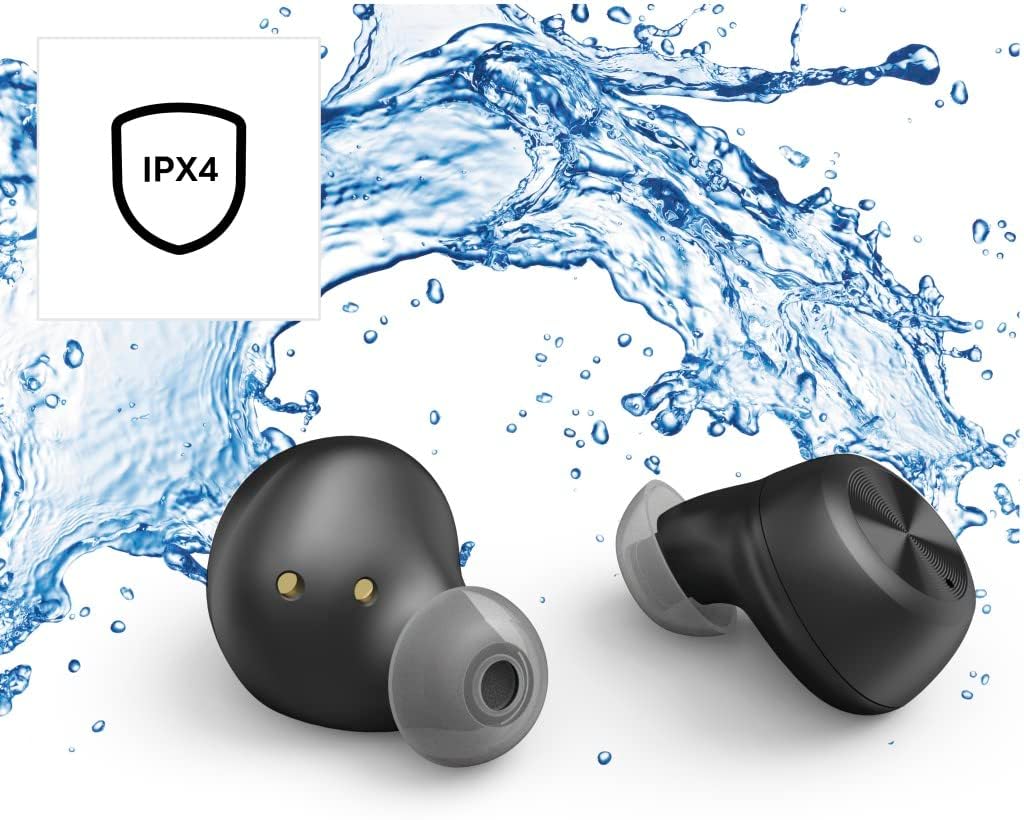
૫.૪ પાણી પ્રતિકાર (IPX4)
The Thomson WEAR7701 earbuds are rated IPX4, meaning they are protected against splashing water from any direction. This makes them suitable for use during workouts or in light rain.
- ઇયરબડ્સને પાણીમાં ડુબાડશો નહીં.
- Do not expose them to pressurized water or high-velocity water, such as showering or swimming.
- ચાર્જિંગ કોન્ટેક્ટ્સને નુકસાન ન થાય તે માટે ચાર્જિંગ કેસમાં પાછા મૂકતા પહેલા ખાતરી કરો કે ઇયરબડ્સ સુકાઈ ગયા છે.
5.3 સંગ્રહ
જ્યારે ઉપયોગમાં ન હોય, ત્યારે ઇયરબડ્સને સુરક્ષિત રાખવા અને ચાર્જ રાખવા માટે તેમના ચાર્જિંગ કેસમાં રાખો.
6. મુશ્કેલીનિવારણ
6.1 Earbuds Not Pairing or Only One Earbud Connects
- ખાતરી કરો કે બંને ઇયરબડ સંપૂર્ણપણે ચાર્જ થયા છે.
- Place both earbuds back into the charging case, close the lid, wait a few seconds, then remove both simultaneously.
- Delete the earbuds from your device's Bluetooth list ("Forget Device") and attempt to pair again from scratch.
- Ensure the earbuds are within Bluetooth range of your device (up to 10 meters).
૫.૨ અવાજ નહીં અથવા ઓછો અવાજ
- તમારા કનેક્ટેડ ડિવાઇસ અને ઇયરબડ બંને પર વૉલ્યૂમ લેવલ ચેક કરો.
- ખાતરી કરો કે ઇયરબડ્સ તમારા કાનમાં યોગ્ય રીતે બેસાડેલા છે અને કાનની ટીપ્સ સારી રીતે સીલ કરે છે.
- તમારા ઉપકરણ સાથે ઇયરબડ ફરીથી કનેક્ટ કરો.
- ઇયરબડ સ્પીકર્સમાંથી કોઈપણ કચરો સાફ કરો.
6.3 ચાર્જિંગ સમસ્યાઓ
- ખાતરી કરો કે ચાર્જિંગ કેબલ કેસ અને પાવર સ્ત્રોત બંને સાથે સુરક્ષિત રીતે જોડાયેલ છે.
- ખાતરી કરો કે પાવર સ્ત્રોત કાર્યરત છે.
- Clean the charging contacts on both the earbuds and inside the charging case.
- Try a different Micro USB charging cable.
7. સ્પષ્ટીકરણો
| મોડેલનું નામ | WEAR7701 |
| મોડલ નંબર | 132568 |
| રંગ | કાળો |
| કનેક્ટિવિટી | બ્લૂટૂથ 5.0 |
| બ્લૂટૂથ વર્ગ | વર્ગ 2 |
| ફ્રીક્વન્સી બેન્ડ | 2402-2480 MHz |
| Earbud Frequency Range | 20 હર્ટ્ઝ - 20 કિલોહર્ટ્ઝ |
| માઇક્રોફોન આવર્તન શ્રેણી | 100 હર્ટ્ઝ - 5 કિલોહર્ટ્ઝ |
| Earbud Impedance | 32 Ω |
| માઇક્રોફોન અવરોધ | 2.2 kΩ |
| ટ્રાન્સમિશન અંતર | 10 મી |
| Earbud Sensitivity | 92 ડીબી +/- 3 ડીબી |
| માઇક્રોફોન સંવેદનશીલતા | -42 ડીબી ± 3 ડીબી |
| Max. Talk Time | 4 કલાક |
| Max. Music Playback Time | 4 કલાક |
| મહત્તમ. સ્ટેન્ડબાય સમય | 150 કલાક |
| ચાર્જિંગ કેસ રિચાર્જ | 3 વખત સુધી |
| Average Charging Time (Case) | 3 કલાક |
| ચાર્જિંગનો પ્રકાર | માઇક્રો યુએસબી |
| માઇક્રોફોન પોઝિશન | સંકલિત |
| માઇક્રોફોન પ્રકાર | સર્વદિશામય |
| અવાજ નિયંત્રણ | Apple Siri / Google Assistant |
| સપોર્ટેડ બ્લૂટૂથ પ્રોfiles | A2DP V1.3/AVRCP V1.6/HFP V1.7/SPP V1.2 |
| ખાસ લક્ષણો | Finger-Touch Sensor, QuickPair, Call Answer Button, True Wireless |
| પાણી પ્રતિકાર રેટિંગ | IPX4 (સ્પ્લેશ-પ્રૂફ) |
| વજન (પ્રતિ ઇયરબડ) | 4 ગ્રામ |
| કુલ વજન | 41 g (earbuds + case) |
| ભલામણ કરેલ ઉપયોગ | રમતગમત |
8. વોરંટી અને સપોર્ટ
Thomson products are manufactured with attention to quality and performance. For information regarding warranty coverage, please refer to the warranty card included with your product or visit the official Thomson webસાઇટ
For technical support, troubleshooting assistance, or to inquire about replacement parts, please contact Thomson customer service through their official channels. Contact details can typically be found on the product packaging or the manufacturer's webસાઇટ
કૃપા કરીને વોરંટી દાવા માટે તમારી ખરીદીનો પુરાવો જાળવી રાખો.


