પરિચય
The devolo Magic 2 WiFi next Whole Home Powerline Kit extends your home network using your existing electrical wiring. This kit provides stable and high-speed internet access throughout your home, ideal for streaming, gaming, and home office use. It leverages G.hn powerline technology and Mesh Wi-Fi for optimal performance.
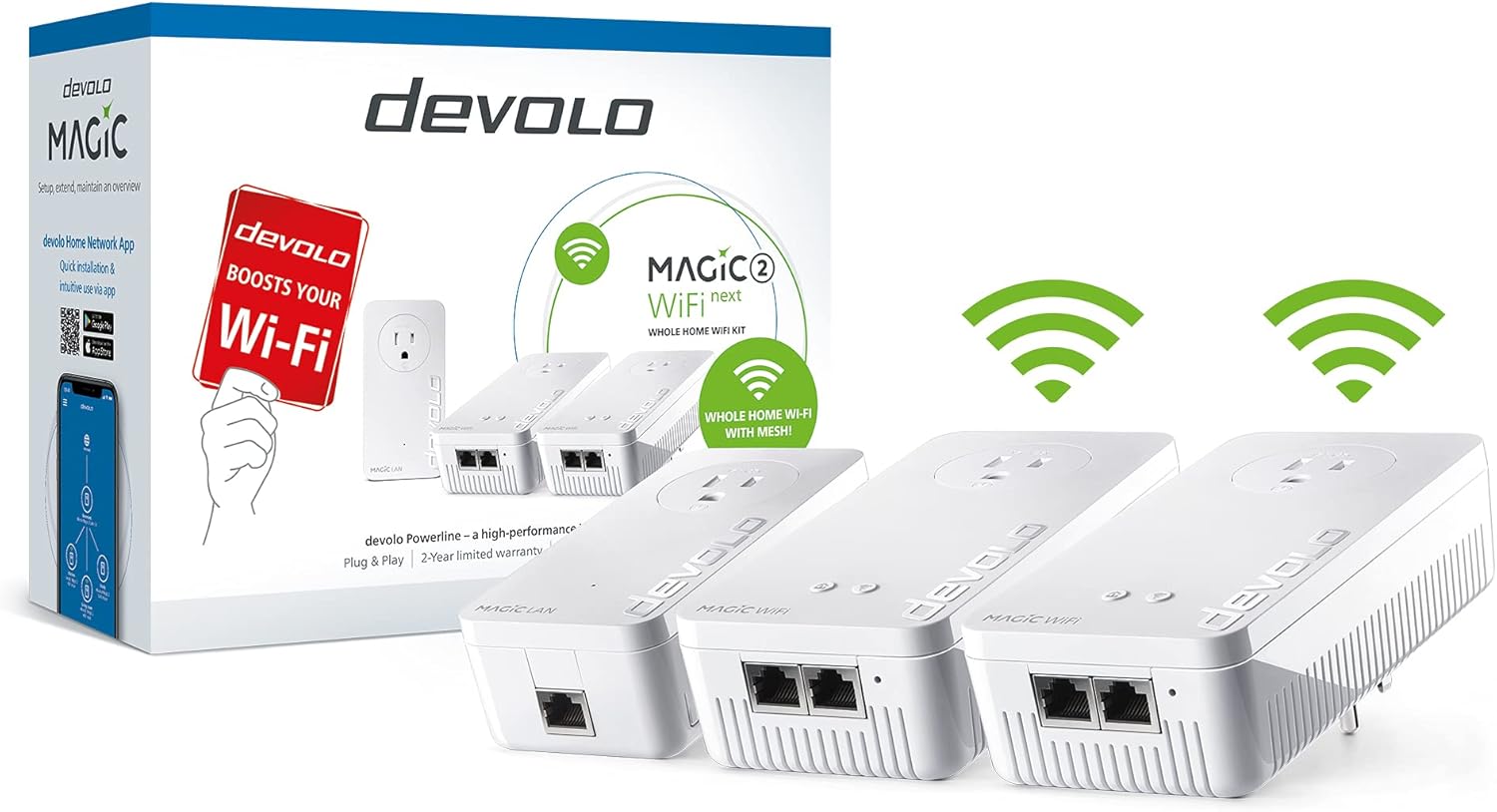
Image: devolo Magic 2 WiFi next Whole Home Powerline Kit, showing the packaging and the three adapters.
પેકેજ સામગ્રી
Your devolo Magic 2 WiFi next kit includes the following components:
- 2 x devolo Magic 2 WiFi next Adapters
- 1 x devolo Magic 2 LAN Adapter
- 1 x ઇથરનેટ કેબલ
- 1 x ઇન્સ્ટોલેશન માર્ગદર્શિકા

Image: The package contents, including two Magic WiFi adapters, one Magic LAN adapter, and an Ethernet cable.
સેટઅપ સૂચનાઓ
Follow these steps to set up your devolo Magic 2 WiFi next system:
- Connect the LAN Adapter: Plug the devolo Magic 2 LAN adapter into a wall outlet near your internet router. Use the provided Ethernet cable to connect the LAN adapter to an available LAN port on your router.
- Plug in WiFi Adapters: Plug the devolo Magic 2 WiFi next adapters into wall outlets in rooms where you need improved Wi-Fi coverage or wired network access. Ensure they are plugged directly into wall outlets, not power strips, for optimal performance.
- આપોઆપ જોડણી: The adapters should automatically pair. The powerline LED on the adapters will stop flashing and turn solid white once a stable connection is established.
- ઉપકરણોને કનેક્ટ કરો: Once the adapters are paired, you can connect devices via Wi-Fi or by plugging them into the Ethernet ports on the Magic 2 WiFi next adapters.

Image: Close-up of the devolo Magic LAN adapter and two Magic WiFi adapters, illustrating their design.

Image: A diagram showing how devolo powerline adapters extend network coverage throughout a multi-story house using existing electrical wiring.
Visual Setup Guide
Video: An official devolo video demonstrating the setup and benefits of the powerline adapter system, showing how it uses existing electrical wiring to extend internet access throughout a home for various devices.
Operating Your devolo Magic 2 WiFi next
The devolo Magic 2 WiFi next system creates a robust and seamless network in your home. It utilizes G.hn powerline technology to transmit data over your electrical circuits, providing a reliable alternative to traditional Wi-Fi extenders, especially through walls and ceilings.
Mesh Wi-Fi Functionality
The integrated Mesh Wi-Fi ensures that your devices automatically connect to the strongest available Wi-Fi signal as you move around your home. This provides uninterrupted streaming, gaming, and browsing without manual switching between networks.

Image: Two individuals engaged in gaming, with a devolo Magic WiFi adapter visible on the wall, illustrating seamless connectivity for entertainment.
વાયર્ડ કનેક્ટિવિટી
Each devolo Magic 2 WiFi next adapter features multiple Gigabit LAN ports, allowing you to connect wired devices such as smart TVs, gaming consoles, PCs, or network-attached storage (NAS) for maximum speed and stability.

Image: A devolo Magic WiFi adapter plugged into a wall outlet, with a speaker system nearby, demonstrating wired connectivity for multimedia devices.
પ્રદર્શન સરખામણી
Unlike traditional Wi-Fi, which can be significantly weakened by walls and ceilings, devolo Powerline technology transmits the signal directly through your home's electrical wiring, ensuring consistent and strong reception.

Image: A visual comparison showing how a standard router's Wi-Fi signal degrades through obstacles, while devolo Powerline maintains 100% signal strength across different rooms.
જાળવણી
To ensure optimal performance and longevity of your devolo Magic 2 WiFi next adapters, consider the following maintenance tips:
- સફાઈ: Regularly wipe the adapters with a soft, dry cloth to remove dust. Do not use liquid cleaners or abrasive materials.
- પ્લેસમેન્ટ: For best results, plug the devolo adapters directly into a wall outlet. Avoid plugging them into power strips, especially those with surge protection, as this can impair network performance.
- વેન્ટિલેશન: ખાતરી કરો કે એડેપ્ટરો પર્યાપ્ત વેન્ટિલેશન ધરાવે છે અને ઢંકાયેલા નથી, કારણ કે આનાથી વધુ ગરમ થઈ શકે છે.
મુશ્કેલીનિવારણ
If you encounter issues with your devolo Magic 2 WiFi next system, consider the following common solutions:
- Poor Performance with Power Strips: If you are experiencing lower than expected data throughput, ensure that the devolo adapters are plugged directly into wall outlets and not into power strips with surge protection. Most power strips can interfere with the powerline signal.
- Multiple Electrical Circuits: devolo products are designed to work across multiple electrical circuits (phases) within a house. You do not need to modify your mains supply, such as installing a phase coupler. If issues persist across circuits, ensure all adapters are properly paired.
- Adding New Adapters: If you add supplementary Magic adapters, they are not installed automatically. You must add the new device by selecting an adapter from your existing network and pressing its encryption button, then pressing the encryption button on the new adapter within three minutes.
- કોઈ કનેક્શન નથી: Check that all adapters are securely plugged into working power outlets and that the Ethernet cables are properly connected to your router and devices. Restarting the adapters and router can often resolve temporary connection issues.
- એપ્લિકેશન મેનેજમેન્ટ: For advanced settings and diagnostics, use the devolo Home Network App (available for iOS/Android) or access the web બ્રાઉઝર ઈન્ટરફેસ.
વિશિષ્ટતાઓ
| લક્ષણ | વિગત |
|---|---|
| મોડલ નંબર | 8787 |
| વાયરલેસ પ્રકાર | ૮૦૨.૧૧એન, ૮૦૨.૧૧એસી |
| Data Transfer Rate (Powerline) | 2000 Mbps સુધી |
| ડેટા લિંક પ્રોટોકોલ | Multi-User MIMO, Ethernet, WiFi ac, G.hn, Gigabit Ethernet |
| LAN પોર્ટ્સ | 5x Gigabit LAN Ports (2+2+1 configuration) |
| પરિમાણો (LxWxH) | 5.98 x 2.99 x 1.57 ઇંચ |
| વસ્તુનું વજન | 2.75 પાઉન્ડ |
| રંગ | સફેદ |
| સુસંગત ઉપકરણો | Desktop, and other network-enabled devices |
વોરંટી અને આધાર
The devolo Magic 2 WiFi next kit comes with a 3-year manufacturer's warranty, ensuring peace of mind regarding product quality and performance.
For comprehensive support, detailed instructions, and further assistance, please refer to the official User Manual (PDF) available online:
યુઝર મેન્યુઅલ (PDF) ડાઉનલોડ કરો
You can also find additional resources and FAQs on the official devolo website or through the devolo Home Network App.


