પરિચય
This manual provides comprehensive instructions for the Inrico T522A 4G/LTE Network Radio. Designed for reliable communication, this device integrates 4G/LTE connectivity with Zello and ZelloWork platforms, offering long-range, clear audio transmission. Please read this manual thoroughly before operating the device to ensure proper usage and optimal performance.
ઉત્પાદન ઓવરview
The Inrico T522A is a robust network radio built for demanding environments. It features a durable design, including waterproof and dustproof capabilities (IP66 rating), and supports various network functionalities for seamless communication.
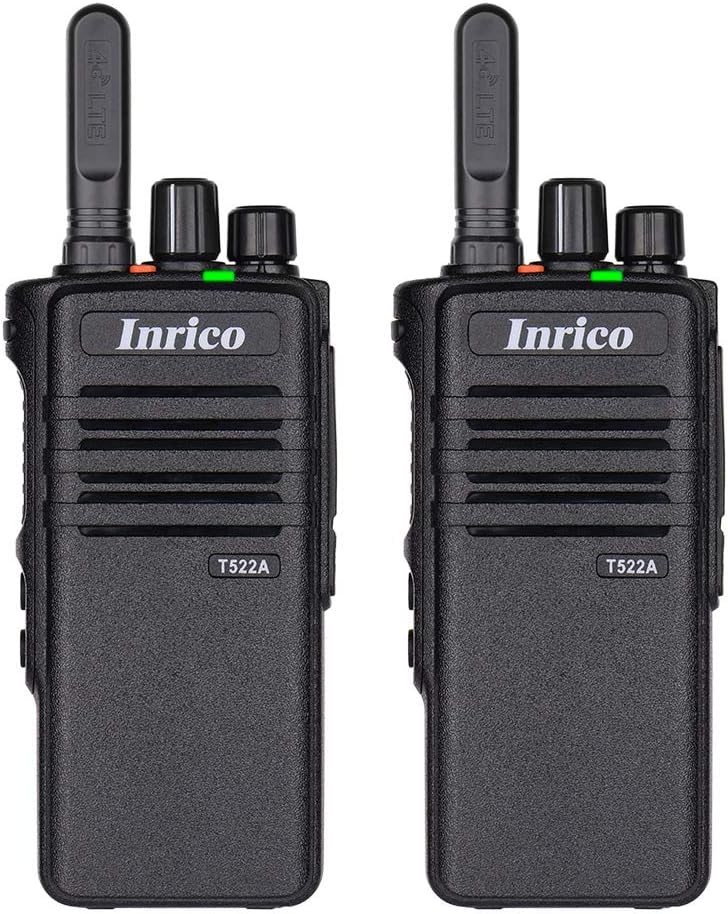
આકૃતિ 1: ફ્રન્ટ view of two Inrico T522A network radios, showing the Inrico branding and T522A model number.

Figure 2: Various angles of the Inrico T522A radio, including front, side, and back views, highlighting its compact design and belt clip.
મુખ્ય ઘટકો:
- એન્ટેના: For 4G/LTE signal reception.
- પાવર/વોલ્યુમ નોબ: To turn the device on/off and adjust volume.
- Channel/Function Knob: For selecting channels or functions.
- PTT (પુશ-ટુ-ટોક) બટન: For initiating voice transmissions.
- સ્પીકર/માઈક્રોફોન: Integrated for audio input and output.
- બેટરી કમ્પાર્ટમેન્ટ: Houses the removable battery.
- બેલ્ટ ક્લિપ: અનુકૂળ વહન માટે.
- ચાર્જિંગ સંપર્કો: Located at the bottom for cradle charging.
સેટઅપ
1. બેટરી ઇન્સ્ટોલેશન:
- ખાતરી કરો કે રેડિયો બંધ છે.
- રેડિયોની પાછળના ભાગમાં બેટરીનો ડબ્બો શોધો.
- Align the battery with the contacts and gently push it into place until it clicks.
- Secure the battery cover if applicable.
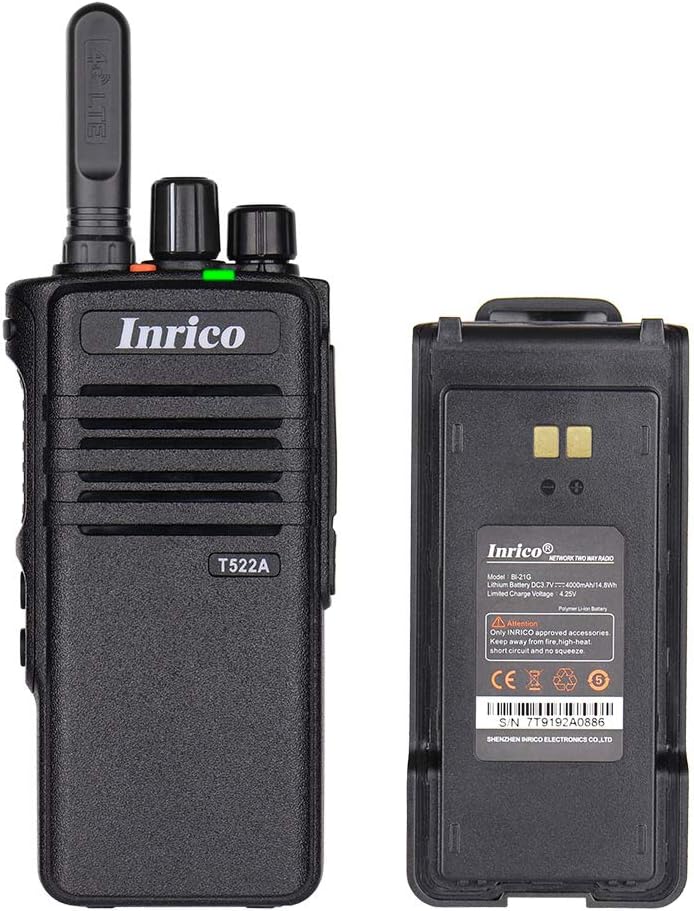
Figure 3: The Inrico T522A radio shown alongside its removable battery pack, illustrating the battery's connection points.
2. બેટરી ચાર્જ કરવી:
પ્રથમ ઉપયોગ કરતા પહેલા, બેટરીને સંપૂર્ણપણે ચાર્જ કરો.
- Place the radio into the charging cradle, ensuring the charging contacts align.
- Connect the charging cradle to a power source using the provided adapter.
- The charging indicator light will illuminate (typically red) during charging and change color (typically green) when fully charged.

Figure 4: The Inrico T522A radio securely placed in its dedicated charging cradle, ready for power replenishment.
3. નેટવર્ક કનેક્ટિવિટી:
The T522A supports 4G/LTE and WLAN connectivity. Ensure a valid SIM card is inserted for 4G/LTE operation, or configure Wi-Fi settings for WLAN use.

Figure 5: The Inrico T522A radio depicted with "4G LTE" and Android logos, indicating its cellular and operating system capabilities.

Figure 6: The Inrico T522A radio shown with a WLAN (Wi-Fi) symbol, indicating its wireless local area network connectivity.
ઓપરેટિંગ સૂચનાઓ
પાવર ચાલુ/બંધ:
- To power on, rotate the Power/Volume knob clockwise until you hear a click.
- પાવર બંધ કરવા માટે, પાવર/વોલ્યુમ નોબને ઘડિયાળની વિરુદ્ધ દિશામાં ફેરવો જ્યાં સુધી તમને ક્લિક ન સંભળાય.
વોલ્યુમ એડજસ્ટ કરી રહ્યું છે:
- વોલ્યુમ વધારવા માટે પાવર/વોલ્યુમ નોબને ઘડિયાળની દિશામાં ફેરવો અને વોલ્યુમ ઘટાડવા માટે ઘડિયાળની વિરુદ્ધ દિશામાં ફેરવો.
Using Zello/ZelloWork:
The Inrico T522A is optimized for Zello and ZelloWork applications.
- Ensure the Zello or ZelloWork application is installed and configured on the device.
- Log in to your Zello/ZelloWork account.
- Select the desired channel or contact.
- Press and hold the PTT button to transmit your voice. Release the PTT button to listen.
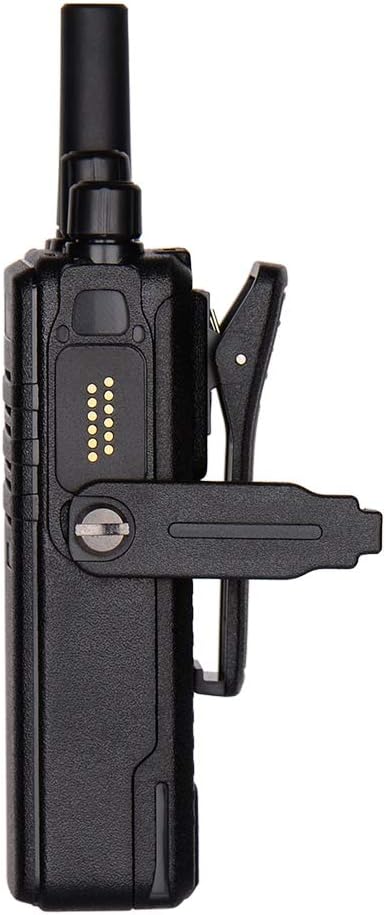
Figure 7: Two Inrico T522A radios displayed in front of a computer monitor showing a dispatch system interface, illustrating their integration with communication platforms.
જાળવણી
- સફાઈ: સોફ્ટનો ઉપયોગ કરો, ડીamp રેડિયોના બાહ્ય ભાગને સાફ કરવા માટે કાપડનો ઉપયોગ કરો. કઠોર રસાયણો અથવા ઘર્ષક ક્લીનર્સનો ઉપયોગ કરશો નહીં.
- બેટરી સંભાળ: બેટરીનું આયુષ્ય વધારવા માટે, વારંવાર બેટરીને સંપૂર્ણપણે ડિસ્ચાર્જ કરવાનું ટાળો. લાંબા સમય સુધી ઉપયોગમાં ન હોય ત્યારે રેડિયો અને બેટરીને ઠંડી, સૂકી જગ્યાએ સંગ્રહિત કરો.
- પર્યાવરણીય સંરક્ષણ: While the radio is waterproof and dustproof (IP66), avoid prolonged exposure to extreme temperatures or direct sunlight.
મુશ્કેલીનિવારણ
| સમસ્યા | સંભવિત કારણ | ઉકેલ |
|---|---|---|
| રેડિયો ચાલુ થતો નથી. | બેટરી ઓછી છે અથવા યોગ્ય રીતે ઇન્સ્ટોલ કરેલી નથી. | બેટરી ચાર્જ કરો અથવા તેને સુરક્ષિત રીતે ફરીથી ઇન્સ્ટોલ કરો. |
| સ્પીકરમાંથી કોઈ ઑડિયો નથી. | Volume is too low; speaker is blocked; network issue. | Increase volume; check for obstructions; verify network connection. |
| Cannot transmit/receive. | No network signal; Zello/ZelloWork not logged in; incorrect channel. | Check network signal strength; log into Zello/ZelloWork; select correct channel. |
| નબળી ઓડિયો ગુણવત્તા. | Weak network signal; interference. | Move to an area with better signal; avoid sources of interference. |
વિશિષ્ટતાઓ
| લક્ષણ | વિગત |
|---|---|
| બ્રાન્ડ | ઇરીકો |
| મોડલ | T522A |
| કનેક્ટિવિટી | 4G/LTE, WLAN |
| સુસંગત ઉપકરણો | Zello, ZelloWork, 4G/LTE devices on the same frequency band, internet-capable devices |
| પાણી પ્રતિકાર સ્તર | વોટરપ્રૂફ (IP66) |
| ખાસ લક્ષણો | Long Range, Waterproof, Dust Proof |
| સમાવાયેલ ઘટકો | 2 x Radio (as per product listing) |
| રંગ | કાળો |
વોરંટી અને આધાર
For warranty information and technical support, please refer to the official Inrico webસાઇટ પર જાઓ અથવા તમારા અધિકૃત ડીલરનો સંપર્ક કરો. ખરીદીના પુરાવા તરીકે તમારી ખરીદી રસીદ રાખો.
ઉત્પાદક: ઇરીકો


