1. પરિચય
The Fanvil PA3 is designed for internal installations, particularly for public broadcasting. It offers HD audio and rich interfaces, enabling real-time and fixed-time MP3 broadcasting, and one-touch intercom functionality when connected to external devices. The PA3 is suitable for integrated broadcasting solutions in various environments such as campuses, shopping malls, railway stations, and buildings.
2. સલામતી માહિતી
- ઉપકરણ ચલાવતા પહેલા બધી સૂચનાઓ કાળજીપૂર્વક વાંચો.
- ઉપકરણને પાણી અથવા ભેજ માટે ખુલ્લા કરશો નહીં.
- Use only the specified power supply adapter (12-24V/2Amp, not included).
- ઉપકરણ જાતે ખોલવાનો કે રિપેર કરવાનો પ્રયાસ કરશો નહીં. બધી સર્વિસિંગ લાયક કર્મચારીઓને સોંપો.
- ઉપકરણને ગરમીના સ્ત્રોતો અને સીધા સૂર્યપ્રકાશથી દૂર રાખો.
3. પેકેજ સામગ્રી
ખાતરી કરો કે બધી વસ્તુઓ તમારા પેકેજમાં હાજર છે:
- Fanvil PA3 SIP Paging Gateway Unit
- Audio in/out cables
- Programmable keys with indicator light (likely integrated or included as accessories)
4. ઉત્પાદન ઓવરview
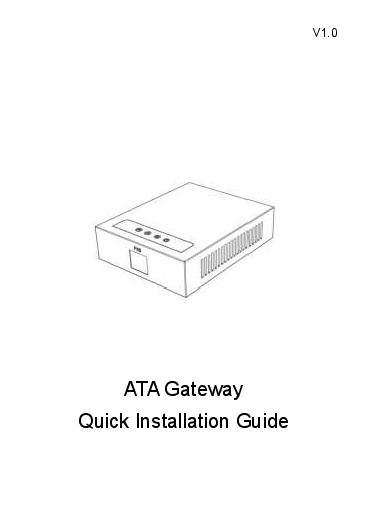
The Fanvil PA3 features a compact design with various interfaces for connectivity and control. Key features include SIP lines, speaker and microphone interfaces, USB/TF card support, audio input/output, and programmable keys.

Image: Fanvil PA3 SIP Paging Gateway, front view.
મુખ્ય લક્ષણો:
- 2 SIP લાઇન
- 1 Speaker Interface and 1 Microphone Interface
- Support for USB or TF card Connectivity (Max 32GB)
- 1 Audio in and 1 Audio out Interface
- 2 Interfaces of Programmable Keys with Indicator Light
5. સેટઅપ
5.1 ભૌતિક સ્થાપન
- The Fanvil PA3 supports multiple mounting types. Choose a suitable location for installation, considering network and power access.
- The device is constructed from metal and plastic, suitable for indoor use.
5.2 પાવર કનેક્શન
- Connect a compatible 12-24V/2Amp DC power supply adapter (not included) to the power input port on the PA3.
- Ensure the power source is stable and meets the device's requirements.
5.3 નેટવર્ક કનેક્શન
- Connect an Ethernet cable from your network switch or router to the LAN port on the PA3.
- The device will obtain an IP address via DHCP by default.
5.4 ઓડિયો કનેક્શન્સ
- Connect external speakers to the speaker interface.
- Connect a microphone to the microphone interface for two-way communication.
- Utilize the audio in/out interfaces for connecting other audio sources or destinations as required by your broadcasting setup.
6. ઓપરેટિંગ સૂચનાઓ
6.1 SIP Line Configuration
- The Fanvil PA3 supports 2 SIP lines. Access the device's web interface to configure SIP accounts, server addresses, and authentication details.
- Refer to your SIP server documentation for specific configuration parameters.
6.2 Public Broadcasting
- The PA3 can be used for real-time and fixed-time MP3 broadcasting. Configure broadcasting schedules and audio sources through the device's management interface.
- Ensure audio input sources are correctly connected and configured.
6.3 One-Touch Intercom
- Connect external devices or configure SIP extensions to enable one-touch intercom functionality.
- The programmable keys can be assigned for quick intercom calls.
6.4 પ્રોગ્રામેબલ કી
- The PA3 features 2 programmable keys with indicator lights. These keys can be customized via the web interface to perform various functions, such as initiating broadcasts, intercom calls, or controlling external devices.
6.5 USB/TF Card Usage
- Insert a USB drive or TF card (up to 32GB) into the designated slot for media storage or playback. This can be used for pre-recorded announcements or background music.
7. જાળવણી
7.1 સફાઈ
- ઉપકરણના બાહ્ય ભાગને નરમ, સૂકા કપડાથી સાફ કરો.
- Do not use liquid cleaners, aerosols, or solvents, as they may damage the device.
7.2 ફર્મવેર અપડેટ્સ
- Periodically check the official Fanvil website for the latest firmware updates for the PA3.
- Firmware updates can improve performance, add new features, and resolve potential issues. Follow the instructions provided by Fanvil for the update process.
8. મુશ્કેલીનિવારણ
૧૦.૧ ઉપકરણ ચાલુ નથી થઈ રહ્યું
- ખાતરી કરો કે પાવર એડેપ્ટર ઉપકરણ અને કાર્યરત પાવર આઉટલેટ બંને સાથે સુરક્ષિત રીતે જોડાયેલ છે.
- Verify that the power adapter meets the specified voltage and current requirements (12-24V/2Amp ડીસી).
૫.૨ કોઈ ઓડિયો આઉટપુટ નથી
- Check all speaker connections to ensure they are secure and correctly wired.
- Verify the volume settings on the PA3 and any connected audio equipment.
- Confirm that the audio source is active and properly configured.
૬.૧ નેટવર્ક કનેક્ટિવિટી સમસ્યાઓ
- Ensure the Ethernet cable is securely connected to the LAN port on the PA3 and your network device.
- Check your network settings (IP address, subnet mask, gateway) via the device's web ઇન્ટરફેસ
- Verify that the SIP accounts are registered successfully.
8.4 Intercom Not Working
- Check the connections to external intercom devices.
- Verify the configuration of intercom extensions or programmable keys.
૪.૪ સામાન્ય કામગીરીના મુદ્દાઓ
- Consider performing a firmware update as described in the Maintenance section.
- If issues persist, contact Fanvil support for further assistance.
9. સ્પષ્ટીકરણો
| લક્ષણ | વર્ણન |
|---|---|
| મોડેલનું નામ | PA3 |
| બ્રાન્ડ | ફેનવિલ |
| માઉન્ટિંગ પ્રકાર | Multiple mounting types |
| સામગ્રી | મેટલ, પ્લાસ્ટિક |
| ખાસ લક્ષણ | Programmable Keys with Indicator Light |
| ભલામણ કરેલ ઉપયોગો | For Public Broadcasting, Integrated Broadcasting Solutions, and One-touch Intercom |
| સુસંગત ઉપકરણો | ડેસ્કટોપ |
| સરાઉન્ડ સાઉન્ડ ચેનલ કન્ફિગરેશન | 2.0 (Audio output capability) |
| રંગ | કાળો |
| સમાવાયેલ ઘટકો | Audio in/out cables, Programmable keys with indicator light |
| પાણી પ્રતિકાર સ્તર | પાણી પ્રતિરોધક નથી |
| નિયંત્રણ પદ્ધતિ | સ્પર્શ |
| વાયરલેસ કોમ્યુનિકેશન ટેકનોલોજી | Bluetooth (for auxiliary functions) |
| પાવર સ્ત્રોત | 12-24V/2Amp Power Supply adapter (Not Included) |
| ઇનપુટ વોલ્યુમtage | 12 વોલ્ટ (DC) |
| કનેક્ટિવિટી ટેકનોલોજી | યુએસબી |
| ઓડિયો આઉટપુટ મોડ | સ્ટીરિયો |
| વસ્તુનું વજન | 11.7 ઔંસ |
| પેકેજ પરિમાણો | 8.39 x 5.04 x 2.8 ઇંચ |
| ઇન્ડોર/આઉટડોર વપરાશ | ઇન્ડોર |
| યુપીસી | 889837001608 |
10. વોરંટી માહિતી
For warranty details, please refer to the documentation provided with your purchase or contact Fanvil customer support directly. Keep your proof of purchase for warranty claims.
11. આધાર
For technical assistance, product inquiries, or further support, please visit the official Fanvil website or contact their customer service department. You can typically find contact information and FAQs on their webસાઇટ