1. પરિચય
This manual provides detailed instructions for the safe installation, operation, and maintenance of your TOPGREENER TU21536AC-BK-2PCS 15 Amp USB Wall Outlet. This device integrates two standard AC power outlets with one USB Type-A and one USB Type-C charging port, offering convenient power and charging solutions. Please read this manual thoroughly before installation and retain it for future reference.

Image: Two black TOPGREENER USB wall outlets, showing the integrated Type-A and Type-C USB ports alongside two standard AC power receptacles. Each outlet is equipped with tamper-resistant (TR) shutters.
2. સલામતી માહિતી
ચેતવણી: Improper installation or use can result in severe injury or death from electrical shock. Always follow these safety guidelines:
- Turn off power at the circuit breaker or fuse box before installing or servicing the outlet.
- Ensure the electrical box is properly grounded.
- Use only copper wire for connections. Do not use aluminum wire.
- જો તમે આ સૂચનાઓના કોઈપણ ભાગ વિશે અસ્પષ્ટ છો, તો લાયક ઇલેક્ટ્રિશિયનની સલાહ લો.
- આ ઉપકરણ માત્ર ઇન્ડોર ઉપયોગ માટે બનાવાયેલ છે.
- Do not exceed the maximum electrical ratings of the device.
- Tamper-resistant shutters comply with 2017 NEC Article 406.12, providing protection against insertion of foreign objects.
3. પેકેજ સામગ્રી
- 2 x TOPGREENER TU21536AC-BK-2PCS 15 Amp USB Wall Outlet (Black)
- 2 x Matching Wall Plate (Black)
- ઇન્સ્ટોલેશન સ્ક્રૂ
4. ઉત્પાદન સુવિધાઓ
- ડ્યુઅલ યુએસબી ચાર્જિંગ પોર્ટ્સ: Includes one USB Type-A port and one USB Type-C port.
- ઉચ્ચ આઉટપુટ: Each USB port provides up to 2.4A, with a total maximum output of 3.6A shared across both USB ports.
- Standard AC Receptacles: બે 15 Amp, 125VAC tamper-resistant (TR) outlets.
- IntelliChip Technology: Automatically detects the power requirements of connected devices to deliver optimal charging speeds without overcharging or overheating.
- Tamper-પ્રતિરોધક શટર: Enhanced safety feature to prevent accidental insertion of foreign objects into the AC outlets.
- સરળ સ્થાપન: Supports both back and side wiring methods.
- UL સૂચિબદ્ધ: Ensures compliance with safety standards.

છબી: વિગતવાર view of the TOPGREENER outlet's USB Type-C and Type-A ports, highlighting their individual 2.4A output capacity and the combined maximum output of 3.6A.

Image: An illustration detailing the robust design and safety mechanisms of the outlet, such as protection against high voltage, static, short circuits, and intelligent current/temperature management.
5. સ્પષ્ટીકરણો
| મોડલ નંબર | TU21536AC-BK-2PCS |
| ઇલેક્ટ્રિકલ રેટિંગ | 15 Amp, 125VAC |
| USB Output (Type-A) | 5VDC, 2.4A (Max) |
| USB Output (Type-C) | 5VDC, 2.4A (Max) |
| કુલ યુએસબી આઉટપુટ | 3.6A (Shared) |
| સામગ્રી | પોલીકાર્બોનેટ (PC) |
| ઉત્પાદન પરિમાણો | ૩"લિ x ૨.૯૪"પાઉટ |
| રંગ | કાળો |
| પ્રમાણપત્રો | યુએલ લિસ્ટેડ |
૫. ઇન્સ્ટોલેશન (સેટઅપ)
તમે પ્રારંભ કરો તે પહેલાં: Ensure the power to the circuit is OFF at the circuit breaker or fuse box. Use a voltagપાવર હાજર નથી તેની ખાતરી કરવા માટે e ટેસ્ટર.
- પાવર બંધ કરો: Locate the circuit breaker controlling the outlet you wish to replace and switch it to the OFF position.
- જૂના આઉટલેટને દૂર કરો: Unscrew and carefully pull the existing outlet from the wall box. Disconnect the wires from the old outlet, noting which wire was connected to which terminal (hot, neutral, ground).
- વાયર તૈયાર કરો: If necessary, strip approximately 1/2 inch of insulation from the ends of the wires.
- વાયર કનેક્ટ કરો:
- લીલો અથવા એકદમ કોપર વાયર (જમીન): Connect to the green ground screw on the TOPGREENER outlet.
- સફેદ વાયર (તટસ્થ): Connect to the silver screw terminal.
- Black or Red Wire (Hot): Connect to the brass screw terminal.
This outlet supports both back-wiring (inserting wire into hole and tightening screw) and side-wiring (wrapping wire around screw and tightening). Note that USB outlets are typically deeper than standard outlets; ensure your electrical box has sufficient depth.
- Mount Outlet: Carefully push the wired outlet back into the wall box. Secure it with the provided mounting screws.
- વોલ પ્લેટ ઇન્સ્ટોલ કરો: Attach the included wall plate over the outlet.
- પાવર પુન Restસ્થાપિત કરો: સર્કિટ બ્રેકર પર પાવર પાછો ચાલુ કરો.

છબી: એક બાજુ પ્રોfile of the outlet illustrating its wiring terminals and a visual guide to compatible devices for both the standard AC outlets (laptops, iPads) and USB ports (phones, watches, speakers, cameras, game controllers, headphones).
7. ઓપરેશન
The TOPGREENER USB Wall Outlet is designed for straightforward use.
- એસી આઉટલેટનો ઉપયોગ: Insert any standard 2-prong or 3-prong electrical plug into the tamper-resistant receptacles. A firm push may be required due to the safety shutters.
- USB ચાર્જિંગ પોર્ટનો ઉપયોગ: Connect your USB-A or USB-C compatible device directly to the corresponding USB port using a charging cable. The IntelliChip technology will automatically detect your device and deliver optimal charging current up to 2.4A per port, with a total shared output of 3.6A.
- You can charge up to two USB devices and power two AC devices simultaneously, provided the total load does not exceed the outlet's rating.
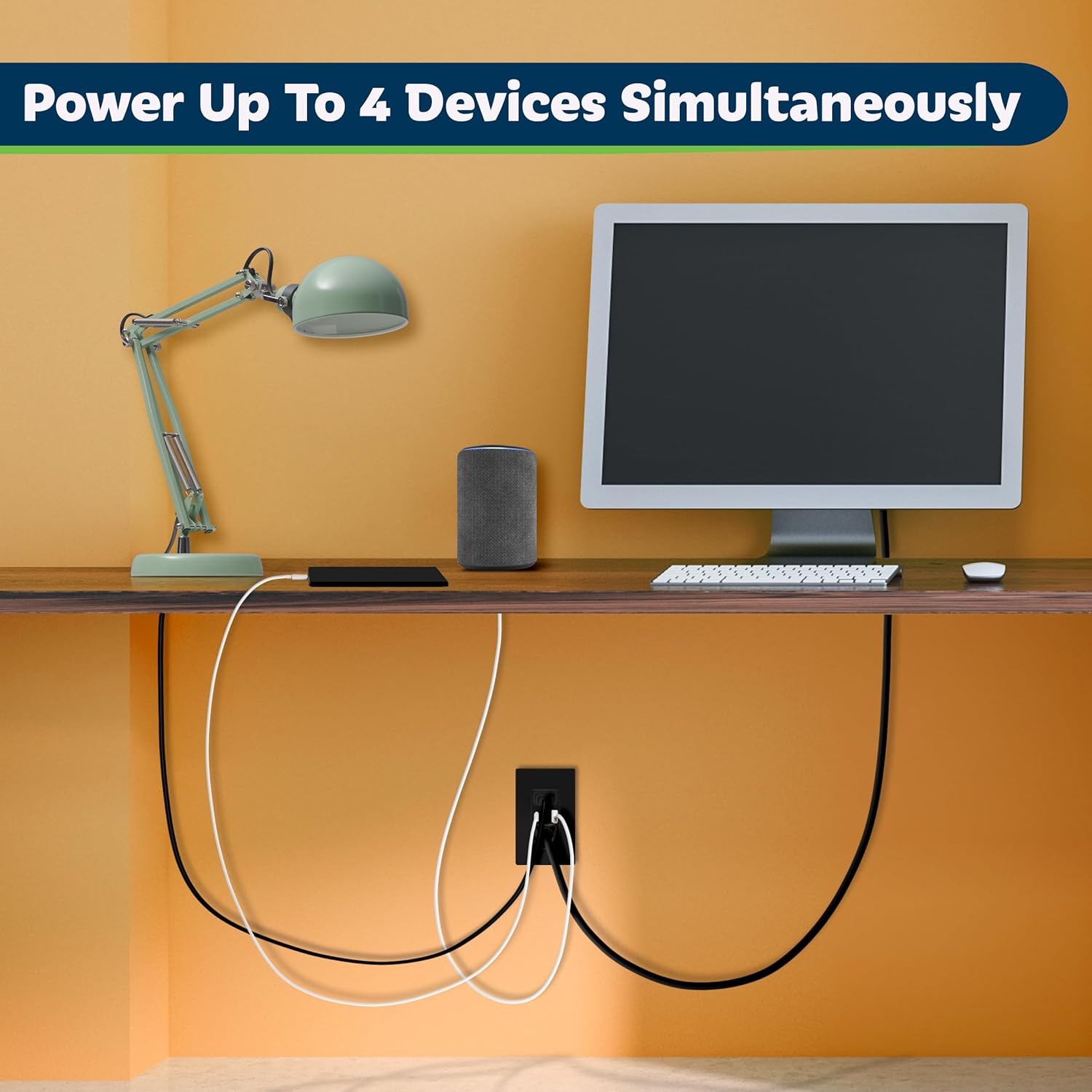
Image: The outlet in use, demonstrating its capability to power and charge up to four devices concurrently, including a speaker, phone, and laptop, highlighting its utility in a home office setting.
8. જાળવણી
The TOPGREENER USB Wall Outlet requires minimal maintenance.
- સફાઈ: Disconnect all devices and wipe the surface with a soft, dry cloth. Do not use liquid cleaners or sprays directly on the outlet.
- નિયમિત તપાસો: Periodically inspect the outlet for any signs of damage, loose connections, or discoloration. If any issues are observed, turn off power at the breaker and consult a qualified electrician.
9. મુશ્કેલીનિવારણ
| સમસ્યા | સંભવિત કારણ | ઉકેલ |
|---|---|---|
| AC આઉટલેટ્સ અથવા USB પોર્ટ્સમાંથી પાવર નથી. | Circuit breaker tripped; loose wiring connection; faulty outlet. | Check and reset the circuit breaker. Ensure all wire connections are secure. If problem persists, consult an electrician. |
| USB device not charging or charging slowly. | Faulty USB cable; device not compatible; total USB load exceeds 3.6A; device requires fast charging (not supported). | Try a different USB cable. Ensure device is compatible with 5VDC charging. Reduce the number of devices charging simultaneously. Note that this outlet does not support fast charging technologies. |
| Difficulty inserting plugs into AC receptacles. | Tamper-resistant (TR) shutters require firm, even pressure. | Apply firm, even pressure to both prongs of the plug simultaneously. The shutters are a safety feature and require deliberate insertion. |
10. વોરંટી અને સપોર્ટ
TOPGREENER products are designed for reliability and performance. While specific warranty details are not provided in this manual, please refer to the official TOPGREENER website or contact customer support for warranty information and assistance.
For technical support or inquiries, please visit the TOPGREENER Store on Amazon અથવા તેમના અધિકારી webસાઇટ


