1. પરિચય
Thank you for choosing the ETA Rotary Handheld Vacuum Cleaner. This manual provides essential information for the safe and efficient use, maintenance, and troubleshooting of your new appliance. Please read these instructions carefully before first use and keep them for future reference.
2. સલામતી સૂચનાઓ
To ensure safe operation, please observe the following safety guidelines:
- સફાઈ અથવા જાળવણી પહેલાં હંમેશા પાવર સપ્લાયમાંથી ઉપકરણને ડિસ્કનેક્ટ કરો.
- Do not immerse the appliance, charger, or battery in water or other liquids.
- આ ઉપકરણ ફક્ત ઘરગથ્થુ ઉપયોગ માટે છે. તેનો ઉપયોગ વ્યાપારી કે ઔદ્યોગિક હેતુઓ માટે કરશો નહીં.
- Do not vacuum liquids, hot ashes, sharp objects, or flammable/explosive materials.
- વાળ, ઢીલા કપડાં, આંગળીઓ અને શરીરના તમામ ભાગોને ખુલ્લા અને હલનચલનથી દૂર રાખો.
- Do not operate the vacuum cleaner without the dust container and filter properly installed.
- બાળકોની પહોંચની બહાર, સૂકી જગ્યાએ ઉપકરણને સંગ્રહિત કરો.
- Use only the original charger and accessories supplied with the appliance.
3. પેકેજ સામગ્રી
ખાતરી કરો કે બધા ઘટકો પેકેજમાં હાજર છે:
- ETA Rotary Handheld Vacuum Cleaner
- Electric Rotary Brush Attachment
- ક્રેવિસ નોઝલ
- Furniture Brush (fine bristles)
- Wall-mounted Charging Station
- Power Adapter for Charging Station
- વપરાશકર્તા માર્ગદર્શિકા

Image 1: Main unit of the ETA Rotary Handheld Vacuum Cleaner with the electric rotary brush attachment.
4. સેટઅપ
4.1 પ્રારંભિક ચાર્જિંગ
- બધા ઘટકો ખોલો અને કોઈપણ પેકેજિંગ સામગ્રી દૂર કરો.
- Mount the charging station to a wall in a convenient location, or place it on a stable, flat surface.
- Connect the power adapter to the charging station and plug it into a suitable power outlet.
- Place the handheld vacuum cleaner onto the charging station. Ensure it is correctly seated and the charging indicator light illuminates.
- Allow the vacuum cleaner to charge completely before first use. A full charge takes approximately 5 hours. The 14.4V Li-Ion battery provides up to 25 minutes of runtime.

Image 2: The ETA Rotary Handheld Vacuum Cleaner positioned on its charging station, ready for charging.
4.2 એસેસરીઝ જોડવી
The electric rotary brush, crevice nozzle, and furniture brush can be easily attached to the main unit's suction opening. Simply push the desired attachment firmly into place until it clicks securely.

છબી 3: ક્લોઝ-અપ view of the electric rotary brush attachment, designed for efficient cleaning.
5. ઓપરેટિંગ સૂચનાઓ
5.1 પાવરિંગ ચાલુ/બંધ
Press the power button located on the handle to turn the vacuum cleaner on. Press it again to turn it off. The power button can be locked in the 'on' position for continuous operation, eliminating the need to hold it down during use.
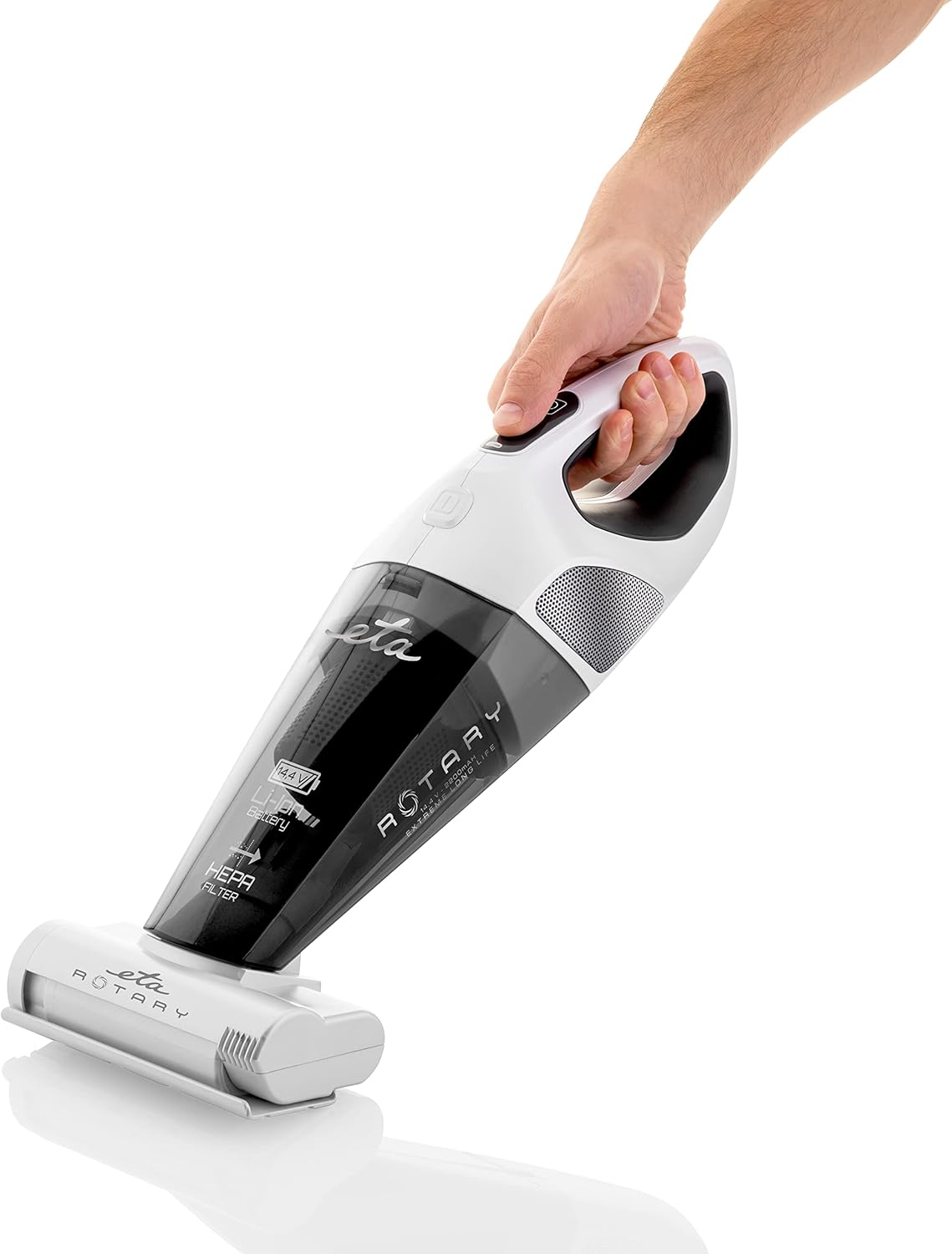
Image 4: A hand demonstrating the ergonomic grip and power button location on the handheld vacuum cleaner.
૫.૨ જોડાણોનો ઉપયોગ
- Electric Rotary Brush: Ideal for deep cleaning carpets, rugs, and upholstery, effectively removing dirt and pet hair.
- ક્રેવીસ નોઝલ: ચુસ્ત જગ્યાઓ, ખૂણાઓ અને કિનારીઓ સુધી પહોંચવા માટે યોગ્ય.
- ફર્નિચર બ્રશ: Use for delicate surfaces, curtains, and furniture to gently remove dust and cobwebs.

Image 5: The handheld vacuum cleaner being used to clean upholstery, demonstrating its versatility.

Image 6: The lightweight design allows for easy cleaning of various surfaces, including vertical ones like mirrors.
6. જાળવણી
નિયમિત જાળવણી શ્રેષ્ઠ કામગીરી સુનિશ્ચિત કરે છે અને તમારા વેક્યૂમ ક્લીનરની આયુષ્ય લંબાવે છે.
૬.૧ ડસ્ટ કન્ટેનર ખાલી કરવું
- Ensure the vacuum cleaner is turned off and disconnected from the charging station.
- Locate the dust container release button (refer to product diagrams if available).
- Press the release button and carefully detach the dust container from the main unit.
- Empty the contents of the dust container into a waste bin.
- Reattach the dust container securely to the main unit.
6.2 HEPA ફિલ્ટરની સફાઈ
The HEPA filter should be cleaned regularly, depending on usage, to maintain suction power.
- ઉપર વર્ણવ્યા પ્રમાણે ધૂળના કન્ટેનરને દૂર કરો.
- Carefully remove the HEPA filter from the dust container.
- Tap the filter gently over a waste bin to dislodge accumulated dust.
- If necessary, rinse the filter under cool running water. Ensure the filter is completely dry before reinserting it into the vacuum cleaner. Do not use detergents or hot water.
- Reinsert the dry HEPA filter into the dust container and reattach the container to the main unit.

Image 7: Regular cleaning of the dust container and filter is essential for maintaining effective suction, as demonstrated by the debris on the rug.
6.3 Cleaning the Electric Rotary Brush
Periodically check the rotary brush for tangled hair or fibers. Use scissors to carefully cut and remove any obstructions.
7. મુશ્કેલીનિવારણ
If you encounter any issues with your ETA Rotary Handheld Vacuum Cleaner, refer to the table below for common problems and solutions.
| સમસ્યા | સંભવિત કારણ | ઉકેલ |
|---|---|---|
| વેક્યુમ ક્લીનર ચાલુ થતું નથી. | બેટરી ડિસ્ચાર્જ થાય છે. | બેટરીને સંપૂર્ણપણે ચાર્જ કરો (આશરે 5 કલાક). |
| ઘટાડો સક્શન પાવર. | Dust container is full. Filter is clogged. Obstruction in nozzle/hose. | Empty the dust container. Clean or replace the HEPA filter. Check and clear any blockages. |
| Electric rotary brush stops rotating. | Hair or debris tangled in the brush. | Turn off the vacuum, remove the brush, and carefully remove any tangled material. |
| Charging indicator not lighting up. | Power adapter not connected. Vacuum not properly seated. | Ensure power adapter is securely plugged in. Re-seat the vacuum cleaner firmly on the charging station. |
8. સ્પષ્ટીકરણો
| લક્ષણ | સ્પષ્ટીકરણ |
|---|---|
| બ્રાન્ડ | ETA |
| મોડલ નંબર | ETA142590000 |
| રંગ | સફેદ |
| ઉત્પાદનના પરિમાણો (L x W x H) | 15 x 17 x 43 સેમી |
| ભાગtage | 14.4 વોલ્ટ |
| બેટરીનો પ્રકાર | લિ-આયન |
| રનટાઇમ | 25 મિનિટ સુધી |
| ચાર્જિંગ સમય | લગભગ 5 કલાક |
| ફિલ્ટર પ્રકાર | HEPA Cartridge |
| પાવર સ્ત્રોત | બેટરી સંચાલિત |
| ફોર્મ ફેક્ટર | હેન્ડહેલ્ડ |
| ભલામણ કરેલ ઉપયોગો | Upholstery cleaning, general spot cleaning |
9. વોરંટી અને સપોર્ટ
For warranty information, please refer to the warranty card included with your purchase or visit the official ETA website. If you require technical support or have questions not covered in this manual, please contact ETA customer service through their official channels.


