1. પરિચય
The Logitech MX Keys Mini is a minimalist wireless illuminated keyboard designed for a fluid, precise typing experience across multiple devices and operating systems. Its compact form factor enhances ergonomic comfort and portability, making it ideal for various work environments. This manual provides essential information for setting up, operating, maintaining, and troubleshooting your MX Keys Mini keyboard.

Image: The Logitech MX Keys Mini Wireless Illuminated Keyboard in Rose color, showcasinતેની કોમ્પેક્ટ ડિઝાઇન અને કી લેઆઉટ.
2. બોક્સમાં શું છે
Upon unboxing your Logitech MX Keys Mini, you should find the following items:
- Logitech MX કીઝ મીની કીબોર્ડ
- USB-C ચાર્જિંગ કેબલ
- મહત્વપૂર્ણ માહિતી દસ્તાવેજ

Image: The Logitech MX Keys Mini keyboard and its USB-C charging cable neatly packaged within the product box.
3. સેટઅપ
- પ્રારંભિક ચાર્જિંગ: Connect the keyboard to a power source using the provided USB-C charging cable. The charging port is located on the top edge of the keyboard. A full charge can last up to 10 days with backlighting on, or up to 5 months with backlighting off.
- પાવર ચાલુ/બંધ: Locate the power switch on the top right edge of the keyboard and slide it to the 'On' position.
- કનેક્ટિવિટી:
- બ્લૂટૂથ: Turn on Bluetooth on your computer or device. On the MX Keys Mini, press and hold one of the Easy-Switch keys (1, 2, or 3) until the LED light on the key starts blinking rapidly. Select 'MX Keys Mini' from your device's Bluetooth list to pair.
- લોગી બોલ્ટ યુએસબી રીસીવર: If your device supports it, you can use a Logi Bolt USB Receiver (not included) for a stable wireless connection. Insert the receiver into a USB port on your computer. The keyboard will automatically connect.
- Install Logi Options+ App: For full customization and advanced features, download and install the Logi Options+ app from the Logitech website. This app allows you to customize keys, adjust backlighting, and manage Smart Actions.
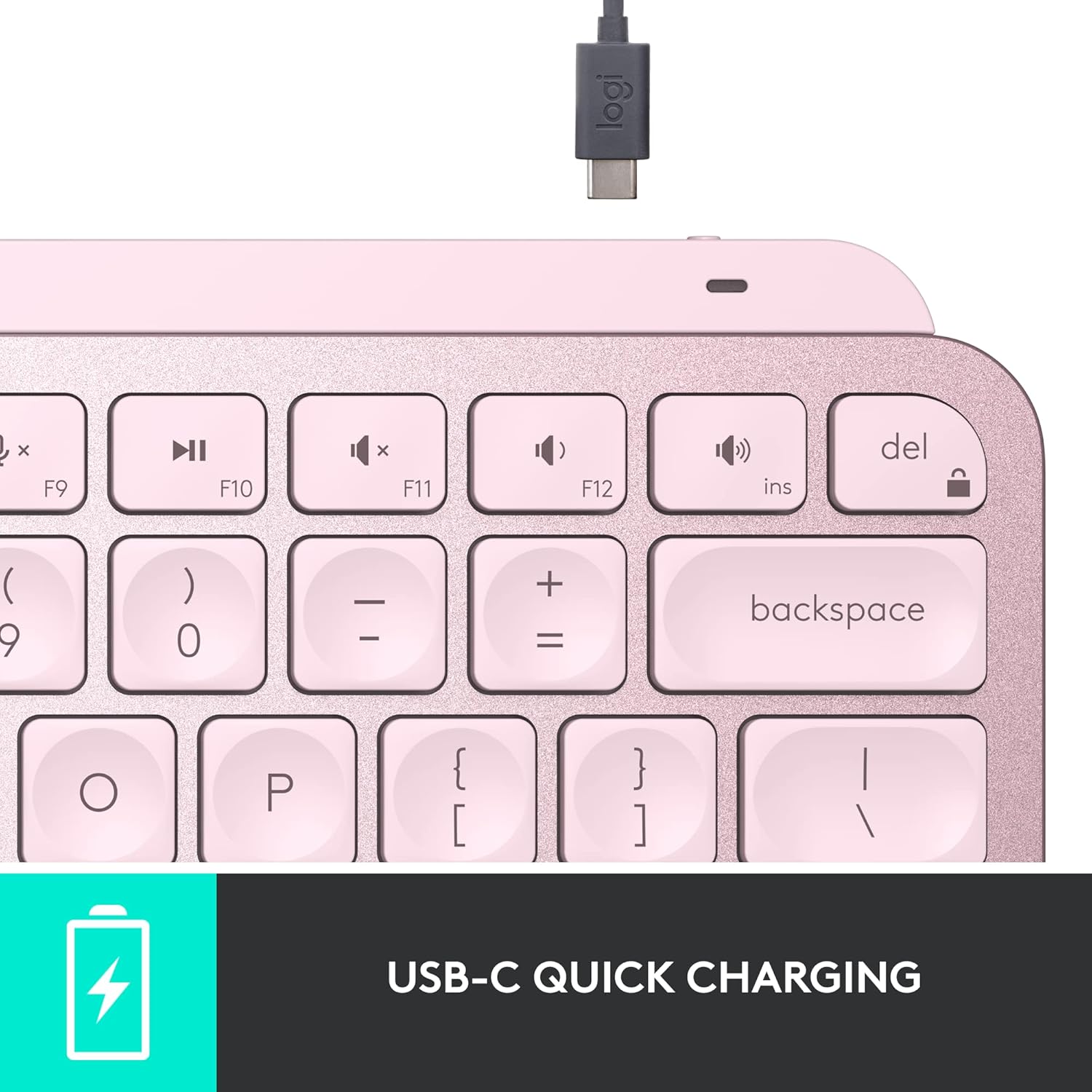
છબી: વિગતવાર view of the USB-C charging port on the keyboard's top edge.
Ope. Opeપરેટિંગ
૧. ટાઇપિંગનો અનુભવ
The MX Keys Mini features Perfect Stroke keys with a minimalist form factor, designed for effortless precision. The keys are shaped for your fingertips, providing a fluid and responsive typing experience. Its compact size contributes to an ergonomic setup, reducing strain during extended use.

છબી: ક્લોઝ-અપ view highlighting the concave design of the Perfect Stroke keys.

Image: A user actively typing on the MX Keys Mini, illustrating its comfortable and compact nature.
4.2. સ્માર્ટ ઇલ્યુમિનેશન
The keyboard's backlit keys automatically light up when your hands approach and adjust their brightness to suit changing lighting conditions. This smart illumination feature conserves battery life while ensuring visibility in various environments.

Image: The keyboard's keys are illuminated, demonstrating the smart backlighting feature in a low-light setting.
4.3. Smart Keys & Customization
The MX Keys Mini includes dedicated Smart Keys for functions like voice-to-text dictation, mic mute/unmute, and emoji access. Through the Logi Options+ app, you can customize these keys and create Smart Actions to automate repetitive tasks with a single keystroke, streamlining your workflow.
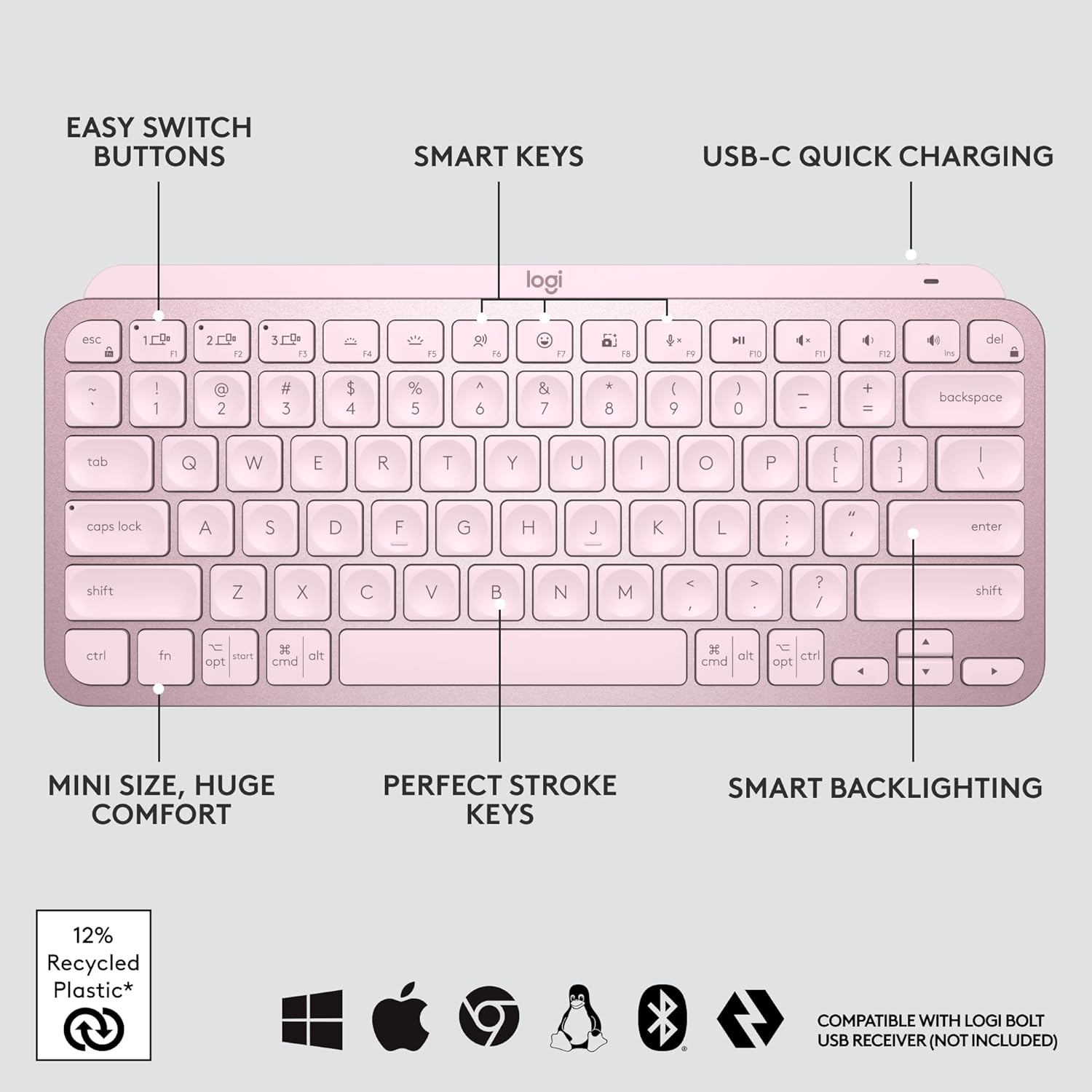
છબી: એક ઓવરview of the keyboard's main features, including customizable Smart Keys and Easy Switch buttons.
4.4. Multi-Device, Multi-OS
Pair your MX Keys Mini with up to three devices using Bluetooth Low Energy and switch between them seamlessly with the Easy-Switch buttons. The keyboard is compatible with a wide range of operating systems, including Apple macOS, iOS, Windows, Linux, and Android. For enhanced productivity, you can use Logitech Flow to type across multiple computers or laptops in one fluid workflow when paired with compatible MX mice like the MX Master 3 or MX Anywhere 3.

Image: The keyboard connected to three different devices, highlighting its multi-device capability.
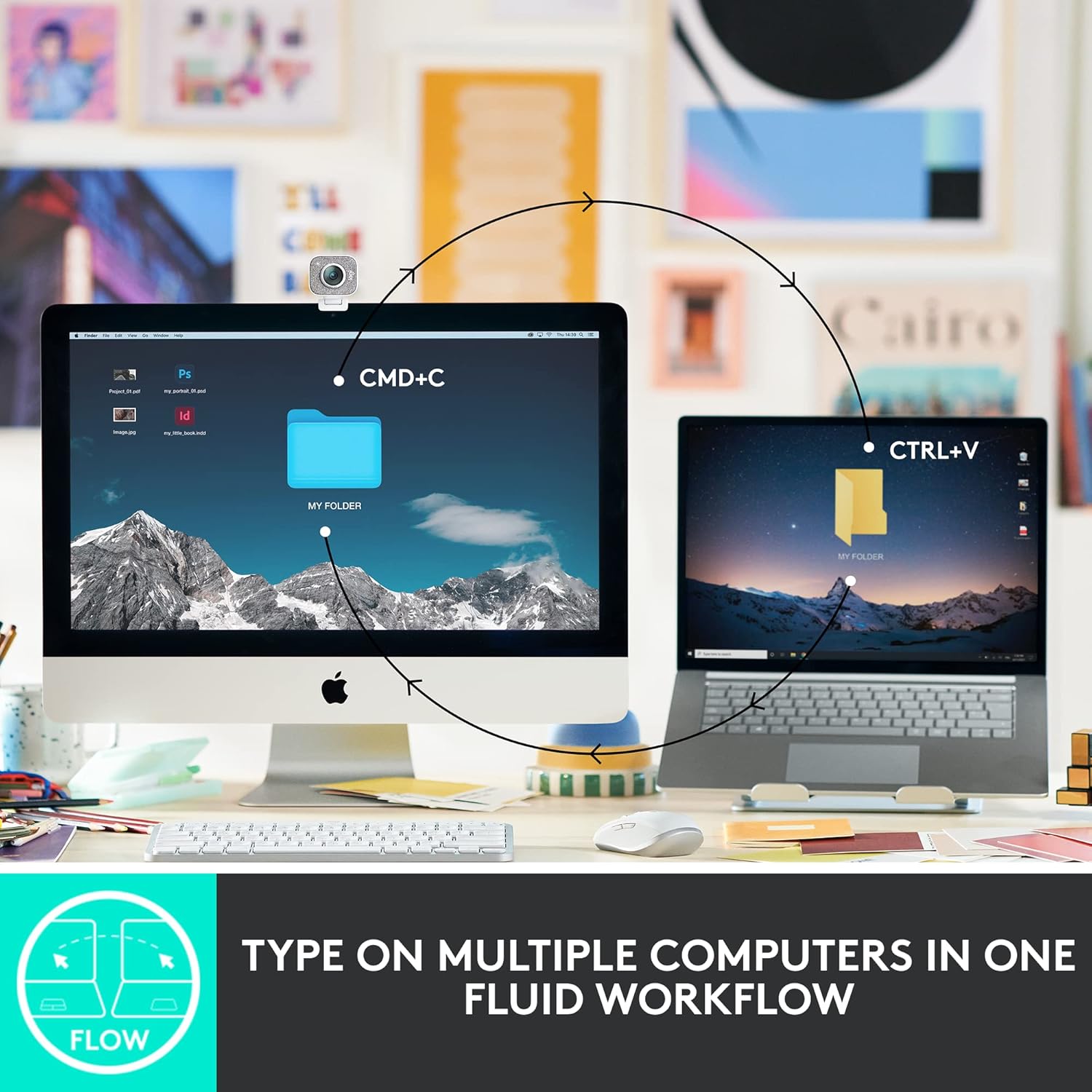
Image: A visual representation of the Flow feature, enabling cross-computer control.

Image: Icons indicating broad operating system compatibility for the keyboard.
5. જાળવણી
To ensure the longevity and optimal performance of your Logitech MX Keys Mini keyboard, follow these maintenance guidelines:
- સફાઈ: Regularly clean the keycaps and keyboard surface with a soft, lint-free cloth. For deeper cleaning, use a slightly damp હળવા સાબુથી કપડાને ધોઈ લો, ખાતરી કરો કે કીબોર્ડમાં કોઈ પ્રવાહી પ્રવેશતું નથી.
- બેટરી સંભાળ: Recharge the keyboard using the provided USB-C cable when the battery indicator shows low power. Avoid fully draining the battery frequently to prolong its lifespan.
- સંગ્રહ: When not in use for extended periods, turn off the keyboard to conserve battery. Store it in a cool, dry place away from direct sunlight and extreme temperatures.
- પર્યાવરણીય જવાબદારી: The plastic parts in the MX Keys Mini include certified post-consumer recycled plastic (Rose: 12%). The product is designed with smart battery efficiency and responsible packaging.

Image: Visual representation of the keyboard's sustainable design aspects.
6. મુશ્કેલીનિવારણ
If you encounter issues with your MX Keys Mini, refer to the following common troubleshooting steps:
- કીબોર્ડ કનેક્ટ થઈ રહ્યું નથી:
- ખાતરી કરો કે કીબોર્ડ ચાલુ છે અને સંપૂર્ણપણે ચાર્જ થયેલ છે.
- Verify Bluetooth is enabled on your device and the keyboard is in pairing mode (blinking LED on Easy-Switch key).
- If using macOS with FileVault enabled, you might need to use a Logi Bolt USB Receiver to enter your password at startup or reboot, as Bluetooth connectivity can be interrupted.
- Try re-pairing the keyboard with your device.
- Backlighting Not Working:
- Check the battery level; backlighting may be disabled when the battery is low.
- Ensure the smart illumination feature is enabled in the Logi Options+ app.
- કીઝ જવાબ નથી આપી રહી:
- કોઈપણ કાટમાળ દૂર કરવા માટે અસરગ્રસ્ત ચાવીઓ સાફ કરો.
- Ensure the keyboard is connected to the correct device via the Easy-Switch buttons.
- Logi Options+ App Issues:
- ખાતરી કરો કે એપ્લિકેશન નવીનતમ સંસ્કરણ પર અપડેટ થયેલ છે.
- તમારા કમ્પ્યુટર અને કીબોર્ડને ફરીથી શરૂ કરો.
7. સ્પષ્ટીકરણો
| લક્ષણ | વિગત |
|---|---|
| બ્રાન્ડ | લોજીટેક |
| શ્રેણી | Logitech MX Keys Mini |
| મોડલ નંબર | 920-010474 |
| હાર્ડવેર પ્લેટફોર્મ | Windows, macOS, Chrome OS, Linux, iOS, iPadOS, Android |
| ઓપરેટિંગ સિસ્ટમ સુસંગતતા | Windows 10, 11 or later; Linux; Chrome OS; macOS; iPadOS; Android |
| વસ્તુનું વજન | 1.12 pounds (approx. 508 g) |
| ઉત્પાદનના પરિમાણો (LxWxH) | ૪૩.૫ x ૨૦.૫ x ૪૩ ઇંચ (આશરે ૧૧૦.૫ x ૫૨ x ૧૦૯ સે.મી.) |
| રંગ | ગુલાબ |
| પાવર સ્ત્રોત | બેટરી સંચાલિત |
| બેટરીઓ | 1 લિથિયમ પોલિમર બેટરી (શામેલ) |
| કનેક્ટિવિટી ટેકનોલોજી | બ્લૂટૂથ |
| કીબોર્ડ વર્ણન | પટલ |
| ખાસ લક્ષણો | Backlit, Rechargeable |
| કીબોર્ડ બેકલાઇટિંગ કલર સપોર્ટ | સિંગલ કલર |
8. વોરંટી અને સપોર્ટ
For detailed warranty information, please refer to the 'Important Information Document' included in your product packaging. You can also visit the official Logitech support website for additional assistance, FAQs, and software downloads.
લોજિટેક સપોર્ટ Webસાઇટ: www.logitech.com / આધાર


