પરિચય
The Panamalar S09 is a versatile 3-in-1 smart device designed to enhance your home automation experience. It functions as a universal infrared remote control, an indoor temperature and humidity monitor, and a smart home hub with Wi-Fi connectivity. This device allows you to control various IR-controlled appliances, monitor your indoor environment in real-time, and integrate with voice assistants like Alexa and Google Assistant for convenient operation.
This manual provides comprehensive instructions for the setup, operation, maintenance, and troubleshooting of your Panamalar S09 device. Please read it carefully to ensure proper use and to maximize the device's capabilities.

છબી: ઓવરview of the Panamalar S09 device highlighting its key features including app remote control, Alexa compatibility, thermometer, hygrometer, high accuracy data, Celsius/Fahrenheit switch, comfort indicator, timer setting, DIY learning, and smart scenes.
ઉત્પાદન ઘટકો
The Panamalar S09 package typically includes:
- Panamalar S09 Smart IR Remote Control
- યુએસબી પાવર કેબલ
- વપરાશકર્તા માર્ગદર્શિકા

છબી: વિગતવાર view of the Panamalar S09 device, illustrating its front LCD display features (temperature, humidity, time, date, day of week, Wi-Fi signal) and side components (LED indicator, Micro USB port, reset button/C/F switch). Dimensions are also shown.
સેટઅપ સૂચનાઓ
1. ઉપકરણ પર પાવરિંગ
- Connect the provided USB power cable to the Micro USB Port on the Panamalar S09 device.
- Plug the other end of the USB cable into a standard USB power adapter (not included) or a compatible USB port.
- The device LCD display will light up, indicating it is powered on.
૫.૩. એપ્લિકેશન ઇન્સ્ટોલેશન અને જોડી બનાવવી
The Panamalar S09 operates with a compatible smart home application (e.g., Smart Life or Tuya Smart app). Ensure your smartphone is connected to a 2.4GHz Wi-Fi network.
- Download the recommended smart home app from your smartphone's app store (iOS App Store or Google Play Store).
- એપ્લિકેશનમાં તમારા એકાઉન્ટમાં નોંધણી કરો અથવા લોગ ઇન કરો.
- નવું ઉપકરણ ઉમેરો:
- In the app, tap the "+" icon to add a device.
- Select "IR Remote Control" or "Universal Remote" from the device list.
- Follow the on-screen instructions to put the S09 device into pairing mode. This usually involves pressing and holding the reset button until the Wi-Fi indicator on the LCD flashes.
- Confirm the Wi-Fi network and enter the password if prompted.
- એપ્લિકેશન ઉપકરણ શોધશે અને કનેક્ટ કરશે. એકવાર કનેક્ટ થયા પછી, તમે ઉપકરણનું નામ બદલી શકો છો.

Image: Smartphone app interface demonstrating the process of adding various IR-controlled devices such as TV, air conditioner, and projector to the Panamalar S09.
ઓપરેટિંગ સૂચનાઓ
1. Universal IR Remote Control
The S09 can control a wide range of IR-enabled home appliances, including TVs, air conditioners, set-top boxes, and smart lights. The device features a vast IR code library and supports DIY learning for unsupported devices.
- ઉપકરણ ઉમેરવું:
- In the app, select your S09 device.
- Tap "Add Remote" or "Add Device" and choose the type of appliance (e.g., TV, Air Conditioner).
- The app will guide you through selecting the brand and testing pre-loaded IR codes.
- If your device is not found, use the "DIY Learning" function.
- DIY Learning:
- Select the "DIY" option in the app for the specific appliance.
- Point your original remote control at the S09 device.
- Follow the app's instructions to press buttons on your original remote to teach the S09 the IR signals.

Image: The Panamalar S09 acting as a central hub, controlling an air conditioner, television, and lamp via a smartphone app, demonstrating its wide compatibility and remote control capabilities.

Image: Illustration of the DIY learning process, where users can teach the S09 new IR commands from their original remote controls.
2. તાપમાન અને ભેજનું નિરીક્ષણ
The S09 features an integrated sensor for real-time monitoring of indoor temperature and humidity. These values are displayed on the device's LCD screen and within the app.
- એલસીડી ડિસ્પ્લે: The current temperature and humidity are continuously shown on the device's LCD.
- એપ્લિકેશન મોનિટરિંગ: Open the app and select the S09 device to view real-time data, historical graphs, and comfort indicators.
- તાપમાન એકમ સ્વિચ: Use the reset button on the device to toggle between Celsius (°C) and Fahrenheit (°F) display.

Image: The Panamalar S09 functioning as an indoor temperature and humidity monitor, with real-time data on its LCD and detailed historical data and comfort levels accessible via the smartphone app.
3. Voice Control with Alexa/Google Assistant
Integrate your S09 with Amazon Alexa or Google Assistant for hands-free control of your IR appliances.
- Linking Accounts:
- એલેક્સા અથવા ગૂગલ હોમ એપ ખોલો.
- "સ્કિલ્સ & ગેમ્સ" (એલેક્સા) અથવા "વર્ક્સ વિથ ગૂગલ" (ગુગલ હોમ) પર જાઓ.
- માટે શોધો the smart home app you are using (e.g., Smart Life or Tuya Smart).
- Enable the skill/service and link your account using your app credentials.
- વૉઇસ આદેશો: એકવાર લિંક થઈ ગયા પછી, તમે વૉઇસ કમાન્ડનો ઉપયોગ કરી શકો છો જેમ કે:
- "Alexa, turn on the TV."
- "Hey Google, set the air conditioner to 24 degrees."
- "Alexa, what is the temperature in the room?" (Note: Humidity values may not be directly accessible via voice in some integrations, as noted in user feedback).

છબી: દા.તample of voice control in a living room, showing an Alexa device responding to a command to turn on the TV, facilitated by the Panamalar S09.
4. ટાઈમર સેટિંગ
Schedule your appliances to turn on or off at specific times using the timer function in the app.
- Open the app and navigate to the S09 device settings.
- Select "Timer" or "Schedule."
- Set desired times for appliances to activate or deactivate (e.g., turn on TV at 8:00 PM, turn off air conditioner at 3:00 AM).
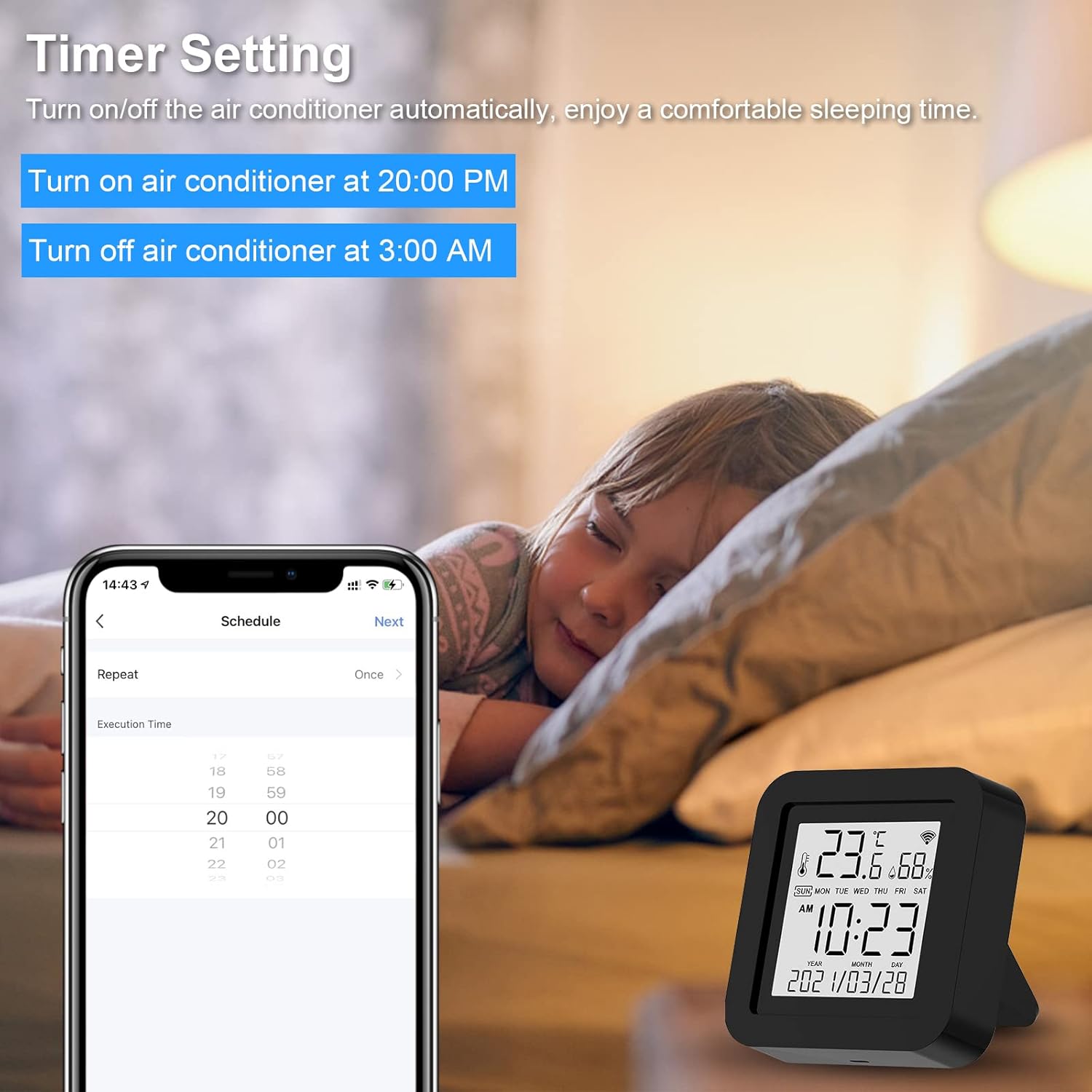
Image: The timer setting feature, allowing users to schedule appliances like an air conditioner to turn on or off automatically, promoting comfortable sleep.
5. Smart Linkage and Automation
Create automated scenarios based on temperature and humidity readings to maintain optimal indoor conditions.
- In the app, go to "Smart" or "Automation."
- Set conditions (e.g., "If room temperature > 26°C").
- Set actions (e.g., "Then turn on air conditioner").
- અન્ય માજીample: "If room humidity < 67%, then activate humidifier."

Image: Smart home automation in action, where the Panamalar S09 triggers an air conditioner or humidifier based on preset temperature and humidity conditions.
જાળવણી
- સફાઈ: ઉપકરણને નરમ, સૂકા કપડાથી સાફ કરો. પ્રવાહી ક્લીનર્સ અથવા ઘર્ષક સામગ્રીનો ઉપયોગ કરશો નહીં.
- પ્લેસમેન્ટ: Place the device in a central location within the room, away from direct sunlight, heat sources, or drafts, to ensure accurate temperature and humidity readings and optimal IR signal transmission.
- ફર્મવેર અપડેટ્સ: Periodically check the app for available firmware updates to ensure optimal performance and access to new features.
મુશ્કેલીનિવારણ
| સમસ્યા | સંભવિત કારણ | ઉકેલ |
|---|---|---|
| ઉપકરણ ચાલુ થતું નથી. | No power or faulty cable. | Ensure the USB cable is securely connected and the power adapter is working. Try a different USB cable or adapter. |
| Wi-Fi થી કનેક્ટ કરવામાં અસમર્થ. | ખોટો Wi-Fi પાસવર્ડ, 5GHz નેટવર્ક, અથવા ઉપકરણ રાઉટરથી ખૂબ દૂર છે. | Verify Wi-Fi password. Ensure you are connecting to a 2.4GHz network. Move the device closer to the Wi-Fi router. Reset the device and try pairing again. |
| IR રિમોટ કંટ્રોલ કામ કરતું નથી. | Incorrect IR code, device out of range, or obstruction. | Ensure the S09 is within line of sight of the appliance. Try different IR codes in the app or use the DIY learning function. Remove any obstructions between the S09 and the appliance. |
| Temperature/humidity readings seem inaccurate. | Device placement, external factors. | Ensure the device is not in direct sunlight, near heat/cold sources, or in a drafty area. Allow some time for readings to stabilize after relocation. |
| Alexa/Google Assistant not responding to commands. | Account not linked, incorrect command, or network issue. | Verify that your smart home app account is correctly linked to Alexa/Google Assistant. Use the exact commands specified in the app. Check your internet connection. Note that some specific data like humidity might not be directly accessible via voice commands depending on the integration. |
વિશિષ્ટતાઓ
| લક્ષણ | વિગત |
|---|---|
| બ્રાન્ડ | PANAMALAR |
| મોડલ નંબર | S09 |
| કનેક્ટિવિટી ટેકનોલોજી | વાઇ-ફાઇ (2.4GHz), USB |
| ખાસ લક્ષણ | Universal IR Remote, Temperature Sensor, Humidity Sensor, LCD Display |
| સુસંગત ઉપકરણો | TV, Air Conditioner, Set-top Box, DVD, Fan, Light, Audio, Projector, Heater, Purifier (IR controlled) |
| Maximum IR Range | 10 Meters (line of sight) |
| તાપમાનની ચોકસાઈ | ±1°C |
| ભેજની ચોકસાઈ | ±5% આરએચ |
| પાવર ઇનપુટ | Micro USB (5V/1A recommended) |

Image: Visual representation of the temperature and humidity accuracy specifications for the Panamalar S09 device.
વોરંટી અને આધાર
Specific warranty information is typically provided with your product packaging or on the manufacturer's official website. For technical support, troubleshooting assistance, or warranty claims, please refer to the contact information provided in your product's retail packaging or visit the official Panamalar support channels.
Always ensure you have your product model number (S09) and purchase details ready when contacting support.


