પરિચય
Welcome to the user manual for your EUKI Wireless Video Doorbell Camera with Chime. This guide provides detailed instructions to help you set up, operate, and maintain your new security device. Please read this manual thoroughly before use to ensure proper functionality and safety.
ઉત્પાદન ઓવરview
The EUKI Wireless Video Doorbell Camera offers advanced features for home security and convenience. Key functionalities include 2K HD video, infrared night vision, PIR human detection, two-way audio, and robust weatherproofing. It operates wirelessly for easy installation and comes with a complementary indoor chime.

Image: The EUKI Wireless Video Doorbell Camera and its accompanying indoor chime.

Image: Visual representation of the doorbell's key features including 2K HD Video, IR Night Vision, Long Standby, IP65 Weather-Proof, PIR Motion Detection, Two-way Audio, Anti-theft Siren, and Multi-Device Sharing.
વિડિઓ: એક ઓવરview of the EUKI J7 Wireless Doorbell Camera, highlighting its design and core functionalities.
સેટઅપ માર્ગદર્શિકા
બૉક્સમાં શું છે
શરૂ કરતા પહેલા, ખાતરી કરો કે બધા ઘટકો હાજર છે:
- 1* Wireless Video Doorbell
- 1* Wireless Indoor Chime
- 1* વોલ માઉન્ટ કૌંસ
- 1* USB કેબલ
- 1* વપરાશકર્તા માર્ગદર્શિકા
- 1* Screw Kit

Image: All items included in the EUKI Wireless Video Doorbell Camera package.
Video: An unboxing video of the J7 Doorbell, showing all included components.
ડોરબેલ ચાર્જ કરી રહી છે
Before first use, fully charge the doorbell camera using the provided USB cable. The charging indicator light will change color to indicate full charge.
Video: Instructions on how to quick set up the J7 Doorbell Camera, including charging steps from 0:18 to 0:26.
Resetting and Activating the Doorbell
To reset the doorbell, locate the reset button, typically on the side or back. Press and hold it for 3-5 seconds until the indicator light flashes red, signifying a successful reset.
Video: A step-by-step guide on how to reset the doorbell.
Connecting to the CloudEdge App
Download the CloudEdge App from your device's app store. Follow the in-app instructions to connect your doorbell. This typically involves scanning a QR code displayed by the app with the doorbell camera.

Image: A graphic illustrating the four easy steps for self-installation, including downloading the CloudEdge app and scanning a QR code.
Video: Detailed instructions on how to quick set up the J7 Doorbell Camera, including connecting it to the app from 0:43 onwards.
ચાઇમને જોડી રહ્યાં છીએ
To pair the wireless chime with your doorbell, press the setting button on the chime until its status light flashes red. Then, press the doorbell button. The chime's status light will turn blue, indicating successful pairing.
Video: A short tutorial demonstrating how to pair the chime with the doorbell.
સ્થાપન
Mount the wall bracket in your desired location using the provided screws. Ensure the bracket is securely fastened. Then, hook the doorbell onto the top of the bracket and press it down firmly until it clicks into place. Finally, tighten the safety screw at the bottom to secure the doorbell.

Image: The EUKI doorbell installed on an exterior wall, demonstrating its readiness for various weather conditions.
Video: Instructions on how to install the doorbell onto a wall.
તમારી ડોરબેલ ચલાવવી
2K HD Video and Night Vision
The doorbell camera captures crystal-clear 2K HD video with a wide 166° viewing angle. Its built-in IR lights automatically activate night vision mode, providing clear visibility even in low-light conditions or complete darkness.

Image: Comparison of day and night vision capabilities of the EUKI doorbell camera as seen on a smartphone.
PIR Human Detection and Two-Way Audio
The integrated PIR sensor detects human motion, sending instant notifications to your phone. Utilize the built-in microphone and speaker for clear two-way audio communication with visitors, or select from pre-recorded voice messages for quick responses.

Image: A diagram illustrating the Smart PIR Motion Detection range and how it triggers app push notifications.

Image: Demonstrates the quick reply feature for direct video calling, allowing users to respond to visitors via their smartphone.
Free Local Storage and Family Sharing
The doorbell supports local storage via a 16GB memory card (not included), allowing for over 24 months of video recording without monthly fees. You can also share access to the camera with up to 5 family members through the app.

Image: Two individuals sharing live video feeds from the doorbell camera on their smartphones, illustrating the family sharing feature.
Video: A tutorial explaining how to share your camera access with other users.
જાળવણી
બેટરી ચાર્જિંગ
The doorbell features a built-in 5000mAh rechargeable battery. To ensure continuous operation, periodically check the battery level via the CloudEdge app and recharge as needed using the provided USB cable. Battery life can vary based on usage and motion detection frequency.
સફાઈ
To maintain optimal performance, regularly clean the doorbell's lens and exterior. Use a soft, damp cloth to wipe away dust and grime. Avoid using harsh chemicals or abrasive materials that could damage the device.
મુશ્કેલીનિવારણ
If you encounter issues with your EUKI Wireless Video Doorbell Camera, try the following common troubleshooting steps:
- પાવર નથી/ચાલુ નથી: Ensure the battery is fully charged. Connect the doorbell to a power source and check if the charging indicator lights up.
- Wi-Fi થી કનેક્ટ કરી શકાતું નથી: Verify that your Wi-Fi network is 2.4GHz (5GHz is not supported). Ensure the doorbell is within range of your router. Try resetting the doorbell (refer to the 'Resetting and Activating the Doorbell' section).
- નબળી વિડિઓ ગુણવત્તા: Check your Wi-Fi signal strength in the app. Ensure the camera lens is clean and free from obstructions.
- ગતિ શોધ સમસ્યાઓ: Adjust the PIR sensitivity settings in the app. Ensure there are no objects constantly triggering the sensor (e.g., tree branches, busy street).
- Chime Not Ringing: Ensure the chime is powered on and successfully paired with the doorbell (refer to the 'Pairing the Chime' section).
- એન્ટી-થેફ્ટ એલાર્મ: If the doorbell is forcibly removed from its bracket, the anti-theft alarm will sound. Re-secure the doorbell to silence the alarm and check for any physical damage.
વધુ વિગતવાર મુશ્કેલીનિવારણ અથવા સતત સમસ્યાઓ માટે, કૃપા કરીને ગ્રાહક સપોર્ટનો સંપર્ક કરો.
ઉત્પાદન સ્પષ્ટીકરણો
| લક્ષણ | વિગત |
|---|---|
| મોડલ નંબર | J1 |
| વિડિઓ કેપ્ચર રિઝોલ્યુશન | 2K |
| અસરકારક વિડિઓ રિઝોલ્યુશન | 1080 પિક્સેલ્સ |
| Viewએન્ગલ | 166 ડિગ્રી |
| પાવર સ્ત્રોત | બેટરી સંચાલિત |
| બેટરી ક્ષમતા | 5000mAh (બિલ્ટ-ઇન) |
| કનેક્ટિવિટી પ્રોટોકોલ | Wi-Fi (2.4GHz) |
| આંતરરાષ્ટ્રીય સુરક્ષા રેટિંગ | IP65 |
| ઇન્ડોર/આઉટડોર વપરાશ | આઉટડોર |
| ખાસ લક્ષણ | Easy to Install, Human Detection, Night Vision, 2-Way Audio, Anti-Theft Alarm |
| રંગ | કાળો |
| વસ્તુનું વજન | 1.12 પાઉન્ડ |
| પેકેજ પરિમાણો | 6.81 x 4.33 x 2.91 ઇંચ |
વોરંટી અને આધાર
Your EUKI Wireless Video Doorbell Camera comes with a 12-મહિનાની મર્યાદિત વોરંટી ખરીદીની તારીખથી. આ વોરંટી ઉત્પાદન ખામીઓને આવરી લે છે અને ખાતરી કરે છે કે તમારું ઉત્પાદન સામાન્ય ઉપયોગ હેઠળ હેતુ મુજબ કાર્ય કરે છે.
EUKI is committed to providing આજીવન ગ્રાહક સપોર્ટ for its products. If you have any questions, require technical assistance, or need to claim warranty service, please contact EUKI customer service through their official channels.
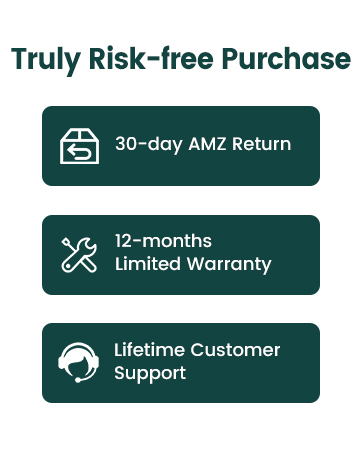
Image: Details on warranty and customer support, including a 12-month limited warranty and lifetime customer support.


