પરિચય
This manual provides essential information for the proper setup, operation, and maintenance of your Smart Tech 24HN10T2 HD LED TV. Please read this manual thoroughly before using the television and retain it for future reference.
સલામતી માહિતી
- ટીવીની આસપાસ યોગ્ય વેન્ટિલેશનની ખાતરી કરો.
- ટીવીને વરસાદ અથવા ભેજ માટે ખુલ્લા ન કરો.
- Avoid placing the TV near heat sources or in direct sunlight.
- ટીવી સાથે આપેલા પાવર કોર્ડનો જ ઉપયોગ કરો.
- ટીવી ખોલશો નહીં casing; બધી સેવા લાયક કર્મચારીઓને સોંપવી.
- બેટરીને બાળકોની પહોંચથી દૂર રાખો.
પેકેજ સામગ્રી
સેટઅપ શરૂ કરતા પહેલા, કૃપા કરીને ખાતરી કરો કે બધી વસ્તુઓ પેકેજમાં હાજર છે:
- Smart Tech 24HN10T2 HD LED TV
- રિમોટ કંટ્રોલ (2 AAA બેટરી સાથે)
- ટીવી સ્ટેન્ડ (2 ટુકડાઓ)
- સ્ટેન્ડ એસેમ્બલી માટે સ્ક્રૂ
- પાવર કોર્ડ
- વપરાશકર્તા માર્ગદર્શિકા (આ દસ્તાવેજ)
સેટઅપ
1. ટીવી સ્ટેન્ડ જોડવું
- સ્ક્રીનને નુકસાન ન થાય તે માટે ટીવીને નરમ, સ્વચ્છ સપાટી પર કાળજીપૂર્વક નીચે રાખો.
- દરેક સ્ટેન્ડ પીસને ટીવીના તળિયે અનુરૂપ સ્લોટ્સ સાથે સંરેખિત કરો.
- આપેલા સ્ક્રૂનો ઉપયોગ કરીને સ્ટેન્ડને સુરક્ષિત કરો. ખાતરી કરો કે તે મજબૂત રીતે જોડાયેલા છે.
- ટીવીને કાળજીપૂર્વક ઉપાડો અને તેને સ્થિર, સમતલ સપાટી પર મૂકો.
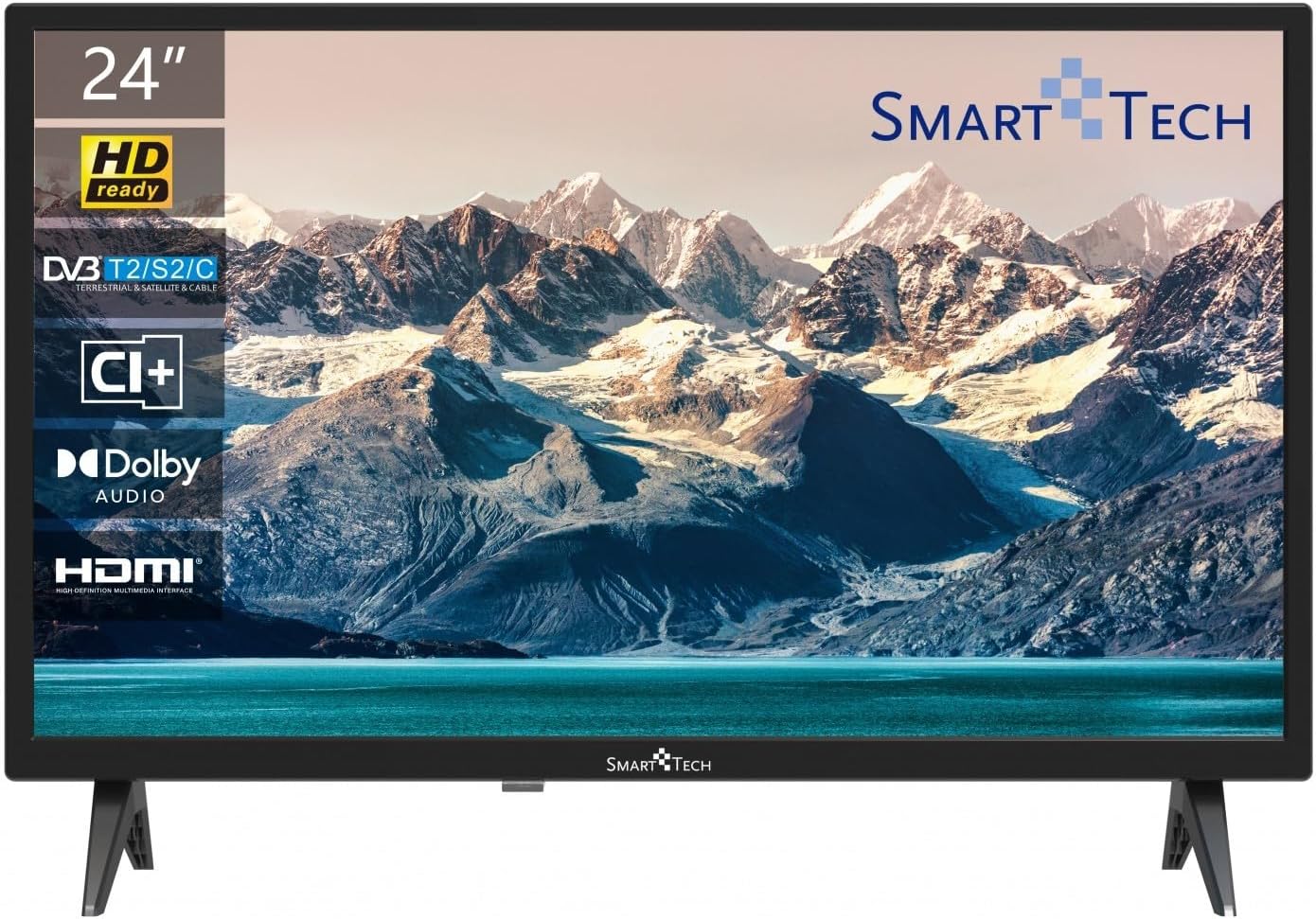
છબી: આગળ view of the Smart Tech 24HN10T2 HD LED TV with its attached side stands. The screen displays a scenic mountain and lake landscape. The TV features a slim bezel and the Smart Tech logo at the bottom center.
2. કનેક્ટિંગ કેબલ્સ
- શક્તિ: પાવર કોર્ડને ટીવીના પાવર ઇનપુટ સાથે અને પછી દિવાલના આઉટલેટ સાથે જોડો.
- એન્ટેના/કેબલ: Connect your antenna or cable TV signal to the "ANT IN" port.
- HDMI ઉપકરણો: Connect external devices like a Blu-ray player, game console, or set-top box to one of the 3 HDMI ports.
- યુએસબી ઉપકરણો: Insert USB drives for media playback into one of the 2 USB ports.
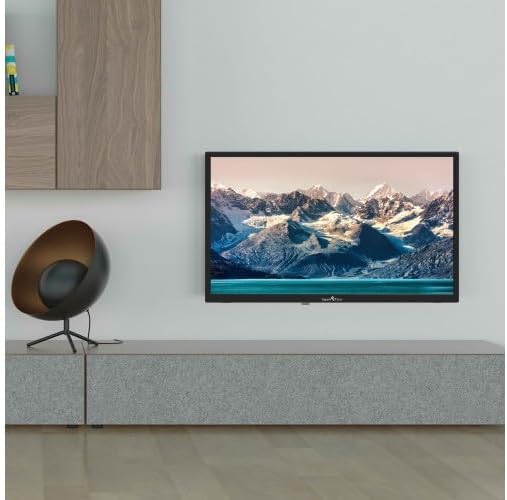
Image: The Smart Tech 24HN10T2 HD LED TV mounted on a wall above a media console, demonstrating its compatibility with VESA 100x100 wall mounts. A decorative chair is visible to the left.
૨.૧. પ્રારંભિક પાવર-ઓન
After connecting all necessary cables, plug the TV into a power outlet. Press the power button on the remote control or on the TV itself to turn it on. The initial setup wizard will guide you through language selection, country, and channel scanning.
ટીવીનું સંચાલન
રિમોટ કંટ્રોલ ઓવરview

Image: A diagram illustrating the dimensions of the Smart Tech 24HN10T2 HD LED TV (551mm width, 377mm height with stand, 180mm depth with stand) and an image of the included remote control, showing its various buttons for navigation, volume, channel, and input selection.
રિમોટ કંટ્રોલ બટનોથી પરિચિત થાઓ:
- પાવર બટન: ટીવી ચાલુ કે બંધ કરે છે.
- ઇનપુટ/સોર્સ બટન: Selects the input source (HDMI1, HDMI2, HDMI3, TV, USB).
- વોલ્યુમ અપ/ડાઉન: સાઉન્ડ લેવલ એડજસ્ટ કરે છે.
- ચેનલ ઉપર/નીચે: ટીવી ચેનલો બદલે છે.
- Navigation Buttons (Arrows & OK): મેનુઓ નેવિગેટ કરવા અને પસંદગીઓની પુષ્ટિ કરવા માટે વપરાય છે.
- મેનુ બટન: મુખ્ય સેટિંગ્સ મેનૂને ઍક્સેસ કરે છે.
- બહાર નીકળો બટન: વર્તમાન મેનૂ અથવા કાર્યમાંથી બહાર નીકળે છે.
- મીડિયા પ્લેબેક નિયંત્રણો: Play, Pause, Stop, Fast Forward, Rewind for USB media.
ઇનપુટ સ્ત્રોત પસંદગી
To switch between connected devices (e.g., a game console on HDMI1 or a Blu-ray player on HDMI2), press the ઇનપુટ or સ્ત્રોત button on your remote control. Use the arrow keys to select the desired input and press OK.
મેનુ નેવિગેશન અને સેટિંગ્સ
દબાવો મેનુ button to access TV settings. You can adjust picture settings (brightness, contrast, color), sound settings (Dolby Audio, equalizer), channel settings, and system settings (time, language, software update).
- ચિત્ર સેટિંગ્સ: Adjust modes like Standard, Dynamic, Movie, or customize settings manually.
- સાઉન્ડ સેટિંગ્સ: Select sound modes (Standard, Music, Movie, User) and adjust bass/treble. The TV supports Dolby Audio for enhanced sound experience.
- ચેનલ સ્કેન: If you haven't done so during initial setup, perform an auto-scan to find available channels via the Triple Tuner (DVB-T2/S2/C).
યુએસબી મીડિયા પ્લેબેક
Insert a USB flash drive into one of the TV's USB ports. The TV will typically prompt you to open the media browser. If not, select the USB input source. You can play various media formats including videos (H.265 supported), photos, and music.
જાળવણી
ટીવી સાફ કરવું
- સફાઈ કરતા પહેલા હંમેશા ટીવીને અનપ્લગ કરો.
- સ્ક્રીન અને કેબિનેટ સાફ કરવા માટે નરમ, સૂકા, લિન્ટ-ફ્રી કાપડનો ઉપયોગ કરો.
- સ્ક્રીન પરના હઠીલા નિશાનો માટે, થોડું ડીampપાણી અથવા વિશિષ્ટ સ્ક્રીન ક્લીનરથી કપડાને મિક્સ કરો (સીધા સ્ક્રીન પર સ્પ્રે કરશો નહીં).
- ઘર્ષક ક્લીનર્સ, મીણ અથવા દ્રાવકનો ઉપયોગ કરવાનું ટાળો.
સંગ્રહ
If storing the TV for an extended period, disconnect it from power, remove batteries from the remote, and store it in a cool, dry place, preferably in its original packaging.
મુશ્કેલીનિવારણ
| સમસ્યા | સંભવિત કારણ / ઉકેલ |
|---|---|
| કોઈ શક્તિ નથી | Check if the power cord is securely plugged into the TV and the wall outlet. Ensure the outlet has power. Try pressing the power button on the TV itself. |
| No picture / No sound | Verify the correct input source is selected. Check cable connections (HDMI, antenna). For TV channels, perform a channel scan. |
| નબળી ચિત્ર ગુણવત્તા | Check antenna connection or signal strength. Adjust picture settings (brightness, contrast, sharpness) in the menu. Ensure the source device is outputting a high-quality signal. |
| રીમોટ કંટ્રોલ કામ કરતું નથી | Check and replace batteries (2 AAA). Ensure there are no obstructions between the remote and the TV's IR sensor. |
| USB media not playing | Ensure the USB drive is formatted correctly (FAT32 recommended). Check if the media file format is supported by the TV. Try a different USB port. |
વિશિષ્ટતાઓ
| લક્ષણ | વિગત |
|---|---|
| બ્રાન્ડ | સ્માર્ટ ટેક |
| મોડલ નંબર | 24HN10T2 |
| સ્ક્રીન માપ | 24 ઇંચ (60 સે.મી.) |
| ડિસ્પ્લે ટેકનોલોજી | એલઇડી |
| ઠરાવ | HD (1366 x 768) |
| તાજું દર | 60 હર્ટ્ઝ |
| ખાસ લક્ષણો | Triple Tuner (DVB-T2/S2/C), HEVC Advance, Dolby Audio |
| કનેક્ટિવિટી | 3 x HDMI, 2 x USB |
| પાસા રેશિયો | 16:9 |
| ઉત્પાદનના પરિમાણો (સ્ટેન્ડ સાથે) | 10D x 60W x 37H cm (approx.) |
| પાવર સ્ત્રોત | એસી પાવર |
વોરંટી અને આધાર
This product is covered by a standard manufacturer's warranty. For specific warranty terms and conditions, please refer to the warranty card included with your purchase or contact your retailer. For technical support or service inquiries, please contact Smart Tech customer service through their official webસાઇટ અથવા તમારા ઉત્પાદન દસ્તાવેજો સાથે પૂરી પાડવામાં આવેલ સંપર્ક માહિતી.
Please note that information regarding spare parts availability and guaranteed software updates is not available at this time.


