1. પરિચય
This manual provides detailed instructions for the installation, operation, and maintenance of your Bewinner 1080p Car Dash Cam. Please read this manual thoroughly before using the device to ensure proper functionality and safety. This dash cam features a 10-inch IPS touchscreen and dual front and rear cameras for comprehensive vehicle recording.
2. સલામતી માહિતી
- ખાતરી કરો કે ડેશ કેમ સુરક્ષિત રીતે માઉન્ટ થયેલ છે અને ડ્રાઇવરના વાહનમાં અવરોધ ન આવે. view અથવા વાહન નિયંત્રણમાં દખલ કરે છે.
- Do not operate the device while driving. Adjust settings only when the vehicle is safely parked.
- Use only the provided power adapter to prevent damage to the device and vehicle.
- ઉપકરણને અતિશય તાપમાન, લાંબા સમય સુધી સીધો સૂર્યપ્રકાશ અથવા વધુ પડતા ભેજના સંપર્કમાં રાખવાનું ટાળો.
- Keep the lens clean for optimal recording quality.
- મહત્વપૂર્ણ વિડિઓનો નિયમિતપણે બેકઅપ લો files to prevent loss.
3. પેકેજ સામગ્રી
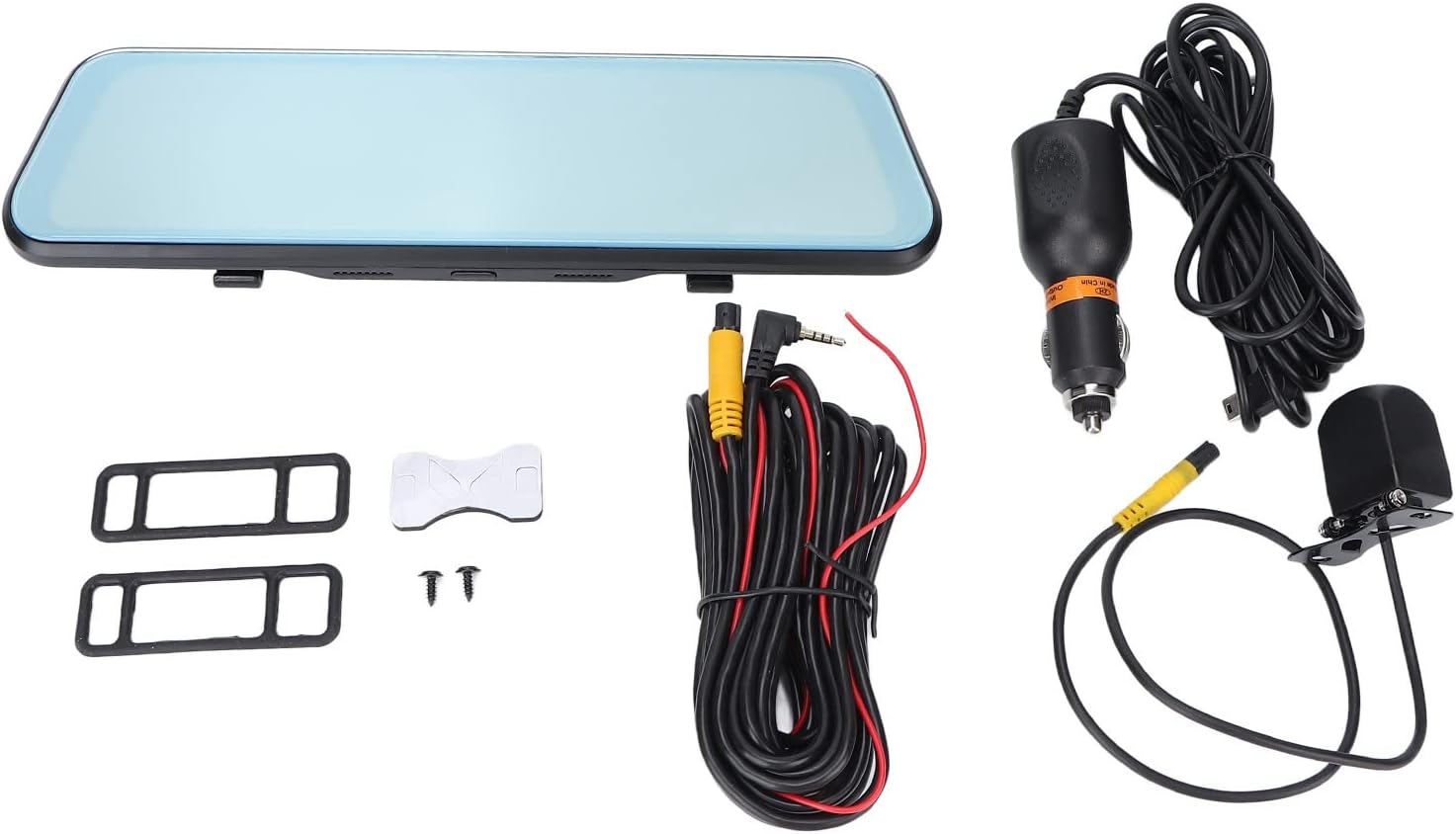
ખાતરી કરો કે નીચે સૂચિબદ્ધ બધી વસ્તુઓ તમારા પેકેજમાં શામેલ છે:
- Bewinner 1080p Car Dash Cam (Main Unit)
- રીઅર કેમેરા
- 2 x Power Cords (Car Charger)
- વપરાશકર્તા માર્ગદર્શિકા
- Double-sided Adhesive Tape
- 2 x સ્ક્રૂ
- 2 x Mounting Accessories (Rubber Straps)
4. ઉત્પાદન ઓવરview
The Bewinner Dash Cam is designed to provide reliable video recording for your vehicle. It features a large touchscreen display and dual cameras for comprehensive coverage.
4.1 Main Dash Cam Unit

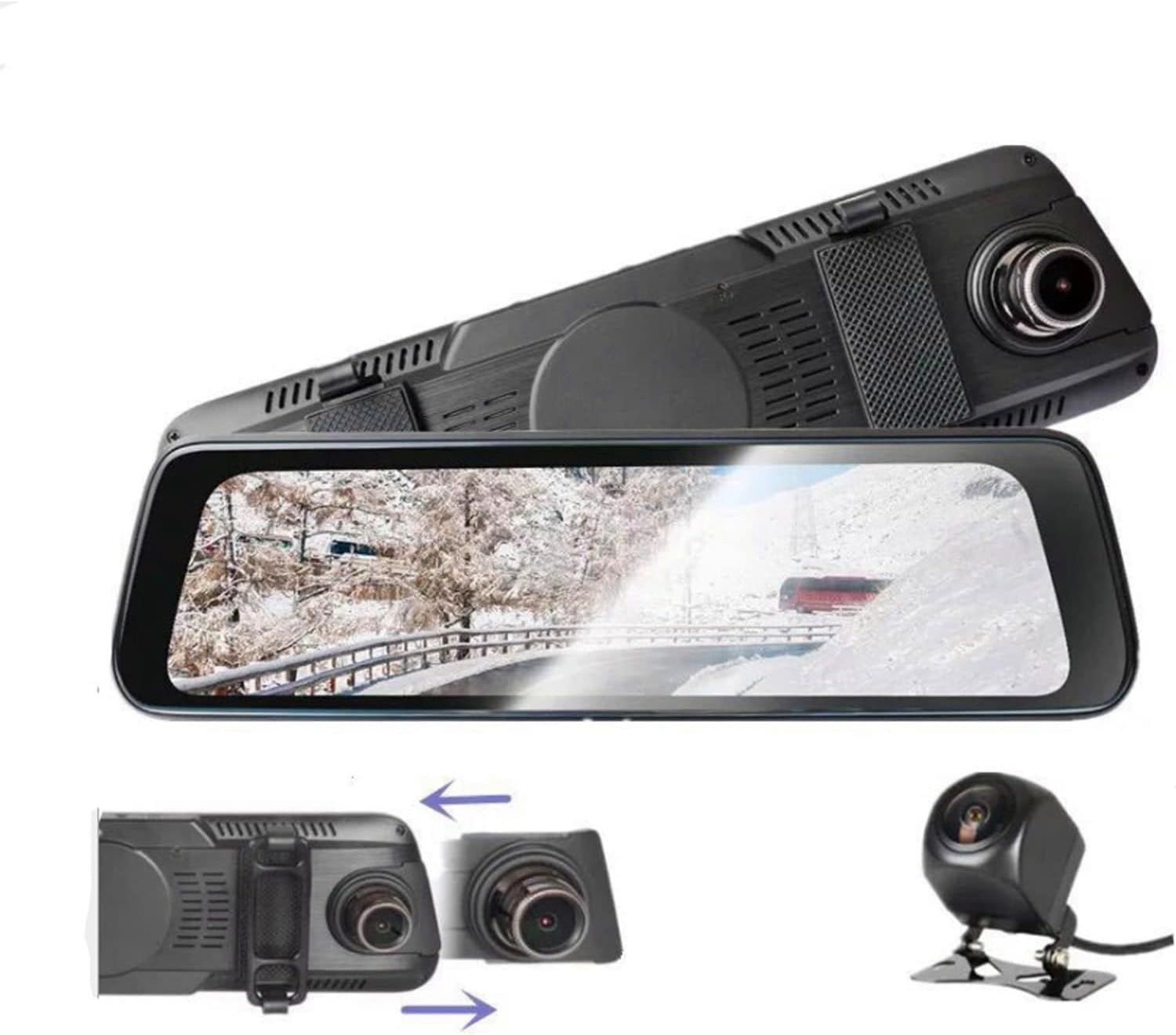
The main unit integrates a 10-inch IPS touchscreen display and the front camera. It is designed to be mounted over your existing rearview અરીસો

4.2 રીઅર કેમેરા

The rear camera provides a wide-angle view of the area behind your vehicle, enhancing safety and recording capabilities.
5. સેટઅપ અને ઇન્સ્ટોલેશન
5.1 માઇક્રો SD કાર્ડ દાખલ કરવું
Before installation, insert a Class 10 or higher Micro SD card (up to 32GB, not included) into the dash cam's card slot. Ensure the card is inserted correctly until it clicks into place.
5.2 Mounting the Main Dash Cam Unit
- Attach the two rubber straps (mounting accessories) to the back of the main dash cam unit.
- Securely fasten the dash cam over your vehicle's existing rearview mirror using the rubber straps. Ensure it is stable and does not vibrate.
- Adjust the front camera lens angle to capture the desired view આગળના રસ્તાની.
5.3 રીઅર કેમેરા ઇન્સ્ટોલ કરી રહ્યા છીએ
- Choose a suitable location at the rear of your vehicle, typically above the license plate, for the rear camera.
- Use the provided double-sided adhesive tape and screws to securely mount the rear camera.
- Route the rear camera cable to the main dash cam unit. Connect the cable to the designated rear camera input port on the main unit.
- If applicable, connect the red wire of the rear camera cable to your vehicle's reverse light power source for automatic reverse display functionality.
5.4 પાવર કનેક્શન
- Connect one end of the car charger (power cord) to the dash cam's power input port.
- Plug the other end of the car charger into your vehicle's cigarette lighter socket.
- The dash cam will automatically power on and begin recording when the vehicle engine starts, and power off when the engine is turned off.

6. ઓપરેટિંગ સૂચનાઓ
6.1 પાવર ચાલુ/બંધ
- સ્વચાલિત: The device powers on and off automatically with the vehicle's ignition.
- મેન્યુઅલ Press and hold the power button (if available) to manually turn the device on or off.
૫.૪ ટચસ્ક્રીન ઓપરેશન
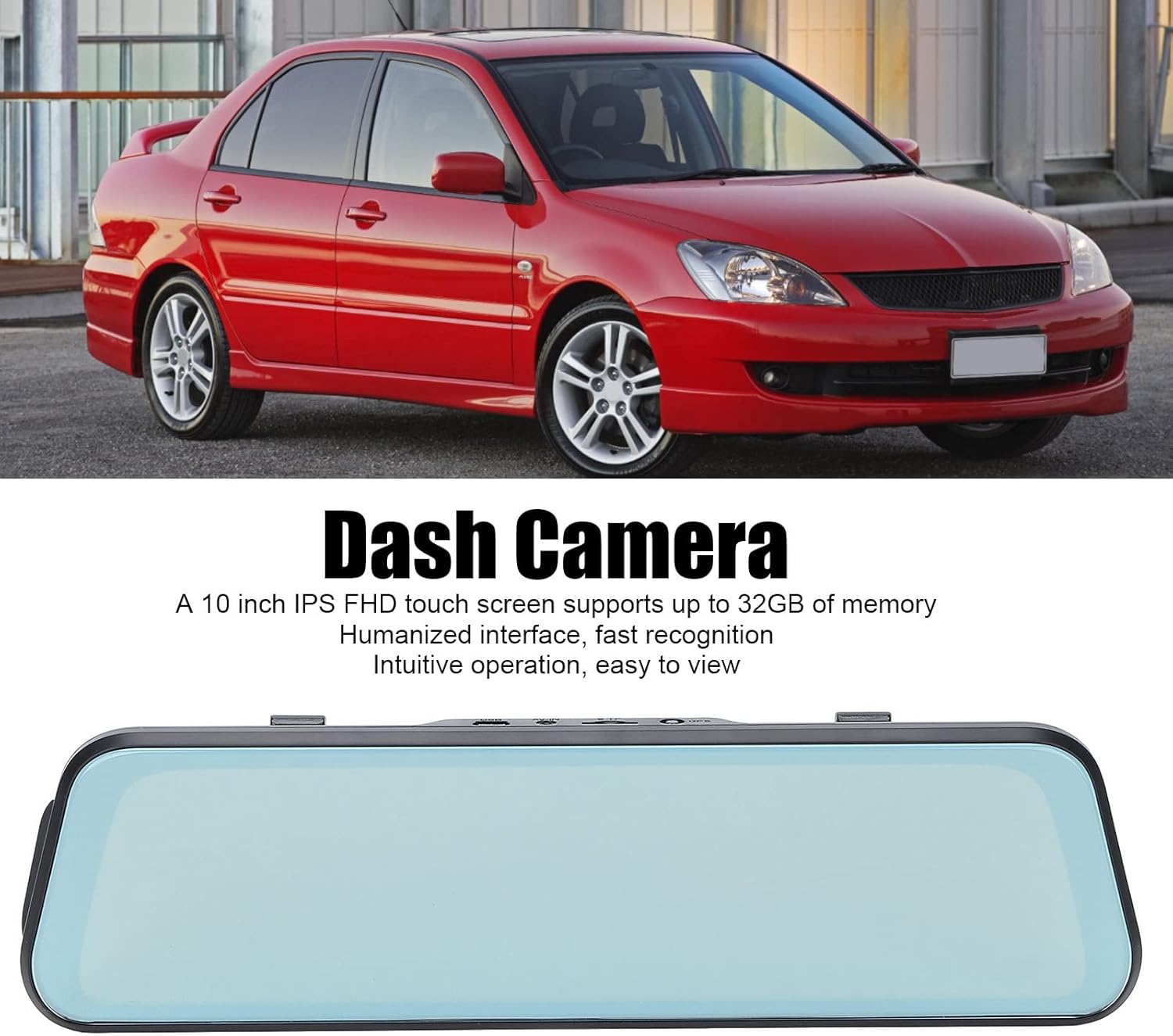
The 10-inch IPS touchscreen allows for intuitive navigation and control. Tap icons to select functions, swipe to navigate menus or switch camera views.
૩.૨ રેકોર્ડિંગ મોડ્સ
- લૂપ રેકોર્ડિંગ: Videos are recorded in segments (e.g., 1, 3, or 5 minutes). When the memory card is full, the oldest unlocked files ઓવરરાઈટ છે.
- ઇમરજન્સી રેકોર્ડિંગ (જી-સેન્સર): The built-in G-sensor detects sudden impacts or collisions and automatically locks the current video file તેને ઓવરરાઈટ થતા અટકાવવા માટે.
- પાર્કિંગ મોનિટર: When enabled, the dash cam will automatically start recording if it detects a collision or vibration while the vehicle is parked. This feature typically requires a hardwire kit (not included) for continuous power.
6.4 કેમેરા સ્વિચ કરવું Views
On the touchscreen, you can typically swipe left or right, or tap a specific icon, to switch between front camera view, પાછળનો કેમેરો view, or a picture-in-picture display showing both simultaneously.

6.5 મેનુ સેટિંગ્સ
Access the settings menu via the touchscreen to configure various options:
- વિડિઓ રિઝોલ્યુશન: Set recording resolution (e.g., 1080p for both front and rear).
- લૂપ રેકોર્ડિંગ અવધિ: Adjust segment length (e.g., 1/3/5 minutes).
- જી-સેન્સર સંવેદનશીલતા: Adjust the sensitivity of impact detection.
- પાર્કિંગ મોનિટર: આ સુવિધાને સક્ષમ અથવા અક્ષમ કરો.
- તારીખ/સમય: ચોક્કસ સમય માટે સાચી તારીખ અને સમય સેટ કરોampરેકોર્ડિંગ પર s.
- ભાષા: Select your preferred language (supports Chinese, English, French, Italian, Korean, Russian, Spanish, German, Japanese, etc.).
- ફોર્મેટ એસડી કાર્ડ: Format the Micro SD card to ensure optimal performance and clear old data.
7. જાળવણી
- સફાઈ: Use a soft, dry cloth to clean the dash cam screen and lens. Do not use abrasive cleaners or solvents.
- SD Card Maintenance: Format the Micro SD card regularly (e.g., once a month) to prevent data corruption and ensure smooth recording. Back up any important fileફોર્મેટિંગ પહેલાં s.
- સંગ્રહ: If storing the device for an extended period, remove it from the vehicle and store it in a cool, dry place.
8. મુશ્કેલીનિવારણ
| સમસ્યા | શક્ય ઉકેલ |
|---|---|
| ડેશ કેમ ચાલુ થતો નથી. |
|
| રેકોર્ડિંગ બંધ થાય છે અથવા થીજી જાય છે. |
|
| નબળી વિડિઓ ગુણવત્તા. |
|
| પાછળનો કેમેરો દેખાતો નથી. |
|
9. સ્પષ્ટીકરણો
| લક્ષણ | વિગત |
|---|---|
| મોડલ નંબર | Dpofirs37z42emfyt9349 |
| ડિસ્પ્લે સ્ક્રીન | 10-ઇંચની IPS ટચ સ્ક્રીન |
| ફ્રન્ટ કેમેરા રિઝોલ્યુશન | 1920 x 1080p @ 30fps |
| રીઅર કેમેરા રિઝોલ્યુશન | 1920 x 1080p @ 30fps (or 1920 x 720p @ 30fps) |
| ફ્રન્ટ લેન્સ એંગલ | 170° વાઈડ એંગલ |
| રીઅર લેન્સ એંગલ | 140° વાઈડ એંગલ |
| સંગ્રહ આધાર | Micro SD Card up to 32GB (Class 10 or higher recommended) |
| બેટરી ક્ષમતા | 450 mAh Lithium Battery (built-in) |
| ખાસ લક્ષણો | Night Vision, Touch Screen, Loop Recording, G-Sensor, Parking Monitor, Time-lapse Recording |
| સમર્થિત ભાષાઓ | Chinese, English, French, Italian, Korean, Russian, Spanish, German, Japanese, etc. |
10. વોરંટી અને સપોર્ટ
Bewinner products are designed for reliability and performance. For specific warranty details, please refer to the warranty card included with your purchase or contact Bewinner customer support. If you encounter any issues not covered in this manual, please reach out to our customer service team for assistance.
For further support, visit the official Bewinner webસાઇટ અથવા તમારા રિટેલરનો સંપર્ક કરો.
