પરિચય
This user manual provides essential information for setting up, operating, and maintaining your Samsung 43-inch 4K Ultra HD Smart LED TV, model UA43BU8000KLXL. Please read this manual thoroughly to ensure safe and efficient use of your television.
The Samsung UA43BU8000KLXL features a 4K Ultra HD LED panel, powered by the Crystal Processor 4K, delivering vibrant visuals with Dynamic Crystal Color. Its AirSlim design offers a sleek profile, and the Tizen operating system provides access to a wide range of smart features via the Smart Hub.
મુખ્ય લક્ષણો ઓવરview

છબી: ઓવરview of key features including Dynamic Crystal Color, Crystal Processor 4K, AirSlim design, OTS Lite, Adaptive Sound, Voice Assistant, Smart Hub, and TV Plus.
- ગતિશીલ સ્ફટિક રંગ: Experience a wide spectrum of colors for vivid picture quality.
- ક્રિસ્ટલ પ્રોસેસર 4K: Powerful upscaling ensures you get up to 4K resolution for the content you love.
- એરસ્લિમ ડિઝાઇન: An ultra-thin profile that blends seamlessly with your interior.
- સ્માર્ટ હબ: Centralized access to streaming services, apps, and connected devices.
- અનુકૂલનશીલ અવાજ: Audio optimization based on content type and room environment.
- અવાજ સહાયક: Integrated support for voice commands (Alexa & Bixby).
સેટઅપ માર્ગદર્શિકા
1. અનપેકિંગ અને કમ્પોનન્ટ ચેક
Carefully remove the television and all components from the packaging. Ensure all items listed below are present:
- 1 એલઇડી ટીવી
- 1 પાવર કોર્ડ
- 1 રીમોટ કંટ્રોલ
- 2 Stand-Top (for table-top installation)
2. Stand Installation (Table-Top)
If you plan to place the TV on a table or cabinet, attach the included stand-top components. Ensure the stand is securely fastened to prevent the TV from tipping.
- સ્ક્રેચમુદ્દે બચવા માટે ટીવી સ્ક્રીનને નરમ, સપાટ સપાટી પર નીચે મૂકો.
- ટીવીના તળિયે અનુરૂપ સ્લોટ્સ સાથે સ્ટેન્ડ બેઝને સંરેખિત કરો.
- Secure the stands using the provided screws. Refer to the diagram for correct orientation.

Image: Dimensions of the Samsung 43-inch TV, illustrating height with stand (59.9 cm) and without stand (55.99 cm), and width (96.55 cm).
3. વોલ માઉન્ટિંગ (વૈકલ્પિક)
For wall mounting, a compatible VESA wall mount kit (sold separately) is required. Consult a professional for installation to ensure safety and proper mounting.
નોંધ: The TV supports both wall mount and table mount configurations.
4. બાહ્ય ઉપકરણોને કનેક્ટ કરવું
Your Samsung TV offers multiple connectivity options for various devices.
છબી: પાછળનો ભાગ view of the TV's connectivity panel, highlighting HDMI (3 ports), USB (2 ports), LAN, and Digital Audio Out (Optical) ports.
- HDMI પોર્ટ (3): સેટ-ટોપ બોક્સ, બ્લુ-રે પ્લેયર્સ, ગેમિંગ કન્સોલ અથવા અન્ય HDMI-સક્ષમ ઉપકરણોને કનેક્ટ કરો.
- યુએસબી પોર્ટ્સ (2): Connect USB storage devices for media playback or other USB peripherals.
- LAN પોર્ટ: વાયર્ડ ઇન્ટરનેટ કનેક્શન માટે.
- ડિજિટલ ઓડિયો આઉટ (ઓપ્ટિકલ): ઉન્નત ઑડિઓ માટે સાઉન્ડબાર અથવા હોમ થિયેટર સિસ્ટમ સાથે કનેક્ટ કરો.
- એન્ટેના/કેબલ ઇનપુટ: તમારા એન્ટેના અથવા કેબલ ટીવી ફીડને કનેક્ટ કરો.
5. પાવર કનેક્શન
Connect the power cord to the TV's power input and then plug it into a wall outlet. The TV will enter standby mode.
6. પ્રારંભિક સેટઅપ
પહેલી વાર પાવર-ઓન કરવા પર, ટીવી તમને પ્રારંભિક સેટઅપ પ્રક્રિયામાં માર્ગદર્શન આપશે. આમાં સામાન્ય રીતે શામેલ છે:
- ભાષા પસંદગી: તમારી પસંદીદા ભાષા પસંદ કરો.
- નેટવર્ક કનેક્શન: તમારા Wi-Fi નેટવર્કથી કનેક્ટ કરો અથવા વાયર્ડ ઇથરનેટ કનેક્શનનો ઉપયોગ કરો.
- સ્માર્ટ હબ સેટઅપ: Log in to your Samsung account or create a new one to access smart features and apps.
- ચેનલ સ્કેન: ઉપલબ્ધ બ્રોડકાસ્ટ ચેનલો માટે સ્કેન કરો.
Operating Your Samsung Smart TV
1. દૂરસ્થ નિયંત્રણ કાર્યો
The included remote control provides access to all TV functions, including smart features and voice commands.

Image: The Samsung Smart Remote, highlighting the Voice Assistant button for Alexa and Bixby, and dedicated hotkeys for Netflix, Prime Video, Disney+ Hotstar, and Samsung TV Plus.
- પાવર બટન: ટીવી ચાલુ કે બંધ કરે છે.
- વૉઇસ આસિસ્ટન્ટ બટન: Activates voice commands (Alexa, Bixby).
- નેવિગેશન પેડ: મેનુ નેવિગેટ કરવા અને વસ્તુઓ પસંદ કરવા માટે ઉપયોગ કરો.
- વોલ્યુમ અપ/ડાઉન: ટીવી વોલ્યુમ એડજસ્ટ કરે છે.
- ચેનલ ઉપર/નીચે: ટીવી ચેનલો બદલે છે.
- સ્માર્ટ હબ બટન: Accesses the Smart Hub interface.
- Hotkey Buttons: Dedicated buttons for quick access to popular streaming services like Netflix, Prime Video, and Disney+ Hotstar.
૪.૨. સ્માર્ટ હબ અને એપ્લિકેશનો
The Smart Hub is your gateway to a world of entertainment and smart features. It provides access to streaming apps, live TV, and connected devices.

Image: The Smart Hub interface on the Samsung TV, showing popular movies and shows, and icons for streaming apps such as YouTube, Netflix, Prime Video, Google Play Movies & TV, YuppTV, Zee5, Disney+ Hotstar, Apple TV, Spotify, SonyLIV, Voot, Eros Now, BIGFLIX, and ALTBalaji.
- સ્માર્ટ હબ ઍક્સેસ કરવું: Press the Smart Hub button on your remote.
- Navigating Apps: Use the navigation pad to browse and select applications.
- એપ સ્ટોર: સેમસંગ એપ સ્ટોરમાંથી વધારાની એપ્સ ડાઉનલોડ અને ઇન્સ્ટોલ કરો.
3. સ્માર્ટ ટીવી સુવિધાઓ
- Mobile to TV Mirroring (Screen Mirroring): Share content from your smartphone or tablet to the TV screen.
- DLNA: મીડિયા ઍક્સેસ કરો files from compatible devices on your home network.
- ટેપ કરો View: Quickly mirror your phone's screen by tapping it against the TV.
- બ્લૂટૂથ લો એનર્જી: હેડફોન અથવા સ્પીકર્સ જેવા સુસંગત બ્લૂટૂથ ઉપકરણોને કનેક્ટ કરો.
- WiFi Direct: Connect devices directly to the TV without a router.
- TV Sound to Mobile: Listen to TV audio on your mobile device.
- સાઉન્ડ મિરરિંગ: Mirror audio from your mobile device to the TV.
- Wireless Dex: Extend your Samsung smartphone experience to the TV.
- ઓટો ગેમ મોડ (ALLM): ગેમિંગ માટે સેટિંગ્સને આપમેળે ઑપ્ટિમાઇઝ કરે છે, ઇનપુટ લેગ ઘટાડે છે.
ડિસ્પ્લે અને ઑડિઓ સુવિધાઓ
૬. ડિસ્પ્લે ટેકનોલોજી
- 4K Ultra HD Resolution (3840 x 2160): Delivers four times the pixels of Full HD for incredible detail and clarity.
- ગતિશીલ સ્ફટિક રંગ: Provides a wider color gamut, resulting in richer, more lifelike images.
- Certified HDR 10+: Enhances contrast and color accuracy, revealing more detail in both bright and dark scenes.
- ક્રિસ્ટલ પ્રોસેસર 4K: An advanced processor that optimizes picture quality, upscales content to 4K, and fine-tunes color and contrast.
- UHD Dimming: Divides the screen into small blocks to optimize sharpness, color, and contrast levels.
- મોશન એક્સેલરેટર: Provides clear picture with smooth performance by automatically estimating and compensating frames for the content source.

Image: A lush, colorful scene demonstrating the vividness of Dynamic Crystal Color.

Image: A visual representation of the Samsung Crystal UHD Processor 4K, indicating its role in enhancing picture quality.

Image: A motorcycle race scene illustrating the smooth motion provided by Motion Xcelerator technology.
૫.૩. ઓડિયો સુવિધાઓ
- 20 Watts Output - 2 Channel: Delivers clear and powerful stereo sound.
- ડોલ્બી ડિજિટલ પ્લસ: Provides immersive surround sound experience.
- અનુકૂલનશીલ અવાજ: Analyzes the content and adjusts the sound settings to provide the best audio experience for movies, sports, or news.

Image: Visual representation of sound waves, depicting the Adaptive Sound feature that optimizes audio based on content.
જાળવણી
૧. તમારા ટીવીની સફાઈ
To maintain the clarity and longevity of your screen, follow these cleaning guidelines:
- સફાઈ કરતા પહેલા હંમેશા ટીવીને અનપ્લગ કરો.
- નરમ, લિન્ટ-ફ્રી માઇક્રોફાઇબર કાપડનો ઉપયોગ કરો.
- For screen cleaning, gently wipe the screen to remove dust. For stubborn marks, lightly dampen the cloth with distilled water or a specialized screen cleaner (ensure it's safe for LED screens) and wipe gently. Do not spray liquid directly onto the screen.
- For the frame and stand, use a dry, soft cloth.
- ઘર્ષક ક્લીનર્સ, આલ્કોહોલ, બેન્ઝીન અથવા પાતળા પદાર્થોનો ઉપયોગ કરવાનું ટાળો, કારણ કે આ ટીવીની સપાટીને નુકસાન પહોંચાડી શકે છે.
2. સોફ્ટવેર અપડેટ્સ
શ્રેષ્ઠ પ્રદર્શન, સુરક્ષા અને નવી સુવિધાઓની ઍક્સેસ સુનિશ્ચિત કરવા માટે તમારા ટીવીના સોફ્ટવેરને નિયમિતપણે અપડેટ કરો.
- ખાતરી કરો કે તમારું ટીવી ઇન્ટરનેટ સાથે જોડાયેલ છે.
- પર નેવિગેટ કરો સેટિંગ્સ > સપોર્ટ > સોફ્ટવેર અપડેટ.
- પસંદ કરો હવે અપડેટ કરો ઉપલબ્ધ અપડેટ્સ તપાસવા અને ઇન્સ્ટોલ કરવા માટે.
- You can also enable ઓટો અપડેટ for automatic background updates.
મુશ્કેલીનિવારણ
If you encounter issues with your TV, refer to the following common solutions before contacting customer support.
1. કોઈ પાવર નથી
- ખાતરી કરો કે પાવર કોર્ડ ટીવી અને વર્કિંગ વોલ આઉટલેટ બંનેમાં સુરક્ષિત રીતે પ્લગ થયેલ છે.
- બીજા ઉપકરણને પ્લગ ઇન કરીને વોલ આઉટલેટ કાર્યરત છે કે નહીં તે તપાસો.
- Press the power button on the TV itself (usually located on the bottom or back) to rule out a remote control issue.
2. No Picture / Distorted Picture
- ચકાસો કે સાચો ઇનપુટ સ્ત્રોત પસંદ થયેલ છે (દા.ત., HDMI 1, HDMI 2).
- Check all cable connections (HDMI, antenna) between the TV and external devices. Ensure they are firmly seated.
- If using a set-top box or other device, ensure it is powered on and functioning correctly.
- ટીવી અને કોઈપણ કનેક્ટેડ ડિવાઇસને ફરી શરૂ કરવાનો પ્રયાસ કરો.
3. No Sound / Distorted Sound
- Check the TV's volume level and ensure it is not muted.
- If using external speakers or a soundbar, ensure they are powered on and correctly connected. Check their volume levels.
- Verify the audio output setting on the TV (e.g., TV Speaker, Optical, HDMI ARC).
- If using an external device, check its audio output settings.
૭.૩. રિમોટ કંટ્રોલ કામ કરતું નથી
- Ensure there are no obstructions between the remote and the TV's remote sensor.
- રિમોટ કંટ્રોલમાં બેટરી તપાસો અને જો જરૂરી હોય તો તેને બદલો.
- If it's a Smart Remote, try re-pairing it with the TV (refer to the TV's on-screen guide for pairing instructions).
૧૧.૫. નેટવર્ક કનેક્શન સમસ્યાઓ
- Ensure your Wi-Fi router is powered on and functioning.
- તમારા રાઉટર અને મોડેમને ફરીથી શરૂ કરો.
- પર જાઓ Settings > General > Network > Network Status to diagnose the connection.
- Try connecting the TV to the internet via an Ethernet cable if Wi-Fi issues persist.
6. ફેક્ટરી રીસેટ
If problems persist, a factory reset can resolve many software-related issues. ચેતવણી: This will erase all your settings and installed apps.
- પર નેવિગેટ કરો સેટિંગ્સ > સામાન્ય > રીસેટ કરો.
- Enter your PIN (default is 0000).
- Confirm the reset. The TV will restart and go through the initial setup process again.
વિશિષ્ટતાઓ
| લક્ષણ | વિગત |
|---|---|
| બ્રાન્ડ | સેમસંગ |
| મોડલ નંબર | UA43BU8000KLXL |
| સ્ક્રીન માપ | 43 ઇંચ (108 સે.મી.) |
| ડિસ્પ્લે ટેકનોલોજી | એલઇડી |
| ઠરાવ | 4K અલ્ટ્રા HD (3840 x 2160) |
| તાજું દર | 50 હર્ટ્ઝ |
| ઓપરેટિંગ સિસ્ટમ | ટિઝેન |
| ગ્રાફિક્સ કોપ્રોસેસર | ક્રિસ્ટલ પ્રોસેસર 4K |
| HDMI પોર્ટ્સ | 3 |
| યુએસબી પોર્ટ્સ | 2 |
| કનેક્ટિવિટી ટેકનોલોજી | Ethernet, HDMI, USB, Wi-Fi, Bluetooth |
| સાઉન્ડ આઉટપુટ | 20 વોટ્સ, 2 ચેનલ |
| સ્પીકર રૂપરેખાંકન | ડોલ્બી ડિજિટલ પ્લસ |
| ઉત્પાદનના પરિમાણો (સ્ટેન્ડ સાથે) | 96.6 x 20.6 x 59.9 સેમી (LxWxH) |
| વસ્તુનું વજન | 8.4 કિગ્રા |
| પાવર સ્ત્રોત | એસી (૧૨૦ વોલ્ટ) |
વોરંટી અને આધાર
1. વોરંટી માહિતી
તમારા સેમસંગ ટીવી સાથે આવે છે 2-વર્ષની વ્યાપક વોરંટી on the product. This includes a 1-year standard warranty and an additional 1-year extended warranty provided by Samsung from the date of purchase.
To avail warranty services, please retain your purchase invoice.
2. Installation Service
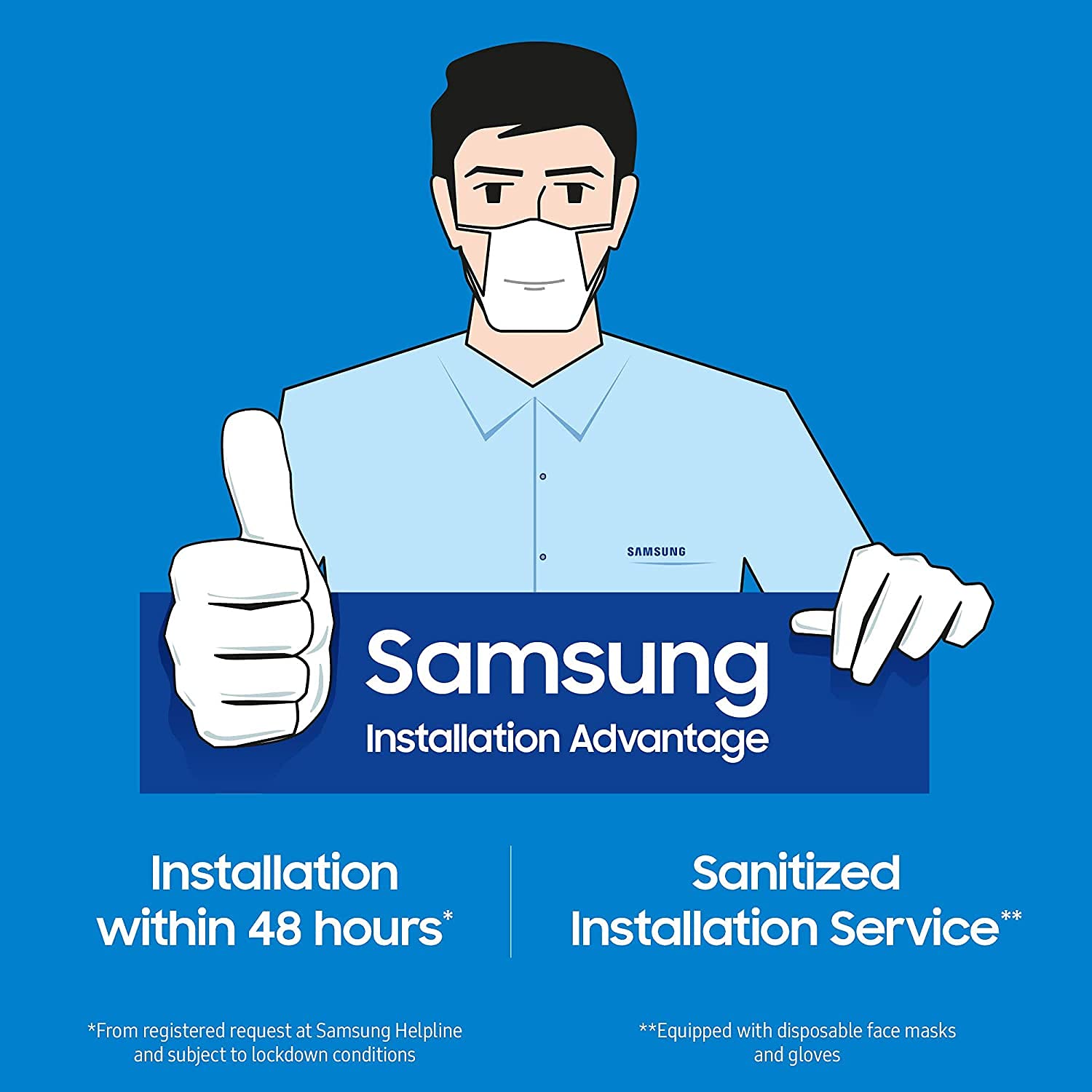
Samsung offers an installation advantage service, which includes installation within 48 hours of a registered request at the Samsung Helpline. This service also includes a sanitized installation process, with technicians equipped with disposable face masks and gloves.

Image: Samsung Installation Advantage service, highlighting installation within 48 hours and a sanitized service by technicians wearing masks and gloves.
3. ગ્રાહક આધાર
For further assistance, technical support, or to register an installation request, please contact Samsung customer service. Refer to your purchase documentation or the official Samsung webસૌથી અદ્યતન સંપર્ક માહિતી માટે સાઇટ.
You can also access the user manual and product details section on the brand's webસાઇટ


