પરિચય
Welcome to the user manual for your new Amkette Pocket Blast 5-in-1 FM Radio. This versatile device combines an FM radio, Bluetooth speaker, MP3 player, voice recorder, and FM song recorder into a compact and portable unit. Please read this manual carefully to understand the features and operation of your device and ensure optimal performance.

Figure 1: Amkette Pocket Blast 5-in-1 FM Radio
પેકેજ સામગ્રી
કૃપા કરીને નીચેની વસ્તુઓ માટે બોક્સ ચેક કરો:
- 1 x Amkette Pocket Blast Unit
- 1 x વપરાશકર્તા માર્ગદર્શિકા
- ૧ x ચાર્જિંગ કેબલ (ટાઈપ-સી)
- 1 એક્સ AUક્સ કેબલ
ઉત્પાદન લક્ષણો
The Amkette Pocket Blast is designed for versatile audio entertainment and utility.
- 5-ઇન-1 કાર્યક્ષમતા: FM Radio, Bluetooth Speaker, MP3 Player (USB/SD/AUX), Voice Recorder, and FM Song Recorder.
- શ્રેષ્ઠ અવાજ ગુણવત્તા: Equipped with a 6W speaker for clear audio with well-defined bass and pleasing vocals.
- સરળ નેવિગેશન: Full number pad for direct song and FM station selection.
- લાંબો પ્લેબેક: Over 7 hours of battery life on Bluetooth mode.
- બિલ્ટ-ઇન માઇક્રોફોન: For voice recording and hands-free calls when connected via Bluetooth.
- ટાઇપ-સી ચાર્જિંગ: Modern and reliable charging port.
- બાહ્ય એન્ટેના: સુધારેલ FM રિસેપ્શન માટે.

Figure 2: Key Features of the Pocket Blast

Figure 3: Compact Size with Powerful Audio
નિયંત્રણો અને બંદરો
Familiarize yourself with the buttons and ports on your Amkette Pocket Blast for seamless operation.
Front Panel (Number Pad and Display)
- નંબર પેડ (0-9): Used for direct input of FM frequencies or song numbers in MP3 mode.
- આરઈસી બટન: Initiates voice or FM recording.
- DEL Button: Deletes recorded files.
- M (મોડ) બટન: Switches between FM, Bluetooth, USB, SD, and AUX modes.
- પ્લે/પોઝ બટન: પ્લેબેકને નિયંત્રિત કરે છે.
- પાછલા/આગલા ટ્રેક બટનો: Navigates through songs or FM stations.
- ઉપર / ડાઉન બટનો વોલ્યુમ: ઓડિયો વોલ્યુમ ગોઠવે છે.
- એલસીડી ડિસ્પ્લે: Shows current mode, FM frequency, track number, etc.
Side Panel (Ports)
- ચાલુ/બંધ સ્વિચ: ઉપકરણને ચાલુ અથવા બંધ કરે છે.
- DC 5V (Type-C) Port: ઉપકરણ ચાર્જ કરવા માટે.
- યુએસબી પોર્ટ: For USB flash drives (MP3 playback, recording storage).
- TF (માઇક્રો SD) કાર્ડ સ્લોટ: For Micro SD cards (MP3 playback, recording storage).
- AUX ઇનપુટ: 3.5mm ઓડિયો કેબલ દ્વારા બાહ્ય ઓડિયો ઉપકરણોને કનેક્ટ કરવા માટે.
- બાહ્ય એન્ટેના: સુધારેલ FM રિસેપ્શન માટે એક્સટેન્ડેબલ એન્ટેના.

Figure 4: Number Pad for Direct Selection

Figure 5: Multi Playback Options
સેટઅપ
પ્રારંભિક ચાર્જિંગ
Before first use, fully charge your Amkette Pocket Blast.
- Connect the provided Type-C charging cable to the DC 5V port on the device.
- કેબલના બીજા છેડાને USB પાવર એડેપ્ટર (શામેલ નથી) અથવા કમ્પ્યુટરના USB પોર્ટ સાથે કનેક્ટ કરો.
- The charging indicator on the device will illuminate. It will turn off or change color once fully charged.
- સંપૂર્ણ ચાર્જ થવામાં સામાન્ય રીતે લગભગ 2 કલાક લાગે છે.
પાવરિંગ ચાલુ/બંધ
Slide the ON/OFF switch located on the side of the device to power it on or off.
ઓપરેટિંગ સૂચનાઓ
બ્લૂટૂથ મોડ
Connect your smartphone or other Bluetooth-enabled devices to the Pocket Blast for wireless audio streaming and hands-free calls.
- Power on the Pocket Blast. It will automatically enter Bluetooth pairing mode (indicated by a flashing Bluetooth icon or voice prompt).
- તમારા ઉપકરણ પર, બ્લૂટૂથ સક્ષમ કરો અને ઉપલબ્ધ ઉપકરણો માટે શોધો.
- Select "Amkette Pocket Blast" from the list.
- Once paired, the device will confirm the connection. You can now play audio from your connected device.
- To answer/end calls, press the Play/Pause button. Use the built-in microphone for communication.
એફએમ રેડિયો ઓપરેશન
Enjoy your favorite FM radio stations with clear reception.
- દબાવો M (મોડ) button until "FM" mode is displayed.
- Extend the external antenna for optimal reception.
- ઓટો સ્કેન: લાંબા સમય સુધી દબાવો ચલાવો/થોભો ઉપલબ્ધ FM સ્ટેશનોને આપમેળે સ્કેન કરવા અને સાચવવા માટે બટન.
- મેન્યુઅલ ટ્યુનિંગ: નો ઉપયોગ કરો પાછલો/આગળનો ટ્રેક buttons to fine-tune the frequency.
- ડાયરેક્ટ ફ્રીક્વન્સી ઇનપુટ: Use the number pad to directly enter the desired FM frequency (e.g., 94.3 for 94.3 MHz).
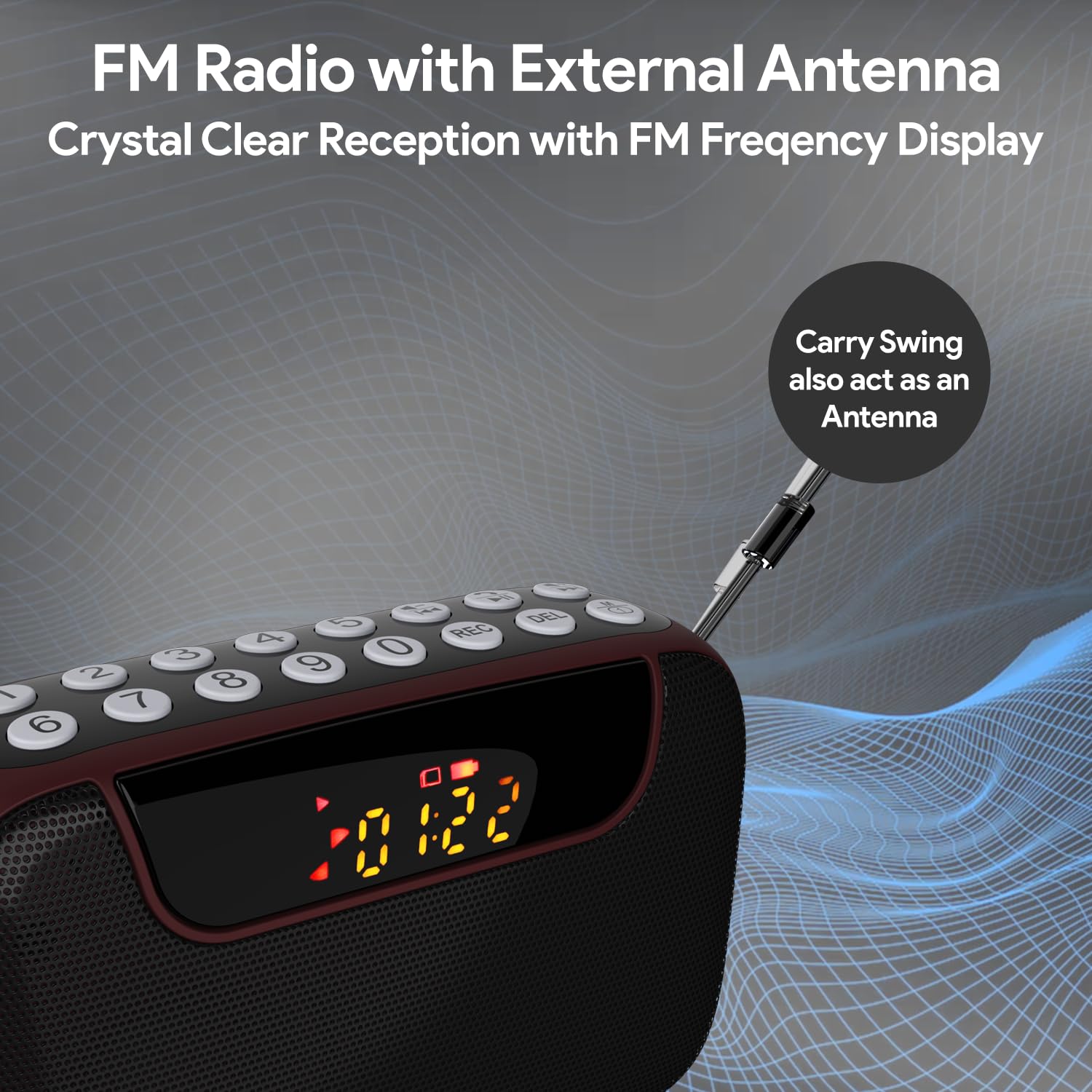
Figure 6: FM Radio with External Antenna
MP3 Playback (USB/SD/AUX)
Play music from USB drives, Micro SD cards, or external audio devices.
- યુએસબી/એસડી કાર્ડ: USB ફ્લેશ ડ્રાઇવ અથવા માઇક્રો SD કાર્ડ દાખલ કરો (MP3 સાથે) files) into the corresponding port. The device will automatically switch to USB/SD mode and begin playback. If not, press the M (મોડ) button to select the correct mode.
- AUX ઇનપુટ: Connect an external audio device (e.g., smartphone, laptop) to the AUX port using the provided 3.5mm audio cable. Press the M (મોડ) AUX મોડ પસંદ કરવા માટે બટન.
- નો ઉપયોગ કરો ચલાવો/થોભો અને પાછલો/આગળનો ટ્રેક પ્લેબેકને નિયંત્રિત કરવા માટેના બટનો.
- Use the number pad for direct song selection (e.g., enter "007" for the 7th song).

Figure 7: MP3 Player with Track Selection
વૉઇસ રેકોર્ડિંગ
Record voice notes directly onto a connected USB drive or Micro SD card.
- Ensure a USB drive or Micro SD card is inserted into the device.
- દબાવો આરઈસી button to start recording. The display will show a recording indicator.
- Speak clearly into the built-in microphone.
- દબાવો આરઈસી button again to stop and save the recording.
- To play back recordings, switch to USB/SD mode and navigate to the recorded files.
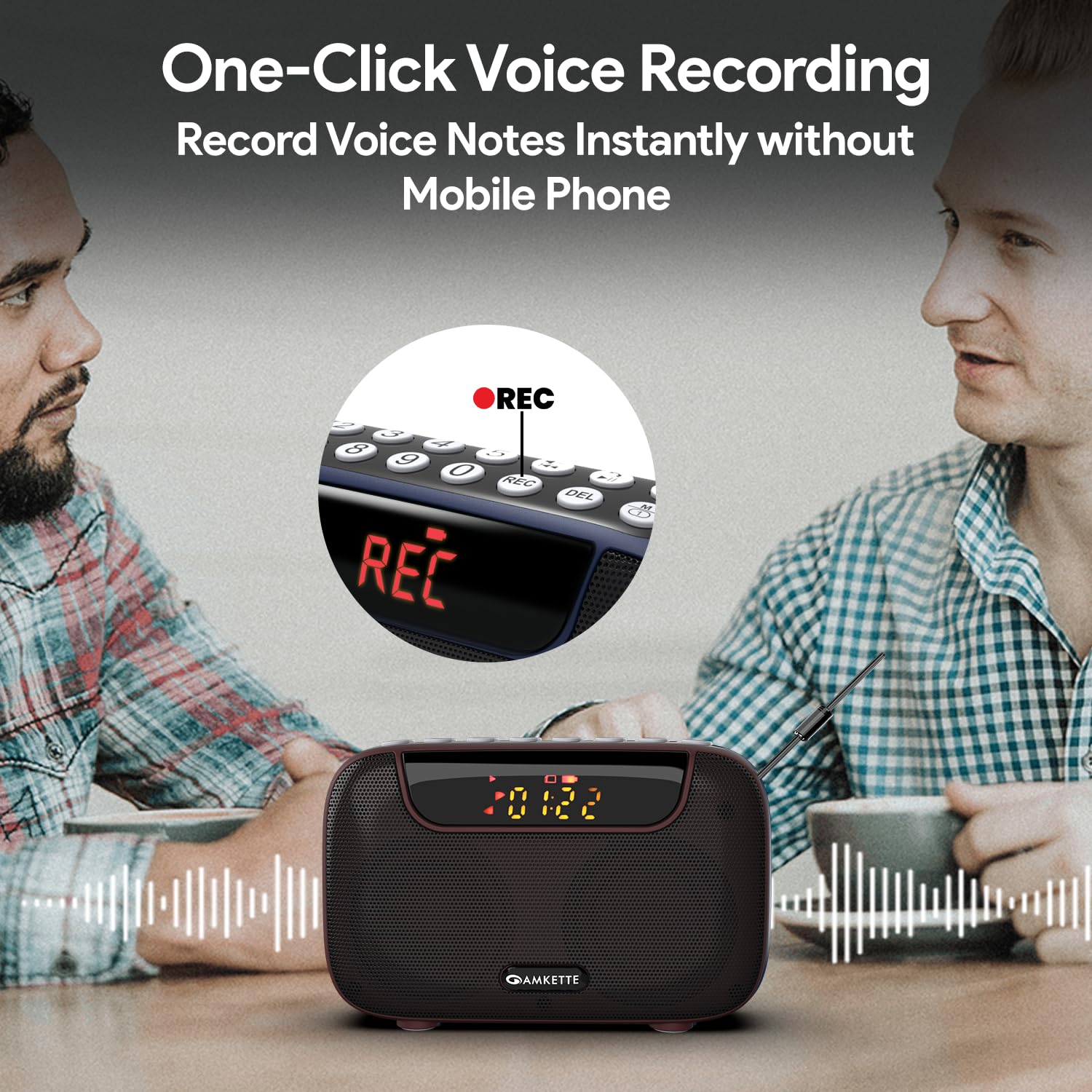
Figure 8: One-Click Voice Recording
FM Song Recording
Capture your favorite FM radio programs or songs directly from the radio.
- Ensure a USB drive or Micro SD card is inserted into the device.
- Switch to FM mode and tune to the desired station.
- દબાવો આરઈસી button to start recording the FM broadcast. The display will show a recording indicator.
- દબાવો આરઈસી button again to stop and save the recording.
- Recorded FM songs will be saved on the inserted storage device.

Figure 9: Built-in FM Song Recorder
ચાર્જિંગ
The Amkette Pocket Blast is equipped with a rechargeable Lithium Ion battery.
- ફક્ત આપેલ ટાઇપ-સી ચાર્જિંગ કેબલનો ઉપયોગ કરો.
- Connect to a standard USB power source (5V/1A recommended).
- Avoid using damaged cables or chargers.
- અતિશય તાપમાનમાં ચાર્જ કરશો નહીં.
- The device offers over 7 hours of playback on a full charge (Bluetooth mode).

Figure 10: Extended Playback Time
જાળવણી
To ensure the longevity and optimal performance of your device, follow these maintenance guidelines:
- Keep the device dry. Avoid exposure to water or excessive humidity.
- ઉપકરણને નરમ, સૂકા કપડાથી સાફ કરો. ઘર્ષક ક્લીનર્સ અથવા સોલવન્ટનો ઉપયોગ કરશો નહીં.
- જ્યારે ઉપયોગમાં ન હોય ત્યારે ઉપકરણને ઠંડી, સૂકી જગ્યાએ સંગ્રહિત કરો.
- ઉપકરણને મજબૂત અસરમાં મૂકવા અથવા આધીન કરવાનું ટાળો.
- ઉપકરણને જાતે ડિસએસેમ્બલ કરવાનો કે રિપેર કરવાનો પ્રયાસ કરશો નહીં. આ વોરંટી રદ કરશે.
મુશ્કેલીનિવારણ
If you encounter any issues with your Amkette Pocket Blast, refer to the following common problems and solutions:
| સમસ્યા | સંભવિત કારણ | ઉકેલ |
|---|---|---|
| ઉપકરણ પાવર ચાલુ કરતું નથી. | Low battery; Power switch is off. | Charge the device fully; Ensure the ON/OFF switch is in the "ON" position. |
| કોઈ અવાજ નથી. | Volume too low; Incorrect mode selected; Device not paired (Bluetooth). | Increase volume; Press "M" button to select correct mode; Re-pair Bluetooth device. |
| ખરાબ FM સ્વાગત. | એન્ટેના વિસ્તૃત નથી; નબળો સિગ્નલ વિસ્તાર. | Fully extend the external antenna; Try moving to a location with better signal. |
| રેકોર્ડ કરી શકતા નથી. | No USB/SD card inserted; Storage full; Card format issue. | Insert a compatible USB/SD card; Delete old files or use a new card; Ensure card is formatted correctly (FAT32). |
| બ્લૂટૂથ વારંવાર ડિસ્કનેક્ટ થાય છે. | Device too far from Pocket Blast; Obstructions; Interference. | Keep devices within 10 meters (33 feet); Remove obstructions; Avoid strong electromagnetic interference. |
વિશિષ્ટતાઓ
Detailed technical specifications for the Amkette Pocket Blast.
| લક્ષણ | વિગત |
|---|---|
| બ્રાન્ડ | અમ્કેટ્ટે |
| મોડેલનું નામ | Pocket Blast |
| ઉત્પાદન પરિમાણો | 12 x 4.1 x 7.8 સેમી |
| વસ્તુનું વજન | 264 ગ્રામ |
| સ્પીકર આઉટપુટ પાવર | 6 વોટ્સ |
| પાવર સ્ત્રોત | બેટરી સંચાલિત |
| બેટરીનો પ્રકાર | લિથિયમ આયન (શામેલ) |
| બેટરી લાઇફ (સરેરાશ) | 7+ Hours (Bluetooth) |
| ચાર્જિંગ પોર્ટ | Type-C (DC 5V) |
| કનેક્ટિવિટી | Bluetooth, USB, SD Card, AUX |
| ટ્યુનર ટેકનોલોજી | FM |
| ડિસ્પ્લે પ્રકાર | એલસીડી |
| મૂળ દેશ | ચીન |
વોરંટી અને આધાર
Your Amkette Pocket Blast comes with a ૧ વર્ષની ઉત્પાદન વોરંટી.
For any issues, queries, or support, please contact our customer support team.
- ગ્રાહક આધાર: Please Call or WhatsApp our customer support team in case of any issues.
- વોરંટી દાવાઓ: વોરંટી દાવાઓ માટે ખરીદીના પુરાવા તરીકે તમારી ખરીદી રસીદ રાખો.


