1. પરિચય
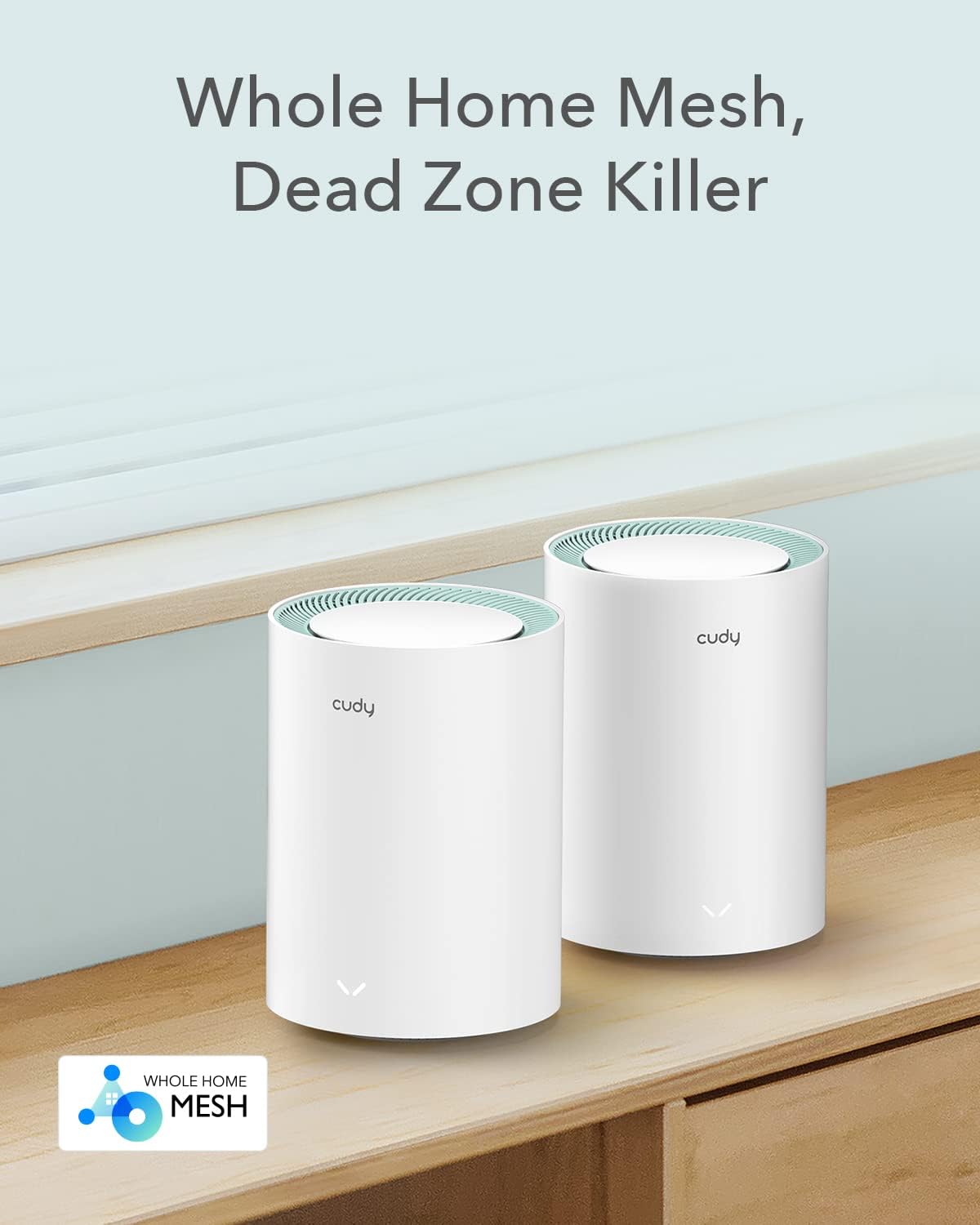
Cudy M1300 AC1200 Gigabit હોલ હોમ મેશ વાઇફાઇ સિસ્ટમ તમારા ઘર અથવા ઓફિસમાં વાઇ-ફાઇ ડેડ ઝોનને દૂર કરવા અને સીમલેસ, હાઇ-સ્પીડ ઇન્ટરનેટ કવરેજ પ્રદાન કરવા માટે રચાયેલ છે. આ અદ્યતન સિસ્ટમ વિશ્વસનીય ડ્યુઅલ-બેન્ડ વાઇ-ફાઇ ગતિ પ્રદાન કરે છે અને મોટી સંખ્યામાં કનેક્ટેડ ઉપકરણોને સપોર્ટ કરે છે, જે સરળ સ્ટ્રીમિંગ, ગેમિંગ અને બ્રાઉઝિંગ સુનિશ્ચિત કરે છે.

છબી: Cudy M1300 મેશ વાઇફાઇ સિસ્ટમ યુનિટ્સ, ડેડ ઝોન એલિમિનેશનને હાઇલાઇટ કરે છે.
2. બોક્સમાં શું છે
ચકાસો કે તમારા Cudy M1300 પેકેજમાં બધા ઘટકો હાજર છે:
- M1300 મેશ યુનિટ્સ (2-પેક)
- પાવર એડેપ્ટર્સ
- ઇથરનેટ કેબલ
- સ્થાપન માર્ગદર્શિકા

છબી: Cudy M1300 2-પેક મેશ વાઇફાઇ સિસ્ટમ, તેના પેકેજિંગમાં દેખાય છે.
અનબૉક્સિંગ વિડિઓ
વિડિઓ: Cudy M1300 મેશ વાઇફાઇ સિસ્ટમનો અનબોક્સિંગ અને પરિચય, ઉત્પાદનની સામગ્રી અને પ્રારંભિક દેખાવનું પ્રદર્શન.
3. ઉત્પાદન ઓવરview
Cudy M1300 યુનિટ્સમાં આકર્ષક, નળાકાર ડિઝાઇન છે. દરેક યુનિટ કનેક્ટિવિટી માટે આવશ્યક પોર્ટ અને સ્ટેટસ મોનિટરિંગ માટે સૂચકાંકોથી સજ્જ છે.
બંદરો અને સૂચકાંકો
દરેક M1300 યુનિટમાં શામેલ છે:
- 2 ગીગાબાઇટ ઇથરનેટ બંદરો: હાઇ-સ્પીડ વાયર્ડ કનેક્શન માટે. એક પોર્ટ સામાન્ય રીતે WAN/LAN તરીકે અને બીજો LAN તરીકે કામ કરે છે.
- પાવર પોર્ટ: પાવર એડેપ્ટરને કનેક્ટ કરવા માટે.
- એલઇડી સૂચક: મેશ યુનિટની સ્થિતિ દર્શાવે છે (દા.ત., કનેક્ટેડ માટે સોલિડ બ્લુ, સેટઅપ મોડ માટે પલ્સિંગ બ્લુ, ઇન્ટરનેટ ન હોય તો લાલ).

છબી: પાછળનો ભાગ view ક્યુડી M1300 યુનિટનું, જેમાં ગીગાબીટ LAN/WAN પોર્ટ અને પાવર ઇનપુટની વિગતો આપવામાં આવી છે.
4. સેટઅપ માર્ગદર્શિકા
તમારી Cudy M1300 મેશ વાઇફાઇ સિસ્ટમ સેટ કરવા માટે આ પગલાં અનુસરો:
- તમારું મોડેમ તૈયાર કરો: તમારા હાલના મોડેમ/રાઉટરમાંથી પાવર ડિસ્કનેક્ટ કરો. જો તમારી પાસે જૂનું રાઉટર હોય, તો તેને ડિસ્કનેક્ટ કરો.
- મુખ્ય મેશ યુનિટને જોડો: આપેલા ઇથરનેટ કેબલનો ઉપયોગ કરીને M1300 યુનિટમાંથી એકને તમારા મોડેમ સાથે કનેક્ટ કરો. M1300 યુનિટ પરના કોઈપણ ઇથરનેટ પોર્ટમાં એક છેડો પ્લગ કરો અને બીજો છેડો તમારા મોડેમના LAN પોર્ટમાં પ્લગ કરો.
- પાવર ચાલુ: પાવર એડેપ્ટરને મુખ્ય M1300 યુનિટમાં પ્લગ ઇન કરો અને પછી તમારા મોડેમને ફરીથી પાવરમાં પ્લગ કરો. બંને ડિવાઇસ સંપૂર્ણપણે બુટ થાય ત્યાં સુધી રાહ જુઓ. M1300 યુનિટ પરનો LED વાદળી રંગનો હોવો જોઈએ, જે દર્શાવે છે કે તે સેટઅપ માટે તૈયાર છે.
- ક્યુડી એપ ડાઉનલોડ કરો: તમારા સ્માર્ટફોનના એપ સ્ટોર (iOS અથવા Android) પરથી Cudy એપ ડાઉનલોડ કરો.
- ઇન-એપ સૂચનાઓનું પાલન કરો: Cudy એપ ખોલો અને તમારા નવા મેશ નેટવર્કને ગોઠવવા માટે ઓન-સ્ક્રીન સૂચનાઓને અનુસરો. તમે એક નવું Wi-Fi નેટવર્ક નામ (SSID) અને પાસવર્ડ બનાવશો.
- વધારાના એકમો ઉમેરો: એકવાર પહેલું યુનિટ સેટ થઈ જાય, પછી બીજા M1300 યુનિટ(ઓ) ને તમારા ઘરની અંદર ઇચ્છિત સ્થાનો પર મૂકો. તેમને પાવરમાં પ્લગ કરો. આ એપ્લિકેશન તમને આ યુનિટ્સને તમારા હાલના મેશ નેટવર્કમાં ઉમેરવામાં માર્ગદર્શન આપશે. તે આપમેળે કનેક્ટ થશે અને તમારા Wi-Fi કવરેજને વિસ્તૃત કરશે.

છબી: કુડી મેશ યુનિટ સાથે આખા ઘરમાં સીમલેસ વાઇ-ફાઇ કવરેજ.
5. તમારી મેશ સિસ્ટમનું સંચાલન
Cudy M1300 સિસ્ટમ શ્રેષ્ઠ કામગીરી અને ઉપયોગમાં સરળતા માટે ડિઝાઇન કરવામાં આવી છે.
સીમલેસ રોમિંગ
મેશ ટેકનોલોજી સીમલેસ રોમિંગ સુનિશ્ચિત કરે છે, જેનો અર્થ એ છે કે જ્યારે તમે તમારા ઘરમાં ફરતા હોવ ત્યારે તમારા ઉપકરણો આપમેળે સૌથી મજબૂત Wi-Fi સિગ્નલ પર સ્વિચ થાય છે, કનેક્શનમાં કોઈ વિક્ષેપ કે કડાકો વગર.
ડ્યુઅલ-બેન્ડ AC1200 વાઇ-ફાઇ
આ સિસ્ટમ ડ્યુઅલ બેન્ડ્સ (2.4GHz અને 5GHz) પર AC1200 સ્પીડ (2.4GHz પર 300 Mbps અને 5GHz પર 867 Mbps સુધી) પર કાર્ય કરે છે, જે તમારા બધા ઉપકરણો માટે ઝડપી અને સ્થિર કનેક્શન પ્રદાન કરે છે.

છબી: ડ્યુઅલ-બેન્ડ AC1200 વાઇ-ફાઇ ગતિનું દ્રશ્ય પ્રતિનિધિત્વ.
વ્યાપક કવરેજ અને ઉપકરણ ક્ષમતા
2-પેક M1300 સિસ્ટમ 3200 ચોરસ ફૂટ સુધી આવરી શકે છે અને 100 ઉપકરણોને કનેક્ટ કરી શકે છે, જે તેને મોટા ઘરો અને અસંખ્ય સ્માર્ટ ઉપકરણો માટે યોગ્ય બનાવે છે.

છબી: Cudy M1300 સિસ્ટમ માટે સ્કેલેબલ આખા ઘર કવરેજ વિકલ્પો.
છબી: Cudy M1300 સિસ્ટમ એકસાથે 100 ઉપકરણોને સપોર્ટ કરે છે.
6. અદ્યતન સુવિધાઓ
Cudy M1300 ઉન્નત સુરક્ષા અને નેટવર્ક વ્યવસ્થાપન માટે ઘણી અદ્યતન સુવિધાઓ પ્રદાન કરે છે.
VPN સુરક્ષા
સુરક્ષિત અને વિશ્વસનીય કનેક્શન સ્થાપિત કરવા માટે, તમારા નેટવર્ક ટ્રાફિકને સુરક્ષિત રાખવા માટે OpenVPN, WireGuard, PPTP, L2TP અને ZeroTier જેવા બિલ્ટ-ઇન VPN પ્રોટોકોલનો ઉપયોગ કરો.
DNS એન્ક્રિપ્શન
Cloudflare અથવા NextDNS પર DNS એન્ક્રિપ્શન વડે તમારી ઓનલાઈન ગોપનીયતા અને સુરક્ષામાં વધારો કરો.
પેરેંટલ કંટ્રોલ્સ અને QoS
માતાપિતાના નિયંત્રણો સાથે પરિવારના સભ્યો માટે ઇન્ટરનેટ ઍક્સેસનું સંચાલન કરો, જેમાં શામેલ છે URL બ્લેકલિસ્ટિંગ અને સમય સુનિશ્ચિત કરવું. સેવાની ગુણવત્તા (QoS) તમને ચોક્કસ એપ્લિકેશનો અથવા ઉપકરણો માટે નેટવર્ક ટ્રાફિકને પ્રાથમિકતા આપવાની મંજૂરી આપે છે.

છબી: ઓવરview VPN અને DNS એન્ક્રિપ્શન સહિત અદ્યતન સુરક્ષા અને ગોપનીયતા સુવિધાઓ.

છબી: નેટવર્ક ઍક્સેસનું સંચાલન કરવા માટે પેરેંટલ કંટ્રોલ સુવિધાઓ.
7. મુશ્કેલીનિવારણ
જો તમને તમારા Cudy M1300 મેશ વાઇફાઇ સિસ્ટમમાં સમસ્યાઓ આવે, તો નીચેના પગલાં અજમાવો:
- એલઇડી સૂચકાંકો તપાસો: તમારા M1300 યુનિટ પર LED સ્ટેટસ જુઓ. ઘન વાદળી પ્રકાશ સામાન્ય રીતે સ્વસ્થ કનેક્શન સૂચવે છે, જ્યારે અન્ય રંગો અથવા પેટર્ન સમસ્યાનો સંકેત આપી શકે છે. LED સ્ટેટસની વિગતવાર સમજૂતી માટે Cudy એપ્લિકેશનનો સંપર્ક કરો.
- જોડાણો ચકાસો: ખાતરી કરો કે બધા ઇથરનેટ કેબલ તમારા મોડેમ અને M1300 યુનિટ બંને પર યોગ્ય પોર્ટમાં સુરક્ષિત રીતે પ્લગ થયેલ છે.
- પાવર સાયકલ: તમારા મોડેમ અને બધા M1300 યુનિટમાંથી પાવર ડિસ્કનેક્ટ કરો. 30 સેકન્ડ રાહ જુઓ, પછી પહેલા તમારા મોડેમ સાથે પાવર ફરીથી કનેક્ટ કરો, ત્યારબાદ મુખ્ય M1300 યુનિટ, અને પછી કોઈપણ વધારાના યુનિટ. દરેક ડિવાઇસને સંપૂર્ણપણે બુટ થવા દો.
- એકમોનું સ્થાનાંતરણ: જો તમને અમુક વિસ્તારોમાં નબળા સિગ્નલનો અનુભવ થાય, તો તમારા મેશ યુનિટ્સને એકબીજાની નજીક અથવા તમારા કવરેજ વિસ્તારના કેન્દ્રમાં ફરીથી ગોઠવવાનો પ્રયાસ કરો. મોટી ધાતુની વસ્તુઓ અથવા ઉપકરણોની નજીક યુનિટ્સ મૂકવાનું ટાળો જે દખલનું કારણ બની શકે છે.
- કુડી એપ ડાયગ્નોસ્ટિક્સ: સામાન્ય નેટવર્ક સમસ્યાઓ ઓળખવા અને ઉકેલવા માટે Cudy એપ્લિકેશનના ડાયગ્નોસ્ટિક ટૂલ્સનો ઉપયોગ કરો.
8. સ્પષ્ટીકરણો
| લક્ષણ | વિગત |
|---|---|
| ઉત્પાદન પરિમાણો | 19.69 x 19.69 x 11.02 ઇંચ |
| વસ્તુનું વજન | 2.42 પાઉન્ડ |
| આઇટમ મોડલ નંબર | M1300 |
| બ્રાન્ડ | ક્યુડી |
| મોડેલનું નામ | M1300 2-પેક |
| ખાસ લક્ષણો | એક્સેસ પોઈન્ટ મોડ, બીમફોર્મિંગ, પેરેંટલ કંટ્રોલ, QoS, રિમોટ એક્સેસ |
| આવર્તન બેન્ડ વર્ગ | ડ્યુઅલ-બેન્ડ |
| વાયરલેસ કમ્યુનિકેશન માનક | 802.11ac |
| સુસંગત ઉપકરણો | પર્સનલ કમ્પ્યુટર, સિક્યુરિટી કેમેરા, સ્માર્ટ ટેલિવિઝન, સ્માર્ટફોન, ટેબ્લેટ |
| ભલામણ કરેલ ઉપયોગો | વ્યવસાય, ઘર, ઇન્ડોર |
| કનેક્ટિવિટી ટેકનોલોજી | ઈથરનેટ |
| એન્ટેના પ્રકાર | આંતરિક |
9. આધાર અને વોરંટી
તમારા Cudy M1300 મેશ વાઇફાઇ સિસ્ટમ સાથે ટેકનિકલ સપોર્ટ, વોરંટી માહિતી અથવા વધુ સહાય માટે, કૃપા કરીને સત્તાવાર Cudy નો સંદર્ભ લો. webસાઇટ પર જાઓ અથવા Cudy ગ્રાહક સપોર્ટનો સીધો સંપર્ક કરો. ઉત્પાદન વોરંટી અને સેવાની શરતો સંબંધિત વિગતો સામાન્ય રીતે તમારી ખરીદી સાથે પૂરી પાડવામાં આવે છે અથવા ઑનલાઇન ઉપલબ્ધ હોય છે.


