પરિચય
This manual provides detailed instructions for the setup, operation, maintenance, and troubleshooting of the UNITECH MS836 1D Laser Handheld Barcode Scanner. Please read this manual thoroughly before using the device to ensure proper functionality and longevity.

આકૃતિ 1: ફ્રન્ટ view of the UNITECH MS836 1D Laser Handheld Barcode Scanner.
સેટઅપ
પેકેજ સામગ્રી
ખાતરી કરો કે બધી વસ્તુઓ પેકેજમાં હાજર છે:
- UNITECH MS836 Barcode Scanner
- યુએસબી કેબલ
- ઝડપી શરૂઆત માર્ગદર્શિકા (જો લાગુ હોય તો)
સ્કેનરને કનેક્ટ કરી રહ્યું છે
The MS836 scanner is designed for plug-and-play operation via its USB cable.
- Locate the USB port on your computer or host device.
- Insert the USB cable from the scanner into the USB port.
- The operating system should automatically detect and install the necessary drivers. A confirmation sound or message may indicate successful installation.
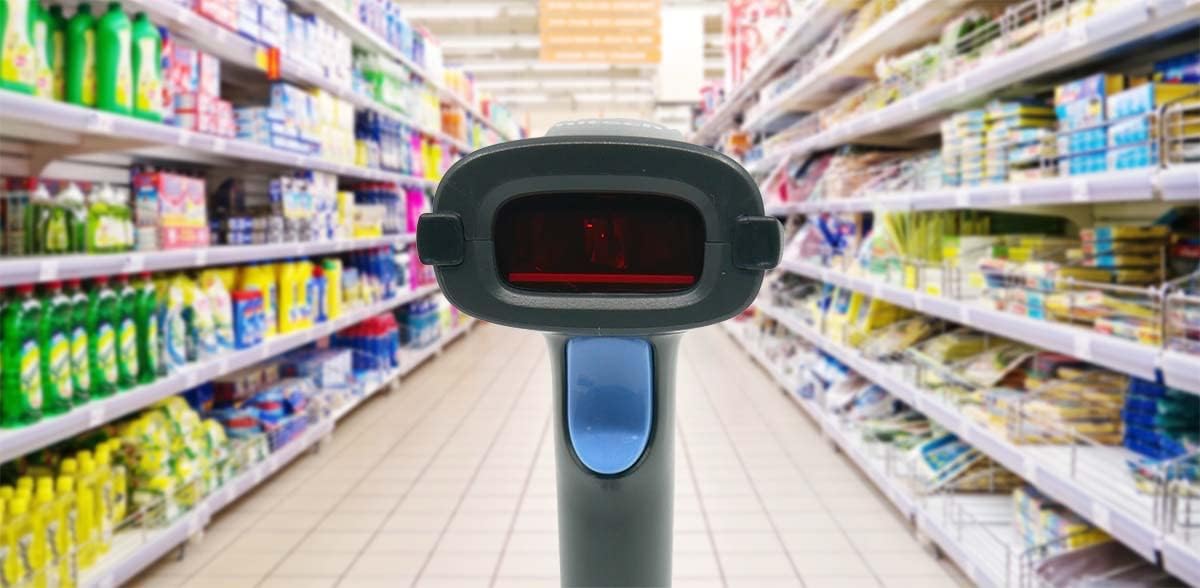
Figure 2: UNITECH MS836 Barcode Scanner connected via USB cable.
સ્કેનરનું સંચાલન
સ્કેનિંગ મોડ્સ
The MS836 supports multiple operating modes:
- ટ્રિગર મોડ: Press the trigger button to activate the laser and scan a barcode.
- પ્રસ્તુતિ મોડ: The scanner continuously emits the laser, allowing for hands-free scanning when a barcode is presented within its field of view.
- સ્વતઃ-સેન્સિંગ મોડ: The scanner automatically activates the laser when it detects a barcode in its scanning area.
મૂળભૂત સ્કેનિંગ પ્રક્રિયા
- Ensure the scanner is connected to your host device and powered on.
- Open an application where you wish to input scanned data (e.g., a text editor, POS software).
- Point the scanner's laser beam at the barcode you wish to scan. Ensure the entire barcode is covered by the laser line.
- Press the trigger button (if in Trigger Mode) or present the barcode (if in Presentation or Auto-Sensing Mode).
- A successful scan is typically indicated by a beep and/or a green LED light. The scanned data will appear in your application.
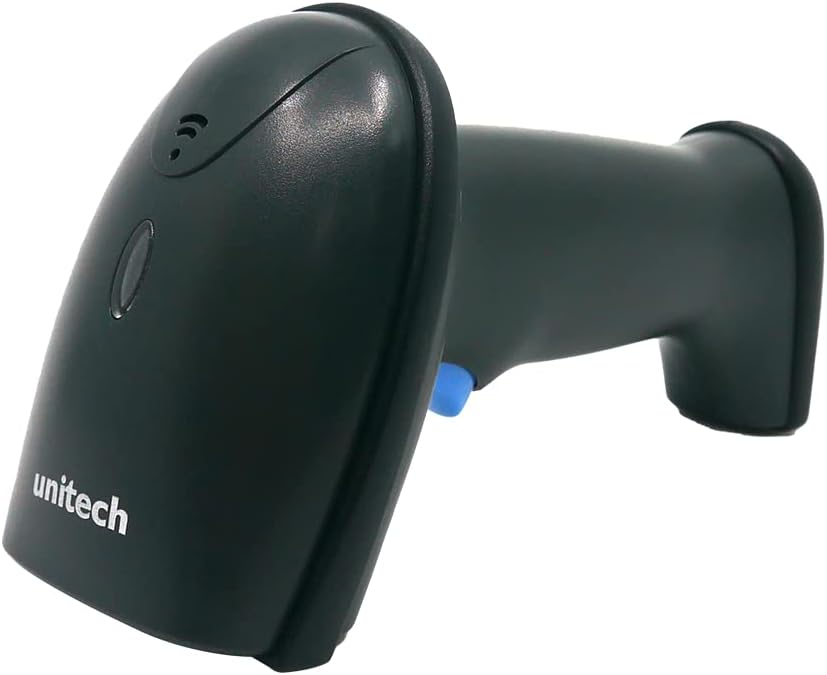
Figure 3: The MS836 scanner actively scanning a barcode in a typical retail setting.
સ્કેનિંગ કામગીરી
The MS836 is designed to read 1D barcodes with high accuracy. For optimal performance:
- Maintain an appropriate distance from the barcode (Depth of Field: 10mm-265mm for 13 mil EAN13).
- Ensure the barcode is flat and not creased or damaged.
- Avoid scanning in direct sunlight or extremely bright conditions that may interfere with the laser.
જાળવણી
સ્કેનર સફાઈ
To ensure consistent performance, keep the scanner's scanning window clean.
- નરમ, લિન્ટ-ફ્રી કાપડનો ઉપયોગ કરોampપાણી અથવા હળવા, ઘર્ષક ન હોય તેવા સફાઈ દ્રાવણથી સાફ કરો.
- Gently wipe the scanning window.
- Do not use harsh chemicals, solvents, or abrasive materials, as these can damage the scanner.
- Ensure the scanner is disconnected from power before cleaning.
સંગ્રહ
When not in use, store the scanner in a cool, dry place, away from direct sunlight and extreme temperatures. The maximum storage temperature is 140 Degrees Fahrenheit (60 Degrees Celsius).

Figure 4: The MS836 scanner can be placed on an optional stand for convenient storage and presentation mode use.
મુશ્કેલીનિવારણ
| સમસ્યા | સંભવિત કારણ | ઉકેલ |
|---|---|---|
| Scanner not responding / No laser |
|
|
| Barcode not scanning |
|
|
| Scanned data incorrect or incomplete |
|
|
વિશિષ્ટતાઓ
| લક્ષણ | વિગત |
|---|---|
| સેન્સર | 1D Laser Engine |
| Aiming Element | લેસર |
| એમ્બિયન્ટ લાઇટ | 0-100,000 લક્સ |
| સ્કેન દર | સેકન્ડ દીઠ 100 વખત |
| Skew Angle | ±60° |
| ઓપ્ટિકલ ઠરાવ | ≥ 4mil (code 39) |
| ક્ષેત્રની ઊંડાઈ | 10mm-265mm (13 mil, EAN13, PCS=90%) |
| હોસ્ટ ઇંટરફેસ | યુએસબી |
| ઓપરેશન મોડ્સ | Trigger Mode, Presentation Mode, Auto-Sensing Mode |
| 1D Barcodes Supported | EAN-8, EAN-13, UPC-A, UPC-E, Code 39, Code 128, EAN128, Codabar, Industrial 2 of 5, Interleave 2 of 5, Matrix 2 of 5, MSI, GS1, etc. |
| યાંત્રિક શોક પ્રતિકાર | 1.5 M (withstanding multiple drops to concrete from 5-feet) |
| આઇપી રેટિંગ | IP54 |
| નિયમનકારી મંજૂરીઓ | CE, FCC DOC compliance |
| ઉત્પાદન પરિમાણો | 6.85 x 2.83 x 3.8 ઇંચ |
| વસ્તુનું વજન | 1.02 પાઉન્ડ |
| આઇટમ મોડલ નંબર | MS836-SUCB00-SG |
| ઉત્પાદક | યુનિટેક |
| સુસંગત ઉપકરણો | Laptop, tablet, smart phone |
| પાવર સ્ત્રોત | કોર્ડેડ ઇલેક્ટ્રિક |
| કનેક્ટિવિટી ટેકનોલોજી | યુએસબી કેબલ |
| મહત્તમ સંગ્રહ તાપમાન | 140 ડિગ્રી ફેરનહીટ |
વોરંટી અને આધાર
For warranty information and technical support, please refer to the official Unitech webસાઇટ પર જાઓ અથવા તેમના ગ્રાહક સેવા વિભાગનો સંપર્ક કરો. વોરંટી દાવાઓ માટે ખરીદીના પુરાવા તરીકે તમારી ખરીદી રસીદ રાખો.
ઉત્પાદક: યુનિટેક
મોડલ: MS836-SUCB00-SG


