1. પરિચય
Thank you for choosing the Hayve Adjustable Microscope Arm Stand. This manual provides essential information for the proper setup, operation, and maintenance of your new microscope arm stand. Please read these instructions carefully before use to ensure optimal performance and longevity of the product.
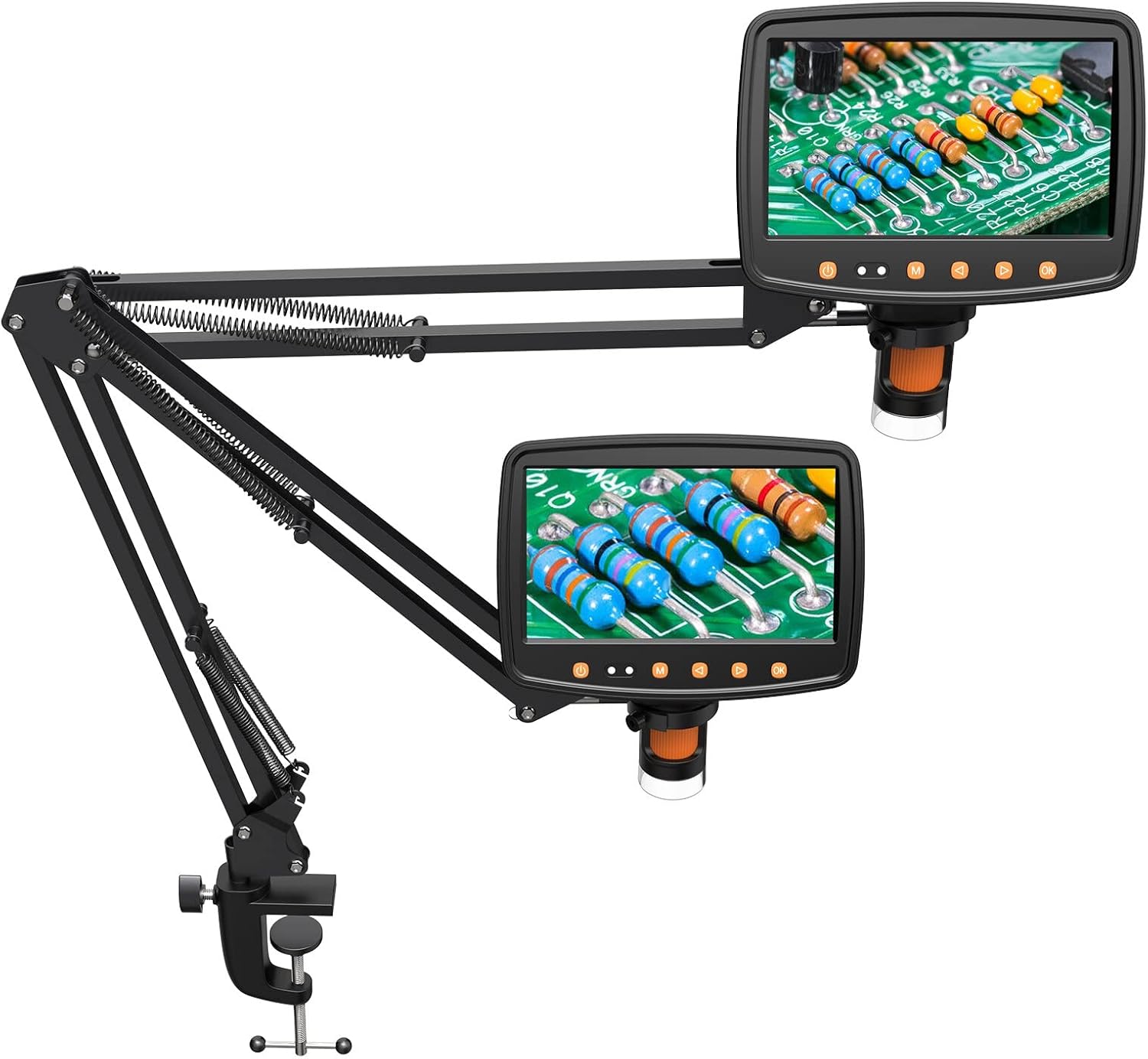
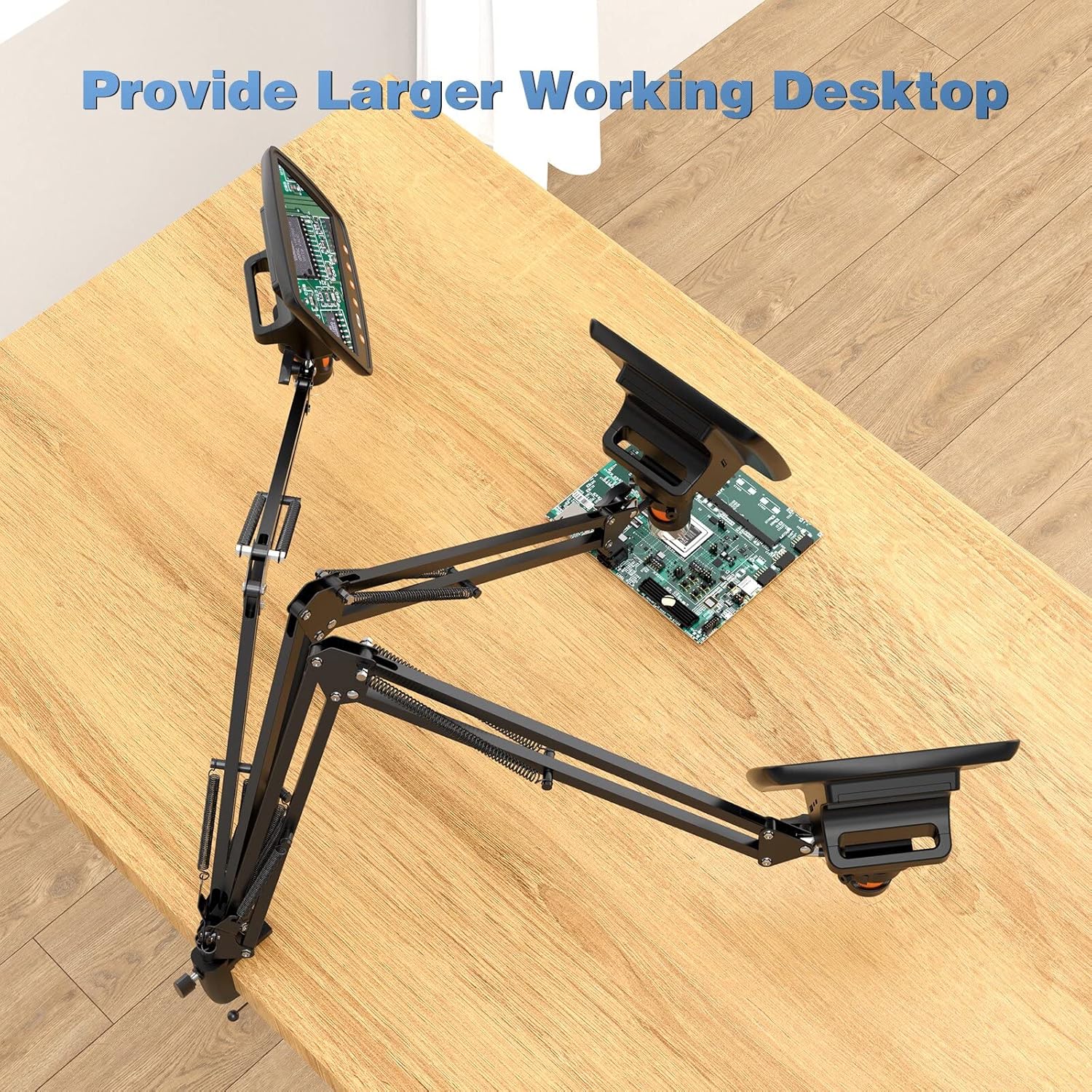
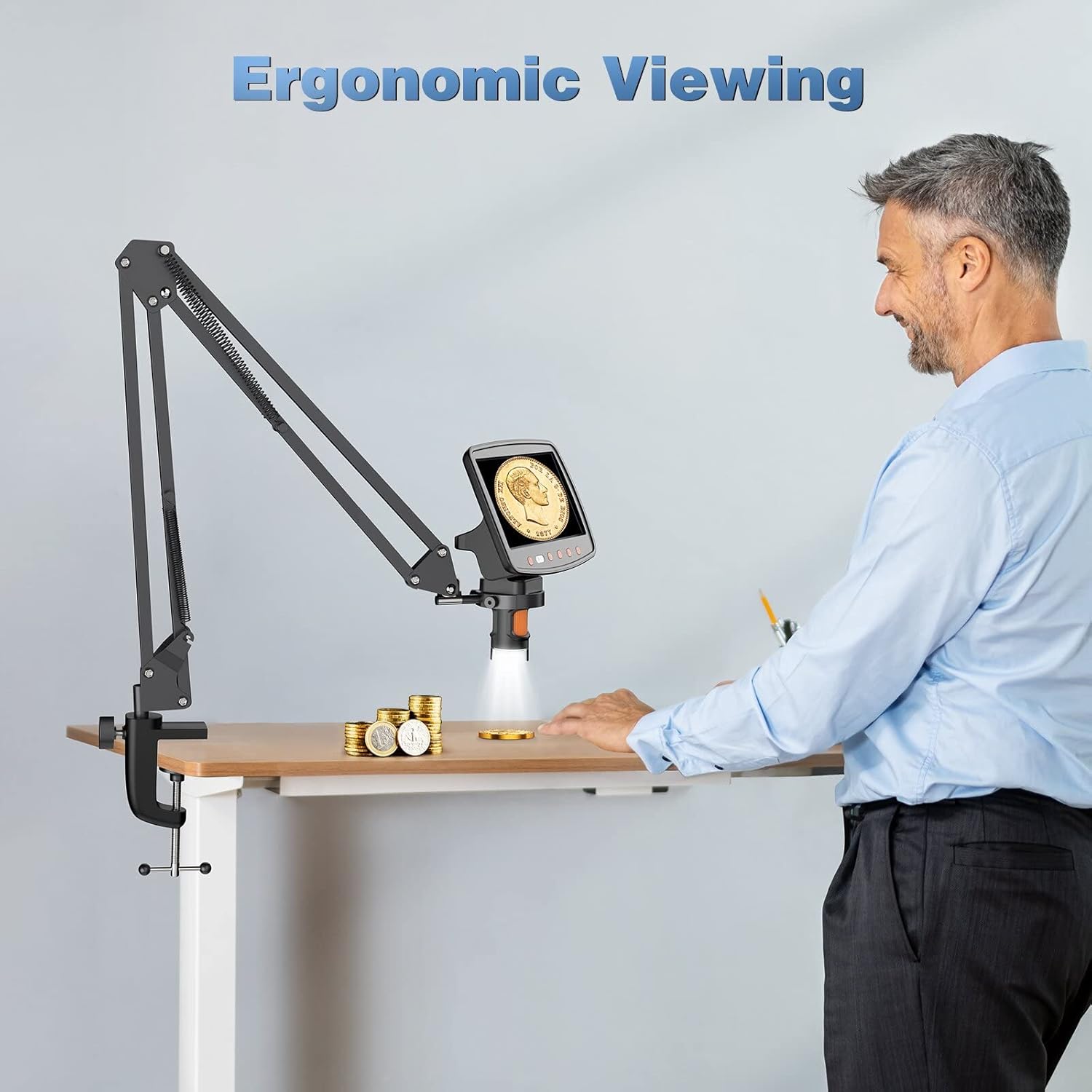
This stand is designed to enhance your digital microscope experience by providing a stable, flexible, and adjustable mounting solution, allowing for a larger working desktop and ergonomic viewખૂણો
2. ઉત્પાદન ઓવરview અને લક્ષણો
The Hayve Adjustable Microscope Arm Stand is a robust and versatile accessory for compatible digital microscopes. It features a durable metal construction and a C-clamp design for secure attachment to your workspace.
- એડજસ્ટેબલ આર્મ્સ: Two gas spring arms allow for dynamic extension, retraction, and height adjustment, providing a maximum height of 25 inches.
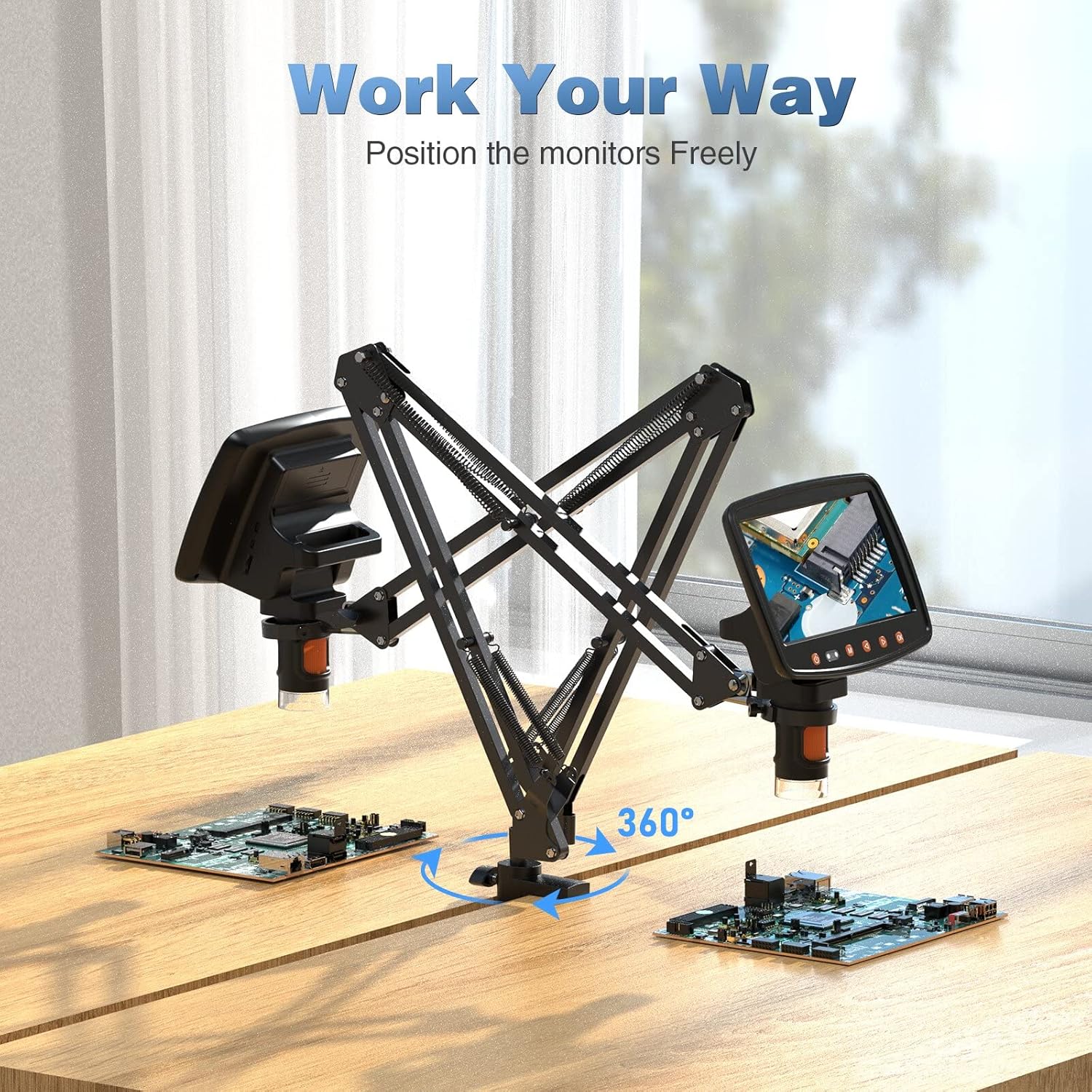
- લવચીક Viewing: The arms can tilt ±270° and support 360-degree rotation, enabling a wide range of viewખૂણો
- સ્થિર માઉન્ટિંગ: Strong C-clamp design ensures a stable connection to your desk.
- લોડ ક્ષમતા: Supports microscopes weighing up to 3.5 lbs.
- સામગ્રી: Constructed from solid metal for outstanding durability.
3. સુસંગતતા
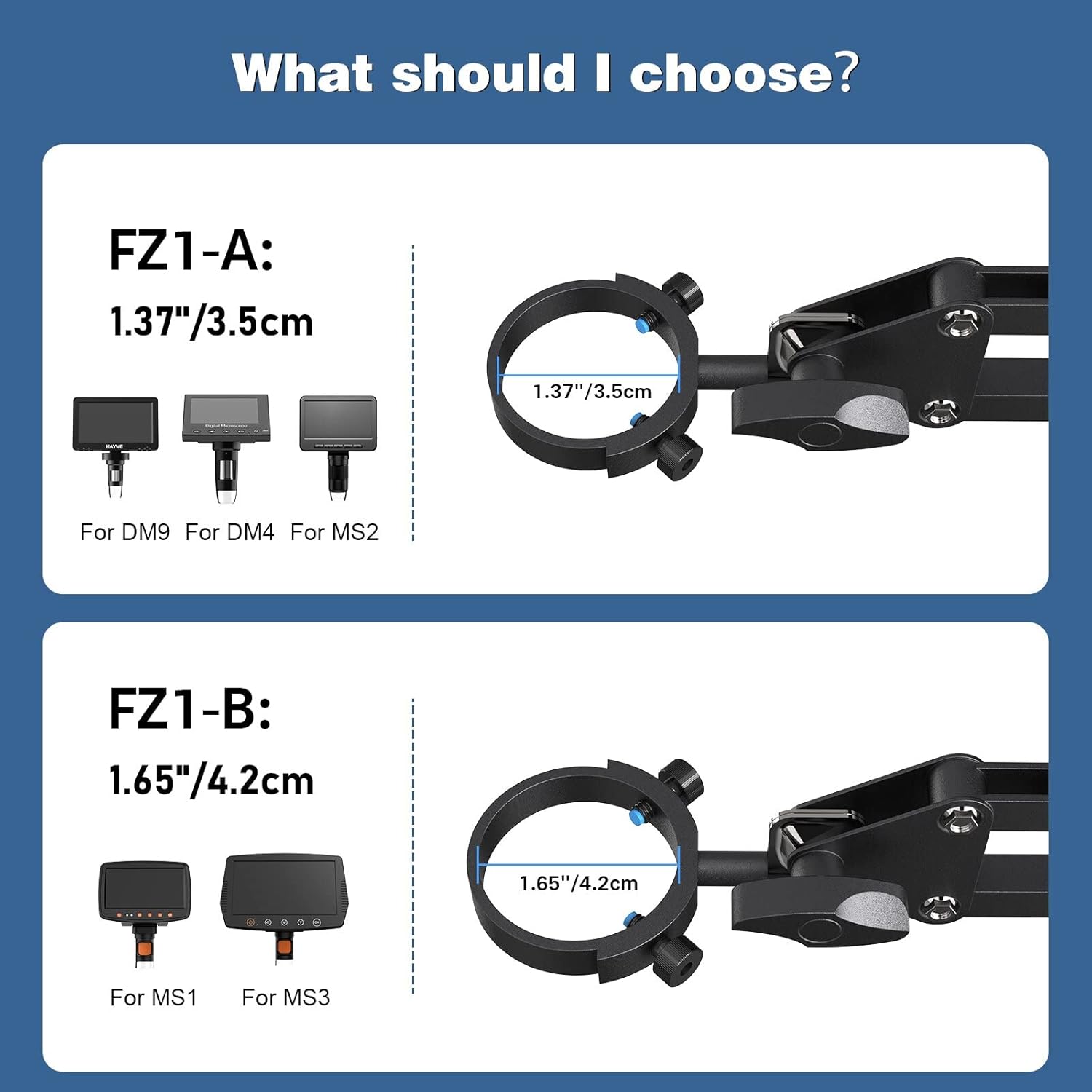
This Hayve Microscope Arm Stand (Model FZ1-B) is specifically designed for digital microscopes with a barrel diameter of 1.65 inches (4.2 cm).
It is compatible with the following Hayve digital microscope models:
- MS1
- MS3
For other microscope models, please refer to the FZ1-A variant which supports 1.37 inches (3.5 cm) diameter microscopes (DM9, DM4, MS2).
4. સેટઅપ અને ઇન્સ્ટોલેશન
Follow these steps to install your Hayve Microscope Arm Stand:
- Step 1: Affix the Clamp to Your Table. Securely attach the C-clamp base to the edge of your desk. Ensure your desk thickness is between 0.4 inches and 1.96 inches for proper fit and stability. Tighten the clamp નિશ્ચિતપણે
- Step 2: Attach the Bracket Arm on the Clamp. Insert the base of the arm stand into the clamp અને સુરક્ષિત સ્ક્રૂને સજ્જડ કરો.
- Step 3: Attach Microscope Monitor on the Stand. Carefully insert your compatible digital microscope into the mounting ring at the end of the arm and secure it.
નોંધ: The microscope itself is not included in the package.


5. ઓપરેટિંગ સૂચનાઓ
Once installed, the Hayve Microscope Arm Stand offers extensive flexibility to position your digital microscope for optimal viewing
- Heંચાઇ સમાયોજિત: The two gas spring arms allow for smooth vertical adjustment. Gently push or pull the arm to achieve the desired height. The stand can reach a height of up to 25 inches.
- નમેલું: The microscope attachment point can be tilted ±270° to angle the microscope screen as needed.
- ફરતી: The entire arm assembly can rotate 360° around its base, providing full coverage of your workspace.
- Extending/Retracting: The articulated arms can be extended or retracted horizontally to bring the microscope closer or further away from your subject.
Always ensure that all adjustment points are securely tightened after positioning your microscope to maintain stability during use.

6. જાળવણી
To ensure the longevity and optimal performance of your Hayve Microscope Arm Stand, follow these simple maintenance guidelines:
- સફાઈ: Wipe the stand with a soft, dry cloth to remove dust and debris. For stubborn marks, a slightly damp કાપડનો ઉપયોગ કરી શકાય છે, અને ત્યારબાદ તેને તાત્કાલિક સૂકવી શકાય છે. ઘર્ષક ક્લીનર્સ અથવા સોલવન્ટ્સ ટાળો.
- નિરીક્ષણો: Periodically check all screws and clamps to ensure they are tight and secure. Loose connections can affect stability.
- લુબ્રિકેશન: The gas spring arms are designed for smooth operation and generally do not require lubrication. If you notice any stiffness, consult customer support.
- સંગ્રહ: When not in use for extended periods, store the stand in a clean, dry environment.
7. મુશ્કેલીનિવારણ
If you encounter any issues with your Hayve Microscope Arm Stand, please refer to the following common troubleshooting tips:
- Stand is unstable/wobbly:
- ખાતરી કરો કે C-clamp ડેસ્ક પર સુરક્ષિત રીતે સજ્જડ છે.
- Verify that the desk thickness is within the recommended range (0.4''-1.96'').
- Check that the microscope is properly seated and secured in its mounting ring.
- Confirm that all arm joints are tightened after adjustment.
- Arm movement is stiff or difficult:
- Ensure no cables or other objects are obstructing the arm's movement.
- Check if any joint screws are overtightened. Loosen slightly if necessary.
- Microscope does not fit the mount:
- Verify the diameter of your microscope's barrel. This FZ1-B model is for 1.65 inches (4.2 cm). If your microscope has a 1.37 inch (3.5 cm) barrel, you may need the FZ1-A model.
If these steps do not resolve your issue, please contact Hayve customer support for further assistance.
8. સ્પષ્ટીકરણો
| લક્ષણ | સ્પષ્ટીકરણ |
|---|---|
| બ્રાન્ડ | Hayve |
| મોડલ નંબર | H-FZ1 (FZ1-B) |
| સામગ્રી | ધાતુ |
| રંગ | કાળો |
| Compatible Microscope Barrel Diameter | 1.65 ઇંચ (4.2 સે.મી.) |
| મહત્તમ લોડ ક્ષમતા | 3.5 lbs |
| એડજસ્ટેબલ ઊંચાઈ | ૪૫ ઇંચ (૧૧૪.૩ સે.મી.) સુધી |
| ટિલ્ટ એંગલ | ±270° |
| પરિભ્રમણ કોણ | 360° |
| Compatible Desk Thickness | ૨૭.૩૬ ઇંચ - ૪૬.૦૬ ઇંચ |
| વસ્તુનું વજન | 3.52 પાઉન્ડ (1.6 કિલોગ્રામ) |
| પેકેજ પરિમાણો | 21 x 6 x 2 ઇંચ |
| યુપીસી | 744173818634 |
9. વોરંટી અને સપોર્ટ
Hayve is committed to providing high-quality products and customer satisfaction. This microscope arm stand is designed and manufactured to industry standards.
If you have any concerns or questions regarding your purchase, please do not hesitate to contact Hayve customer service. Our team is available to assist you with any product-related inquiries or support needs.
For customer service, please visit the Hayve Store on Amazon અથવા તમારા ઉત્પાદન પેકેજિંગ સાથે આપેલી સંપર્ક માહિતીનો સંદર્ભ લો.


