1. પરિચય
Thank you for choosing the Godyse G11 Pro Wireless Earbuds. These earbuds are designed to provide a superior audio experience with features such as AI Call Noise Cancelling, extended playtime, and IPX6 waterproof protection. This manual will guide you through the setup, operation, and maintenance of your new earbuds.
મુખ્ય લાક્ષણિકતાઓમાં શામેલ છે:
- AI Call Noise Cancelling: Four microphones with AI technology reduce environmental noise for clear calls.
- વિસ્તૃત રમવાનો સમય: Up to 6 hours on a single charge, with an additional 25 hours provided by the charging case.
- IPX6 વોટરપ્રૂફ: Protection against strong water jets, suitable for workouts and light rain.
- High-Definition Sound: 13mm dynamic drivers deliver rich, detailed stereo audio with enhanced bass.
- સ્માર્ટ ટચ નિયંત્રણો: Intuitive touch sensors for easy management of music and calls.
2. પેકેજ સામગ્રી
કૃપા કરીને નીચેની વસ્તુઓ માટે પેકેજ તપાસો:
- Godyse G11 Pro Wireless Earbuds (Left and Right)
- ચાર્જિંગ કેસ
- યુએસબી ટાઇપ-સી ચાર્જિંગ કેબલ
- કાનના ગાદલા (વિવિધ કદના)
- વપરાશકર્તા માર્ગદર્શિકા
3. ઉત્પાદન ઓવરview
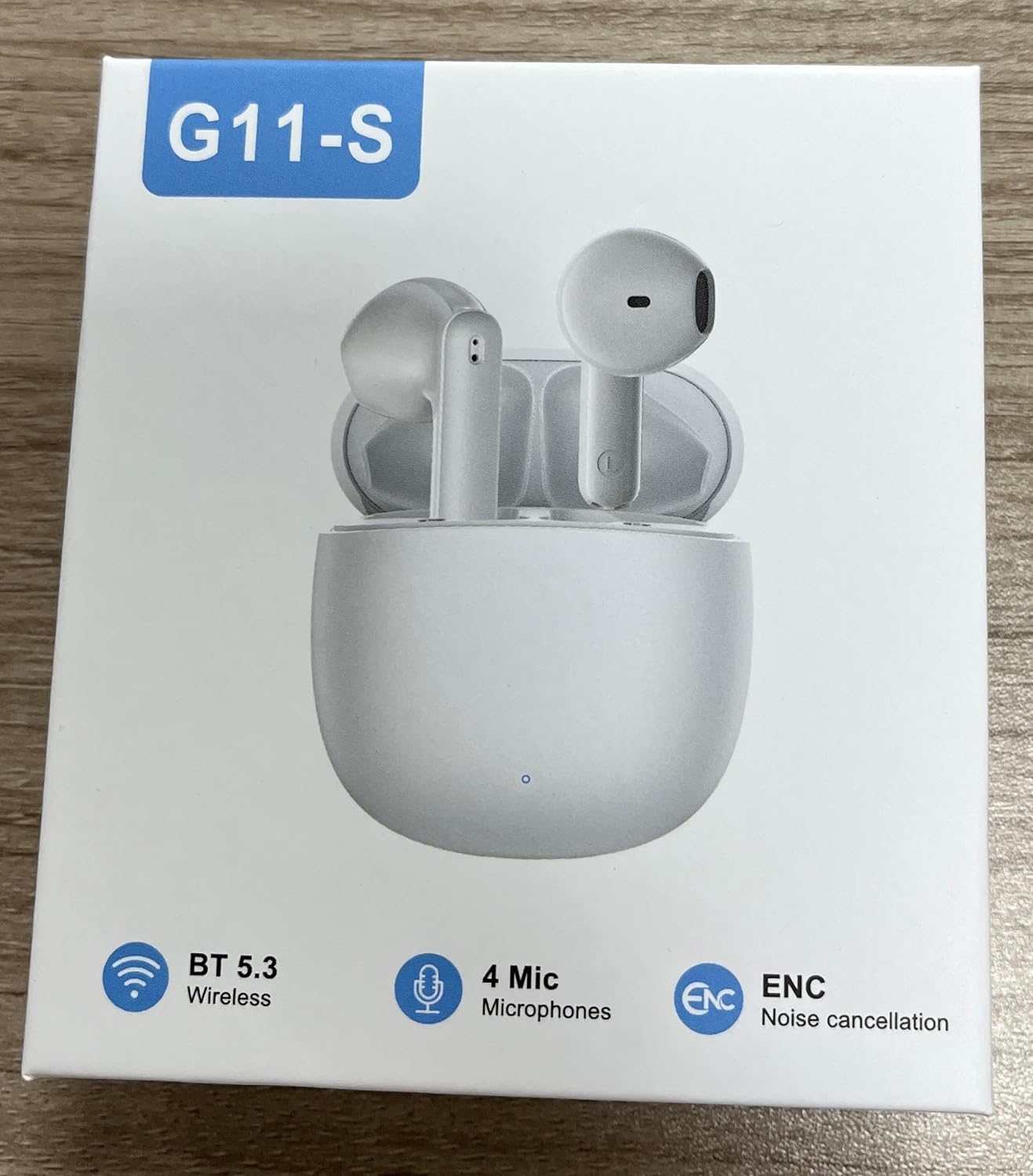
Figure 3.1: Godyse G11 Pro Wireless Earbuds and Charging Case. This image shows the white earbuds placed inside their matching white charging case, with the lid open, illustrating their compact design.
3.1 ઇરબડ્સ
Each earbud features a touch-sensitive area for controls, a microphone for calls, and an ergonomic design for a secure fit. They are lightweight, weighing approximately 2g each.
3.2 ચાર્જિંગ કેસ
The charging case protects your earbuds and recharges them on the go. It has a Type-C charging port and an LED indicator to show charging status and battery level.

Figure 3.2: Godyse G11 Pro Charging Case and Earbuds. This image displays the white charging case with the earbuds partially visible, highlighting the Type-C charging port area.
4. સેટઅપ
૫.૧ ઇયરબડ્સ અને કેસ ચાર્જ કરવા
- પ્રારંભિક ચાર્જ: પ્રથમ ઉપયોગ કરતા પહેલા, ઇયરબડ્સ અને ચાર્જિંગ કેસને સંપૂર્ણપણે ચાર્જ કરો.
- કેસ ચાર્જિંગ: Connect the provided USB Type-C cable to the charging port on the case and to a USB power source. The LED indicator will show charging status. A full charge takes approximately 1.5 hours.
- ઇયરબડ્સ ચાર્જ કરવું: Place the earbuds into the charging case. Ensure they are correctly seated. The earbuds will automatically begin charging. A full charge for the earbuds takes approximately 1 hour.
Note: The earbuds provide approximately 6 hours of music playback on a single charge. The charging case can provide multiple recharges, extending the total playtime to about 31 hours.
૧.૩ તમારા ઉપકરણ સાથે જોડી બનાવવી
The G11 Pro earbuds use Bluetooth 5.3 for a stable and efficient connection.
- Activate Earbuds: Open the charging case and remove both earbuds. They will automatically power on and enter pairing mode (indicated by flashing LED lights).
- બ્લૂટૂથ સક્ષમ કરો: On your mobile phone, laptop, or other Bluetooth-enabled device, go to the Bluetooth settings and enable Bluetooth.
- ઉપકરણ પસંદ કરો: In the list of available devices, select "G11 Pro" (or similar name).
- કનેક્શનની પુષ્ટિ કરો: Once connected, the earbud LED lights will stop flashing, and you may hear an audible confirmation.
જો ઉપકરણમાં બ્લૂટૂથ સક્ષમ હોય, તો કેસમાંથી દૂર કર્યા પછી ઇયરબડ્સ આપમેળે છેલ્લા જોડીવાળા ઉપકરણ સાથે ફરીથી કનેક્ટ થઈ જશે.
5. ઓપરેટિંગ સૂચનાઓ
૫.૧ ઇયરબડ્સ પહેરવા
For optimal sound quality and comfort, ensure the earbuds are properly seated in your ears. Choose the ear cushions that provide the best seal.

Figure 5.1: Godyse G11 Pro Earbud being worn. This image illustrates a white earbud comfortably seated in a person's ear, demonstrating the ergonomic fit.
The ergonomic design ensures a comfortable and secure fit, making them suitable for extended wear and physical activities without falling out.
5.2 ટચ કંટ્રોલ્સ
The G11 Pro earbuds feature smart touch controls on each earbud. The specific functions may vary slightly depending on your device and application, but common controls include:
- ચલાવો/થોભો: બંને ઇયરબડ પર એક વાર ટેપ કરો.
- આગળનો ટ્રેક: જમણા ઇયરબડ પર બે વાર ટૅપ કરો.
- પાછલો ટ્રેક: ડાબા ઇયરબડ પર બે વાર ટૅપ કરો.
- જવાબ/કૉલ સમાપ્ત કરો: ઇનકમિંગ કોલ દરમિયાન બંને ઇયરબડ પર એક વાર ટેપ કરો.
- કૉલ નકારો: ઇનકમિંગ કોલ દરમિયાન કોઈપણ ઇયરબડને 2 સેકન્ડ માટે દબાવી રાખો.
- વ Voiceઇસ સહાયકને સક્રિય કરો: કોઈપણ ઇયરબડ પર ત્રણ વાર ટૅપ કરો.
- વોલ્યુમ નિયંત્રણ: (If supported) Press and hold the right earbud to increase volume, press and hold the left earbud to decrease volume.
6. જાળવણી
- સફાઈ: ઇયરબડ્સ અને ચાર્જિંગ કેસને નિયમિતપણે નરમ, સૂકા, લિન્ટ-ફ્રી કપડાથી સાફ કરો. કઠોર રસાયણો અથવા ઘર્ષક સામગ્રીનો ઉપયોગ કરશો નહીં.
- કાનના કુશન: Remove and clean the ear cushions periodically to prevent wax buildup, which can affect sound quality.
- પાણી પ્રતિકાર: The earbuds are IPX6 waterproof, meaning they are protected against strong jets of water. Do not submerge them in water or expose them to saltwater, chlorinated water, or other liquids. Ensure the charging port is dry before charging.
- સંગ્રહ: જ્યારે ઉપયોગમાં ન હોય, ત્યારે ઇયરબડ્સને ધૂળ અને નુકસાનથી બચાવવા માટે તેમના ચાર્જિંગ કેસમાં સંગ્રહિત કરો. અતિશય તાપમાનથી દૂર ઠંડી, સૂકી જગ્યાએ સંગ્રહિત કરો.
7. મુશ્કેલીનિવારણ
If you encounter any issues with your Godyse G11 Pro earbuds, please refer to the following common solutions:
- ઇયરબડ્સ જોડી રહ્યા નથી:
- ખાતરી કરો કે બંને ઇયરબડ ચાર્જ થયા છે.
- તમારા ઉપકરણનું બ્લૂટૂથ બંધ કરીને ચાલુ કરો.
- Forget "G11 Pro" from your device's Bluetooth list and try pairing again.
- ઇયરબડ્સને કેસમાં પાછા મૂકો, ઢાંકણ બંધ કરો, થોડીવાર રાહ જુઓ, પછી ખોલો અને ફરી પ્રયાસ કરો.
- એક ઇયરબડમાંથી અવાજ નથી:
- Ensure both earbuds are charged and connected.
- Try placing both earbuds back in the charging case, closing the lid, and then taking them out again.
- ઇયરબડ અને કેસ બંને પર ચાર્જિંગ કોન્ટેક્ટ સાફ કરો.
- ચાર્જિંગ સમસ્યાઓ:
- ખાતરી કરો કે ચાર્જિંગ કેબલ કેસ અને પાવર સ્ત્રોત બંને સાથે સુરક્ષિત રીતે જોડાયેલ છે.
- એક અલગ USB Type-C કેબલ અને પાવર એડેપ્ટર અજમાવી જુઓ.
- ખાતરી કરો કે ઇયરબડ્સ પર અને કેસની અંદરના ચાર્જિંગ કોન્ટેક્ટ્સ સ્વચ્છ અને કચરોથી મુક્ત છે.
- નબળી કૉલ ગુણવત્તા:
- ખાતરી કરો કે માઇક્રોફોન અવરોધિત નથી.
- Check your device's network signal strength.
- ખાતરી કરો કે ઇયરબડ સંપૂર્ણપણે ચાર્જ થયા છે.
8. સ્પષ્ટીકરણો
| લક્ષણ | સ્પષ્ટીકરણ |
|---|---|
| મોડેલનું નામ | G11 Pro (FR-G11-SS) |
| કનેક્ટિવિટી ટેકનોલોજી | વાયરલેસ (બ્લુટુથ 5.3) |
| બ્લૂટૂથ પ્રોfiles | HFP/HSP/A2DP/AVRCP |
| ટ્રાન્સમિશન અંતર | Up to 10 meters (no obstacle) |
| આવર્તન પ્રતિભાવ | 20-20kHz |
| ઇયરબડ ચાર્જ થવાનો સમય | આશરે. 1 કલાક |
| કેસ ચાર્જિંગ સમય | આશરે 1.5 કલાક (ટાઈપ-સી) |
| Music Playtime (Earbuds) | આશરે. 6 કલાક |
| કુલ રમવાનો સમય (કેસ સાથે) | આશરે. 31 કલાક |
| Earbud બેટરી ક્ષમતા | 30mAh (Built-in Li-ion) |
| ચાર્જિંગ કેસ બેટરી ક્ષમતા | 300mAh (Built-in Li-ion) |
| માઇક્રોફોન્સ | 4 Mic AI Call Noise Cancelling |
| ડ્રાઇવરનું કદ | 13mm ડાયનેમિક ડ્રાઈવર |
| પાણી પ્રતિકાર | IPX6 |
| એરબડ વજન | આશરે ૧૨ ગ્રામ (દરેક) |
| કુલ વસ્તુ વજન | 100 ગ્રામ (પેકેજિંગ સહિત) |
| નિયંત્રણ પદ્ધતિ | સ્પર્શ |
| સુસંગત ઉપકરણો | Mobile Phones, Laptops |
9. વોરંટી અને સપોર્ટ
For warranty information, please refer to the terms and conditions provided at the point of purchase or contact your retailer. Keep your proof of purchase for any warranty claims.
If you require further assistance or have questions not covered in this manual, please contact Godyse customer support through the official webસાઇટ અથવા તમારા રિટેલરની સપોર્ટ ચેનલો.


