1. પરિચય
This manual provides comprehensive instructions for the setup, operation, maintenance, and troubleshooting of your AJAZZ AK992 Wireless Mechanical Keyboard. Please read this manual thoroughly before using the product to ensure proper function and longevity.

Image 1.1: The AJAZZ AK992 Wireless Mechanical Keyboard, showcasing its full layout and coiled cable.
2. પેકેજ સામગ્રી
ખાતરી કરો કે બધી વસ્તુઓ પેકેજમાં હાજર છે:
- 1 x AJAZZ AK992 Mechanical Keyboard
- 1 x 2.4GHz યુએસબી રીસીવર
- 1 x Custom Coiled USB-C Cable
- 1 x કીકેપ પુલર
- ૧ x સ્વિચ પુલર
- 4 x Replacement Switches
- 8 x Replacement Keycaps
- ૧ x વપરાશકર્તા માર્ગદર્શિકા (આ દસ્તાવેજ)
3. સ્પષ્ટીકરણો
| લક્ષણ | વિગત |
|---|---|
| મોડલ | AK992 |
| કનેક્ટિવિટી | બ્લૂટૂથ 5.0, 2.4GHz વાયરલેસ, USB-C વાયર્ડ |
| કીઓ | ૬૧ કી (૬૦% લેઆઉટ) |
| સ્વીચો | Hot-swappable (3-pin/5-pin compatible) |
| કીકapપ્સ | PBT OEM Keycaps |
| બેકલાઇટિંગ | RGB (18+ effects) |
| બેટરી ક્ષમતા | 4000mAh |
| પરિમાણો | 16.5 x 2.2 x 2.8 ઇંચ |
| વજન | 2.48 પાઉન્ડ |
| ઉત્પાદક | MAGIC-REFINER |
4. સેટઅપ
૪.૧ કીબોર્ડ ચાર્જ કરવું
Before initial use, fully charge the keyboard using the provided USB-C cable. Connect the USB-C end to the keyboard and the USB-A end to a power source (e.g., computer USB port, wall adapter).
- The keyboard features a 4000mAh battery, providing extended usage time.
- To check battery level, press FN + Back (Delete Key). The number keys 1-0 will light up to indicate the power proportion.
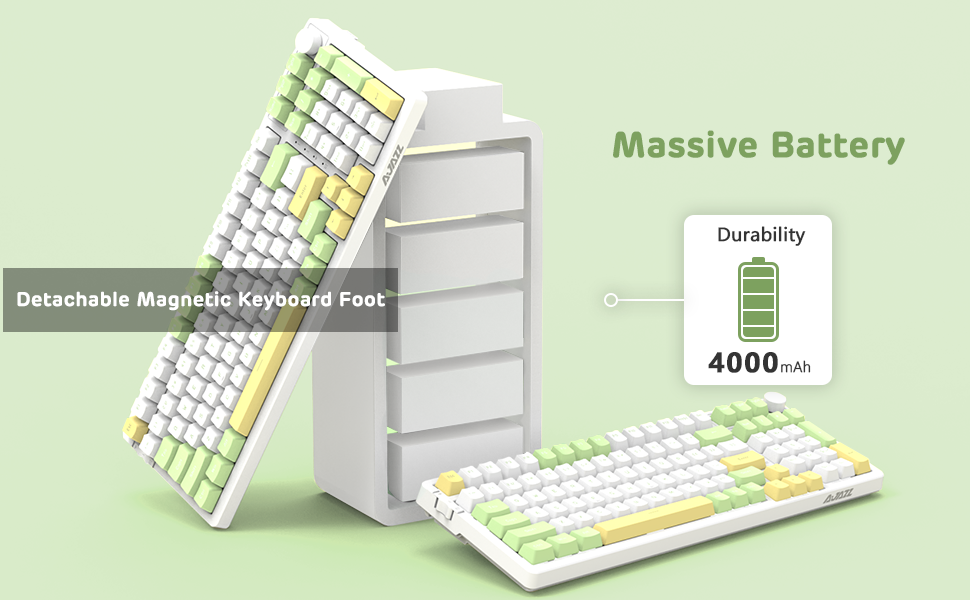
Image 4.1: Visual representation of checking the keyboard's battery level by pressing FN + Back (Delete Key).
4.2 Connecting the Keyboard (Three Modes)
The AK992 keyboard supports three connection modes: Bluetooth 5.0, 2.4GHz Wireless, and USB-C Wired. Use the sliding switch on the left side of the keyboard to select your desired mode.
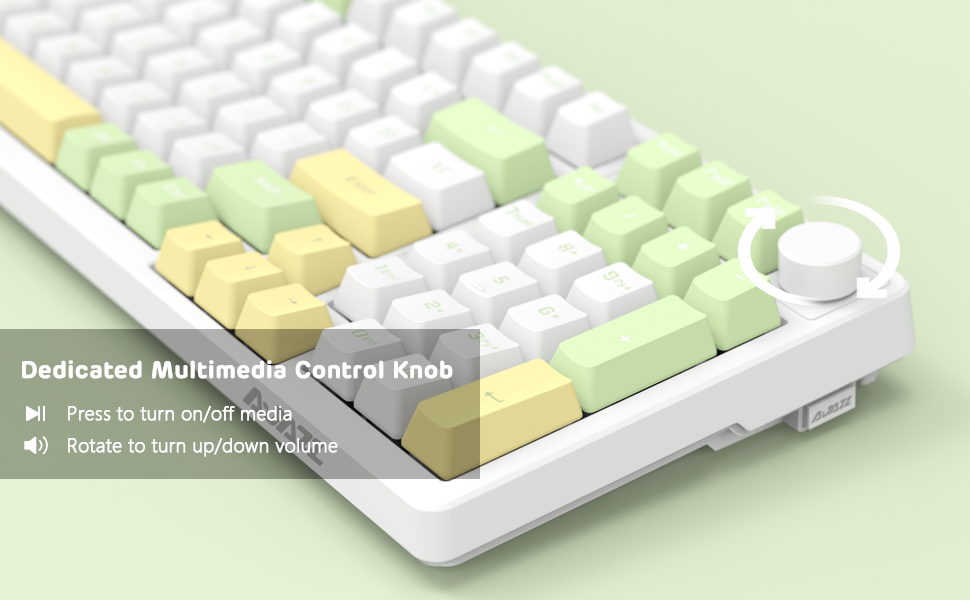
Image 4.2: Illustration of the three connection modes: USB-C, 2.4GHz, and Bluetooth 5.0, connecting to various devices.
4.2.1 2.4GHz વાયરલેસ કનેક્શન
- Locate the 2.4GHz USB receiver, typically stored in a compartment on the side of the keyboard.
- તમારા કમ્પ્યુટર પર ઉપલબ્ધ USB પોર્ટમાં USB રીસીવરને પ્લગ કરો.
- Slide the connection switch on the keyboard to the "2.4G" position.
- કીબોર્ડ આપમેળે કનેક્ટ થવું જોઈએ.
૨.૨.૩ બ્લૂટૂથ ૫.૦ કનેક્શન
The keyboard can store up to 3 Bluetooth devices.
- Slide the connection switch on the keyboard to the "BT" position.
- દબાવો અને પકડી રાખો એફ.એન. + 1, એફ.એન. + 2, અથવા એફ.એન. + 3 for 3-5 seconds to enter pairing mode for the desired profile. The indicator light will flash rapidly.
- On your device (PC, Mac, tablet, smartphone), enable Bluetooth and search for "AK992".
- Select "AK992" to pair. The indicator light on the keyboard will stop flashing once connected.
- જોડીવાળા બ્લૂટૂથ ઉપકરણો વચ્ચે સ્વિચ કરવા માટે, દબાવો FN + 1/2/3 ટૂંકમાં
૫.૩ યુએસબી-સી વાયર્ડ કનેક્શન
- Connect the provided USB-C coiled cable to the keyboard's USB-C port.
- કેબલના બીજા છેડાને તમારા કમ્પ્યુટર પરના USB પોર્ટ સાથે કનેક્ટ કરો.
- Slide the connection switch on the keyboard to the "Wired" position.
- The keyboard will be recognized as a standard USB keyboard.

Image 4.3: The custom coiled USB-C cable with a metal aviation connector, designed for durability and stable data transmission.
5. ઓપરેટિંગ સૂચનાઓ
૫.૩ મલ્ટીમીડિયા કંટ્રોલ નોબ
The knob located in the upper right corner provides convenient multimedia control:
- ઘડિયાળની દિશામાં ફેરવો: વોલ્યુમ વધારો
- Rotate Counter-Clockwise: વોલ્યુમ ઘટાડો
- દબાવો: Play/Pause Media or Mute/Unmute Audio

Image 5.1: Close-up of the metal knob, illustrating its functions for volume control and media play/pause/mute.
૪.૨ RGB બેકલાઇટિંગ નિયંત્રણ
The AK992 features dynamic RGB backlighting with multiple effects.
- FN + \| (Backslash/Pipe key): Cycle through 18+ RGB lighting effects.
- એફએન + ↑ / ↓: બેકલાઇટ બ્રાઇટનેસ એડજસ્ટ કરો.
- એફએન + ← / →: Adjust backlight speed/direction.
- FN + 1/2/3: Customize three sets of game or office lighting effects (requires software for full customization).
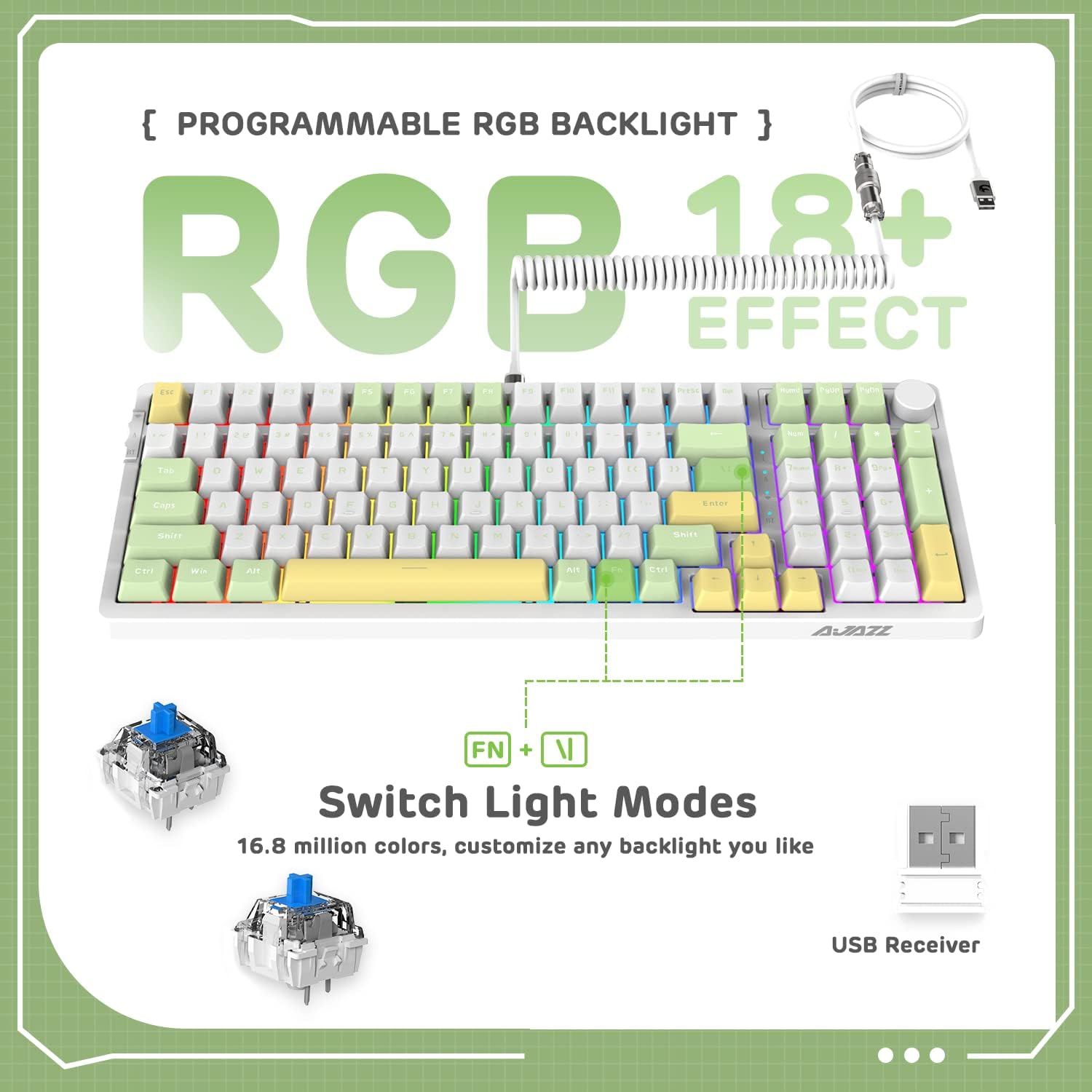
Image 5.2: The keyboard displaying various RGB lighting effects, highlighting the FN + \| key combination for switching modes.
૬.૩ હોટ-સ્વેપેબલ સ્વીચો
The AK992 keyboard features a hot-swappable PCB, allowing users to change mechanical switches without soldering. It supports both 3-pin and 5-pin switches.
- આપેલા કીકેપ પુલરનો ઉપયોગ કરીને ઇચ્છિત કીકેપ કાળજીપૂર્વક દૂર કરો.
- Use the provided switch puller to gently grip the switch and pull it straight up to remove it from the PCB.
- નવા સ્વીચના પિનને PCB પરના છિદ્રો સાથે સંરેખિત કરો. ખાતરી કરો કે પિન સીધા છે.
- નવી સ્વીચ ક્લિક ન થાય ત્યાં સુધી તેને મજબૂતીથી જગ્યાએ દબાવો.
- કીકેપ બદલો.

છબી 5.3: વિગતવાર view of the keyboard's hot-swappable PCB, showing removed keycaps and switches, along with replacement components.
૫.૬ એર્ગોનોમિક ડિઝાઇન
The keyboard is designed with a two-stage tripod foot system, allowing adjustment of the typing angle to 5° or 8° for improved comfort and reduced hand fatigue.

Image 5.4: The keyboard's two-stage tripod design, illustrating the 5° and 8° adjustable typing angles.
6. જાળવણી
6.1 સફાઈ
- સફાઈ કરતા પહેલા કીબોર્ડને બધા પાવર સ્ત્રોતો અને ઉપકરણોથી ડિસ્કનેક્ટ કરો.
- નરમ, લિન્ટ-ફ્રી કાપડનો ઉપયોગ કરોampકીકેપ્સ અને ચેસિસ સાફ કરવા માટે પાણી અથવા હળવા સફાઈ દ્રાવણથી ઓગાળો.
- વધુ ઊંડી સફાઈ માટે, આપેલા કીકેપ પુલરનો ઉપયોગ કરીને કીકેપ્સ દૂર કરો અને નીચેથી કોમ્પ્રેસ્ડ એર અથવા નાના બ્રશથી સાફ કરો.
- Avoid using harsh chemicals, abrasives, or solvents, as these may damage the keyboard's finish or components.
6.2 સંગ્રહ
Store the keyboard in a cool, dry place away from direct sunlight and extreme temperatures. If storing for an extended period, ensure the battery is partially charged (around 50%) to preserve battery health.
7. મુશ્કેલીનિવારણ
| સમસ્યા | સંભવિત કારણ | ઉકેલ |
|---|---|---|
| કીબોર્ડ વાયરલેસ મોડમાં પ્રતિસાદ આપી રહ્યું નથી. | Low battery, incorrect mode selected, receiver not plugged in (2.4G), not paired (Bluetooth). | Charge the keyboard. Ensure the mode switch is set correctly. Re-insert the 2.4G receiver. Re-pair Bluetooth device. |
| RGB backlight not working or dim. | Backlight turned off, brightness set too low, low battery. | દબાવો FN + \| to cycle modes. Adjust brightness with FN +. Charge the keyboard. |
| ચાવીઓ રજીસ્ટર થતી નથી અથવા બે વાર ટાઇપ થતી નથી. | Faulty switch, debris under keycap, software issue. | Remove keycap and clean. Replace the switch using the provided tools and spare switches. Test on another device. Update keyboard firmware if available. |
| કીબોર્ડ વારંવાર ડિસ્કનેક્ટ થાય છે. | Interference, distance from receiver/device, low battery. | Reduce distance to receiver/device. Ensure no strong interference sources. Charge the keyboard. Try wired mode. |
8. વોરંટી અને સપોર્ટ
8.1 વોરંટી માહિતી
The AJAZZ AK992 Wireless Mechanical Keyboard is covered by a limited warranty against manufacturing defects. Please refer to the warranty card included in your package or contact your retailer for specific warranty terms and conditions. Keep your proof of purchase for warranty claims.
નોંધ: The warranty typically covers defects in materials and workmanship under normal use. It does not cover damage caused by misuse, accidents, unauthorized modifications, or normal wear and tear.
8.2 ગ્રાહક સપોર્ટ
For technical assistance, troubleshooting, or general inquiries, please contact the manufacturer or your point of purchase. You may also visit the official AJAZZ or MAGIC-REFINER webવારંવાર પૂછાતા પ્રશ્નો, ડ્રાઇવર ડાઉનલોડ્સ અને વધારાના સપોર્ટ સંસાધનો માટેની સાઇટ.
Manufacturer: MAGIC-REFINER
મોડલ: AK992
9. સત્તાવાર ઉત્પાદન વિડિઓ
વિડિઓ ૪.૧: એક સત્તાવાર ઉત્પાદન વિડિઓ શોasing the AK992 99 Keys Gasket Wireless Mechanical Gaming Keyboard in use, demonstrating its features and RGB lighting. This video is provided by MAGIC-REFINER Direct.


