ઉત્પાદન ઓવરview
The edaiser Wireless Magic Keyboard Case is designed to enhance your Apple iPad experience, transforming it into a versatile workstation. It features a multi-touch trackpad, RGB backlit keys, and a durable magnetic design, offering both protection and functionality.
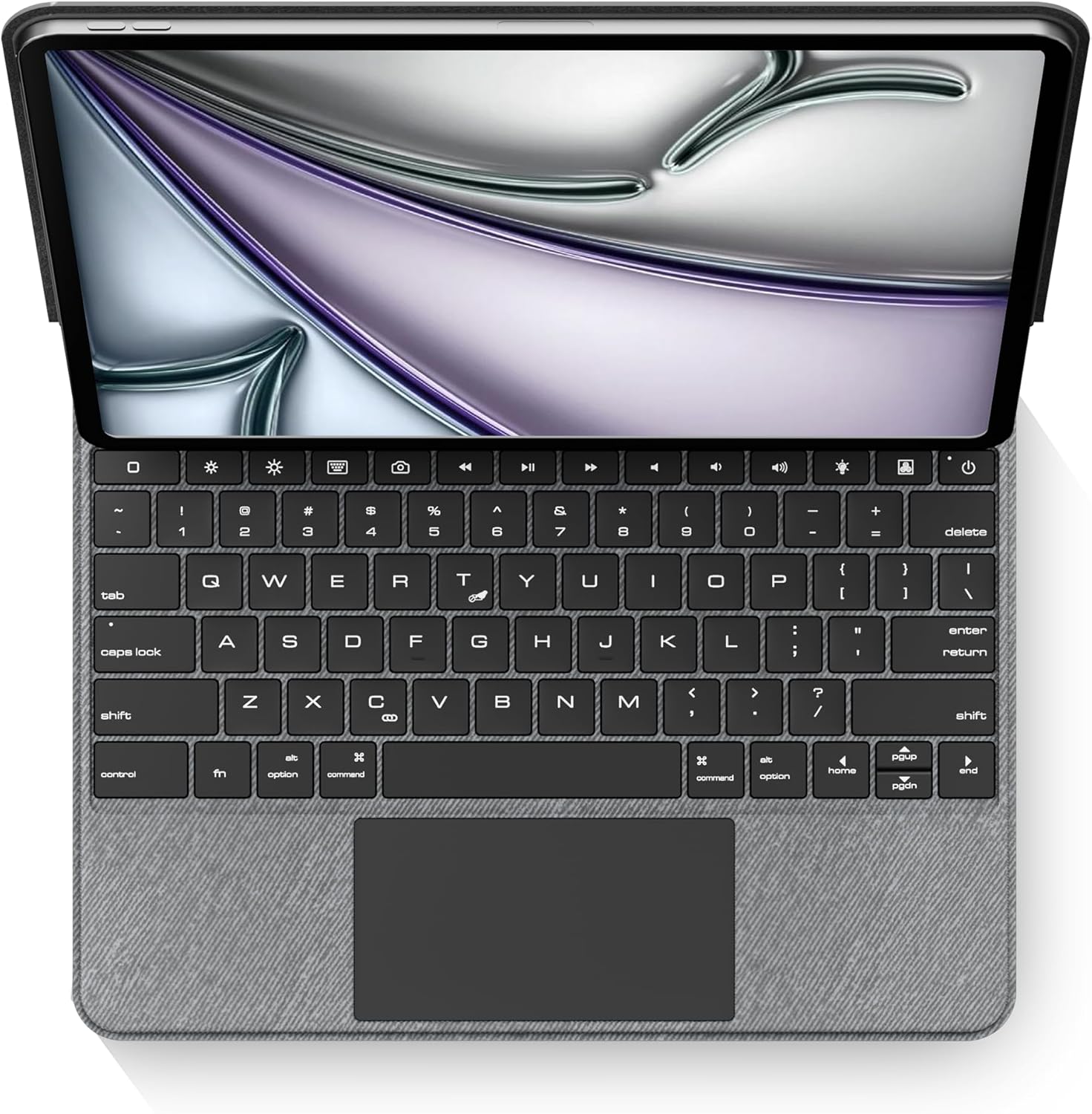
છબી: ઉપરથી નીચે સુધી view of the edaiser keyboard case with an iPad, showing the full keyboard and trackpad.
સુસંગતતા
આ કીબોર્ડ કેસ નીચેના એપલ આઈપેડ મોડેલો સાથે સુસંગત છે:

Image: A table detailing compatible iPad generations and their model numbers, ensuring correct device fit.
| આઈપેડ જનરેશન | મોડલ નંબર(ઓ) |
|---|---|
| iPad Air 13-inch (M2) 2024 | A2898, A2899, A2900 |
| iPad Pro 12.9-inch 6th Gen 2022 | A2436, A2764, A2437, A2766 |
| iPad Pro 12.9-inch 5th Gen 2021 | A2378, A2379, A2461, A2462 |
| iPad Pro 12.9-inch 4th Gen 2020 | A2229, A2069, A2232, A2233 |
| iPad Pro 12.9-inch 3rd Gen 2018 | A1876, A2014, A1895, A1983 |
પેકેજ સામગ્રી
કૃપા કરીને ચકાસો કે બધી વસ્તુઓ પેકેજમાં હાજર છે:
- 1 x edaiser Wireless Magic P129 Oxford Gray Keyboard Case
- 1 x Type-C થી Type-C ચાર્જિંગ કેબલ
- 1 x વપરાશકર્તા માર્ગદર્શિકા

Image: Visual representation of the items included in the product packaging.
સેટઅપ માર્ગદર્શિકા
Insert iPad:
Gently align your compatible iPad with the case and press it into place. Ensure the iPad is securely seated within the protective frame of the case.
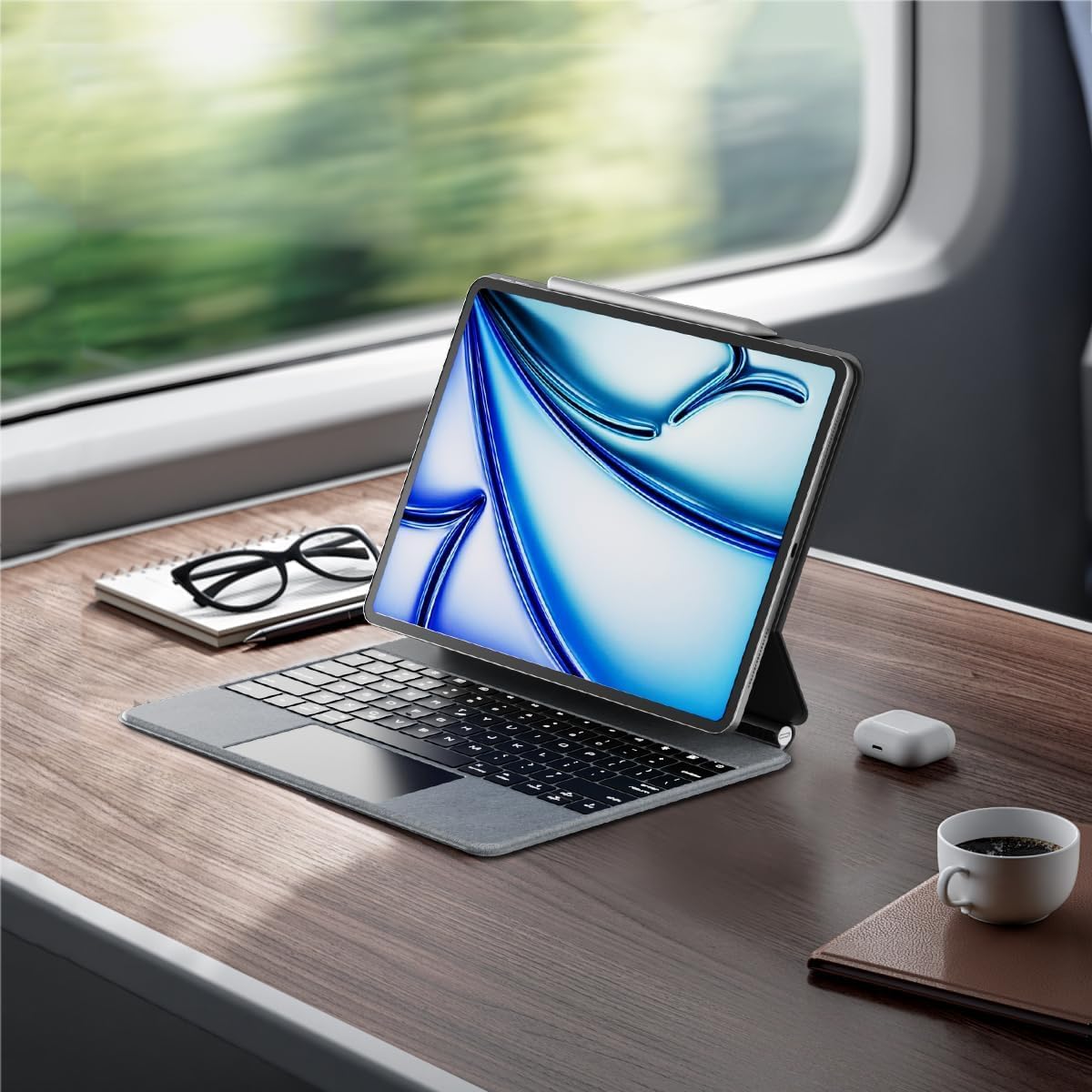
Image: An iPad inserted into the keyboard case, demonstrating the secure fit.
કીબોર્ડ ચાર્જ કરો:
Before first use, fully charge the keyboard. Connect the provided Type-C to Type-C charging cable to the keyboard's charging port and a compatible power adapter (not included). The charging indicator light will show charging status.
પાવર ચાલુ:
Locate the power button on the keyboard. Press and hold the power button for 3-5 seconds to turn on the keyboard. The power indicator light will illuminate.

Image: A detailed diagram highlighting the keyboard's function keys, including the power button (labeled 9).
બ્લૂટૂથ જોડી:
- તમારા iPad પર, અહીં જાઓ સેટિંગ્સ > બ્લૂટૂથ.
- ખાતરી કરો કે બ્લૂટૂથ ચાલુ છે On.
- કીબોર્ડ પર, દબાવો બ્લૂટૂથ પેરિંગ કી (often indicated by a Bluetooth symbol or a specific function key combination, refer to keyboard diagram if available). The Bluetooth indicator light will flash, indicating it's in pairing mode.
- On your iPad, select "edaiser Keyboard" or a similar name from the list of available devices.
- Follow any on-screen prompts to complete the pairing process. The indicator light on the keyboard will stop flashing once successfully paired.
ઓપરેટિંગ સૂચનાઓ
એડજસ્ટેબલ Viewએન્ગલ
The keyboard case features a 125°-130° adjustable angle, allowing you to find the optimal viewing position for typing, watching, or drawing. Simply adjust the iPad's position relative to the keyboard base.

છબી: સાઇડ પ્રોfile of the keyboard case demonstrating its adjustable viewકોણ કોણ.
કીબોર્ડ કાર્યો
The keyboard includes various function keys for quick access to iPad features:
- ઘરની ચાવી (1): iPad હોમ સ્ક્રીન પર પાછા ફરે છે.
- Screen Brightness (2): Adjusts iPad screen brightness up or down.
- Onscreen Keyboard (3): Shows or hides the virtual onscreen keyboard.
- Screen Capture Key (4): Captures a screenshot of the iPad display.
- Multimedia Keys (5): Controls media playback (back, play/pause, forward).
- Volume Controls (6): Mutes, increases, or decreases iPad volume.
- Backlight Brightness (7): Adjusts the backlight brightness (3 levels).
- Backlight Color (8): Switches between 7 different backlight colors.
- Power Sources (9): Hold for 3-5 seconds to power on/off the keyboard.
Image: A visual guide to the keyboard's function keys and their respective operations.
મલ્ટી-ટચ ટ્રેકપેડ
The integrated multi-touch trackpad supports various iPadOS gestures for seamless navigation:
- સિંગલ-ફિંગર ટેપ: Click/select.
- બે આંગળીની સ્ક્રોલ: ઉપર/નીચે અથવા ડાબે/જમણે સ્ક્રોલ કરો.
- ત્રણ આંગળીઓથી ઉપર સ્વાઇપ કરો: Go to home screen.
- ત્રણ આંગળીઓથી ડાબે/જમણે સ્વાઇપ કરો: ખુલ્લી એપ્લિકેશન્સ વચ્ચે સ્વિચ કરો.
- ઝૂમ કરવા માટે પિંચ કરો: સામગ્રી પર ઝૂમ ઇન/આઉટ કરો.
- Refer to iPadOS documentation for a complete list of supported gestures.

Image: A person using the multi-touch trackpad to navigate their iPad, illustrating its functionality.
જાળવણી
- સફાઈ: નરમ, લિન્ટ-ફ્રી કાપડનો ઉપયોગ કરોampened with water to clean the exterior of the case and keys. Avoid harsh chemicals or abrasive materials.
- સંગ્રહ: When not in use for extended periods, store the keyboard case in a cool, dry place.
- બેટરી સંભાળ: To prolong battery life, avoid fully discharging the keyboard frequently. Charge it regularly, even if not in constant use. The battery is built-in and not user-replaceable.
મુશ્કેલીનિવારણ
કીબોર્ડ બ્લૂટૂથ દ્વારા કનેક્ટ થઈ રહ્યું નથી:
- ખાતરી કરો કે કીબોર્ડ ચાલુ છે અને સંપૂર્ણપણે ચાર્જ થયેલ છે.
- Check that Bluetooth is enabled on your iPad.
- Forget the device in iPad's Bluetooth settings and attempt to re-pair.
- આઈપેડ અને કીબોર્ડ બંનેને ફરીથી શરૂ કરો.
બેકલાઇટ કામ કરતી નથી અથવા ઝાંખી છે:
- Press the backlight brightness key (7) to cycle through brightness levels.
- ખાતરી કરો કે કીબોર્ડમાં પૂરતી બેટરી ચાર્જ છે.
Trackpad unresponsive:
- ખાતરી કરો કે કીબોર્ડ બ્લૂટૂથ દ્વારા જોડાયેલ છે.
- ટ્રેકપેડ કાર્યક્ષમતા માટે iPadOS સેટિંગ્સ તપાસો.
- કીબોર્ડ અને આઈપેડ ફરીથી શરૂ કરો.
કીઝ જવાબ આપી રહી નથી:
- બ્લૂટૂથ કનેક્શન ચકાસો.
- Ensure the keyboard is not in sleep mode (press any key to wake).
- બેટરી સ્તર તપાસો.
વિશિષ્ટતાઓ
- મોડલ: P129 magic keyboard - Oxford Gray
- કનેક્ટિવિટી: બ્લૂટૂથ
- સામગ્રી: Premium PU Leather exterior, metal hinge
- પરિમાણો: 11.3 x 9.13 x 0.73 ઇંચ
- વસ્તુનું વજન: 2.83 પાઉન્ડ
- બેટરી: 1 Lithium Ion battery (built-in)
- Working Time (typing, backlight off): 180 કલાક સુધી
- સ્ટેન્ડબાય સમય: 90 દિવસ સુધી
- બેકલાઇટ: RGB, 7 colors, 3 brightness levels
- ટ્રેકપેડ: Multi-touch compatible
- એડજસ્ટેબલ કોણ: 125°-130°
વોરંટી અને આધાર
The edaiser Wireless Magic Keyboard Case is designed for long-lasting use and performance. For any product inquiries, technical support, or warranty claims, please refer to the contact information provided on the product packaging or visit the official edaiser webસાઇટ
Please note that the battery is installed in the product and cannot be disassembled or sold separately.


