1. પરિચય
The ROADOM KC-806 Desktop Portable CD Player is a versatile audio device designed for home use, offering multiple playback options and high-fidelity stereo sound. This manual provides detailed instructions for setting up, operating, and maintaining your CD player.
મુખ્ય લાક્ષણિકતાઓમાં શામેલ છે:
- CD Playback (CD, CD-R, CD-RW, MP3, WMA formats)
- Bluetooth Transmission and Reception
- FM Radio (76.0-108.0MHZ)
- USB Disk Playback and Charging
- AUX ઇનપુટ/આઉટપુટ
- ટાઈમર કાર્ય
- Repeat Playback Modes
- રીમોટ કંટ્રોલ ઓપરેશન
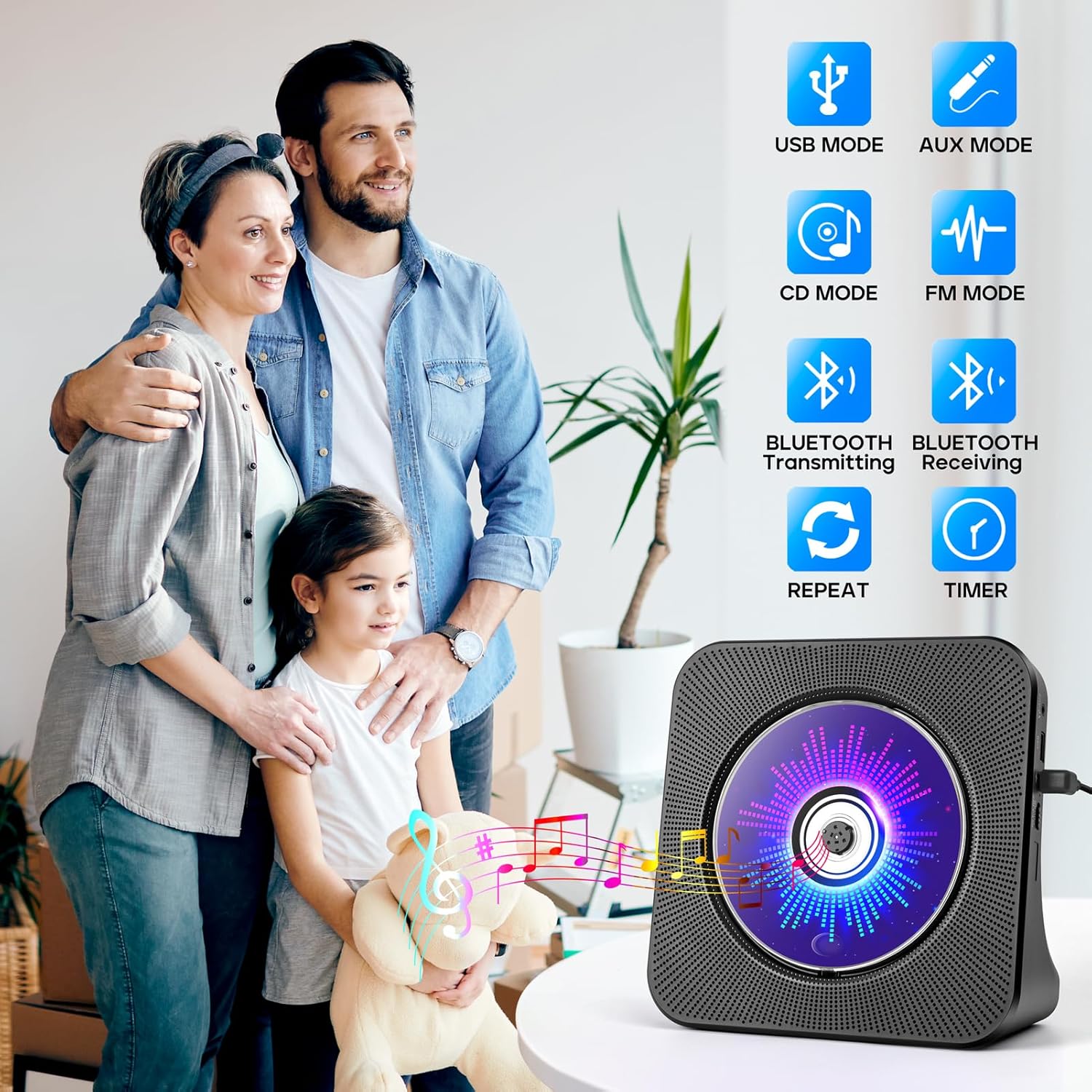
Figure 1.1: The ROADOM KC-806 CD Player highlighting its versatile 8-in-1 functionality.
2. બોક્સમાં શું છે
પેકેજ અનબોક્સ કરતી વખતે, બધી વસ્તુઓ હાજર છે તેની ખાતરી કરવા માટે કૃપા કરીને પેકેજની સામગ્રી તપાસો:
- ROADOM CD Player × 1
- રિમોટ કંટ્રોલ × 1
- 5V/2A પાવર એડેપ્ટર × 1
- USB - Type C Power Cable × 1
- વપરાશકર્તા માર્ગદર્શિકા × 1
- 3.5mm AUX Cable × 1 (not listed in product.whats_in_the_box but shown in image)

Figure 2.1: All items included in the ROADOM KC-806 CD Player package.
3. ઉત્પાદન ઓવરview
૩.૧ આગળ અને બાજુ View

આકૃતિ 3.1: ફ્રન્ટ view of the ROADOM KC-806 CD Player and its remote control.

આકૃતિ 3.2: વિગતવાર view of the ports and controls on the ROADOM KC-806 CD Player.
૨.૨ નિયંત્રણો અને બંદરો
- AUક્સ પોર્ટ: For connecting external audio devices or outputting audio to headphones/speakers.
- USB Port (U Disk): For playing music from a USB flash drive and charging devices.
- Type-C Port (Power Input): આપેલા પાવર એડેપ્ટરને અહીં કનેક્ટ કરો.
- Power (ON/OFF) Switch: ઉપકરણ ચાલુ અથવા બંધ કરવા માટે.
- Status Screen (LED): Displays time, mode, and track information.
- મોડ બટન: Switches between CD, Bluetooth, FM, USB, and AUX modes.
- Volume Buttons (Vol-, Vol+): પ્લેબેક વોલ્યુમ એડજસ્ટ કરે છે.
- પાછલા/આગલા બટનો: Skips tracks or tunes FM radio frequencies.
- પ્લે/પોઝ બટન: પ્લેબેક પ્રારંભ થાય છે અથવા થોભાવો છે.
4. સેટઅપ
4.1 પાવર કનેક્શન
- Connect the USB-C end of the power cable to the Type-C Port (Power Input) on the CD player.
- Connect the USB-A end of the power cable to the 5V/2A Power Adapter.
- પાવર એડેપ્ટરને સ્ટાન્ડર્ડ વોલ આઉટલેટમાં પ્લગ કરો.
- Alternatively, you can power the device using a power bank by connecting the USB-A end of the cable to the power bank.
- Flip the Power (ON/OFF) switch to the 'ON' position. The LED screen will light up.

Figure 4.1: Powering the CD player using either a wall adapter or a power bank.
5. ઓપરેટિંગ સૂચનાઓ
5.1 સીડી પ્લેબેક
- Gently open the protective dust cover on the front of the CD player.
- Carefully place a CD (CD, CD-R, CD-RW, MP3, or WMA format) onto the spindle, ensuring it is seated correctly.
- Close the dust cover. The player will automatically detect the CD and begin playback.
- If playback does not start, press the 'Mode' button to select 'CD' mode, then press the 'Play/Pause' button.
- ટ્રેક છોડવા માટે 'પાછલું' અને 'આગલું' બટનોનો ઉપયોગ કરો.
- Adjust volume with 'Vol-' and 'Vol+' buttons.

Figure 5.1: Opening the protective cover to insert a CD.

Figure 5.2: The CD player supports multiple CD formats.
૪.૩ બ્લૂટૂથ કનેક્ટિવિટી
5.2.1 Bluetooth Receiving (Connect to Phone/Tablet/PC)
- Press the 'Mode' button until 'BLUE' appears on the LED screen, indicating Bluetooth receiving mode.
- On your Bluetooth-enabled device (phone, tablet, computer), search for available Bluetooth devices.
- Select 'ROADOM KC-806' from the list to pair.
- Once connected, you can play audio from your device through the CD player's speakers.

Figure 5.3: Connecting external devices to the CD player via Bluetooth receiving mode.
5.2.2 Bluetooth Transmitting (Connect to Bluetooth Headphones/Speakers)
- Ensure the CD player is in CD, USB, or AUX mode.
- Activate pairing mode on your Bluetooth headphones or external speaker.
- Press and hold the 'Bluetooth' button on the remote control or the 'Mode' button on the unit until the Bluetooth icon flashes on the LED screen, indicating transmitting mode.
- The CD player will automatically search for and connect to nearby Bluetooth audio devices.
- Once connected, audio from the CD player will be transmitted to your Bluetooth headphones or speaker.

Figure 5.4: Transmitting audio from the CD player to Bluetooth headphones or speakers.
5.3 એફએમ રેડિયો
- Press the 'Mode' button until 'FM' appears on the LED screen.
- Press the 'Play/Pause' button to initiate an automatic scan for FM stations. The player will save found stations.
- સાચવેલા સ્ટેશનો પર નેવિગેટ કરવા માટે 'પાછલું' અને 'આગલું' બટનોનો ઉપયોગ કરો.
- For manual tuning, press and hold the 'Previous' or 'Next' button to fine-tune the frequency.

Figure 5.5: Enjoying FM radio on the CD player.
૬.૪ યુએસબી પ્લેબેક અને ચાર્જિંગ
- Insert a USB flash drive (U Disk) containing audio files into the USB Port.
- Press the 'Mode' button until 'USB' appears on the LED screen.
- The player will automatically detect and begin playing audio fileUSB ડ્રાઇવમાંથી.
- Use the 'Previous' and 'Next' buttons to navigate tracks.
- The USB port can also be used to charge small electronic devices.

Figure 5.6: USB functionality for playback and charging.
5.5 AUX મોડ
- Connect one end of the 3.5mm AUX cable to the AUX Port on the CD player.
- Connect the other end to the audio output of an external device (e.g., phone, computer, MP3 player) or to external headphones/speakers.
- Press the 'Mode' button until 'AUX' appears on the LED screen.
- Audio from the connected external device will play through the CD player's speakers (if used as an input) or be output to your headphones/speakers (if used as an output).

Figure 5.7: AUX input and output connections.
5.6 ટાઈમર કાર્ય
- While playing audio, press the 'Timer' button on the remote control.
- Repeatedly press the 'Timer' button to cycle through available sleep timer settings (e.g., 30, 60, 90, 120, 150, 180 minutes).
- The player will automatically stop playback after the selected time duration.

Figure 5.8: Setting the sleep timer for automatic playback stop.
૩.૨ પુનરાવર્તન કાર્ય
- During CD or USB playback, press the 'Repeat' button on the remote control.
- Repeatedly press the 'Repeat' button to cycle through the following modes:
- એક: વર્તમાન ટ્રેકનું પુનરાવર્તન કરે છે.
- બધા: Repeats all tracks on the CD/USB.
- SFL (Shuffle): રેન્ડમ ક્રમમાં ટ્રેક વગાડે છે.
- એબી: Repeats a specific section of a track (set start point 'A' and end point 'B').

Figure 5.9: Understanding the repeat playback modes.
5.8 રીમોટ કંટ્રોલ ઓપરેશન
The included remote control allows for convenient operation of all functions from a distance. Ensure the remote has working batteries and is pointed towards the front of the CD player.

Figure 5.10: Operating the CD player with the remote control.
6. જાળવણી
- સફાઈ: Use a soft, dry cloth to clean the exterior of the CD player. Do not use liquid cleaners or abrasive materials.
- સીડી કેર: સીડીઓને તેમની ધારથી પકડો. ગંદા સીડીઓને નરમ, લિન્ટ-ફ્રી કપડાથી સાફ કરો, વચ્ચેથી બહારની તરફ સાફ કરો.
- ધૂળ આવરણ: Keep the protective dust cover closed when not in use to prevent dust accumulation in the CD compartment.
- સંગ્રહ: Store the CD player in a cool, dry place away from direct sunlight and extreme temperatures.
7. મુશ્કેલીનિવારણ
| સમસ્યા | સંભવિત કારણ | ઉકેલ |
|---|---|---|
| પ્લેયર ચાલુ થતો નથી. | No power connection; Power switch off. | Ensure power adapter is securely plugged in and the power switch is ON. |
| સીડી વાગતી નથી કે છોડતી નથી. | CD is dirty, scratched, or inserted incorrectly; Dust cover open. | Clean or replace CD. Ensure CD is seated correctly and dust cover is closed. |
| કોઈ અવાજ નથી. | Volume too low; Incorrect mode selected; External speakers/headphones not connected properly. | Increase volume. Select correct mode. Check AUX cable connections. |
| બ્લૂટૂથ જોડી નિષ્ફળ. | Device too far; Incorrect Bluetooth mode; Device not in pairing mode. | Ensure devices are close. Select correct Bluetooth mode (receiving or transmitting). Put external device in pairing mode. |
| રીમોટ કંટ્રોલ કામ કરતું નથી. | Batteries dead or inserted incorrectly; Obstruction between remote and player. | Replace batteries. Ensure correct polarity. Remove obstructions. |
8. સ્પષ્ટીકરણો
| લક્ષણ | વિગત |
|---|---|
| મોડલ નંબર | KC-806 |
| ઉત્પાદન પરિમાણો | 7.4 x 2.7 x 7.4 ઇંચ |
| વસ્તુનું વજન | 1.98 પાઉન્ડ |
| કનેક્ટિવિટી ટેકનોલોજી | સહાયક, બ્લૂટૂથ, યુએસબી |
| સપોર્ટેડ સીડી ફોર્મેટ્સ | CD, CD-R, CD-RW, MP3, WMA |
| એફએમ રેડિયો આવર્તન | 76.0-108.0MHZ |
| પાવર ઇનપુટ | Type-C પોર્ટ દ્વારા 5V/2A |

Figure 8.1: Physical dimensions and weight of the CD player.
9. વોરંટી અને સપોર્ટ
ROADOM provides a 12-month product warranty for the KC-806 CD Player. For any questions or support needs, please contact ROADOM customer service. Details for contacting support are typically found in the included user manual or on the official ROADOM webસાઇટ
Additional benefits may include:
- 30 Days Free Returns
- 24 Hours After-sale Service


