1. પરિચય
This manual provides essential information for the proper installation, operation, and maintenance of your LC-Power FHD 32 inch 165Hz Curved Gaming Monitor (Model: LC-M32-FHD-165-C-A). Please read this manual thoroughly before using the product to ensure optimal performance and safety.

આકૃતિ 1.1: ફ્રન્ટ view of the LC-Power 32-inch curved gaming monitor.
2. સલામતી માહિતી
મોનિટરને નુકસાન થતું અટકાવવા અને વપરાશકર્તાની સલામતી સુનિશ્ચિત કરવા માટે નીચેની સલામતી સાવચેતીઓનું પાલન કરો:
- મોનિટરને વરસાદ, ભેજ અથવા અતિશય તાપમાનના સંપર્કમાં ન લાવો.
- મોનિટરની આસપાસ યોગ્ય વેન્ટિલેશનની ખાતરી કરો. વેન્ટિલેશનના છિદ્રોને અવરોધશો નહીં.
- મોનિટર સાથે પૂરા પાડવામાં આવેલ પાવર એડેપ્ટરનો જ ઉપયોગ કરો.
- પાવર કોર્ડ પર ભારે વસ્તુઓ મૂકવાનું ટાળો.
- Disconnect the power cable from the outlet during lightning storms or when unused for extended periods.
- મોનિટર જાતે રિપેર કરવાનો પ્રયાસ કરશો નહીં. બધી સર્વિસિંગ લાયક કર્મચારીઓને સોંપો.
3. પેકેજ સામગ્રી
ખાતરી કરો કે બધી વસ્તુઓ પેકેજમાં હાજર છે:
- LC-Power 32 inch Curved Gaming Monitor
- મોનિટર સ્ટેન્ડ (બેઝ અને નેક)
- Power Adapter and Power Cable
- HDMI કેબલ
- વપરાશકર્તા માર્ગદર્શિકા
- સ્ટેન્ડ એસેમ્બલી માટે સ્ક્રૂ
4. સેટઅપ
૧.૨ સ્ટેન્ડ એસેમ્બલ કરવું
- Carefully remove the monitor from its packaging, keeping it protected on a soft surface.
- Attach the stand neck to the monitor panel using the provided screws.
- Connect the stand base to the stand neck and secure it with the remaining screws.
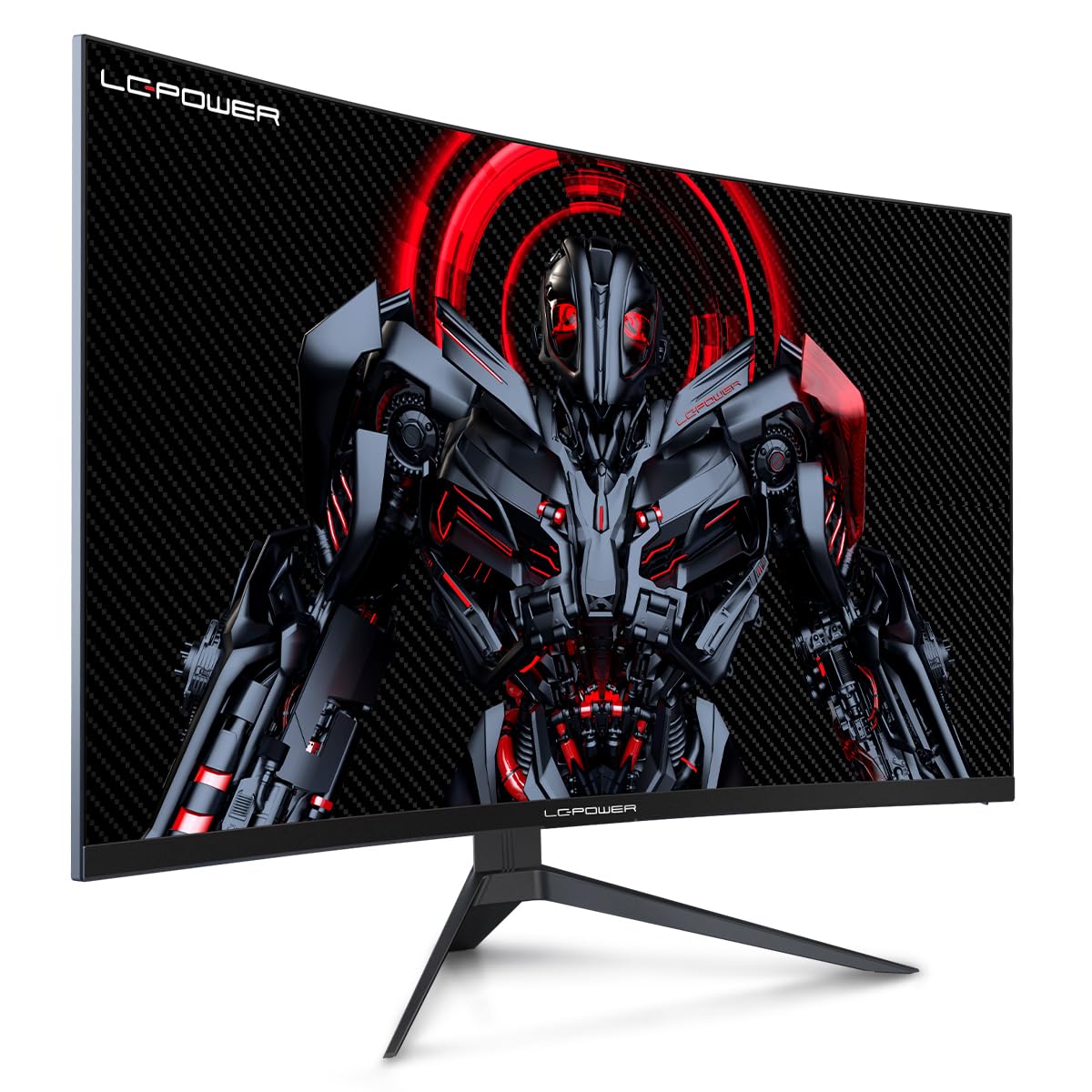
Figure 4.1: LC-Power monitor with stand assembled.
4.2 કનેક્ટિંગ કેબલ્સ
મોનિટરના પાછળના પોર્ટ સાથે જરૂરી કેબલ જોડો:
- શક્તિ: પાવર એડેપ્ટરને મોનિટરના DC ઇનપુટ સાથે અને પછી પાવર આઉટલેટ સાથે કનેક્ટ કરો.
- વિડિઓ ઇનપુટ: તમારા કમ્પ્યુટરના ગ્રાફિક્સ કાર્ડમાંથી HDMI અથવા ડિસ્પ્લેપોર્ટ કેબલને મોનિટર પરના સંબંધિત પોર્ટ સાથે કનેક્ટ કરો.

આકૃતિ 4.2: પાછળ view of the monitor with input ports.
4.3 VESA Mounting (Optional)
The monitor supports VESA 100x100mm mounting. To use a VESA mount, remove the stand and attach the monitor to a compatible VESA bracket using appropriate screws (not included).
5. ઓપરેટિંગ સૂચનાઓ
5.1 પાવર ચાલુ/બંધ
Press the power button, typically located on the back or bottom of the monitor, to turn the monitor on or off. The power indicator light will illuminate when the monitor is on.
૪.૧ ઓન-સ્ક્રીન ડિસ્પ્લે (OSD) મેનુ
The OSD menu allows you to adjust various monitor settings. Use the control buttons (joystick or individual buttons) on the monitor to navigate the menu.
સામાન્ય OSD સેટિંગ્સ:
- ચિત્ર સેટિંગ્સ: તેજ, કોન્ટ્રાસ્ટ, શાર્પનેસ અને રંગ તાપમાનને સમાયોજિત કરો.
- ઇનપુટ પસંદ કરો: HDMI અને ડિસ્પ્લેપોર્ટ ઇનપુટ્સ વચ્ચે મેન્યુઅલી સ્વિચ કરો.
- ઓડિયો: Adjust volume if external speakers are connected via the monitor's audio output.
- રમત સેટિંગ્સ: Access features like Overdrive, GamePlus (crosshair overlays), FPS/RTS modes, and Adaptive Sync.
- ડિસ્પ્લે સેટિંગ્સ: Adjust aspect ratio, resolution, and refresh rate. Ensure your graphics card is configured to output 1920x1080 resolution at 165Hz for optimal performance.
- Low Blue Light & Flicker-Free: These features are designed to reduce eye strain during prolonged use. They can be enabled or disabled in the OSD menu.
6. જાળવણી
6.1 મોનિટરની સફાઈ
- સફાઈ કરતા પહેલા હંમેશા મોનિટરને અનપ્લગ કરો.
- નરમ, લિન્ટ-ફ્રી કાપડનો ઉપયોગ કરોampપાણી અથવા હળવા, ઘર્ષણ વિનાના સ્ક્રીન ક્લીનરથી ધોઈ લો.
- સ્ક્રીન પર સીધું ક્લીનર સ્પ્રે કરશો નહીં.
- Avoid using benzene, thinner, or ammonia-based cleaners.
6.2 સંગ્રહ
If storing the monitor for an extended period, disconnect all cables, pack it in its original packaging, and store it in a cool, dry place away from direct sunlight.
7. મુશ્કેલીનિવારણ
સામાન્ય સમસ્યાઓ અને તેમના ઉકેલો માટે નીચેના કોષ્ટકનો સંદર્ભ લો:
| સમસ્યા | સંભવિત કારણ | ઉકેલ |
|---|---|---|
| સ્ક્રીન પર કોઈ છબી નથી | Power cable disconnected; Video cable disconnected; Incorrect input selected | Check power and video cable connections; Select correct input via OSD menu |
| છબી ઝબકતી | Faulty video cable; Graphics card driver issue; Refresh rate mismatch | Replace video cable; Update graphics drivers; Set refresh rate to 165Hz in OS display settings |
| રંગો ખોટા દેખાય છે | Color settings in OSD; Graphics card settings | Adjust color settings in OSD; Calibrate colors via graphics card control panel |
| મોનિટર ચાલુ થતું નથી | Power cable not connected; Power adapter faulty | Ensure power cable is securely connected; Test power outlet; Contact support if adapter is suspected faulty |
8. સ્પષ્ટીકરણો
Detailed technical specifications for the LC-Power LC-M32-FHD-165-C-A monitor:
| લક્ષણ | સ્પષ્ટીકરણ |
|---|---|
| બ્રાન્ડ | એલસી-પાવર |
| મોડલ | LC-M32-FHD-165-CA |
| સ્ક્રીન માપ | 32 ઇંચ |
| સ્ક્રીન રીઝોલ્યુશન | ૧૯૨૦ x ૧૦૮૦ (FHD ૧૦૮૦p) |
| તાજું દર | 165 હર્ટ્ઝ |
| પ્રતિભાવ સમય | 1 મિલીસેકન્ડ |
| વક્રતા | 1500 આર |
| પાસા રેશિયો | 16:9 |
| ડિસ્પ્લે ટેકનોલોજી | એલસીડી |
| Viewએન્ગલ | 178 ડિગ્રી |
| હાર્ડવેર ઇંટરફેસ | HDMI, ડિસ્પ્લેપોર્ટ |
| ખાસ લક્ષણો | Curved, Flicker-Free, Low Blue Light, GamePlus, Overdrive, FPS/RTS |
| VESA સુસંગતતા | 100x100 મીમી |
| ઉત્પાદન પરિમાણો | 14.3 x 53.8 x 40.6 સેમી (L x W x H) |
| વસ્તુનું વજન | 8.24 કિગ્રા |
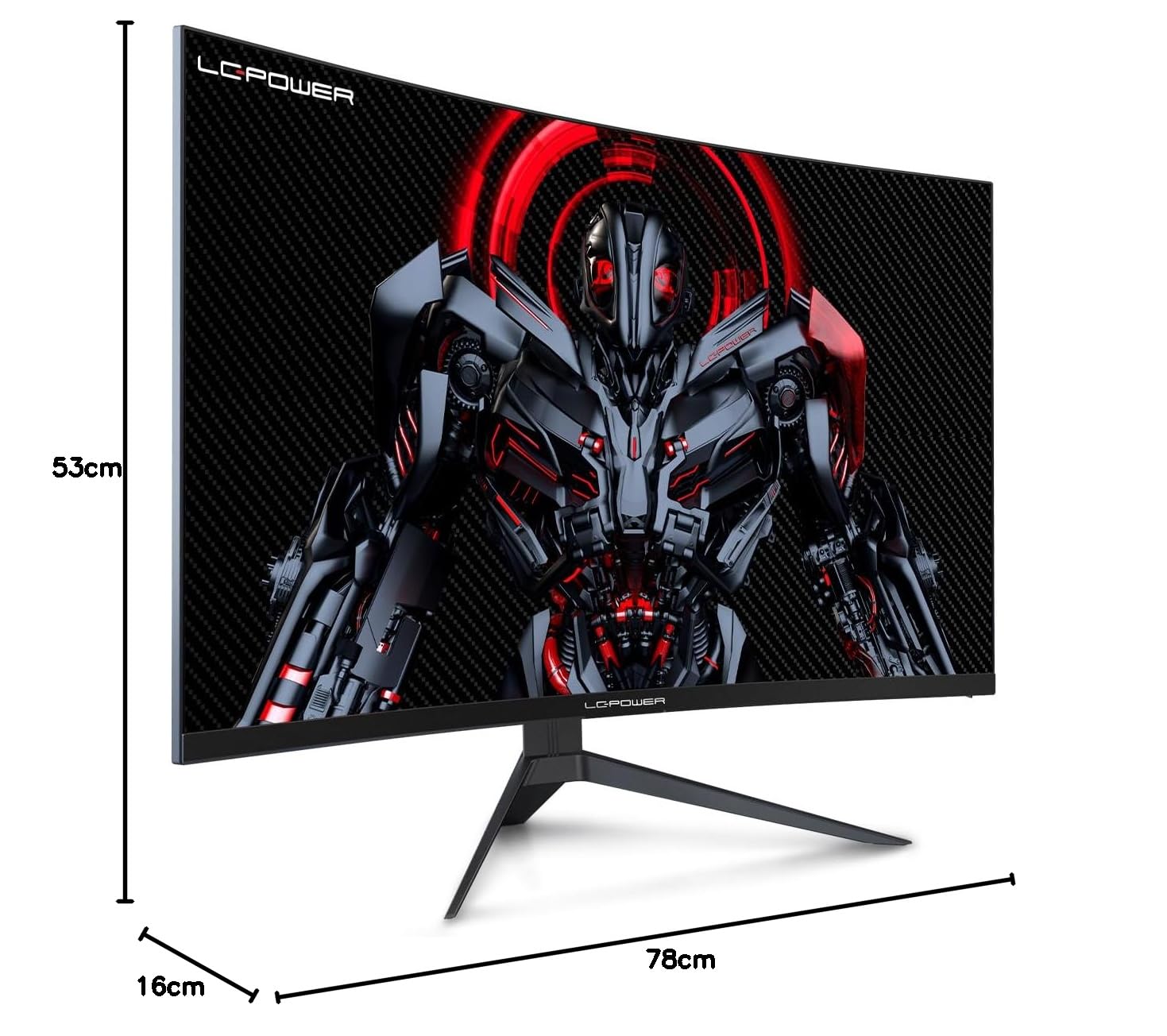
Figure 8.1: Monitor dimensions for planning installation space.
9. વોરંટી અને સપોર્ટ
LC-Power provides a three-year warranty for this product. Additionally, a twelve-month replacement service is available. For technical assistance or inquiries regarding damage, defects, or missing parts, please contact LC-Power customer support. Telephone technical support is also available.


