1. પરિચય
The HiFuture Future Zone 2 BT Smartwatch is designed to enhance your daily life by providing convenient access to fitness tracking, communication, and entertainment features directly from your wrist. This manual provides essential information on how to set up, operate, and maintain your new smartwatch.
Key features include step tracking, distance measurement, time and date display, music playback control, an AMOLED touchscreen display, and a seamless Bluetooth calling system. With an impressive 7-day battery life, the Future Zone 2 is built for extended use.
2. ઉત્પાદન ઓવરview
2.1. લક્ષણો
- પ્રવૃત્તિ ટ્રેકિંગ: Helps you track simple steps, distance traveled, time, and date.
- સંગીત નિયંત્રણ: Allows you to control your phone's music player directly from the watch.
- પ્રદર્શન: Features a vibrant AMOLED touchscreen display.
- બ્લૂટૂથ કૉલિંગ: Enables hassle-free communication with a built-in Bluetooth calling system.
- બેટરી જીવન: Offers an impeccable battery that lasts up to 7 days on a single charge.
- પાણી પ્રતિકાર: IP68 certified for water resistance.
- સ્પોર્ટ્સ મોડ્સ: Supports over 100 sports modes for diverse activity tracking.
૩.૧. ઘટકો અને પ્રદર્શન

આકૃતિ 2.2.1: The HiFuture Future Zone2 Smartwatch in silver and white, showcasing its sleek design and vibrant display with activity metrics.
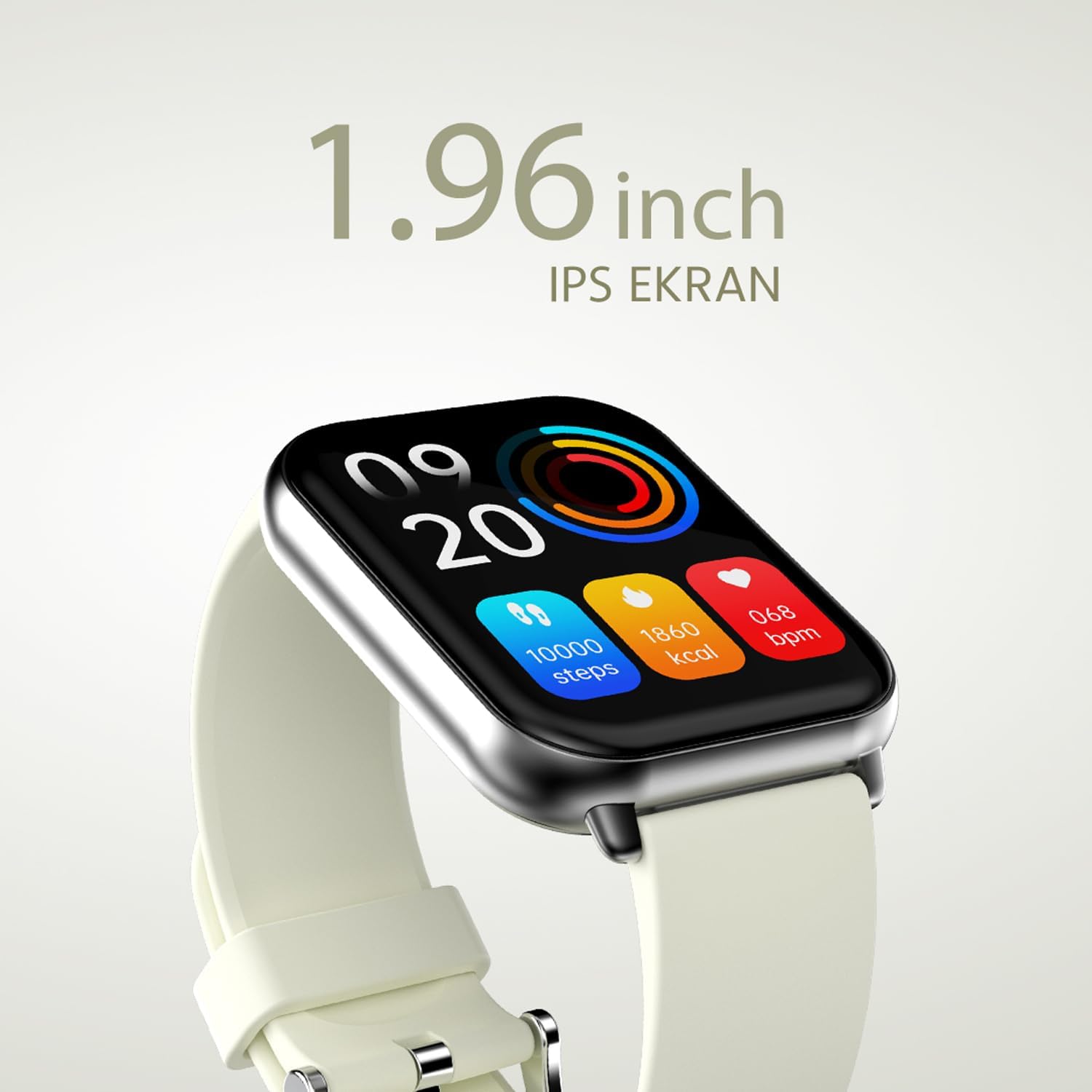
આકૃતિ 2.2.2: વિગતવાર view of the smartwatch display, highlighting its 1.96-inch IPS screen, which offers clear and crisp visuals.

આકૃતિ 2.2.3: The smartwatch accompanied by icons representing its core features: 1.96-inch IPS screen, wireless connectivity, 7-day battery life, and IP68 water resistance.

આકૃતિ 2.2.4: The smartwatch surrounded by various sport icons, indicating its support for over 100 different sport modes for comprehensive fitness tracking.
3. સેટઅપ
૩.૨. સ્માર્ટવોચ ચાર્જ કરવી
Before first use, fully charge your HiFuture Future Zone2 Smartwatch. Connect the charging cable to the charging port on the back of the watch and plug the USB end into a compatible power adapter (not included) or a computer's USB port. The watch display will indicate charging status. A full charge typically takes approximately 2 hours.
3.2. તમારા સ્માર્ટફોન સાથે જોડી બનાવવી
- એપ ડાઉનલોડ કરો: માટે શોધો the official HiFuture companion app on your smartphone's app store (Google Play Store for Android or Apple App Store for iOS). Install the app.
- બ્લૂટૂથ સક્ષમ કરો: ખાતરી કરો કે તમારા સ્માર્ટફોન પર બ્લૂટૂથ સક્ષમ છે.
- એપ્લિકેશન ખોલો: Launch the HiFuture app and follow the on-screen instructions to create an account or log in.
- ઉપકરણ ઉમેરો: Within the app, navigate to the "Add Device" or "Pair Device" section. The app will search for nearby smartwatches.
- તમારી ઘડિયાળ પસંદ કરો: Select "HiFuture Future Zone2" from the list of discovered devices.
- જોડી બનાવવાની પુષ્ટિ કરો: A pairing request will appear on both your phone and the smartwatch. Confirm the pairing on both devices.
- પૂર્ણ સેટઅપ: Once paired, the app will guide you through initial settings such as personal information, notification preferences, and watch face customization.
Note: For optimal performance, ensure your smartphone's operating system and the smartwatch app are up to date.
4. ઓપરેટિંગ સૂચનાઓ
4.1. મૂળભૂત નેવિગેશન
- ટચસ્ક્રીન: Swipe left, right, up, or down to navigate through menus and screens. Tap to select an option.
- સાઇડ બટન: Press the side button to return to the home screen or wake up the display. A long press may access power options or a quick menu.
4.2. બ્લૂટૂથ કૉલિંગ
The Future Zone2 Smartwatch supports Bluetooth calling, allowing you to make and receive calls directly from your wrist when connected to your smartphone.
- Enable Call Audio: Ensure that the smartwatch is connected to your phone for both data and call audio. This setting is usually managed within your phone's Bluetooth settings after initial pairing.
- કૉલ્સ કરવા: Access the dialer or contact list on your smartwatch. Tap to dial a number or select a contact to initiate a call.
- કૉલ્સ પ્રાપ્ત કરી રહ્યાં છે: જ્યારે કોઈ કોલ આવે છે, ત્યારે ઘડિયાળ કોલર આઈડી પ્રદર્શિત કરશે. જવાબ આપવા માટે લીલા આઇકન પર અથવા રિજેક્ટ કરવા માટે લાલ આઇકન પર ટેપ કરો.
- During a Call: You can speak directly into the watch's built-in microphone and listen through its speaker. Options to mute, adjust volume, or transfer the call to your phone may be available on the watch screen.
આકૃતિ 4.2.1: The smartwatch screen showing a missed call notification, demonstrating its Bluetooth calling capability.
4.3. Music Playback Control
Control your smartphone's music playback directly from your smartwatch.
- Access Music Control: Swipe on your watch face or navigate through the app list to find the "Music" or "Media Control" icon.
- પ્લેબેકને નિયંત્રિત કરો: From this screen, you can play/pause, skip tracks (next/previous), and adjust the volume of the music playing on your connected smartphone.
૪.૨. પ્રવૃત્તિ ટ્રેકિંગ
The smartwatch automatically tracks your daily steps, distance, and calories burned. You can view these metrics on the watch display or in the companion app for more detailed insights.
- દૈનિક પ્રવૃત્તિ: The main watch face or a dedicated activity screen will show your current steps, calories, and heart rate (if applicable).
- સ્પોર્ટ મોડ્સ: Select a specific sport mode (e.g., running, cycling, walking) from the watch's menu before starting an activity for more accurate tracking.
5. જાળવણી
૪.૧. તમારી સ્માર્ટવોચ સાફ કરવી
- ઘડિયાળની સ્ક્રીન અને શરીરને નરમ, લિન્ટ-ફ્રી કપડાથી સાફ કરો.
- હઠીલા સ્ટેન માટે, ડીampકપડાને થોડું પાણીથી ઘસો. કઠોર રસાયણો અથવા ઘર્ષક પદાર્થોનો ઉપયોગ કરવાનું ટાળો.
- ચાર્જ કરતા પહેલા ખાતરી કરો કે ચાર્જિંગ કોન્ટેક્ટ સ્વચ્છ અને સૂકા છે.
5.2. પાણી પ્રતિકાર (IP68)
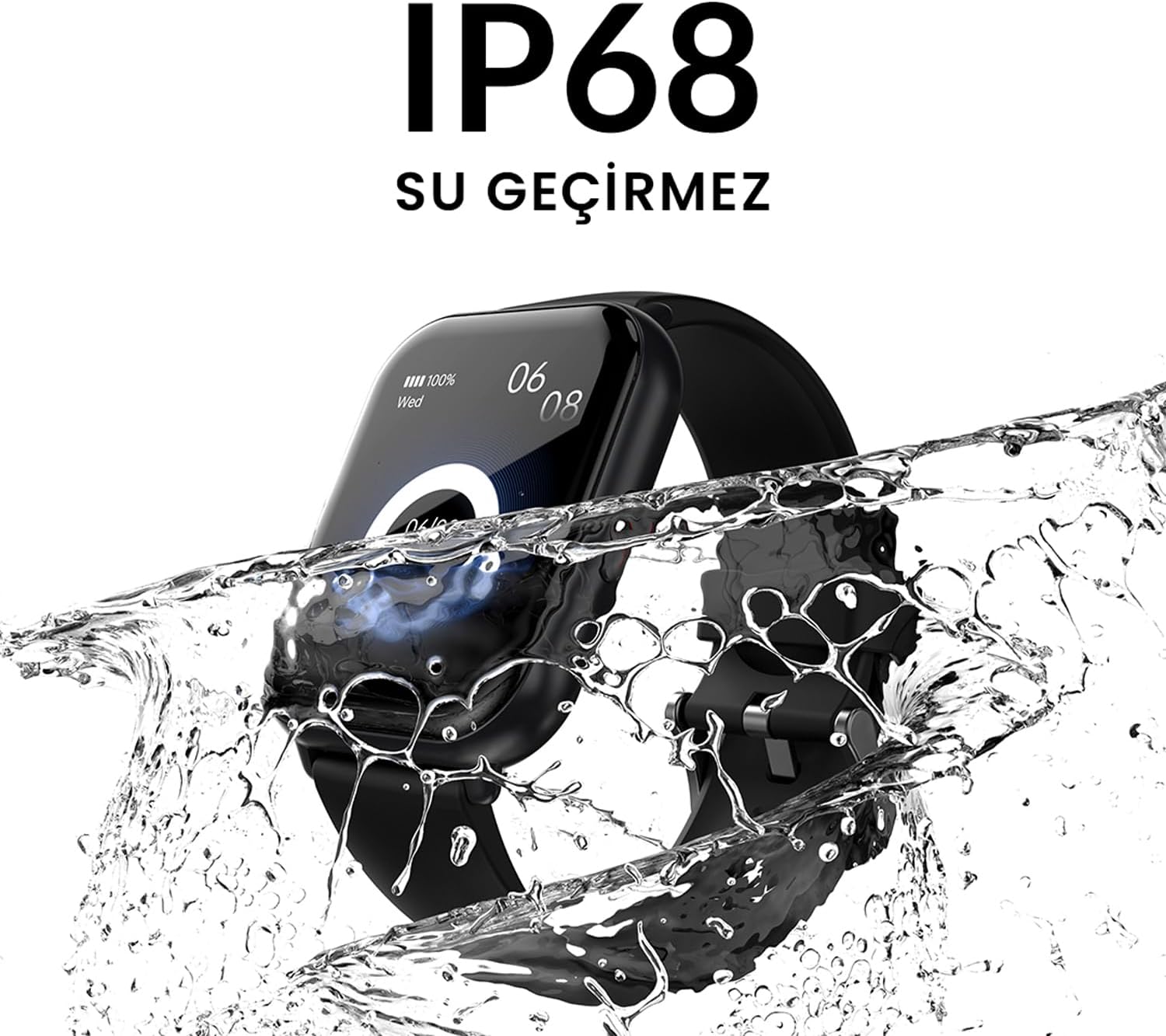
The HiFuture Future Zone2 Smartwatch is IP68 water-resistant, meaning it can withstand immersion in water up to 1.5 meters for up to 30 minutes. It is suitable for daily use, such as hand washing or light rain.
- Do not use the watch for diving, snorkeling, or high-pressure water activities.
- Avoid exposing the watch to hot water, steam, or detergents, as this may compromise its water resistance.
- If the watch gets wet, dry it thoroughly before charging or operating.

આકૃતિ 5.2.1: The smartwatch shown with water splashing over it, illustrating its IP68 water resistance rating.
5.3. બેટરી કેર
- બેટરીનું જીવન વધારવા માટે, વારંવાર બેટરીને સંપૂર્ણપણે ડિસ્ચાર્જ કરવાનું ટાળો.
- ફક્ત આપેલા ચાર્જિંગ કેબલનો ઉપયોગ કરીને ઘડિયાળ ચાર્જ કરો.
- લાંબા સમય સુધી ઉપયોગમાં ન હોય ત્યારે ઘડિયાળને ઠંડી, સૂકી જગ્યાએ રાખો.
6. મુશ્કેલીનિવારણ
૬. સામાન્ય મુદ્દાઓ અને ઉકેલો
| અંક | સંભવિત કારણ | ઉકેલ |
|---|---|---|
| ચાલુ ન થતા જુઓ | બેટરી ઓછી છે; ડિવાઇસ થીજી ગયું છે | Charge the watch for at least 30 minutes. If still unresponsive, perform a forced restart (refer to device-specific instructions, usually a long press of the side button). |
| સ્માર્ટફોન સાથે જોડી શકાતી નથી | Bluetooth off; app issue; watch not discoverable | Ensure Bluetooth is on for both devices. Restart both the watch and phone. Clear the app's cache or reinstall it. Make sure the watch is in pairing mode. |
| Bluetooth calling not working | Incorrect Bluetooth profile; app permissions | Check your phone's Bluetooth settings to ensure the watch is connected for "Calls" or "Phone audio." Verify app permissions for phone calls. |
| Inaccurate activity tracking | Improper wear; software glitch | Ensure the watch is worn snugly on your wrist. Restart the watch. Update the watch firmware via the app if available. |
7. સ્પષ્ટીકરણો
| લક્ષણ | વિગત |
|---|---|
| બ્રાન્ડ | હાઇફ્યુચર |
| મોડેલનું નામ | Smartwatch (Future Zone2) |
| મોડલ નંબર | ZONE2 SILVER WHITE |
| રંગ | Silver and White (as per product title, though spec says Grey) |
| સ્ક્રીન માપ | 41 Millimeters (1.96 inches IPS) |
| કનેક્ટિવિટી ટેકનોલોજી | બ્લૂટૂથ |
| ખાસ લક્ષણો | Music Player, Distance Tracker, Bluetooth Calling |
| સુસંગત ઉપકરણો | Smartphone, Tablet, Other Portable Devices |
| બેટરી રચના | Lithium-ion (1 Lithium-polymer battery included) |
| રિચાર્જેબલ બેટરી | હા |
| પાણી પ્રતિકાર | IP68 પ્રમાણિત |
| જીપીએસ | જીપીએસ નથી |
| આકાર | ચોરસ |
| ઉત્પાદક | HiFuture Group |
8. વોરંટી અને સપોર્ટ
8.1. ઉત્પાદન વોરંટી
Specific warranty details for the HiFuture Future Zone2 Smartwatch are typically provided with your purchase documentation or on the manufacturer's official webસાઇટ. વોરંટી દાવાઓ માટે કૃપા કરીને તમારી ખરીદીનો પુરાવો રાખો.
Note: Information regarding guaranteed software updates and spare parts availability is not explicitly provided.
8.2. ગ્રાહક આધાર
For technical assistance, troubleshooting beyond this manual, or warranty inquiries, please contact HiFuture customer support through their official webસાઇટ અથવા તમારા ઉત્પાદન પેકેજિંગ સાથે પૂરી પાડવામાં આવેલ સંપર્ક માહિતી.
તમે આનો સંદર્ભ પણ લઈ શકો છો product page on Amazon.com.be for additional information and customer reviews.


