1. પરિચય
This manual provides essential information for the proper setup, operation, and maintenance of your TECLAST T40HD 10.4-inch Android 13 Tablet. Please read this manual thoroughly before using the device to ensure optimal performance and longevity. Keep this manual for future reference.

છબી ૧.૧: આગળ અને પાછળ view of the TECLAST T40HD tablet, showcasing its slim design and camera module.
2. પેકેજ સામગ્રી
ખાતરી કરો કે નીચે સૂચિબદ્ધ બધી વસ્તુઓ તમારા ઉત્પાદન પેકેજિંગમાં હાજર છે:
- TECLAST T40HD Tablet
- પાવર એડેપ્ટર (પ્રદેશ પ્રમાણે બદલાઈ શકે છે)
- ડેટા કેબલ (USB ટાઇપ-C)
- Drive Out Pin (for SIM/Micro SD tray)
- જાળવણી કાર્ડ
- વપરાશકર્તા માર્ગદર્શિકા (આ દસ્તાવેજ)
- સ્ક્રીન પ્રોટેક્ટર (પહેલાથી લાગુ કરેલ અથવા અલગથી સમાવિષ્ટ)

Image 2.1: Illustration of the TECLAST T40HD tablet and its standard accessories included in the box.
3. પ્રારંભિક સેટઅપ
૩.૧ ટેબ્લેટ ચાર્જ કરવું
Before first use, fully charge the tablet using the provided power adapter and USB Type-C cable. Connect the cable to the tablet's USB-C port and the adapter to a power outlet. The charging indicator will typically show progress on the screen.

Image 3.1: The tablet connected to a charger, indicating battery status, and a user operating the tablet while traveling.
3.2 પાવરિંગ ચાલુ/બંધ
- પાવર ચાલુ કરવા માટે: સ્ક્રીન પર TECLAST લોગો દેખાય ત્યાં સુધી પાવર બટન (બાજુ પર સ્થિત) દબાવી રાખો.
- પાવર ઓફ કરવા માટે: પાવર વિકલ્પો મેનૂ દેખાય ત્યાં સુધી પાવર બટન દબાવી રાખો. 'પાવર ઓફ' પસંદ કરો.
- પુનઃપ્રારંભ કરવા માટે: પાવર વિકલ્પો મેનૂમાંથી, 'રીસ્ટાર્ટ' પસંદ કરો.
3.3 Inserting SIM and Micro SD Cards
The TECLAST T40HD supports dual SIM cards and a Micro SD card for expanded storage. Use the provided drive out pin to open the card tray.
- Locate the SIM/Micro SD card tray on the side of the tablet.
- Insert the drive out pin into the small hole next to the tray and press gently until the tray ejects.
- ટ્રે કાળજીપૂર્વક બહાર કાઢો.
- Place your Nano-SIM cards and/or Micro SD card into the designated slots on the tray, ensuring correct orientation.
- ધીમેધીમે ટ્રેને ટેબ્લેટમાં પાછી ધકેલી દો જ્યાં સુધી તે જગ્યાએ ક્લિક ન થાય.

Image 3.2: The SIM/Micro SD card tray, illustrating the placement of SIM cards.
૩.૪ પ્રારંભિક એન્ડ્રોઇડ સેટઅપ
Upon first power-on, the tablet will guide you through the Android 13 setup process. This includes selecting your language, connecting to Wi-Fi, setting up your Google account, and configuring security options like face unlock.
4. ટેબ્લેટ ચલાવવું
૪.૧ નેવિગેશન અને હાવભાવ
The TECLAST T40HD runs on Android 13, offering intuitive navigation through gestures and on-screen buttons. Common gestures include:
- ટૅપ કરો: કોઈ વસ્તુ પસંદ કરો અથવા એપ્લિકેશન ખોલો.
- સ્વાઇપ કરો: પૃષ્ઠો અથવા યાદીઓ દ્વારા સ્ક્રોલ કરો.
- ઝૂમ કરવા માટે પિંચ કરો: સ્ક્રીન પરની સામગ્રી મોટી અથવા ઓછી કરો.
- Swipe up from bottom: Go to Home screen or open app drawer.
- Swipe from left/right edge: પાછા જાઓ.
૪.૩ નેટવર્ક્સ સાથે કનેક્ટ થવું
- Wi-Fi: Go to Settings > Network & internet > Wi-Fi. Select your network and enter the password.
- મોબાઇલ ડેટા (4G LTE): If a SIM card is inserted, enable mobile data in Settings > Network & internet > Mobile network.
- બ્લૂટૂથ: Pair with Bluetooth devices (e.g., headphones, keyboards) via Settings > Connected devices > Bluetooth.
૫.૪ મલ્ટીમીડિયા અને ગેમિંગ
The tablet's 2K HD display and Unisoc T606 Octa-core processor provide a smooth experience for media consumption and gaming.
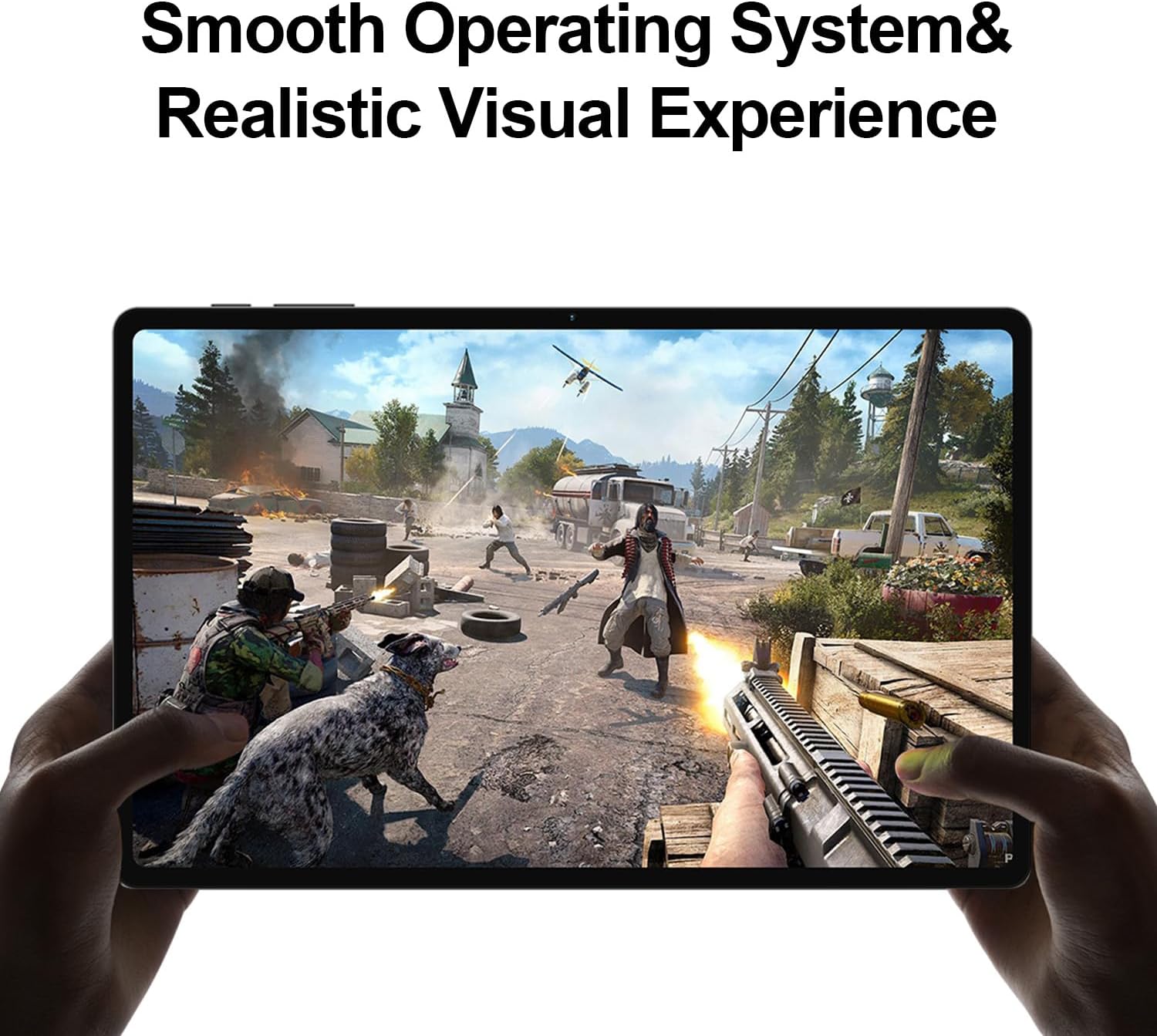
Image 4.1: The tablet displaying a high-fidelity video game, demonstrating its graphical capabilities.

છબી ૩.૧: ટેબ્લેટ શોસીasing its battery performance for different usage scenarios.
૩.૨ મલ્ટીટાસ્કિંગ
Android 13 supports split-screen mode, allowing you to use two apps simultaneously. To activate, open an app, then swipe up slightly from the bottom of the screen to reveal the recent apps. Tap the app icon at the top of the window and select 'Split top'. Choose another app to fill the second half of the screen.

Image 4.3: The tablet demonstrating split-screen functionality for enhanced productivity.
4.5 પેરેંટલ કંટ્રોલ
Utilize Android's built-in parental control features to manage screen time, restrict app access, and filter content. Access these settings through the Google Family Link app or directly in the tablet's Settings menu under 'Digital Wellbeing & parental controls'.

Image 4.4: Parental control features displayed on the tablet, enabling management of usage for children.
4.6 GPS નેવિગેશન
The integrated GPS functionality allows for precise location tracking and navigation. Use pre-installed map applications or download your preferred navigation apps from the Google Play Store.

Image 4.5: The tablet used for GPS navigation in a vehicle.
4.7 Android 13 Features Overview
The TECLAST T40HD operates on Android 13, offering enhanced privacy controls, improved battery efficiency, smoother overall operation, and various user interface improvements. It also expands compatibility with a wide range of devices and applications.

Image 4.6: Visual representation of the Android 13 operating system interface on the tablet.
૧.૧ સત્તાવાર ઉત્પાદન વિડિઓ
Video 4.1: An official product video from Teclast USA Official Store, showcasing the key features and design of the TECLAST T40HD Android 13 Tablet.
5. જાળવણી
- સફાઈ: સ્ક્રીન અને બોડી સાફ કરવા માટે નરમ, લિન્ટ-ફ્રી કાપડનો ઉપયોગ કરો. ઘર્ષક સામગ્રી અથવા કઠોર રસાયણો ટાળો.
- સૉફ્ટવેર અપડેટ્સ: શ્રેષ્ઠ કામગીરી અને સુરક્ષા સુનિશ્ચિત કરવા માટે નિયમિતપણે સિસ્ટમ અપડેટ્સ તપાસો અને ઇન્સ્ટોલ કરો. સેટિંગ્સ > સિસ્ટમ > સિસ્ટમ અપડેટ પર જાઓ.
- બેટરી સંભાળ: To prolong battery life, avoid extreme temperatures and do not let the battery fully discharge frequently.
- સંગ્રહ વ્યવસ્થાપન: સમયાંતરે બિનજરૂરી સાફ કરો fileસ્ટોરેજ સ્પેસ ખાલી કરવા માટે ન વપરાયેલી એપ્સ ડાઉનલોડ કરો અને અનઇન્સ્ટોલ કરો.
6. મુશ્કેલીનિવારણ
| અંક | શક્ય ઉકેલ |
|---|---|
| ટેબ્લેટ ચાલુ થતું નથી | Ensure the tablet is charged. Connect to the charger for at least 30 minutes before attempting to power on again. |
| સ્ક્રીન પ્રતિભાવવિહીન છે | Perform a force restart by holding the Power button for approximately 10-15 seconds. If the issue persists, contact support. |
| Wi-Fi કનેક્શન સમસ્યાઓ | Restart the tablet and your Wi-Fi router. Forget the network in Wi-Fi settings and reconnect. Ensure you are within range. |
| એપ્લિકેશનો ક્રેશ થઈ રહી છે અથવા સ્થિર થઈ રહી છે | Clear the cache for the problematic app (Settings > Apps > [App Name] > Storage & cache > Clear cache). Update the app or uninstall and reinstall it. Ensure sufficient free storage. |
| ધીમી કામગીરી | Close unused background apps. Clear cache and temporary files. Consider a factory reset if performance issues are severe and persistent (back up data first). |
| સિમ કાર્ડ મળ્યું નથી | Ensure the SIM card is correctly inserted into the tray. Restart the tablet. Verify that mobile data is enabled in settings. |
7. સ્પષ્ટીકરણો

છબી 7.1: ઓવરview of the TECLAST T40HD tablet's key technical specifications.
| લક્ષણ | વિગત |
|---|---|
| મોડલ | T40HD નો પરિચય |
| ઓપરેટિંગ સિસ્ટમ | Android 13 (GMS પ્રમાણિત) |
| ડિસ્પ્લે | 10.4-inch 2K (2000x1200) TDDI IPS, TÜV Rheinland Certified |
| પ્રોસેસર | યુનિસોક T606 ઓક્ટા-કોર (1.6 GHz) |
| રેમ | ૧૬ જીબી (૮ જીબી ફિઝિકલ + ૮ જીબી એક્સટેન્ડેડ) |
| આંતરિક સંગ્રહ | 128GB UMCP |
| એક્સપાન્ડેબલ સ્ટોરેજ | Micro SD card up to 1TB |
| રીઅર કેમેરા | 13MP + 30W auxiliary camera |
| ફ્રન્ટ કેમેરા | 8MP |
| બેટરી | 7200mAh લિથિયમ પોલિમર |
| કનેક્ટિવિટી | 4G LTE (Dual SIM), 5G WiFi (2.4/5GHz), Bluetooth 5.0, GPS |
| બંદરો | USB ટાઇપ-સી, ૩.૫ મીમી હેડફોન જેક |
| પરિમાણો (LxWxH) | 10.4 x 6 x 0.6 ઇંચ |
| વજન | 1.9 પાઉન્ડ |
8. વોરંટી અને સપોર્ટ
8.1 વોરંટી માહિતી
TECLAST products typically come with a 1-year warranty from the date of purchase. This warranty covers manufacturing defects. Please refer to the 'Maintenance Card' included in your package for specific warranty terms and conditions. Keep your proof of purchase for warranty claims.
8.2 ગ્રાહક સપોર્ટ
For technical assistance, troubleshooting, or warranty inquiries, please contact TECLAST customer support. You can typically find contact information on the official TECLAST website or through the retailer where you purchased the device. TECLAST aims to respond to inquiries within one working day and offers a 1-year unconditional replacement service for eligible issues.
મહત્વપૂર્ણ નોંધ: It is recommended to charge the product for more than 30 minutes before turning it on for the first time.


