1. પરિચય
Thank you for choosing the DREAME U10 Replacement Battery. This manual provides essential information for the proper installation, operation, and maintenance of your new battery. Please read this manual thoroughly before use to ensure optimal performance and safety.
2. સલામતી સૂચનાઓ
Always follow these safety precautions to prevent damage to the battery, vacuum cleaner, or personal injury:
- Use only the original DREAME charger or a compatible charger specified for the U10 battery.
- બેટરીને ડિસએસેમ્બલ, ક્રશ અથવા પંચર કરશો નહીં.
- Avoid exposing the battery to extreme temperatures (above 60°C/140°F or below 0°C/32°F) or direct sunlight.
- Keep the battery away from water, fire, and corrosive substances.
- If the battery shows signs of damage, leakage, or overheating, discontinue use immediately and contact customer support.
- Dispose of used batteries according to local regulations. Do not dispose of with household waste.
3. પેકેજ સામગ્રી
The package contains the following item:
- 1 x DREAME U10 Replacement Battery (5200mAh)
4. ઉત્પાદન ઓવરview
The DREAME U10 Replacement Battery is a high-capacity lithium-ion battery designed to extend the runtime and maintain the performance of your DREAME U10 vacuum cleaner. It features a 5200mAh capacity, providing up to 60 minutes of continuous operation.
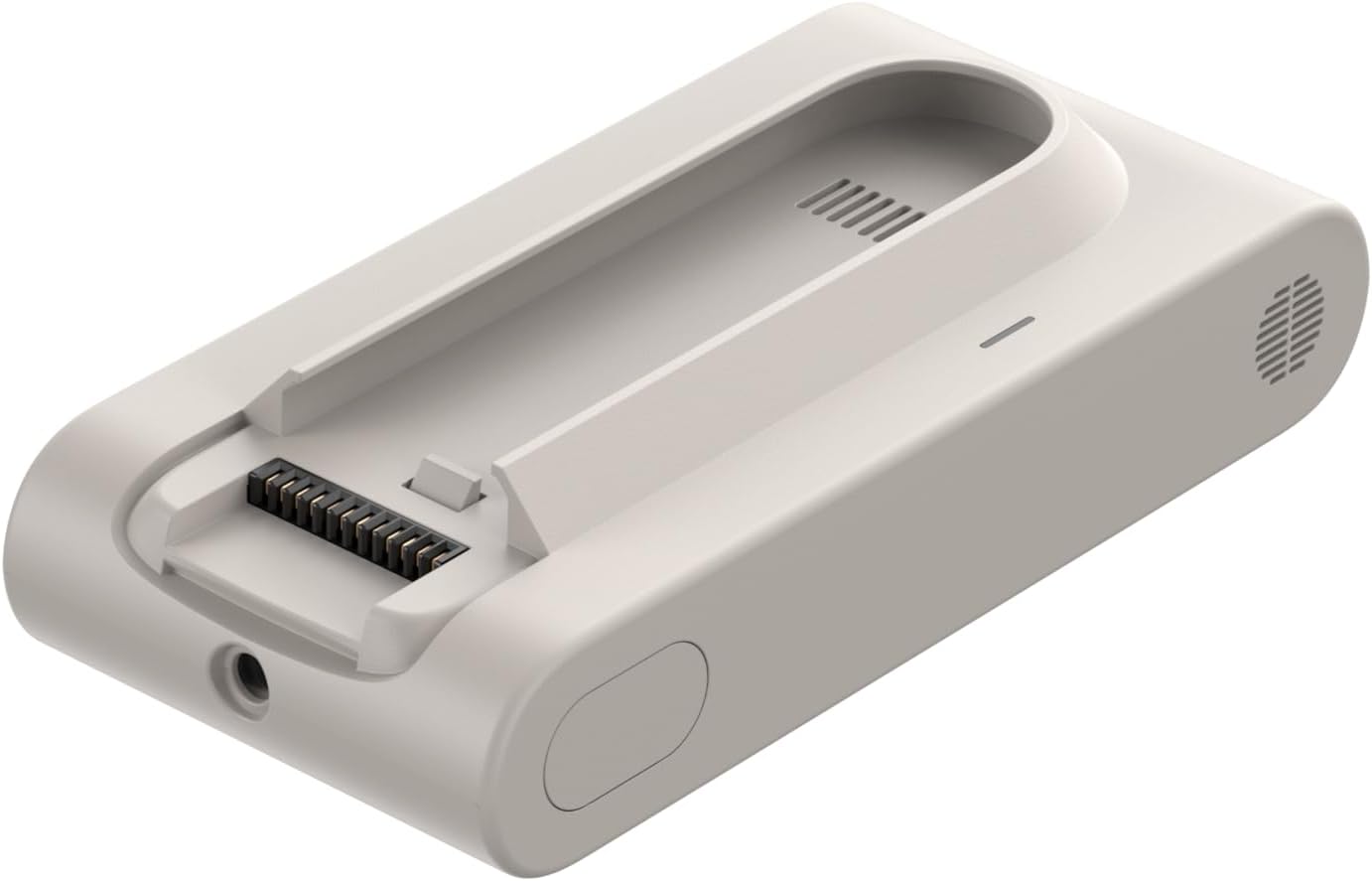
This image shows the DREAME U10 replacement battery unit, highlighting its connection terminals and overall design.
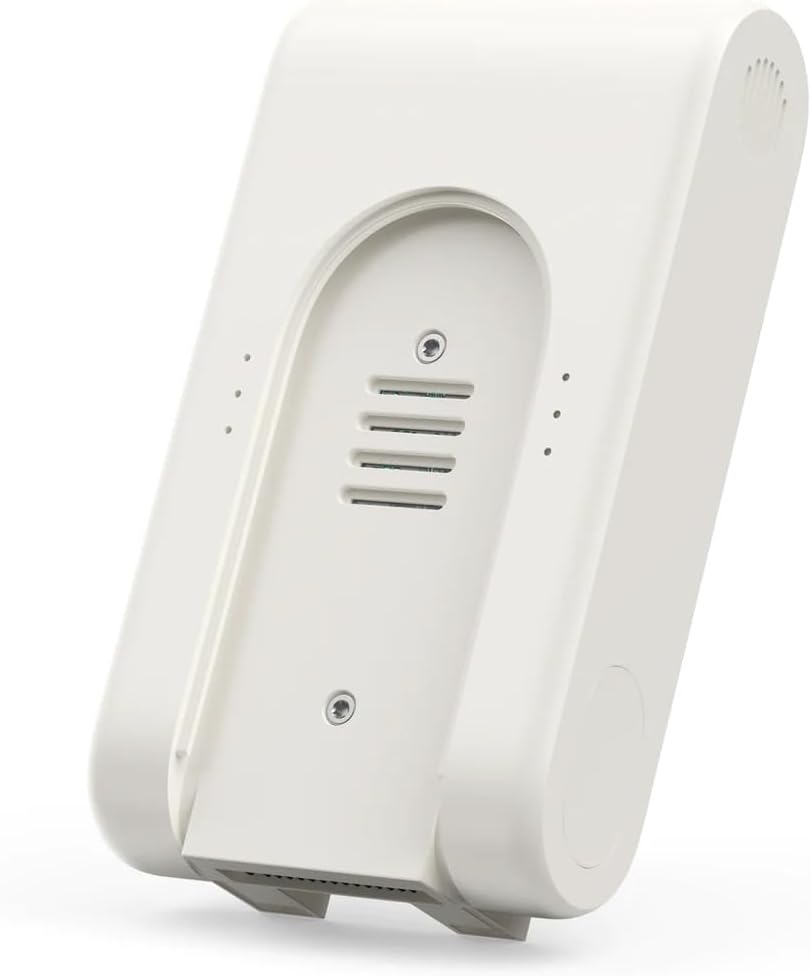
This image displays the rear view of the DREAME U10 replacement battery, showing additional ventilation details and mounting points.
5. સેટઅપ અને ઇન્સ્ટોલેશન
Follow these steps to install the replacement battery into your DREAME U10 vacuum cleaner:
- Ensure the vacuum cleaner is powered off and unplugged from any charging source.
- Locate the battery compartment on your DREAME U10 vacuum cleaner. Refer to your vacuum cleaner's manual for exact location and removal instructions.
- જૂની બેટરીને કાળજીપૂર્વક દૂર કરો.
- Align the new DREAME U10 Replacement Battery with the compartment and slide it into place until it clicks securely.
- Ensure all connections are firm.
6. ઓપરેટિંગ સૂચનાઓ
6.1 બેટરી ચાર્જ કરી રહી છે
The DREAME U10 battery can be charged either while installed in the vacuum cleaner or separately using a dedicated charging dock (if available with your vacuum model).

This image illustrates two methods for charging the DREAME U10 battery: either by removing it from the vacuum cleaner and placing it in a separate charging dock, or by charging it while it is still attached to the vacuum cleaner mounted on a wall dock.
- Connect the charger to a power outlet and then to the vacuum cleaner or the separate charging dock.
- The charging indicator on the vacuum cleaner or battery will illuminate to show charging status.
- A full charge typically takes several hours. Refer to your vacuum cleaner's manual for specific charging times.
6.2 બેટરીનો ઉપયોગ
Once fully charged, the battery provides power to your DREAME U10 vacuum cleaner for up to 60 minutes, depending on the operating mode and surface type.
7. જાળવણી
Proper maintenance extends the life of your battery:
- નિયમિત ચાર્જિંગ: Avoid completely draining the battery frequently. Charge it regularly, even if not in constant use.
- સંગ્રહ: If storing the battery for an extended period, charge it to approximately 50% and store it in a cool, dry place. Recharge every 3-6 months to prevent deep discharge.
- સફાઈ: Keep the battery contacts clean and free from dust or debris. Use a dry cloth to wipe them if necessary.
- તાપમાન: Operate and charge the battery within recommended temperature ranges to prevent damage.
8. મુશ્કેલીનિવારણ
If you encounter issues with your DREAME U10 Replacement Battery, consider the following:
- બેટરી ચાર્જ થતી નથી:
- Ensure the charger is properly connected to both the power outlet and the vacuum/battery.
- પાવર આઉટલેટ કાર્યરત છે કે કેમ તે તપાસો.
- Verify that the battery is correctly installed in the vacuum cleaner or charging dock.
- બેટરી સંપર્કો સાફ કરો.
- ઘટાડેલ રનટાઇમ:
- Battery performance can decrease over time with extensive use.
- ખાતરી કરો કે ઉપયોગ કરતા પહેલા બેટરી સંપૂર્ણ ચાર્જ થઈ ગઈ છે.
- Operating in high-power modes will consume battery faster.
- વેક્યુમ ક્લીનર ચાલુ ન થવું:
- ખાતરી કરો કે બેટરી સંપૂર્ણપણે ચાર્જ થયેલ છે અને યોગ્ય રીતે ઇન્સ્ટોલ કરેલી છે.
- Check the vacuum cleaner for other potential issues (refer to its manual).
If problems persist, please contact DREAME customer support.
9. સ્પષ્ટીકરણો
| બ્રાન્ડ | સ્વપ્ન |
| મોડલ | U10 (V2315-7S1P-SCA) |
| બેટરીનો પ્રકાર | લિથિયમ-આયન |
| બેટરી ક્ષમતા | 5200mAh |
| અંદાજિત રનટાઇમ | Up to 60 minutes (varies by usage) |
| પરિમાણો | 18 x 11.1 x 5.5 સેમી |
| વજન | 600 ગ્રામ |
| સુસંગતતા | DREAME U10 Vacuum Cleaner |
10. વોરંટી અને સપોર્ટ
For warranty information, technical support, or service inquiries, please refer to the warranty card included with your original DREAME U10 vacuum cleaner or visit the official DREAME webસાઇટ. વોરંટી દાવાઓ માટે ખરીદીના પુરાવા તરીકે તમારી ખરીદી રસીદ રાખો.


