1. પરિચય
This manual provides detailed instructions for the installation, operation, and maintenance of your EZVIZ CP2 2MP Door Peephole Camera. Please read this manual thoroughly before using the product to ensure proper function and safety.
The EZVIZ CP2 is a digital door peephole camera designed to enhance home security. It features a 4.3-inch color screen, 1080P video resolution, a 146° wide-angle lens, and a 2200mAh rechargeable battery. It connects via 2.4GHz Wi-Fi, allowing for remote viewing and control through the EZVIZ mobile application.

Image 1.1: The EZVIZ CP2 Door Peephole Camera system, showing the indoor monitor and the outdoor camera unit.
2. પેકેજ સામગ્રી
ખાતરી કરો કે બધી વસ્તુઓ તમારા પેકેજમાં હાજર છે:
- કેમેરા યુનિટ
- Indoor Monitor Panel
- માઉન્ટિંગ બેઝ
- Replacement Adhesive Support for Camera
- પાવર કેબલ
- Screws (8 pieces, various lengths)
- Regulatory Information (2 documents)
- ઝડપી પ્રારંભ માર્ગદર્શિકા
3. સેટઅપ અને ઇન્સ્ટોલેશન
Follow these steps to install your EZVIZ CP2 Door Peephole Camera.
૧.૧ સુસંગતતા તપાસ
- દરવાજાની જાડાઈ: Compatible with doors between 35 mm and 105 mm.
- પીહોલ વ્યાસ: Supports peephole diameters between 14 mm and 26 mm.

Image 3.1: Installation compatibility diagram, illustrating the required door thickness and peephole diameter.
3.2 ભૌતિક સ્થાપન
- હાલના પીપોલને દૂર કરો: Unscrew and remove your current door peephole.
- Insert Camera Unit: Insert the outdoor camera unit through the peephole from the exterior side of the door. Ensure the camera is oriented correctly.
- Mount Indoor Monitor: Attach the mounting base to the interior side of the door, aligning it with the camera unit's cable. Secure it with the appropriate screws provided, selecting the length that matches your door thickness.
- કેબલ્સ કનેક્ટ કરો: Connect the camera unit's cable to the indoor monitor panel.
- Attach Monitor: Secure the indoor monitor panel to the mounting base.

Image 3.2: The 4.3-inch color screen of the EZVIZ CP2 installed on the interior side of a door.
3.3 નેટવર્ક કનેક્શન
- EZVIZ એપ ડાઉનલોડ કરો: Download the EZVIZ app from your smartphone's app store (iOS or Android).
- એકાઉન્ટ બનાવો: Register for an EZVIZ account or log in if you already have one.
- ઉપકરણ ઉમેરો: In the app, tap the "+" icon to add a new device. Scan the QR code located on the back of the indoor monitor or in the Quick Start Guide.
- Wi-Fi થી કનેક્ટ કરો: Follow the in-app instructions to connect the CP2 to your 2.4GHz Wi-Fi network. Ensure your Wi-Fi signal is strong at the door location.

Image 3.3: The EZVIZ CP2 supports 2.4GHz Wi-Fi for seamless connectivity.
4. ઓપરેટિંગ સૂચનાઓ
4.1 Using the Indoor Monitor
- View લાઇવ ફીડ: Press the home button on the indoor monitor to instantly view who is outside your door on the 4.3-inch color screen.
- દ્વિ-માર્ગી ઓડિયો: If supported, use the built-in microphone and speaker to communicate with visitors.
4.2 દૂરસ્થ Viewing via EZVIZ App
The EZVIZ app allows you to monitor your doorstep from anywhere.
- જીવંત View: Open the EZVIZ app and select your CP2 device to see a live video feed from your door.
- સૂચનાઓ: Receive instant alerts on your smartphone when motion is detected at your door.
- પ્લેબેક: Review recorded video events (requires a microSD card or EZVIZ CloudPlay subscription).

Image 4.1: Remote live viewing of the EZVIZ CP2 camera feed via the EZVIZ mobile application.
4.3 Wide-Angle and High-Resolution View
The CP2 camera provides a 146° wide-angle view and captures details in crisp 1080P resolution, reducing blind spots at your doorstep.

Image 4.2: The 146-degree wide-angle view of the EZVIZ CP2 camera provides extensive coverage of your doorstep.
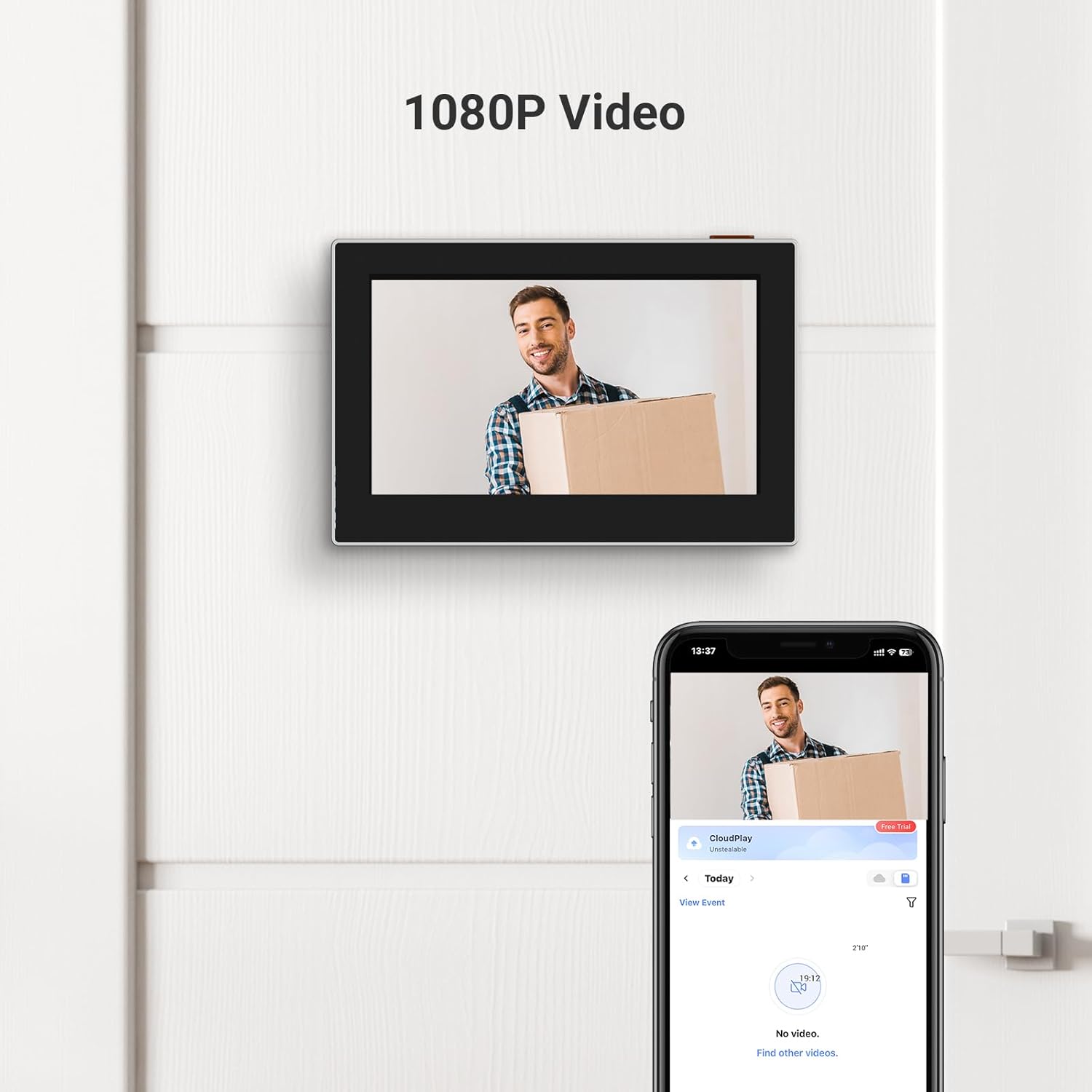
Image 4.3: The EZVIZ CP2 delivers clear 1080P video resolution on both the indoor screen and the mobile app.
5. જાળવણી
૩.૪ બેટરી મેનેજમેન્ટ
The EZVIZ CP2 is equipped with a 2200mAh rechargeable lithium-ion battery, offering a long standby duration. When the battery level is low, a notification will appear on the screen and in the EZVIZ app.
- ચાર્જિંગ: Connect the indoor monitor to a power source using the provided power cable. The device cannot be kept connected to the electrical grid during charging; it must be removed.
- બેટરી જીવન: Under normal usage conditions, the battery can last for several weeks.

Image 5.1: The EZVIZ CP2 features a 2200mAh rechargeable battery for extended use.
5.2 સફાઈ
To maintain optimal performance, regularly clean the camera lens and the indoor monitor screen with a soft, dry cloth. Avoid using harsh chemicals or abrasive materials.
6. મુશ્કેલીનિવારણ
If you encounter issues with your EZVIZ CP2, refer to the following common problems and solutions:
- No Connection between Camera and Screen:
- Ensure the cable connecting the camera unit to the indoor monitor is securely plugged in.
- Check if the indoor monitor is sufficiently charged.
- Wi-Fi કનેક્ટિવિટી સમસ્યાઓ:
- Verify that your 2.4GHz Wi-Fi network is active and functioning correctly.
- Ensure the device is within range of your Wi-Fi router.
- Restart your Wi-Fi router and the EZVIZ CP2 device.
- Re-configure the Wi-Fi connection through the EZVIZ app.
- Slow Response Time / Lagging Video:
- Check your internet connection speed. A stable and fast connection is required for optimal performance.
- Ensure there are no obstructions or excessive interference affecting the Wi-Fi signal.
- If using a microSD card for recording, ensure it is a high-speed card and not full.
- નબળી છબી ગુણવત્તા:
- કોઈપણ ગંદકી કે ડાઘ દૂર કરવા માટે કેમેરા લેન્સ સાફ કરો.
- Ensure adequate lighting conditions. While the device has night vision, extreme low light can affect quality.
For further assistance, please contact EZVIZ customer support.
7. સ્પષ્ટીકરણો
| લક્ષણ | વિગત |
|---|---|
| મોડેલનું નામ | CP2 |
| બ્રાન્ડ | EZVIZ |
| રંગ | ચાંદી |
| વિડિઓ રેકોર્ડિંગ રીઝોલ્યુશન | 1080p |
| ફ્રેમ દર | 30 ફ્રેમ પ્રતિ સેકન્ડ |
| ખાસ લક્ષણો | એચડી રિઝોલ્યુશન, નાઇટ વિઝન |
| વાયરલેસ કનેક્ટિવિટી | Wi-Fi (2.4Ghz) |
| પાવર સ્ત્રોત | બેટરી સંચાલિત |
| બેટરી રચના | લિથિયમ-આયન |
| બેટરી ક્ષમતા | 2200mAh |
| રિચાર્જેબલ બેટરી | હા |
| ભાગtage | 5 વોલ્ટ (DC) |
| પાવર વપરાશ | 2 વોટ્સ |
| સામગ્રી | ધાતુ |
| માઉન્ટિંગ પ્રકાર | ડોર માઉન્ટ |
| ઇન્સ્ટોલેશનનો પ્રકાર | સ્ક્રૂ-ઇન |
| સુસંગત દરવાજાની જાડાઈ | ૧.૫ - ૧૦ મીમી |
| Compatible Peephole Diameter | ૧.૫ - ૧૦ મીમી |
| આઇટમના પરિમાણો (L x W x H) | 11.5 x 2.7 x 8.5 સેમી |
| નિયંત્રક પ્રકાર | EZVIZ એપ |
| ઇન્ડોર/આઉટડોર ઉપયોગ | Indoor (Monitor), Outdoor (Camera) |
| સુસંગત ઉપકરણો | સ્માર્ટફોન |

Image 7.1: Product dimensions for the EZVIZ CP2 components.
8. વોરંટી અને સપોર્ટ
For warranty information, please refer to the warranty card included in your product packaging or visit the official EZVIZ website. EZVIZ provides customer support for product inquiries, technical assistance, and troubleshooting.
EZVIZ ઓફિશિયલ Webસાઇટ: www.ezviz.com
વોરંટી દાવાઓ માટે કૃપા કરીને તમારી ખરીદી રસીદ રાખો.


