1. પરિચય
This manual provides instructions for the installation, operation, and maintenance of the Dahua 4G LTE Wireless Outdoor IP Camera, model DH-IPC-HFW1239DTP-4G-IL. This device is designed for outdoor surveillance, offering remote monitoring capabilities through 4G LTE connectivity. It features 2MP resolution, night vision, two-way audio, and is built to withstand various weather conditions.
2. ઉત્પાદન ઓવરview
The Dahua 4G LTE Wireless Outdoor IP Camera is a robust surveillance solution. Key features include:
- 2MP રિઝોલ્યુશન: સ્પષ્ટ વિડિઓ foo કેપ્ચર કરે છેtage.
- 4G LTE કનેક્ટિવિટી: Enables remote access and real-time monitoring without requiring a local Wi-Fi network.
- નાઇટ વિઝન: Provides visibility up to 50 meters in low-light conditions using IR LEDs.
- વેધરપ્રૂફ ડિઝાઇન: IP67 rated for outdoor use, protecting against dust and water ingress.
- દ્વિ-માર્ગી ઓડિયો: કેમેરા દ્વારા રીઅલ-ટાઇમ વાતચીત કરવાની મંજૂરી આપે છે.
- Intruder Alert System: Sends notifications upon detection of unusual activity.
- સ્માર્ટ હોમ સુસંગતતા: Integrates with Amazon Alexa and Google Assistant for voice control.
- વિડિઓ સંકોચન: Utilizes H.265 for efficient storage and transmission.
૨.૧ સમાવિષ્ટ ઘટકો
- Dahua 4G LTE Wireless Outdoor IP Camera
- પાવર એડેપ્ટર
- માઉન્ટિંગ હાર્ડવેર (સ્ક્રૂ, એન્કર)
- ઝડપી પ્રારંભ માર્ગદર્શિકા
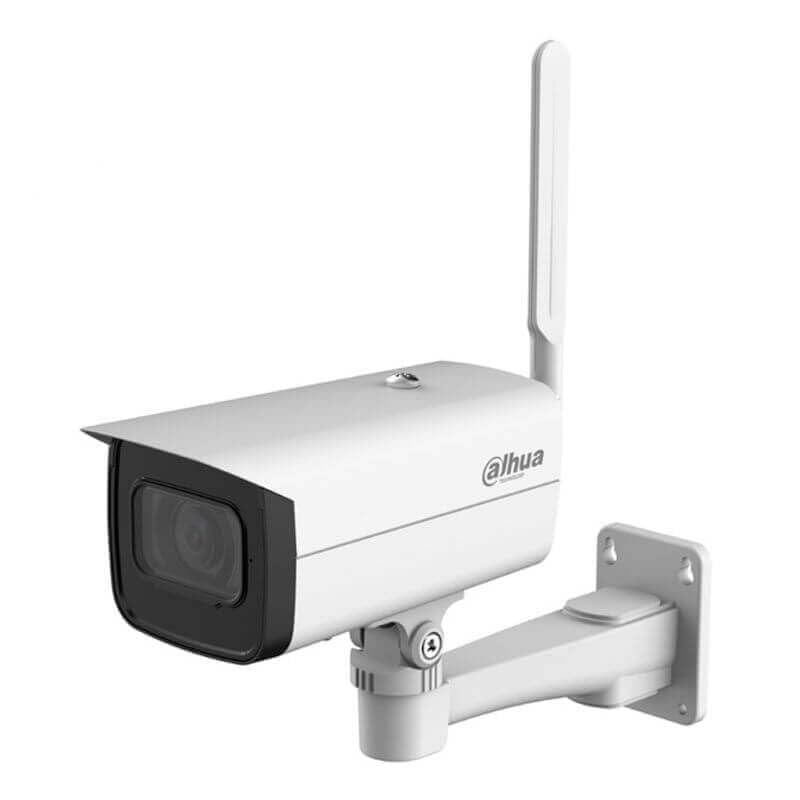
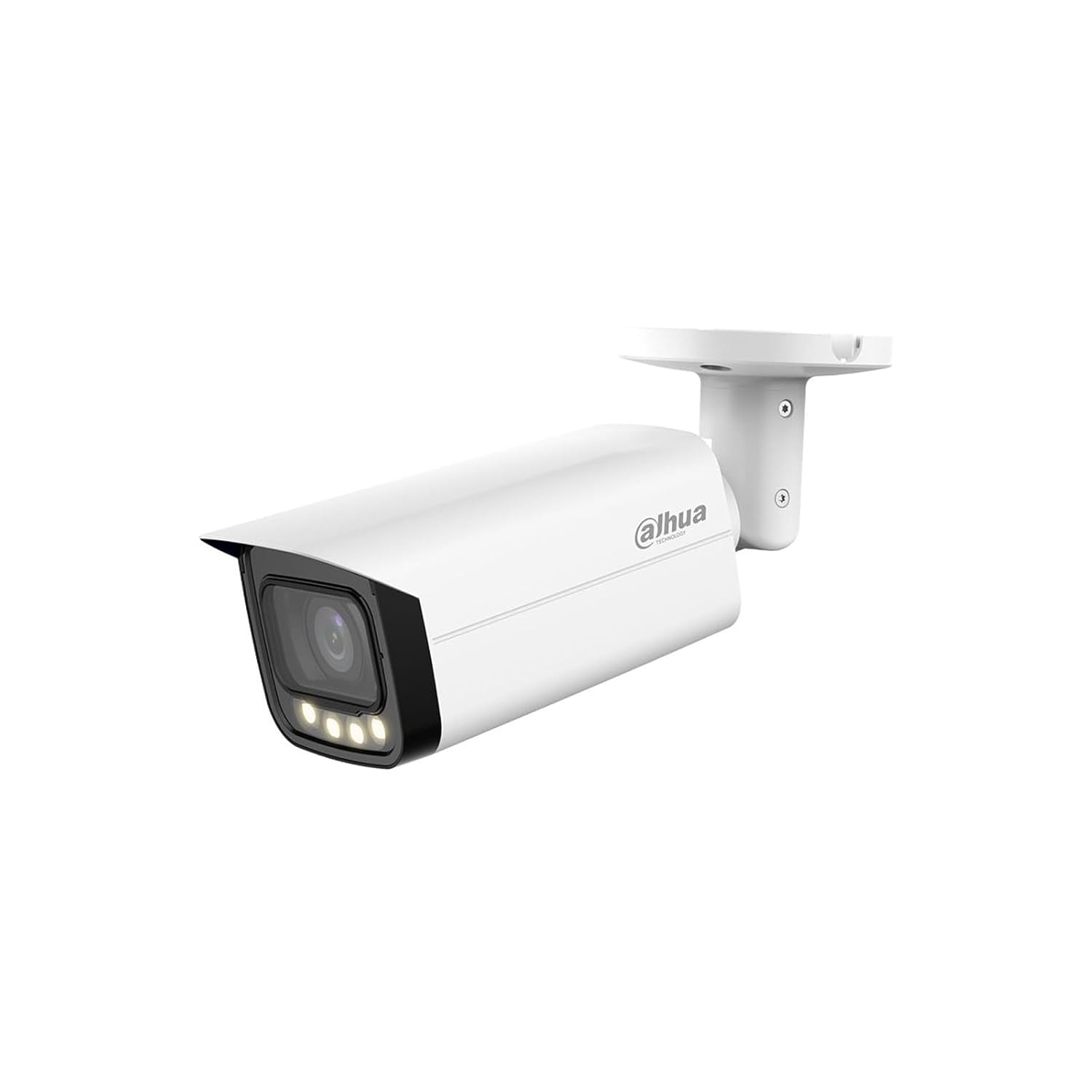
2.2 ઉત્પાદન Views

3. સેટઅપ સૂચનાઓ
Follow these steps to set up your Dahua 4G LTE Wireless Outdoor IP Camera:
- કૅમેરાને અનપૅક કરો: Carefully remove all components from the packaging. Verify that all included items are present.
- Insert SIM Card (for 4G LTE models): Locate the SIM card slot, typically protected by a cover. Insert a activated 4G LTE SIM card according to the diagram provided in the quick start guide. Ensure it is correctly seated.
- પાવર કનેક્શન: Connect the provided power adapter to the camera's power input port and then plug it into a suitable power outlet. The camera will power on and initiate its startup sequence.
- Download Mobile Application: Download the official Dahua mobile application (e.g., DMSS) from your smartphone's app store (iOS App Store or Google Play Store).
- Initial Device Pairing:
- Open the Dahua mobile application and create an account or log in.
- નવું ઉપકરણ ઉમેરવા માટે '+' ચિહ્ન પર ટેપ કરો.
- કેમેરા અથવા તેના પેકેજિંગ પર સ્થિત QR કોડ સ્કેન કરો.
- Follow the on-screen prompts to complete the device pairing process. This may involve setting a device password.
- કેમેરા માઉન્ટ કરવાનું:
- Choose a suitable outdoor location that provides the desired viewing angle and has good 4G LTE signal strength.
- Use the provided mounting template (if available) to mark drill holes.
- છિદ્રો ડ્રિલ કરો અને જો જરૂરી હોય તો દિવાલ એન્કર દાખલ કરો.
- આપેલા સ્ક્રૂનો ઉપયોગ કરીને માઉન્ટિંગ કૌંસને સપાટી પર સુરક્ષિત કરો.
- Attach the camera to the mounting bracket and adjust its angle for optimal coverage.
4. ઓપરેટિંગ સૂચનાઓ
Once the camera is set up, you can begin monitoring and utilizing its features through the mobile application.
4.1 રિમોટ મોનિટરિંગ
Access live video feeds and recorded footage from anywhere using the Dahua mobile application. Ensure your smartphone has an active internet connection.
૫.૨ ટુ-વે ઓડિયો
To use the two-way audio feature:
- જીવંત માં view interface of the app, locate the microphone icon.
- Tap the microphone icon to speak through the camera's speaker.
- The camera's built-in microphone will capture audio from the camera's vicinity.
4.3 નાઇટ વિઝન
The camera automatically switches to night vision mode in low-light conditions. Infrared LEDs illuminate the area, providing clear black-and-white video. The camera can detect motion up to 50 meters in darkness.
4.4 Intruder Alerts
Configure motion detection zones and sensitivity settings within the mobile application. When motion is detected, the camera will send instant notifications to your smartphone, allowing you to view the event in real-time.
૬.૬ સ્માર્ટ હોમ ઇન્ટિગ્રેશન
To integrate with Amazon Alexa or Google Assistant:
- Open the Alexa or Google Home app on your smartphone.
- માટે શોધો the Dahua skill/service and enable it.
- Link your Dahua account with your smart home assistant account.
- Discover devices. You can then use voice commands to view camera feeds on compatible smart displays.
5. જાળવણી
નિયમિત જાળવણી તમારા કેમેરાની શ્રેષ્ઠ કામગીરી અને આયુષ્ય સુનિશ્ચિત કરે છે.
5.1 સફાઈ
- સમયાંતરે કેમેરા લેન્સ અને હાઉસિંગને સોફ્ટ, ડી વડે સાફ કરો.amp કાપડ
- Do not use harsh chemicals or abrasive cleaners, as these can damage the lens or finish.
- સફાઈ કરતા પહેલા ખાતરી કરો કે કેમેરા બંધ છે.
5.2 ફર્મવેર અપડેટ્સ
Check the Dahua mobile application regularly for available firmware updates. Keeping your camera's firmware up-to-date ensures you have the latest features, security patches, and performance improvements. Follow the in-app instructions for firmware updates.
6. મુશ્કેલીનિવારણ
જો તમને તમારા કેમેરામાં સમસ્યાઓ આવે, તો નીચેના સામાન્ય મુશ્કેલીનિવારણ પગલાંઓનો સંદર્ભ લો:
- કોઈ શક્તિ નથી: Ensure the power adapter is securely connected to both the camera and a working power outlet. Check the power indicator light on the camera.
- No 4G LTE Connection: Verify that the SIM card is correctly inserted and activated. Check the signal strength indicator in the mobile app. If signal is weak, try repositioning the camera or contacting your mobile service provider.
- એપ્લિકેશન સાથે કનેક્ટ થઈ શકતું નથી: Ensure your smartphone has an active internet connection. Restart the camera and your smartphone. Try re-pairing the device if the issue persists.
- નબળી વિડિઓ ગુણવત્તા: Check the camera lens for dirt or obstructions. Ensure there is adequate lighting in the monitored area. Adjust video resolution settings in the app if necessary.
- મોશન ડિટેક્શન કામ કરતું નથી: Verify that motion detection is enabled in the app settings. Adjust sensitivity and detection zones. Ensure there are no constant movements (e.g., tree branches) triggering false alarms.
- દ્વિ-માર્ગી ઑડિઓ સમસ્યાઓ: Check the microphone and speaker settings in the app. Ensure there are no physical obstructions blocking the camera's microphone or speaker.
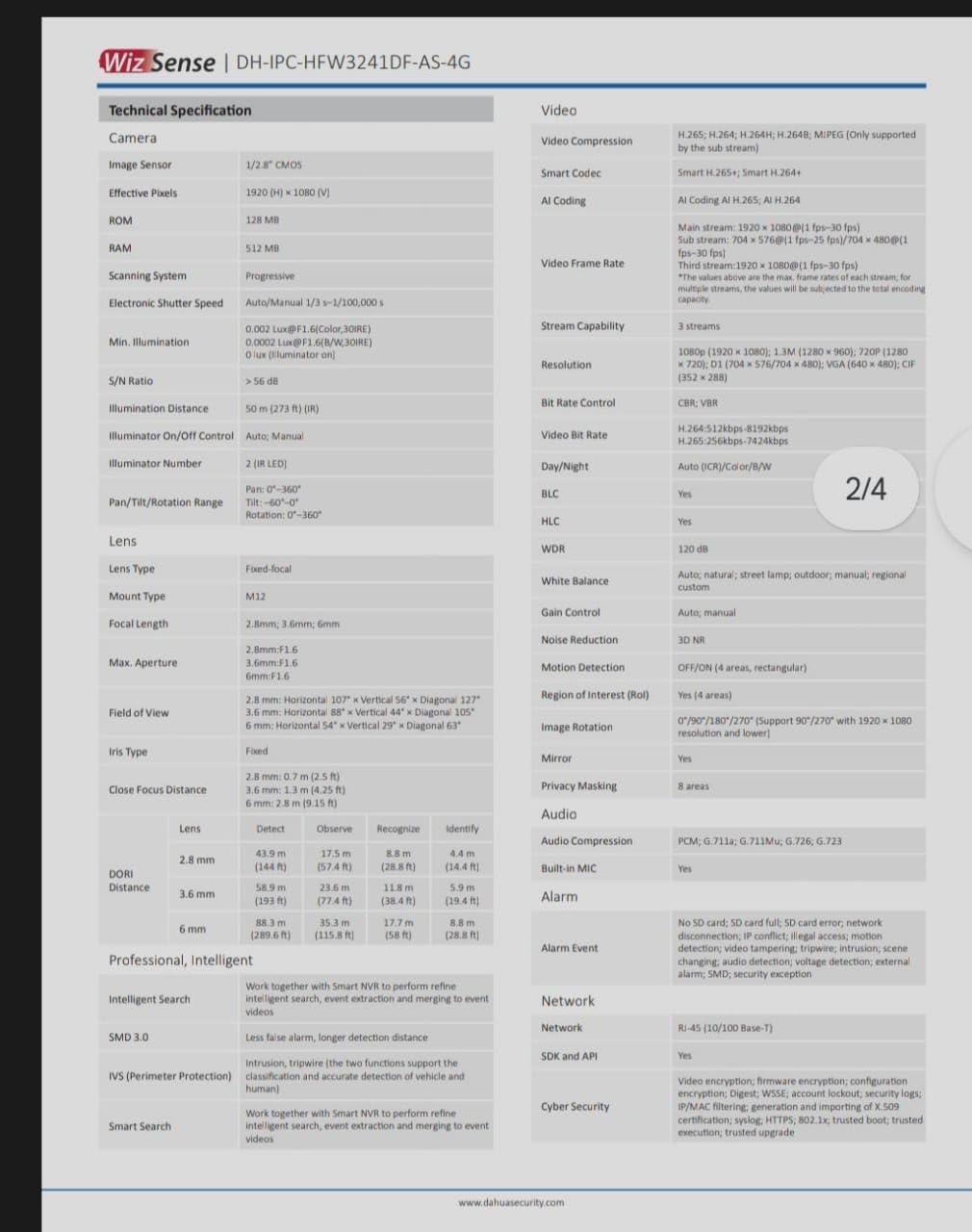
7. સ્પષ્ટીકરણો
Detailed technical specifications for the Dahua 4G LTE Wireless Outdoor IP Camera (DH-IPC-HFW1239DTP-4G-IL):
| લક્ષણ | સ્પષ્ટીકરણ |
|---|---|
| મોડલ નંબર | DH-IPC-HFW1239DTP-4G-IL |
| છબી સેન્સર | ૧/૨.૭" સીએમઓએસ |
| ઠરાવ | 2 એમપી (1920 x 1080) |
| ફ્રેમ દર | 30 ફ્રેમ પ્રતિ સેકન્ડ |
| લેન્સ | Fixed-focal (specific focal length may vary by variant) |
| નાઇટ વિઝન | IR LEDs, up to 50 meters |
| વાયરલેસ કોમ્યુનિકેશન | 4G LTE, વાઇ-ફાઇ, બ્લૂટૂથ |
| ઓડિયો | ટુ-વે audioડિઓ (બિલ્ટ-ઇન માઇક્રોફોન અને સ્પીકર) |
| વિડિઓ કમ્પ્રેશન | એચ.265 |
| સંગ્રહ | Micro SD card slot (up to 256GB, card not included) |
| વેધરપ્રૂફ રેટિંગ | IP67 |
| પાવર સપ્લાય | 12V DC (એડેપ્ટર શામેલ છે) |
| નિયંત્રણ પદ્ધતિ | મોબાઇલ એપ્લિકેશન |
| પરિમાણો (L x W x H) | 12 x 5 x 10 Centimeters (approximate) |
| વજન | 500 ગ્રામ (અંદાજે) |
| ઓપરેટિંગ તાપમાન | ચોક્કસ શ્રેણી માટે ઉત્પાદન ડેટાશીટનો સંદર્ભ લો. |
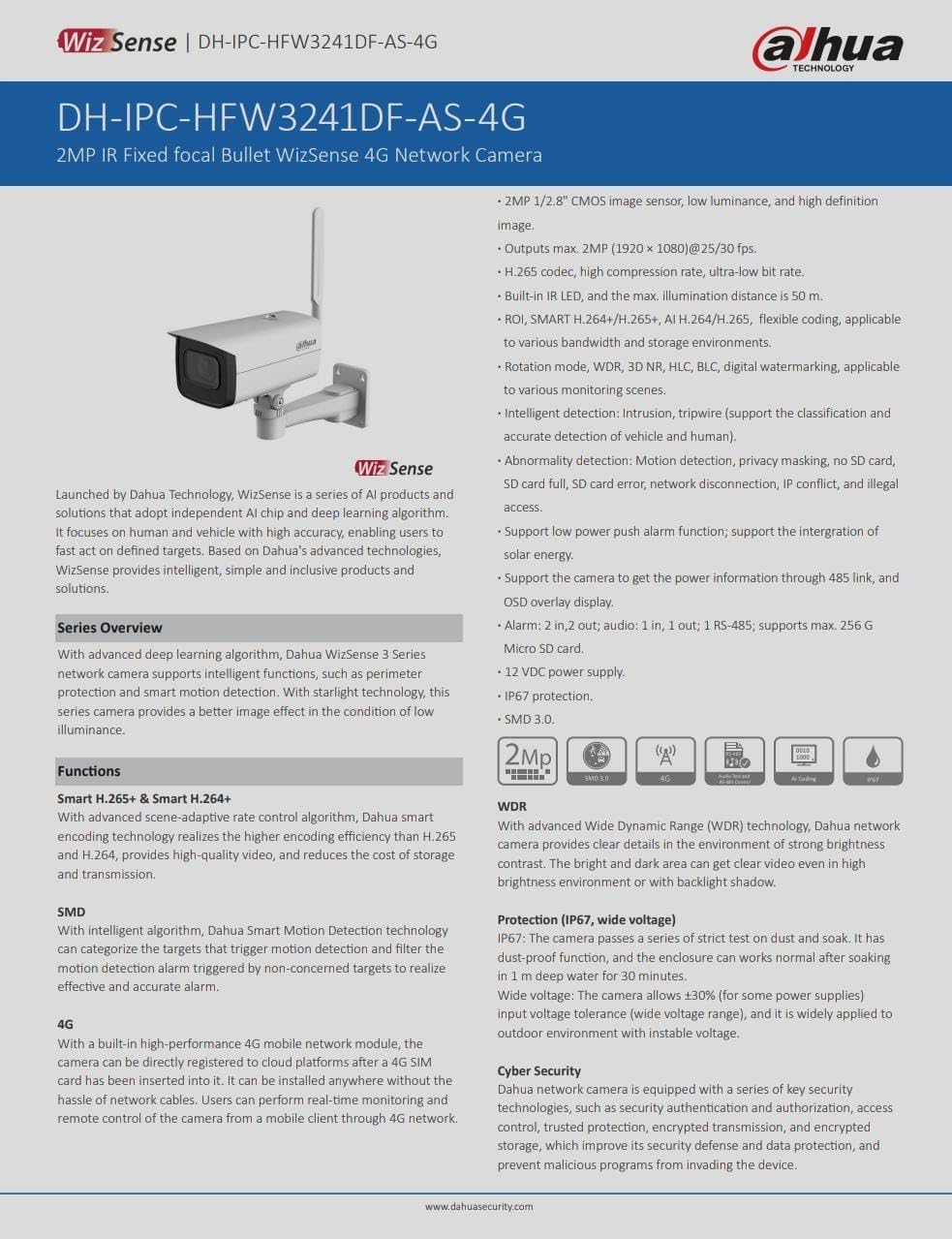
7.1 Datasheet Reference
For more detailed technical specifications, please refer to the official product datasheets:


8. વોરંટી અને સપોર્ટ
For warranty information, please refer to the warranty card included with your product or visit the official Dahua website. For technical support, contact Dahua customer service through their official channels. Keep your purchase receipt for warranty claims.


